



Construction Subcontractor Profit Tracker
Construction Subcontractor Profit Tracker Excel with job costing, labor and crew tracking, materials and expenses by category, and a monthly P and L dashboard. Know what every job actually made — after labor, materials, equipment, and overhead — and which payments are still owed to you.
Built for general contractors, subcontractors, and trade crews who need to know, job by job, whether the contract covers the crew and the materials — without accounting software. If a job is losing money, this workbook shows you while there is still time to fix the next bid. If a GC has not paid for finished work, the overdue amount is right on the Dashboard.
WHAT'S INCLUDED (6 sheets):
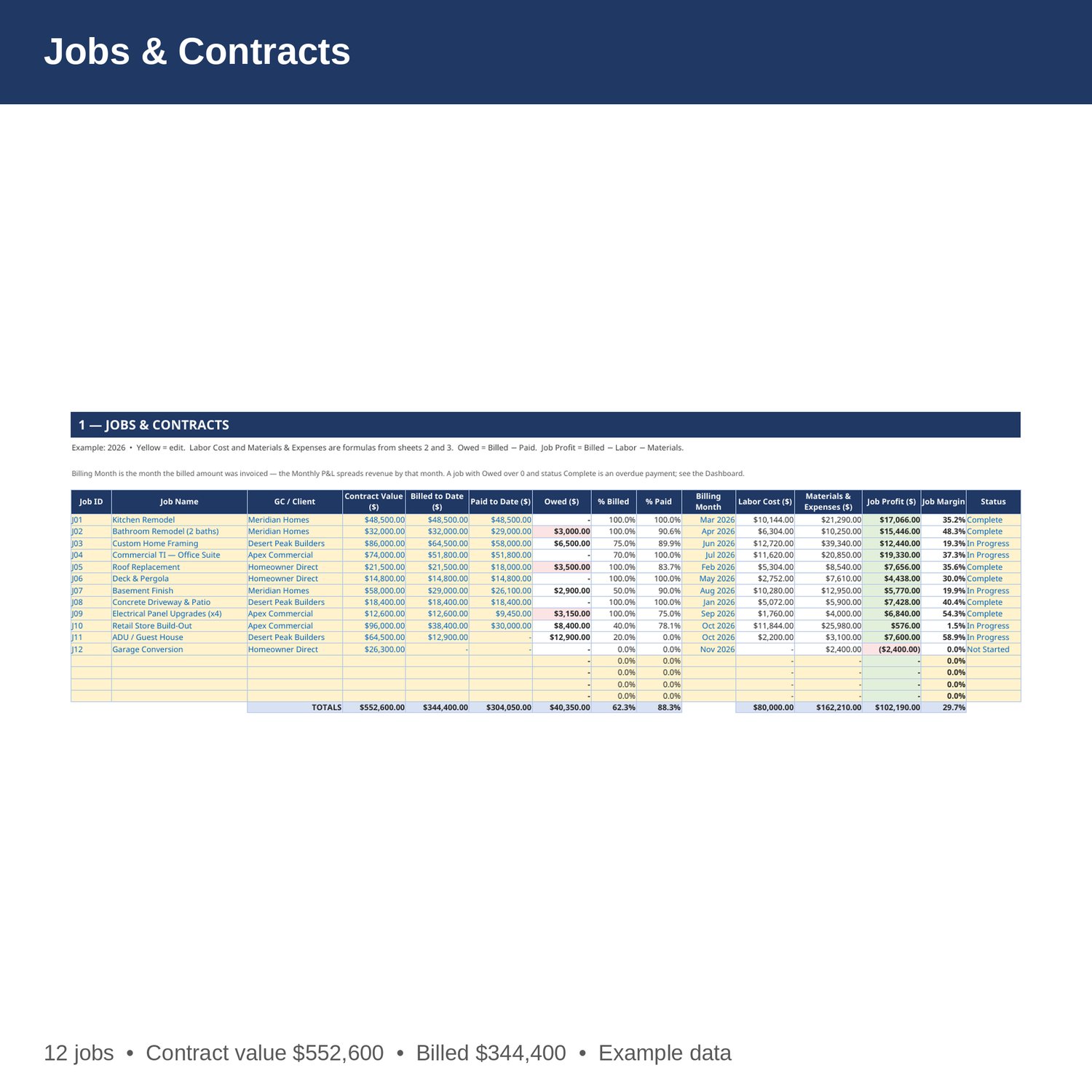
- Jobs and Contracts — every job: GC or client, contract value, billed to date, paid to date, and what is still owed. Labor and materials per job are pulled in by formula, so job profit and margin calculate automatically. Owed amounts on completed jobs are flagged in red.
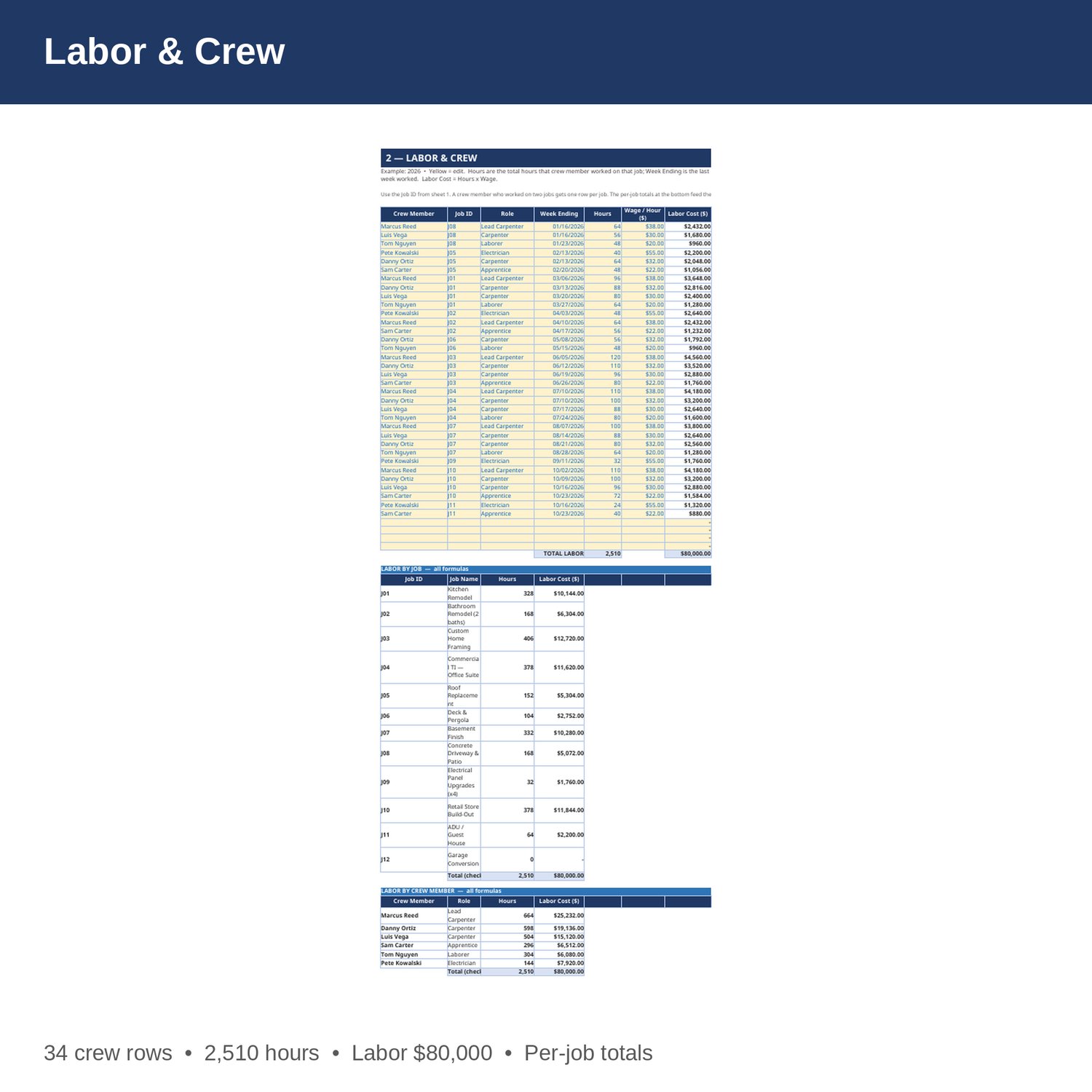
- Labor and Crew — every crew member's hours on every job, with role, wage, and labor cost. Per-job labor totals and per-crew totals are formulas at the bottom.
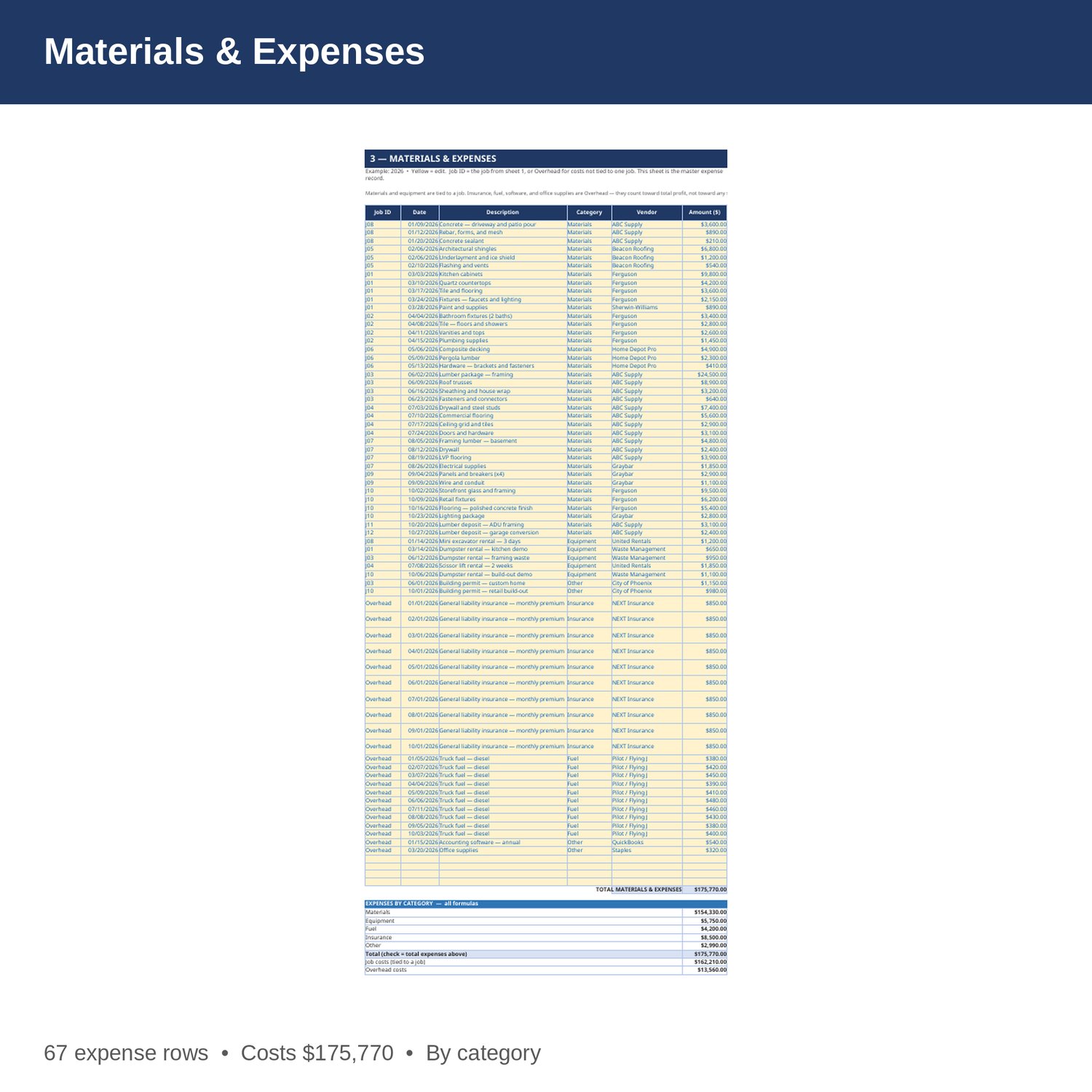
- Materials and Expenses — every purchase, tied to a job or marked Overhead: materials, equipment, fuel, insurance, and other. This is the master expense record — the Jobs sheet, P and L, and Dashboard all read from it, so nothing is counted twice.
- Monthly P and L — jobs billed, revenue, labor, materials and expenses, net profit, and margin for each month, Jan-Dec. All formulas from sheets 1 to 3.
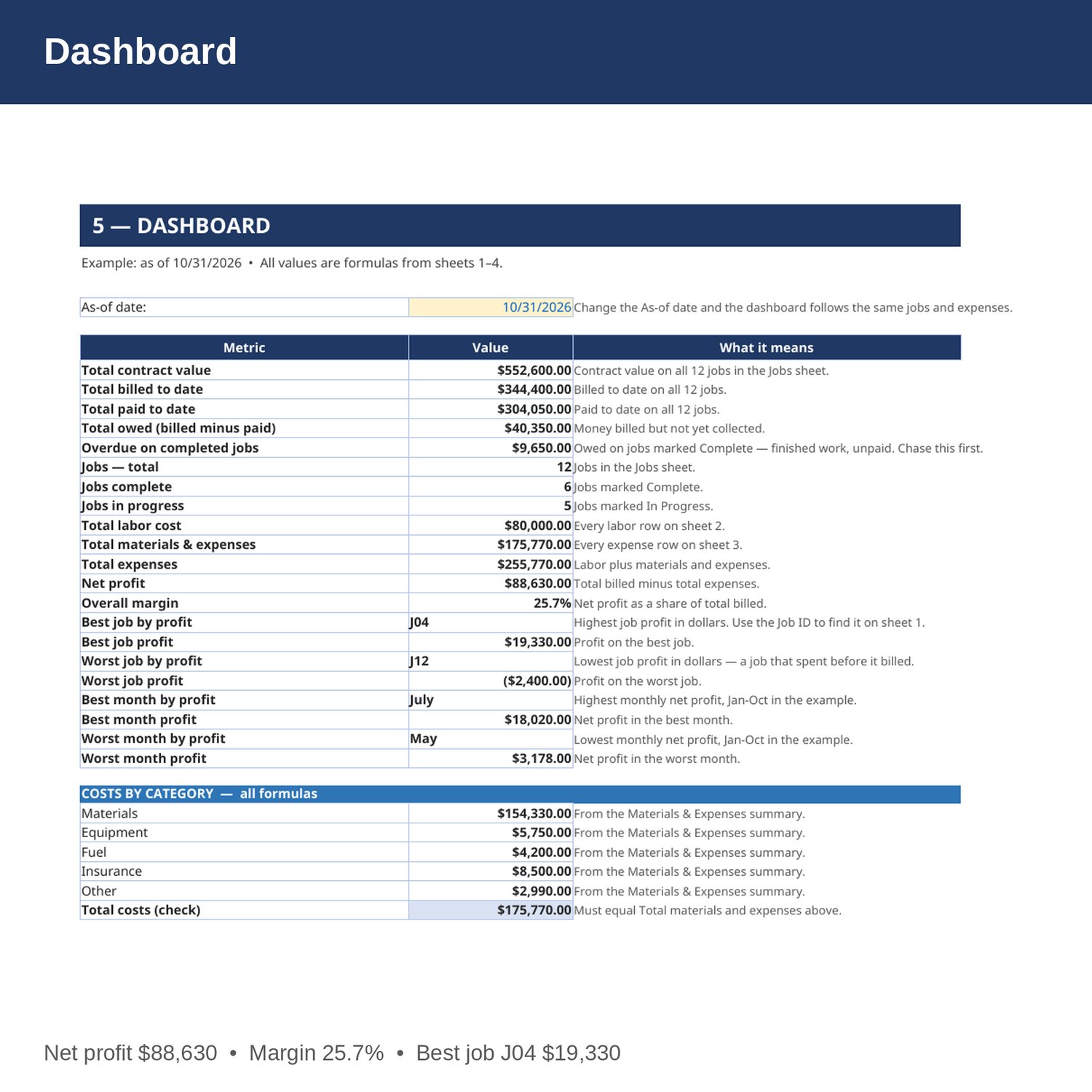
- Dashboard — total contract value, billed, paid, and owed, overdue payments on completed jobs, total profit and margin, best and worst jobs, best and worst months, and costs by category.
- Cover and How to Use — start here. Yellow cells are the only ones you edit.
EXAMPLE DATA (2026, 12 jobs, Jan-Oct — replace with your own numbers):
- Total contract value 552,600; total billed 344,400; total paid 304,050; total owed 40,350.
- Overdue on completed jobs 9,650 — finished work that has not been paid.
- Labor 80,000 across 2,510 hours. Materials and expenses 175,770: materials 154,330, equipment 5,750, fuel 4,200, insurance 8,500, other 2,990.
- Total expenses 255,770; net profit 88,630; margin 25.7 percent.
- Best job: J04 Commercial TI, profit 19,330, margin 37.3 percent. Worst job: J12 Garage Conversion, profit minus 2,400 — materials were bought before any billing.
- Best month: July, profit 18,020. Worst month: May, profit 3,178.
HOW IT WORKS:
1. Download the Excel file instantly after purchase.
2. Add a row on sheet 1 for every job: job name, GC or client, contract value, and the month you billed it. Update Billed and Paid as the job progresses.
3. On sheet 2, log each crew member's hours against the right Job ID. The job's labor cost fills in on sheet 1 by formula.
4. On sheet 3, log every purchase with the right Job ID (or Overhead) and category. A job's profit is only right if its materials are logged.
5. Check the Dashboard weekly. Overdue on completed jobs is money for finished work — call the GC before you start their next job.
HOW THE NUMBERS WORK:
Job profit is billed to date minus labor on that job minus materials and expenses tied to that job. Overhead (insurance, fuel, software, office supplies) counts toward total profit, not toward any single job, so a job's profit is the profit on the work itself. Overall margin is net profit divided by total billed. Billing Month is the month the billed amount was invoiced — the Monthly P and L spreads revenue by that month.
WHO IT'S FOR:
General contractors, subcontractors, framers, remodelers, electricians, roofers, and small trade crews who want clean per-job books and an overdue number they can act on before the next job starts.
PLEASE NOTE:
- This is a digital download. No physical item will be shipped.
- Works in Microsoft Excel and Google Sheets (upload to Google Drive to open in Sheets).
- Example data for 2026 is included (12 jobs, 34 crew rows, 67 expense rows, Jan-Oct). Replace it with your own numbers.
- This is a bookkeeping and planning tool only, not tax, legal, or CPA advice. Confirm tax, lien, and legal decisions with your own accountant or CPA.
- Due to the nature of digital downloads, refunds are not available. Message me before buying if you have a question.
Built by an accountant: B.S. Accountancy, ASU W. P. Carey, with revenue-reconciliation experience at Marriott and audit work at PwC.