
Absent Slip Dashboard | All in one Absent Student Organization
AUTOMATICALLY CREATES + EMAILS PERSONALIZED ABSENT SLIPS
Make managing absences easier with this Absent Slip Dashboard for Google Sheets. This teacher-friendly system helps you keep track of absent students, organize what they missed, create printable absent slips, and optionally email students their information without rewriting the same directions over and over.
Set it up once with your teacher information, course names, master schedule, and student roster. After that, your daily routine is simple: enter the day’s objective and agenda for each prep, select the students who were absent, and click the button.
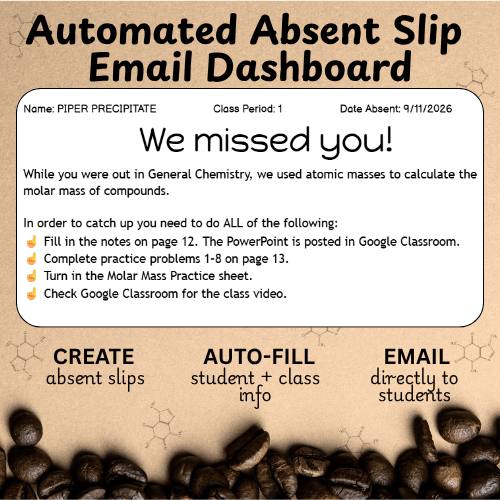
Each absent slip includes the student’s name, class period, date absent, course, objective, missed assignments, agenda items, and any extra note you choose to include. Slips are created in a half-sheet format with two slips per page, making them easy to print, cut, and hand to students when they return.
Teachers can also choose whether they want the system to email absent slips directly to students. Turn the email option on or off with a simple checkbox. If email is turned on, each student receives their own personalized absent slip automatically.
This resource is designed for teachers who are tired of answering “What did I miss?” over and over. It keeps absence information organized in one place while giving students a clear, consistent list of what they need to do when they return.
Please note: This resource uses Google Sheets, Google Docs, Google Drive, and Google Apps Script. Buyers will need a Google account and will be asked to authorize the script the first time they use the automated features.