
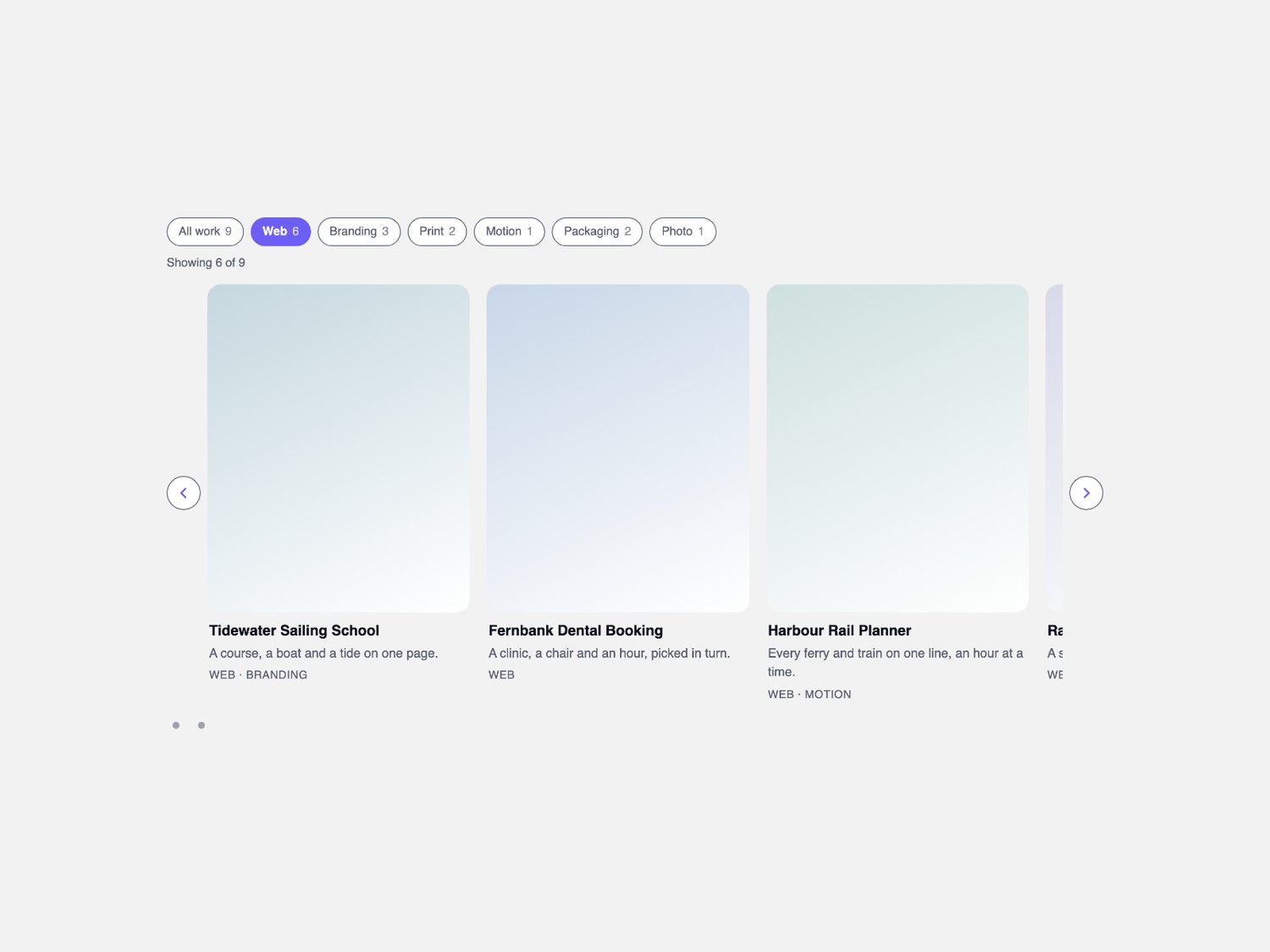
CMS Tag Rail — filterable snap carousel for Framer
What it is
The row a home page puts under a heading: one collection, a line of tag chips, and cards that scroll sideways instead of pushing the rest of the page down.
What you get
• One Framer code component (CMS Tag Rail), delivered as a Component URL.
• Per-item controls: title, caption, a comma list of tags, image with alt text, link, new-tab, and a tint that draws the card face while an image is still on the way.
• A component slot per card, so a CMS collection drives the rail directly.
• The rail set in plain choices: cards per view, peek, card ratio, gap, radius, font, text size, alignment and max width.
• Free updates.
How it behaves
• The browser does the scrolling. The track scrolls itself — drag on a phone or a trackpad, flick the wheel sideways, or tab to it and use the arrow keys — and CSS scroll-snap parks each card at the left edge. No observer, no timer, no animation library.
• Arrows, dots and keys. Side arrows nudge the track and snapping parks it on the next card edge, one dot per group of cards jumps straight to that group, and the focused track answers the arrow keys on its own.
• Chips stack. Several tags can be on at once, and one switch decides whether a card needs any of them or all of them.
• One class swap. Pressing a chip swaps a class; filtered cards fade out over the time you set, leave the track and the rest close up. Nothing is measured.
• One shape for every built-in card face. A single ratio — square, 4:5 or 16:9 — reserves the face's height before anything paints, so the row holds still. A slotted card takes its slot's own height.
• Numbers where they help. Each chip carries the count behind it and a polite line reads out the total showing.
• Self-contained. Everything happens inside the component's own frame: your project's images, your CMS, your styles.
Requirements
Any Framer project. No plugins, no external libraries.