







Reseller Inventory & Profit Tracker Spreadsheet | Poshmark eBay Mercari Sales and Fees - Google Sheets
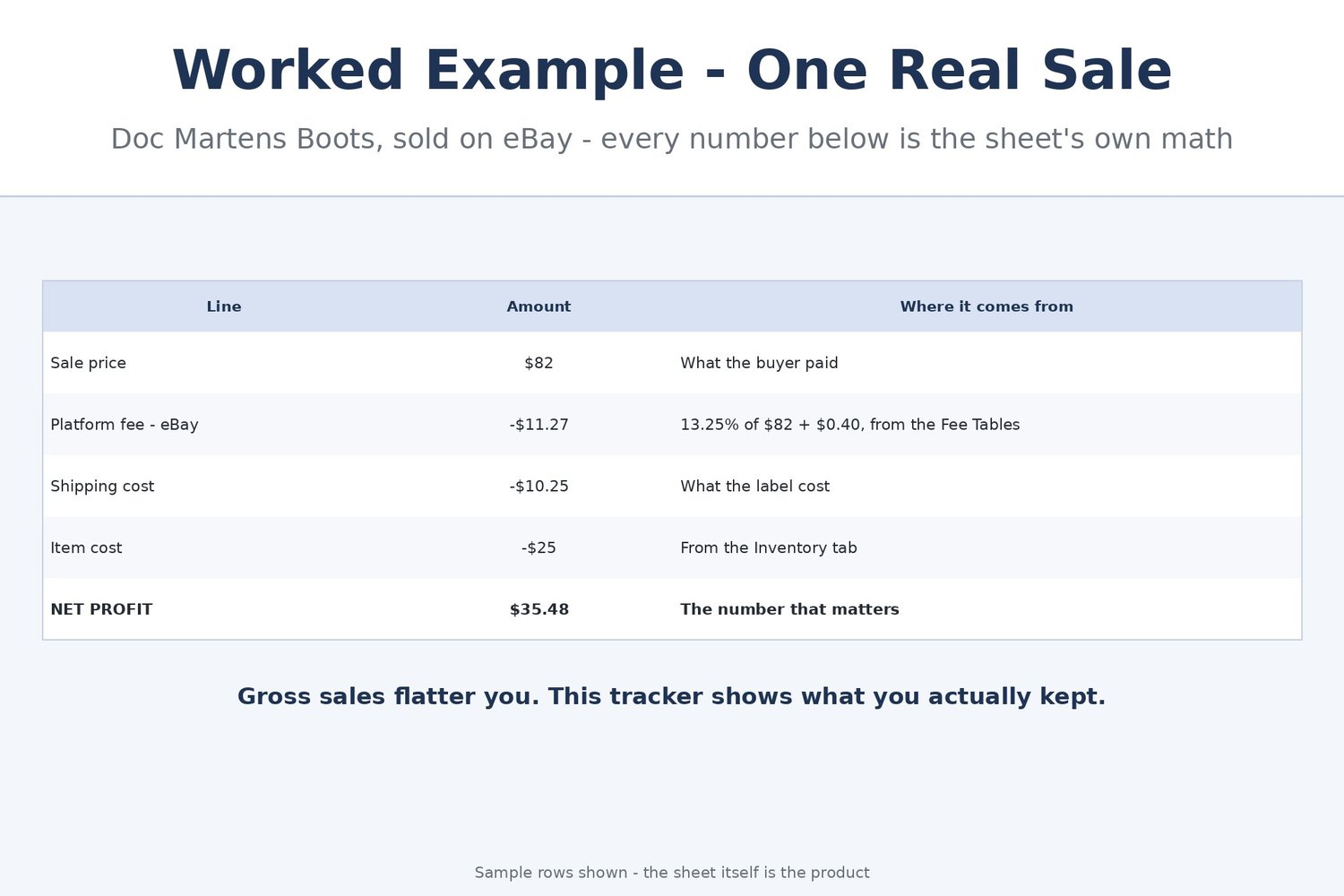
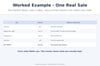
It sold for $82. Great — but what did you actually keep? After eBay's cut, the shipping label and the $25 those boots cost you at the estate sale, the honest answer is $35.48. Most resellers never do that math per item, so the platform that "sells best" quietly eats the profit, and the dress that has sat listed since July just sits there. This tracker does the math on every single sale and watches every listing's age, so you always know both numbers.
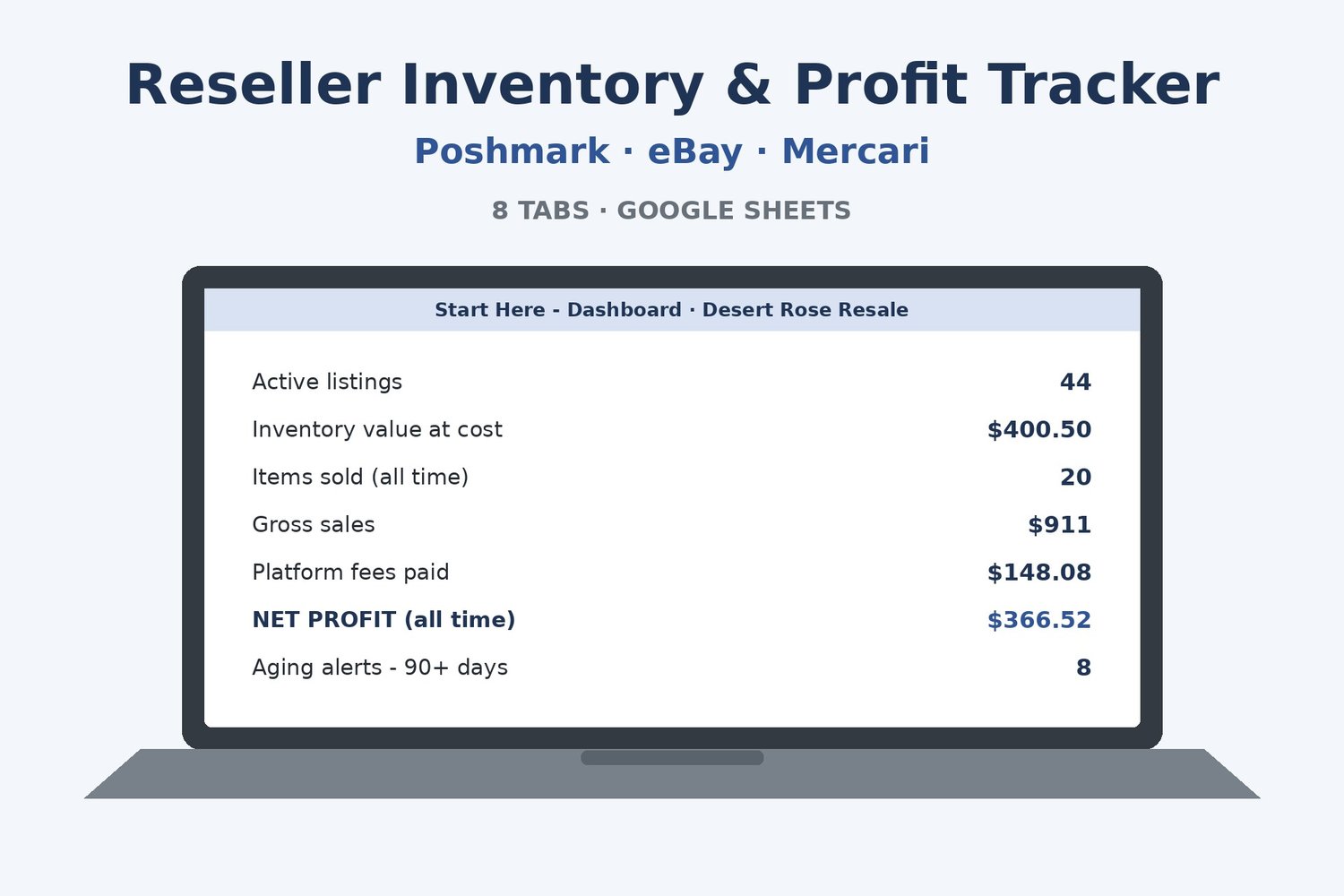
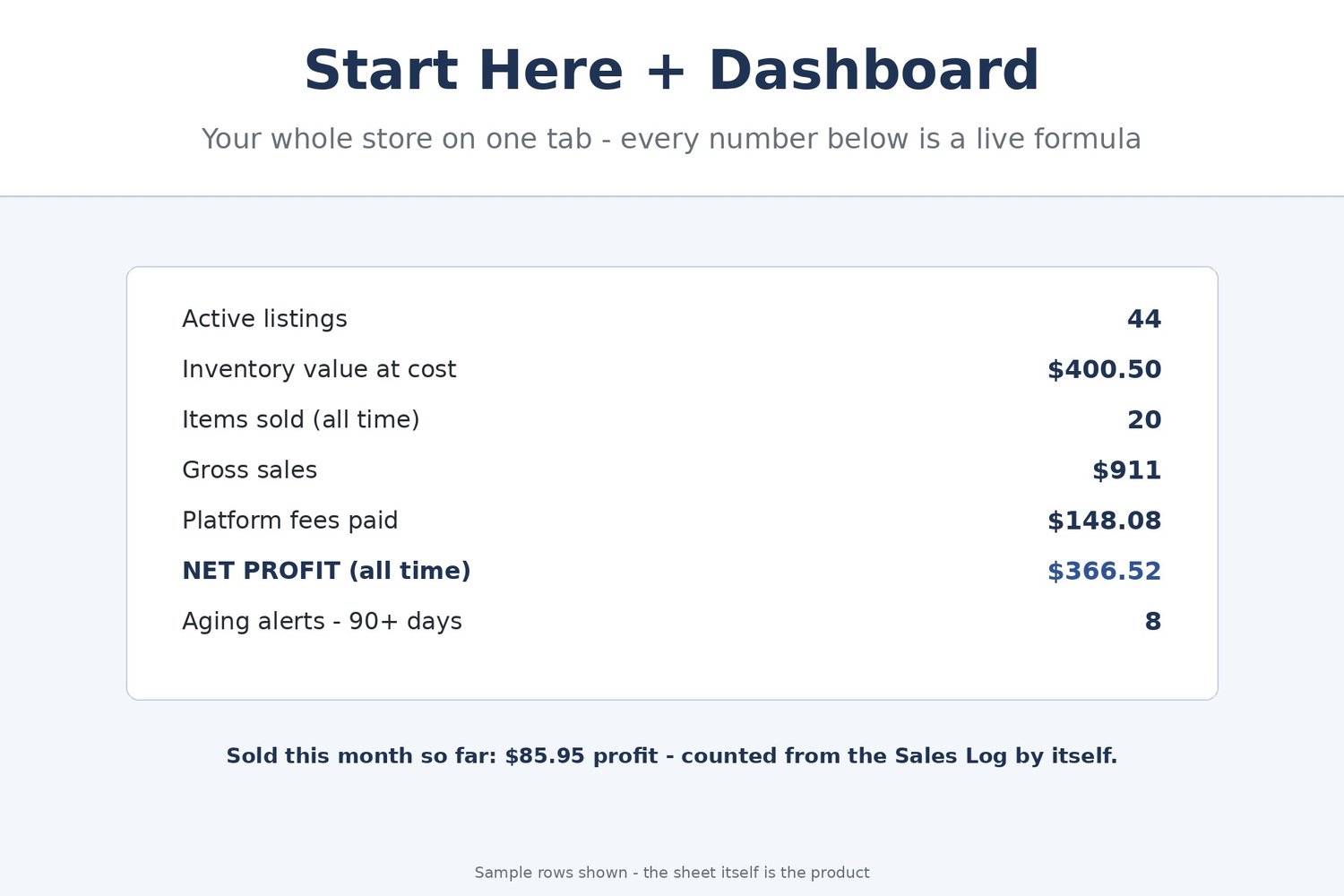
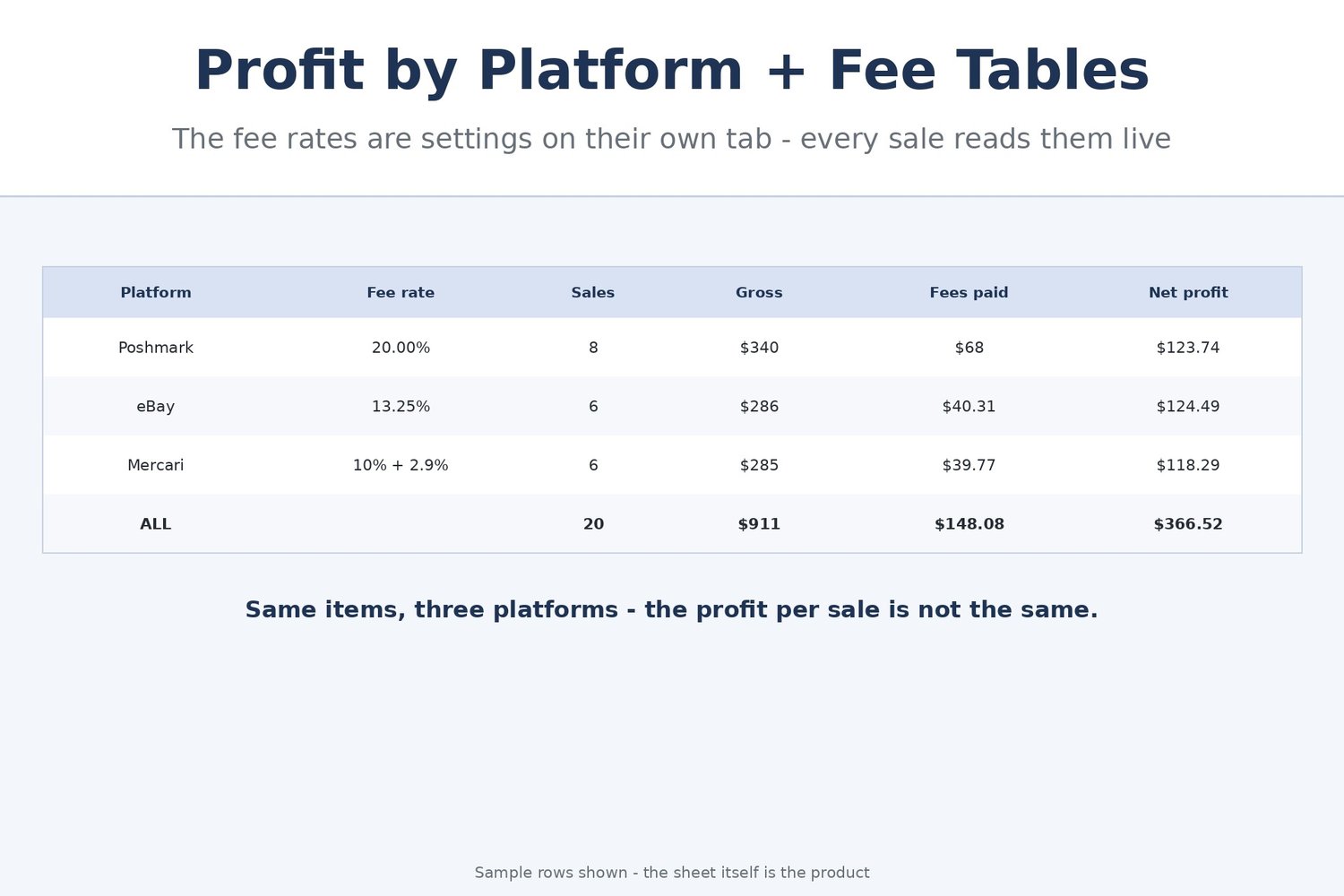
In the sample store inside (Desert Rose Resale, fictional — 64 items across Poshmark, eBay and Mercari), 20 sales grossed $911.00, paid $148.08 in platform fees, and kept $366.52 of true profit. Per platform, eBay kept the store $124.49, Poshmark $123.74 and Mercari $118.29 — close enough that the fee table, not the gross, tells you where to list the next haul. And right now the Aging Report is flagging the store's oldest listings at 90+ days with the next move written out.
Transparency note: this spreadsheet was designed with AI assistance, then hand-built and formula-tested by our shop.
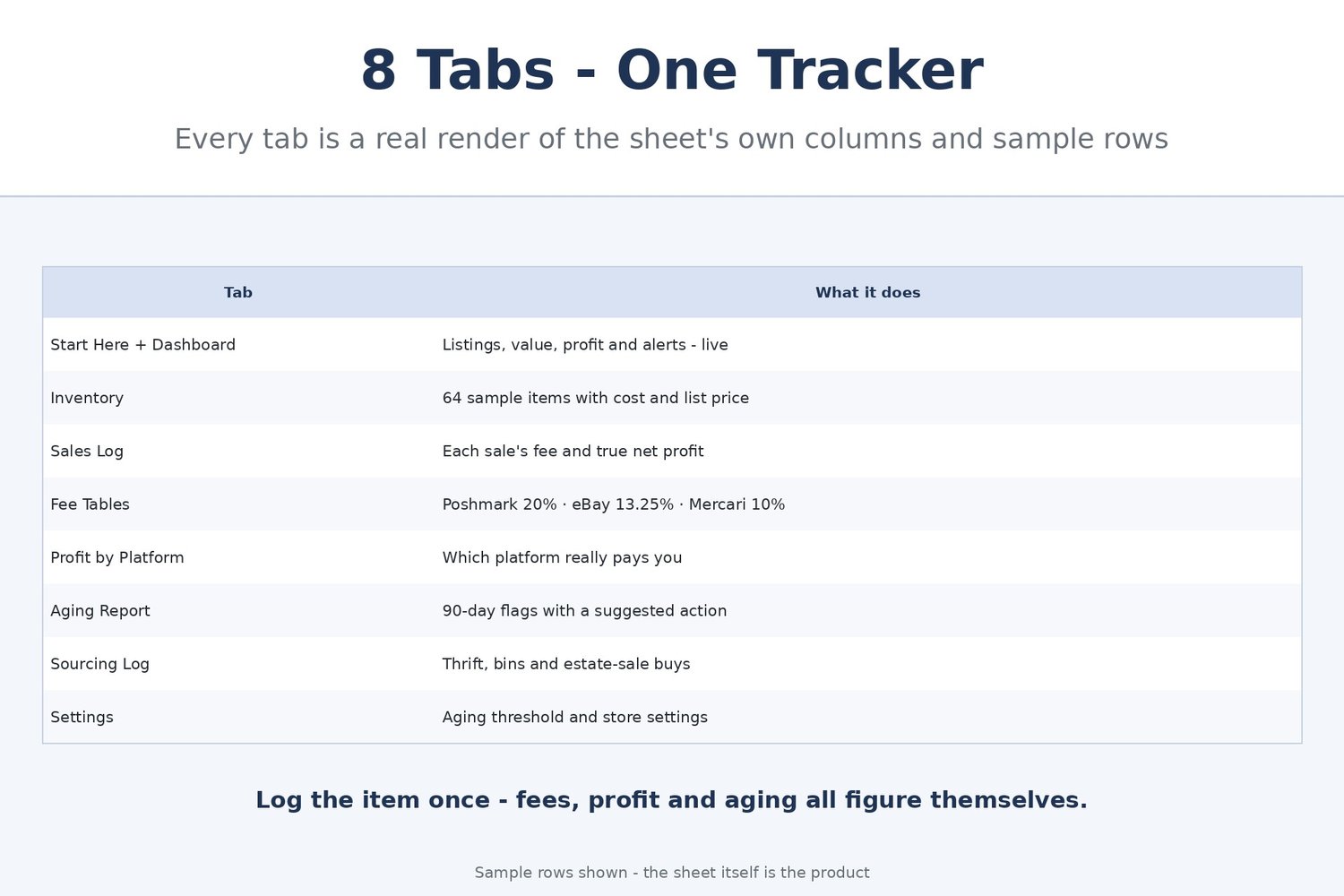
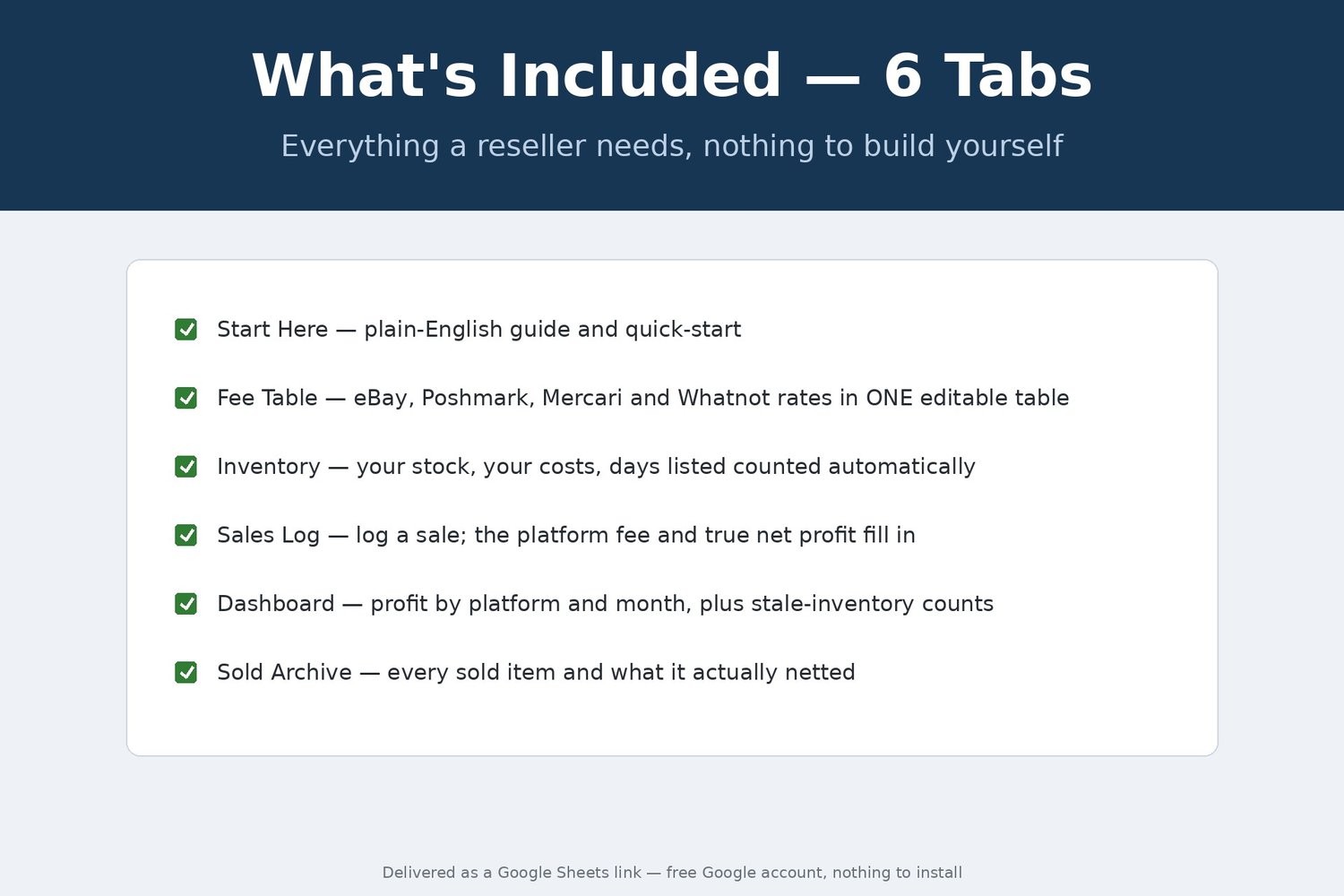
THE 8 TABS
• Start Here + Dashboard — plain-English quick start plus your store today: active listings, inventory value at cost, items sold, gross sales, fees paid, net profit (all time and this month), and how many listings are sitting at 90+ days — all live formulas
• Inventory — one row per item: SKU, item, category, platform listed, list date, what it cost you, list price and status. 70 rows ready, 64 filled with samples
• Sales Log — type only the date, SKU, sale price and your shipping cost. The item name, platform, item cost and — most importantly — the real platform fee and your net profit and margin figure themselves
• Fee Tables — the platforms' rates as editable settings, not fine print: Poshmark 20%, eBay 13.25% + $0.40 per order, Mercari 10% + 2.9% payment processing + $0.50. Every sale's fee is figured from this table, so when a platform changes its rates you update one shaded cell
• Profit by Platform — sales count, gross, fees, shipping, item cost and net profit rolled up per platform, plus profit per sale, so you can see which platform actually pays you
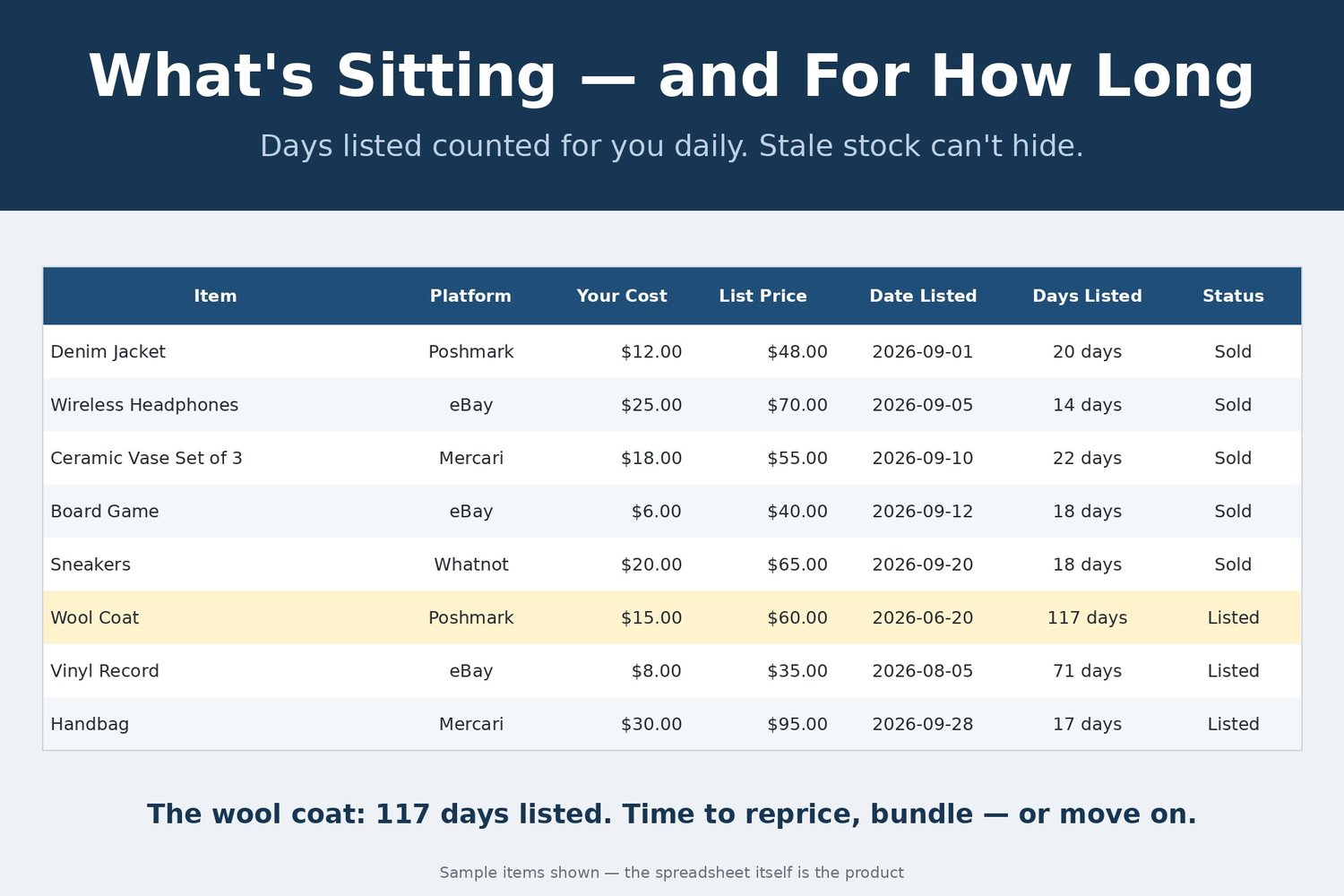
• Aging Report — every listing's days-listed counted against today, flagged OK / WATCH at 60+ days / 90+ DAYS - ACT NOW, each with a suggested action (refresh the photos, drop the price 10–15%, cross-list it). The 90-day line is a setting you control
• Sourcing Log — every thrift store, bins and estate-sale trip: items bought, total spent, and cost per item figuring itself
• Settings — store name and the aging threshold that drives the flags
HOW PROFIT IS FIGURED — NO HIDDEN MATH
Net profit = sale price − platform fee − shipping cost − item cost. Platform fee = sale price × (commission % + processing %) + the fixed per-order fee, read live from the Fee Tables tab. Nothing is estimated and nothing is baked in: change a rate and every new sale follows it.
A FINISHED FILE, DELIVERED INSTANTLY
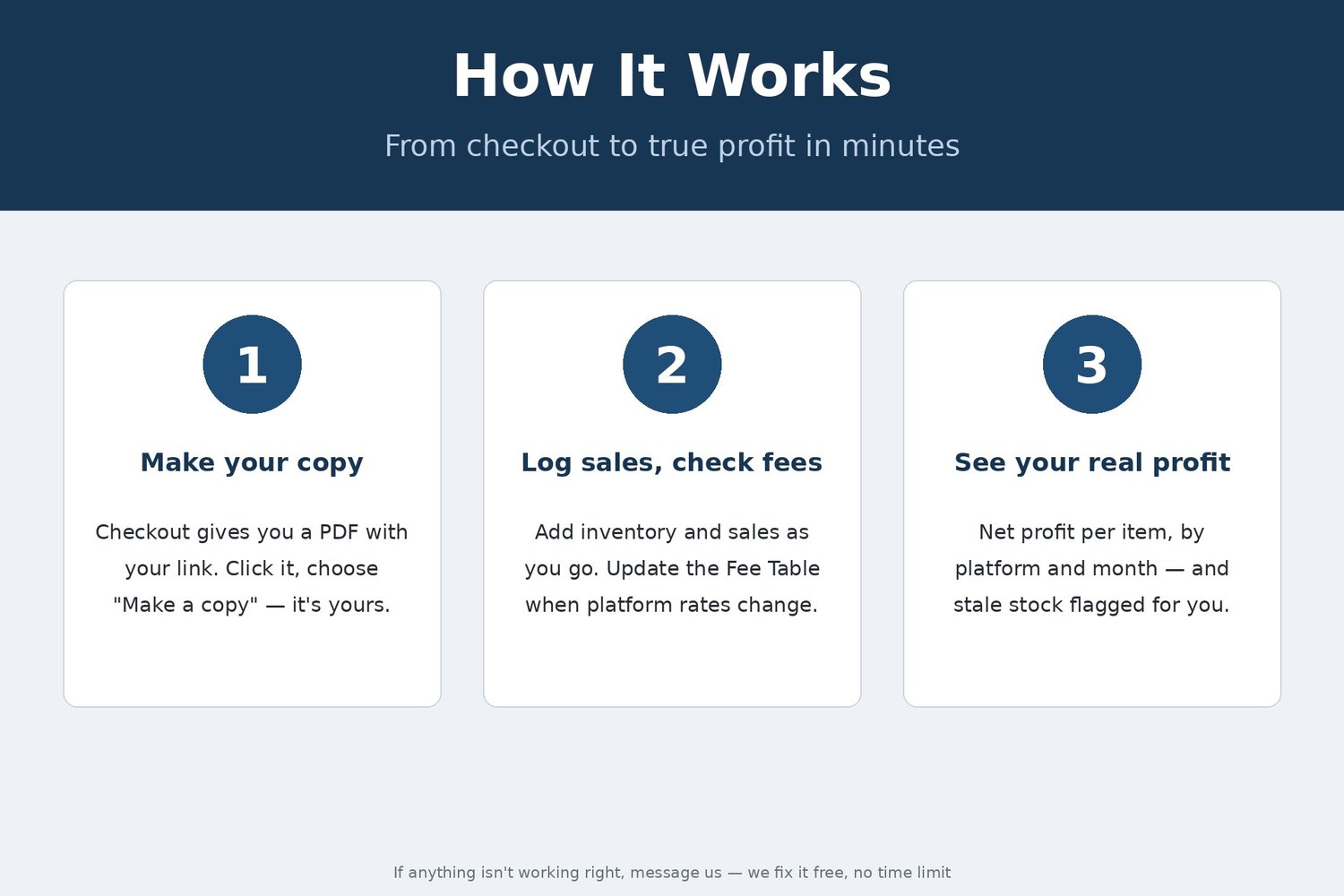
This listing is a digital item, delivered instantly as a file at checkout. The file is a finished template, ready to use as it is. If a formula or number in this file is wrong, message us and you will receive a corrected copy free — forever.
REQUIREMENTS: a free Google account. Your tracker lives in Google Sheets — nothing to install, and it is right there on your phone at the thrift store when you are deciding what a haul is worth.
This is a digital product — no physical item will be shipped, and all sales are final (we can't accept returns or cancellations on digital downloads). Your files are available instantly after checkout.