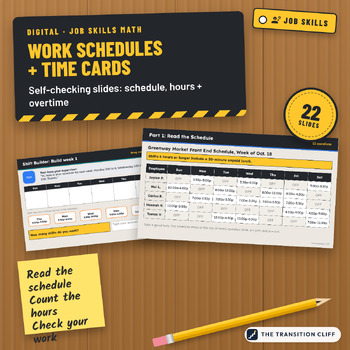
Digital Work Schedules and Time Cards: Self-Checking PowerPoint, Ages 14 to 21
This digital work schedules and time cards resource is a self checking PowerPoint where students read a weekly schedule, count shift hours, and total two time cards, plus a short Shift Builder for dragging shifts onto a calendar.
Why I made this: Counting work hours trips up a lot of young workers, especially quarter hours and unpaid lunch. When a student picks or types an answer and can check it right away, they fix it on the spot instead of practicing the mistake.
What's included:
• Part 2: 10 shifts to count, including quarter hours
• Parts 3 and 4: two time cards with lunch punches, one with overtime over 40
• A Shift Builder: drag shifts onto a calendar from a text, a note, and an email
• A CHECK IT flap on every question, plus Check Your Work slides
• A teacher guide PDF with pacing, accommodations, and an answer key with the math shown
How to use it: Open the file in PowerPoint or Google Slides and assign it with a copy for each student. Teach the minutes to hours chart first, then do one part a day.
Who it's for: special education, transition, life skills, and CTE classes in grades 9 to 12 and 18 to 21 programs.
Format: 22 slide PowerPoint file (.pptx), widescreen, plus a teacher guide PDF with the answer key. Open it in PowerPoint, or upload it to Google Drive and open it with Google Slides. The schedule, questions, and answers are locked on each slide's layout, so students only move the stars, flaps, and tiles and type. All names, employers, and numbers are made up.
Prefer task cards?
Part of the Transition Cliff Digital series.
Made by Jeremy D. Gooch, special education teacher and transition coordinator. Drafting and layout had AI assistance; every page was checked by me.