



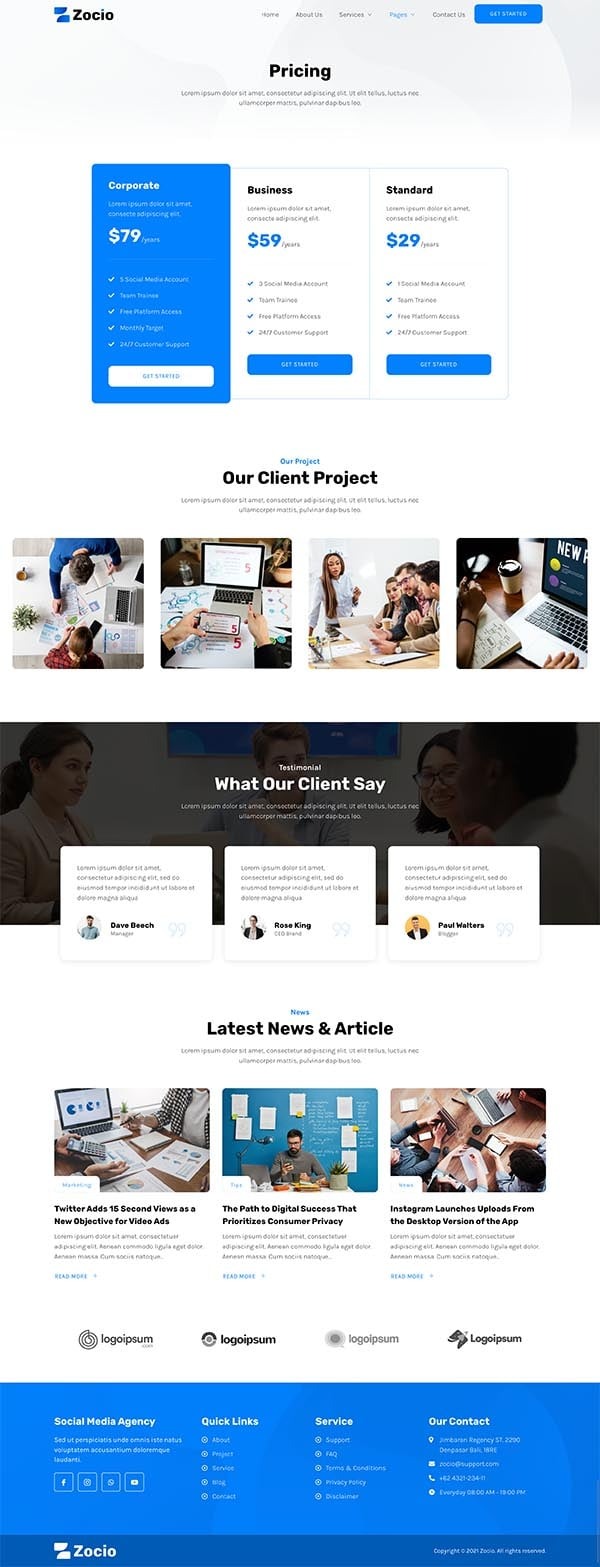




Zocio Social Media Marketing Agency Elementor Template Kit
On Sale
$5.00
$5.00
Introducing Zocio Social Media Marketing Agency Elementor Template Kit Download designed specifically for creating a professional website for a Agency specializing in Social Media Marketing. This template kit features a trend-forward and unique design with a 100% responsive layout, retina-ready graphics, and easy customization using Elementor. Perfect for building a professional-looking company business website with just a few clicks.
Key Features:
- Modern Design: Trend-forward and unique design elements.
- Responsive Layout: 100% responsive and retina-ready.
- Easy Customization: Fully customizable using Elementor.
- Cross Browser Compatibility: Works seamlessly on Chrome, Firefox, Safari, and Opera.
- 16+ Ready-to-Use Templates: Includes a variety of templates to cover all your website needs.
- Free Plugins: No need for Elementor Pro; uses free plugins for functionality.
Templates Included:
- Home
- About Us
- Services
- Service Detail
- Project
- Pricing
- News
- Single Post
- 404 Page
- FAQ
- Team
- Contact Us
- Metform – Contact Us Form
- Header
- Footer
- Global Theme Style
Required Plugins:
- Elementor
- Jeg Elementor Kit
- Elementor – Header, Footer & Blocks
- Metform
How to Install:
- Install and Activate the “Digital Products Bazar” Plugin:
- Go to Plugins > Add New in WordPress.
- Install and activate the “Elementor Pro” plugin.
- Do not unzip the template kit file.
- Go to Elements > Installed Kits and click the Upload Template Kit button.
- Before importing a template, ensure the Install Requirements button is clicked to activate required plugins.
- For best results, do not import more than one template at a time.
- Detailed Guide:
- For further support, go to Elementor > Get Help in the WordPress menu.
How to Import Metforms:
- Import the Metform Block Templates:
- Import the page template where the form appears and right-click to enable the Navigator.
- Locate and select the Metform widget and click Edit Form. Choose New, then Edit Form. The builder will appear.
- Click ‘Add Template’ (grey folder icon).
- Click ‘My Templates’ tab.
- Choose your imported Metform template, then click ‘Insert’ (click No for page settings).
- Once the template is loaded, make any desired customizations and click ‘Update & Close’. The form will appear in the template.
- Click Update.
Setup Global Header and Footer in Header Footer & Blocks Plugin:
- Import the Header and Footer Template:
- Go to Appearance > Header Footer and click Add New button.
- Give it a title and select Header, Display on Entire Site and click Publish.
- Click Edit with Elementor.
- Click the grey folder icon to access My Templates tab and select the header template to import and Update.
- Repeat for Footer.