


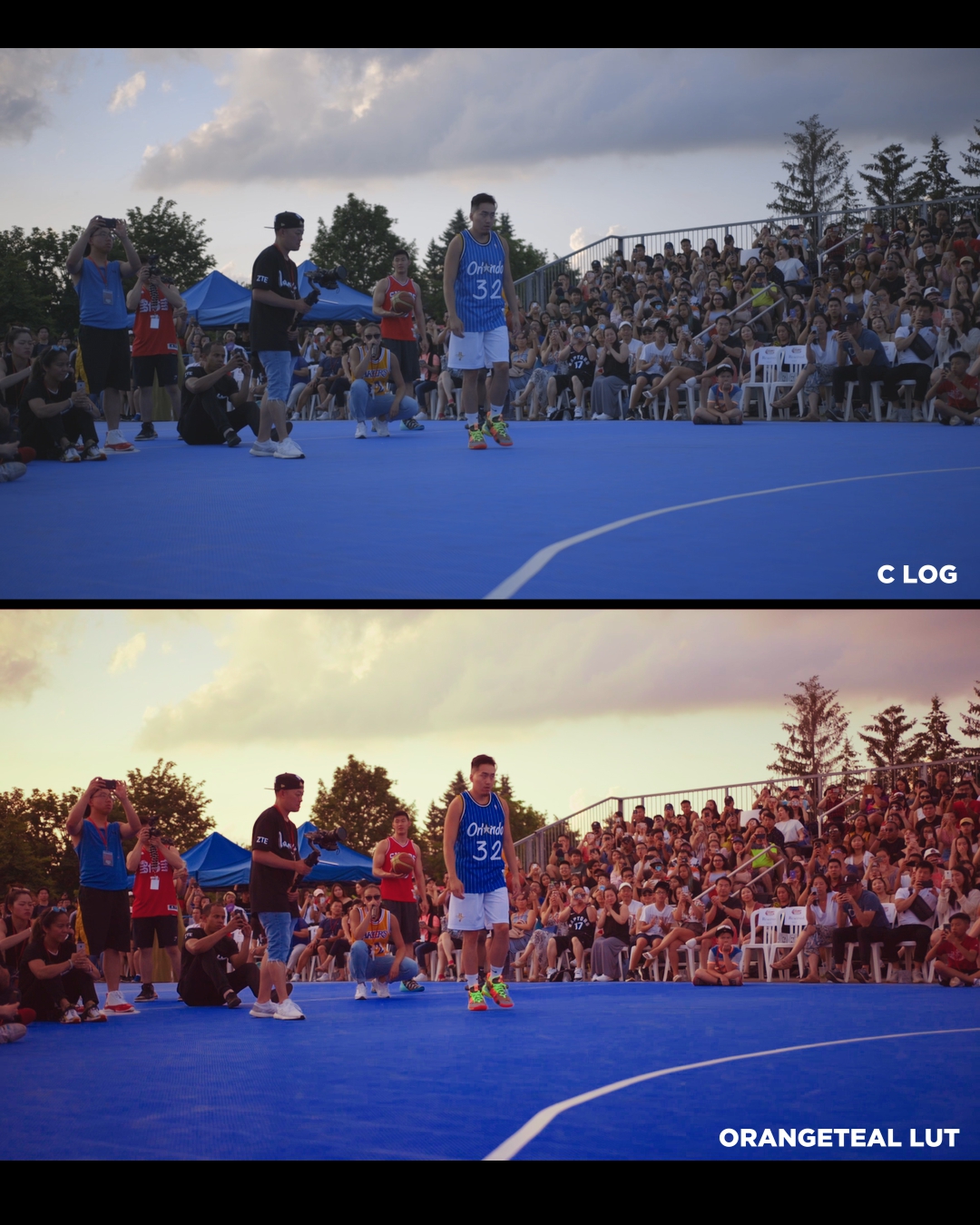


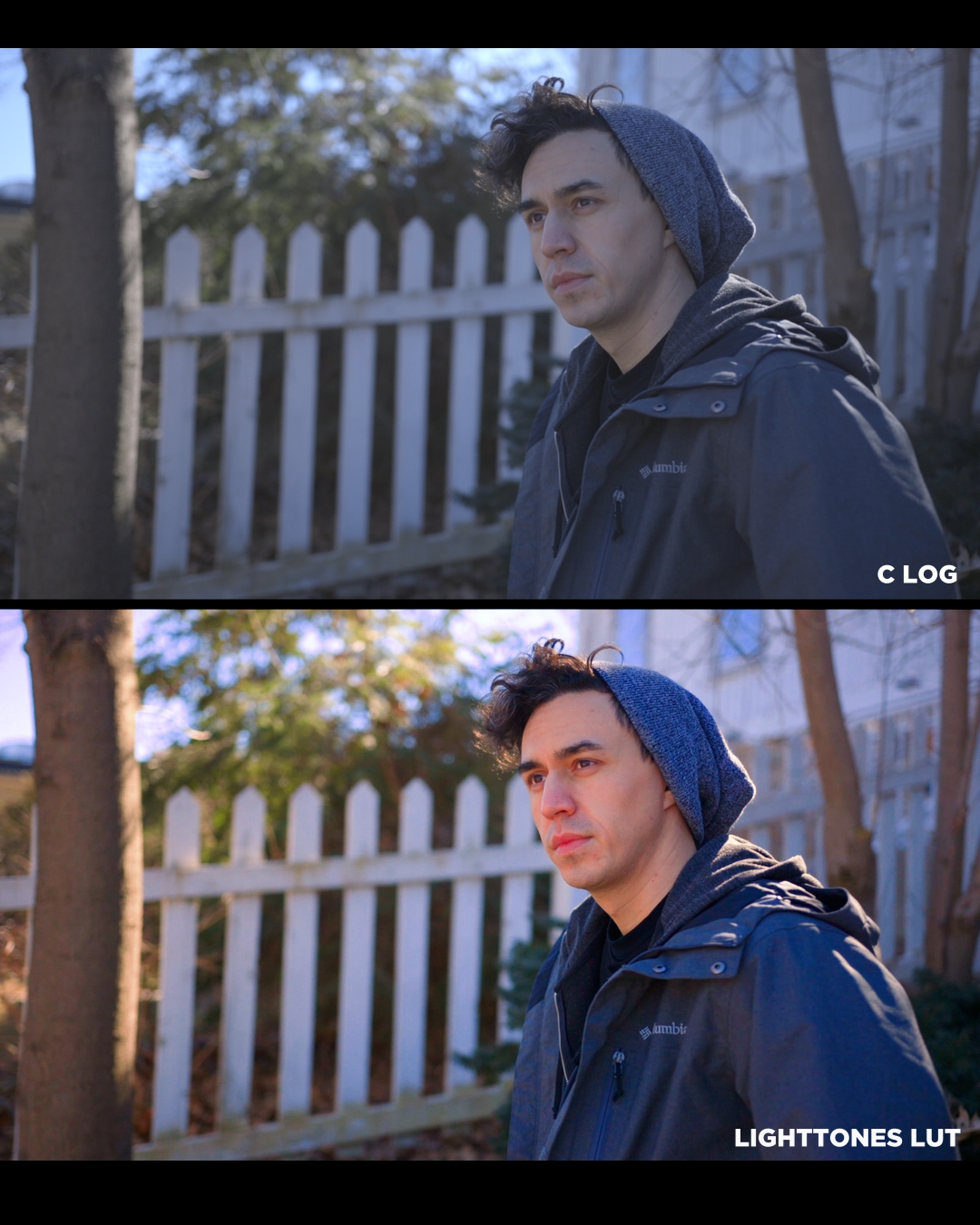
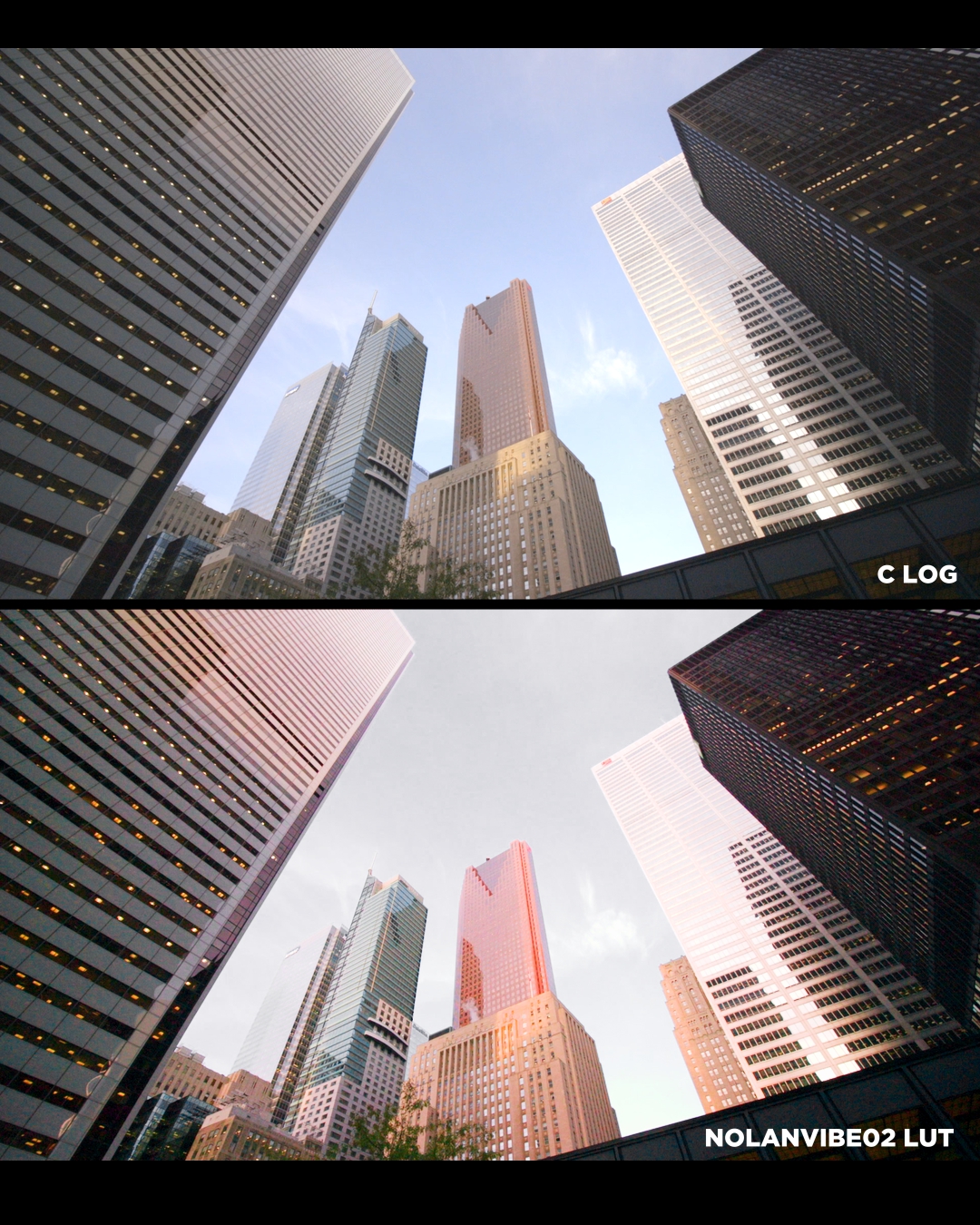
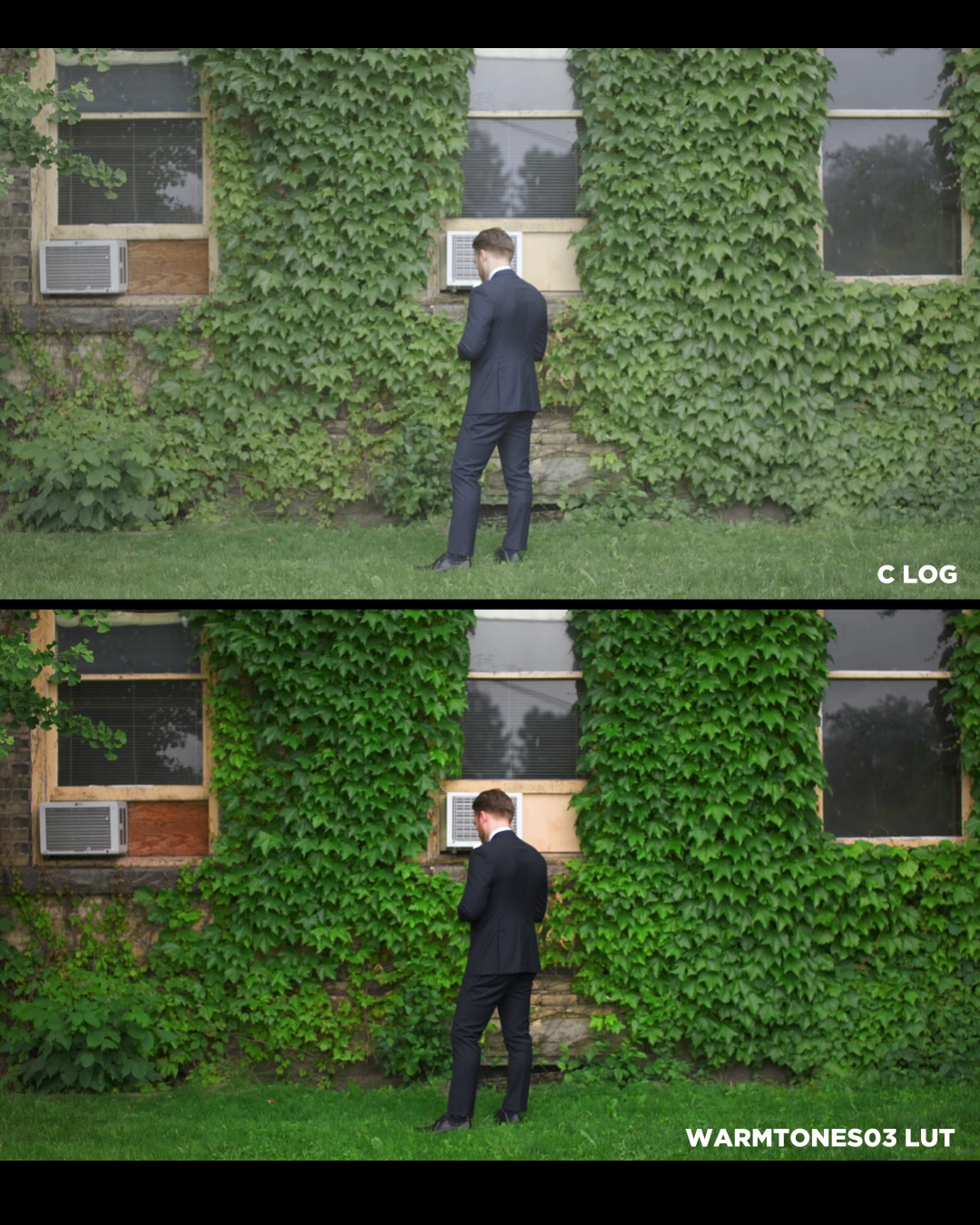








My Canon LOG LUTS
On Sale
$9.97
$9.97
As a videographer, I tend to wear a lot of hats in the production process and I'm always looking for professional ways to speed up my process. These 8 LUTs are my go-to when I'm done transforming the color space and balancing my RGBs. They provide a different stylized look to your images and saves you time on color tweaking. All the examples are Canon C100 Mark II footage.
Download the Free Version of Davinci Resolve and start color grading at an industry level: https://www.blackmagicdesign.com/ca/products/davinciresolve/
Instructions to install the LUT (.cube) :
1. Download the LUT from PayHip.
2. Unzip the file.
3. Copy the LUTs into Davinci Resolve's LUT folder.
You can find this on your local hard drive, for example:
C (Your Local Disk):\ProgramData\Blackmagic Design\DaVinci Resolve\Support\LUT
Download the Free Version of Davinci Resolve and start color grading at an industry level: https://www.blackmagicdesign.com/ca/products/davinciresolve/
Instructions to install the LUT (.cube) :
1. Download the LUT from PayHip.
2. Unzip the file.
3. Copy the LUTs into Davinci Resolve's LUT folder.
You can find this on your local hard drive, for example:
C (Your Local Disk):\ProgramData\Blackmagic Design\DaVinci Resolve\Support\LUT