

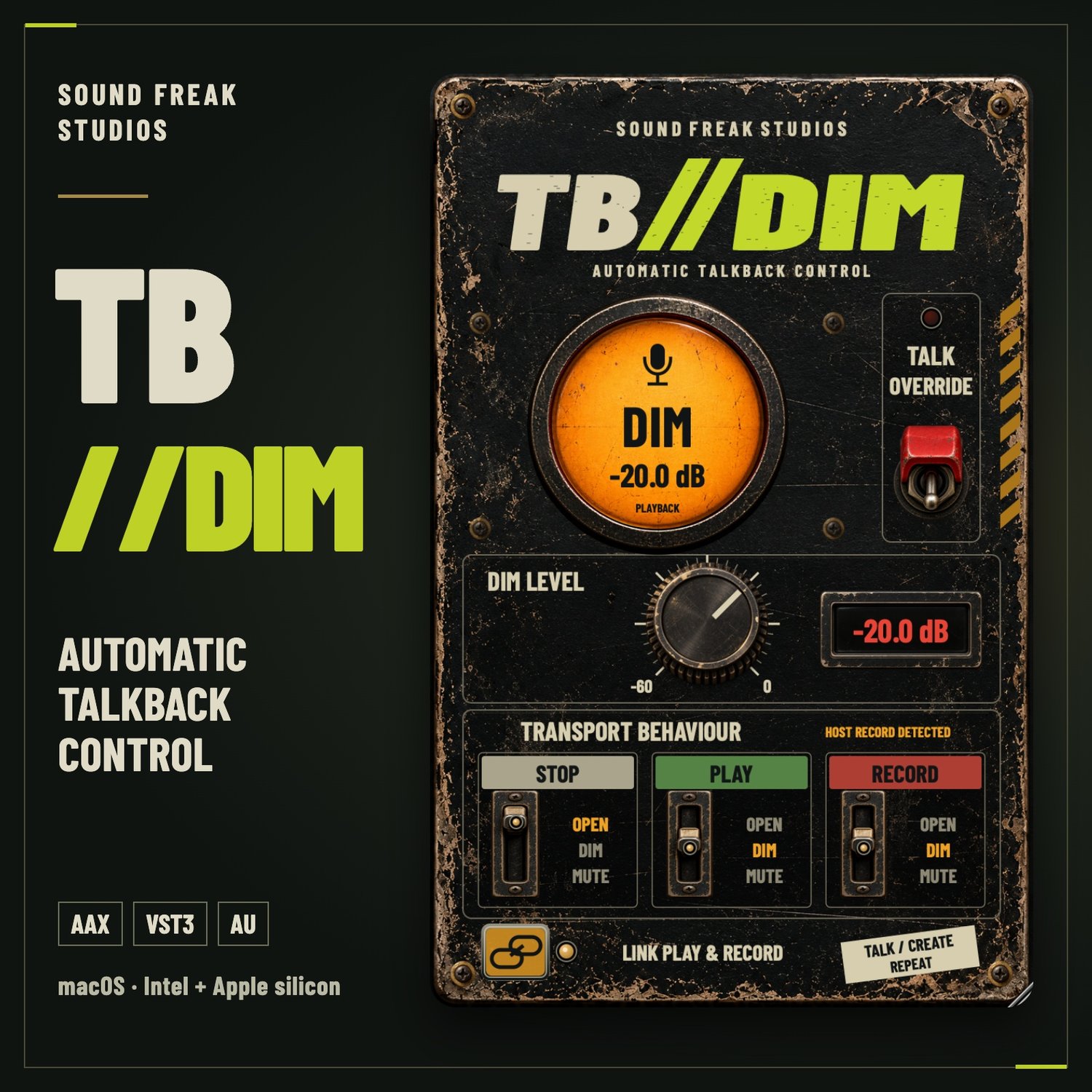
TB//DIM — Automatic Talkback Control ( Demo )
Keep communication flowing between the control room and the recording booth. TB//DIM automatically opens, dims or mutes your talkback audio as your DAW stops, plays and records.
Choose the behaviour you want for each transport state, set your dim level and get on with the session.
Features
- Automatic talkback control: Assign OPEN, DIM or MUTE to STOP, PLAY and RECORD.
- Adjustable dim level: Set attenuation from 0 to −60 dB in easy 5 dB steps.
- Talk Override: Speak whenever you need to, with momentary or latched operation.
- Linked PLAY & RECORD: Keep both states together or configure them separately when your DAW provides independent recording status.
- Clear status display: Green for OPEN, amber for DIM and red for MUTE.
- Hardware-inspired interface: Industrial switches, tactile controls and a resizable GUI.
- No added processing latency.
- Clean activated interface: Licensing controls disappear after successful activation.
macOS Compatibility
macOS 12 or later. Supports Apple silicon and Intel Macs. Includes AAX, VST3 and Audio Units (AU) in one Mac installer.
Windows Compatibility
Windows 10 (version 1607 or later) or Windows 11, 64-bit. Includes AAX Native and VST3 in one Windows installer.
Use a compatible 64-bit DAW that supports your operating system. Audio Units (AU) are available on macOS only.
Try before you buy
A 14-day demo is available.
A paid license supports two computers, including a mix of Mac and Windows. No iLok is required.
Installation instructions and a complete macOS and Windows user manual are included.
Your talkback microphone routing and monitoring setup must be configured in your DAW.