
Event Schedule - Single Site
Turn a spreadsheet of sessions into an event schedule people can actually use on your website.
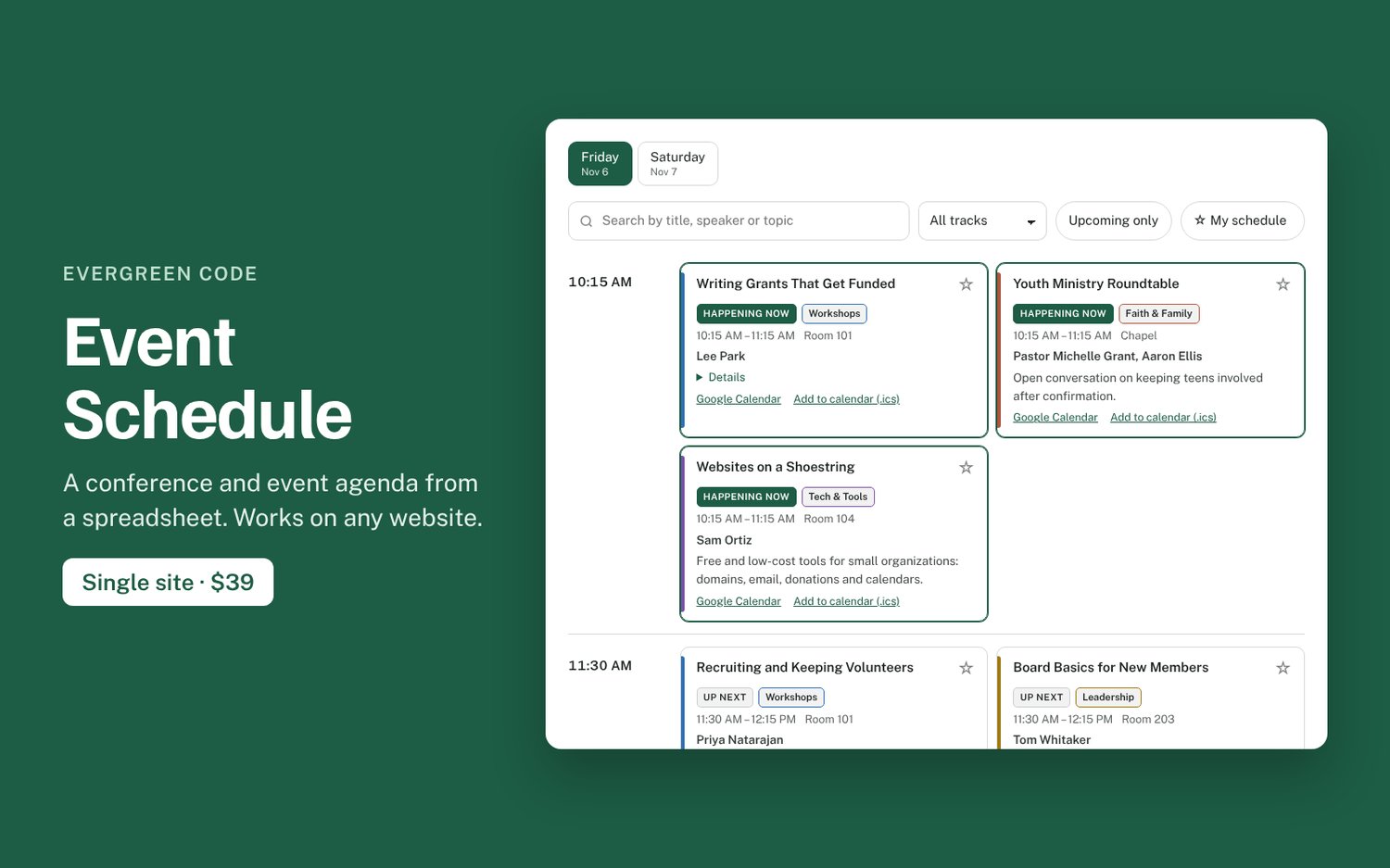
Event schedules usually end up as a PDF or a long page nobody can scan on a phone. Event Schedule gives attendees day tabs, time slots and tracks they can search and filter. Keep the sessions in a Google Sheet and the website updates when you change it, right up to the event.
What you get
- Day tabs, with parallel sessions side by side and a color for each track
- Search across titles, speakers, rooms and descriptions
- “Happening now” and “Up next” labels during the event, in your event’s time zone
- My schedule: attendees star sessions to build their own agenda, no account needed
- Add any session to Google Calendar, Apple Calendar or Outlook
- Uses your site’s fonts and colors, prints cleanly, keyboard and screen-reader friendly
- No database, plugin, account, cookies or tracking
Works on: Squarespace, WordPress, Wix, Webflow, Shopify, Ghost, Carrd and any HTML page. Some builders only allow custom code on certain plans, so check yours.
Included: the script, copy-paste snippets, a spreadsheet template, a demo, and step-by-step install guides.
License: one website. Includes 6 months of updates and installation help by email. If it doesn’t work on your site and we can’t fix it, you can get a refund within 14 days.
Try the live demo: https://evergreen-code.vercel.app/products/event-schedule/