
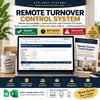



Remote Turnover Control System
Your cleaner said "done."
But is the property actually READY?
When you manage a short-term rental remotely, "cleaned" is not the same as guest-ready. You still need to know:
- Was the turnover actually completed?
- Were the right photos taken?
- Is anything missing or damaged?
- Are supplies running low?
- Does someone need to fix something before the next guest arrives?
Most hosts answer these questions by chasing texts and WhatsApp messages — and sometimes find out the answer from the guest.
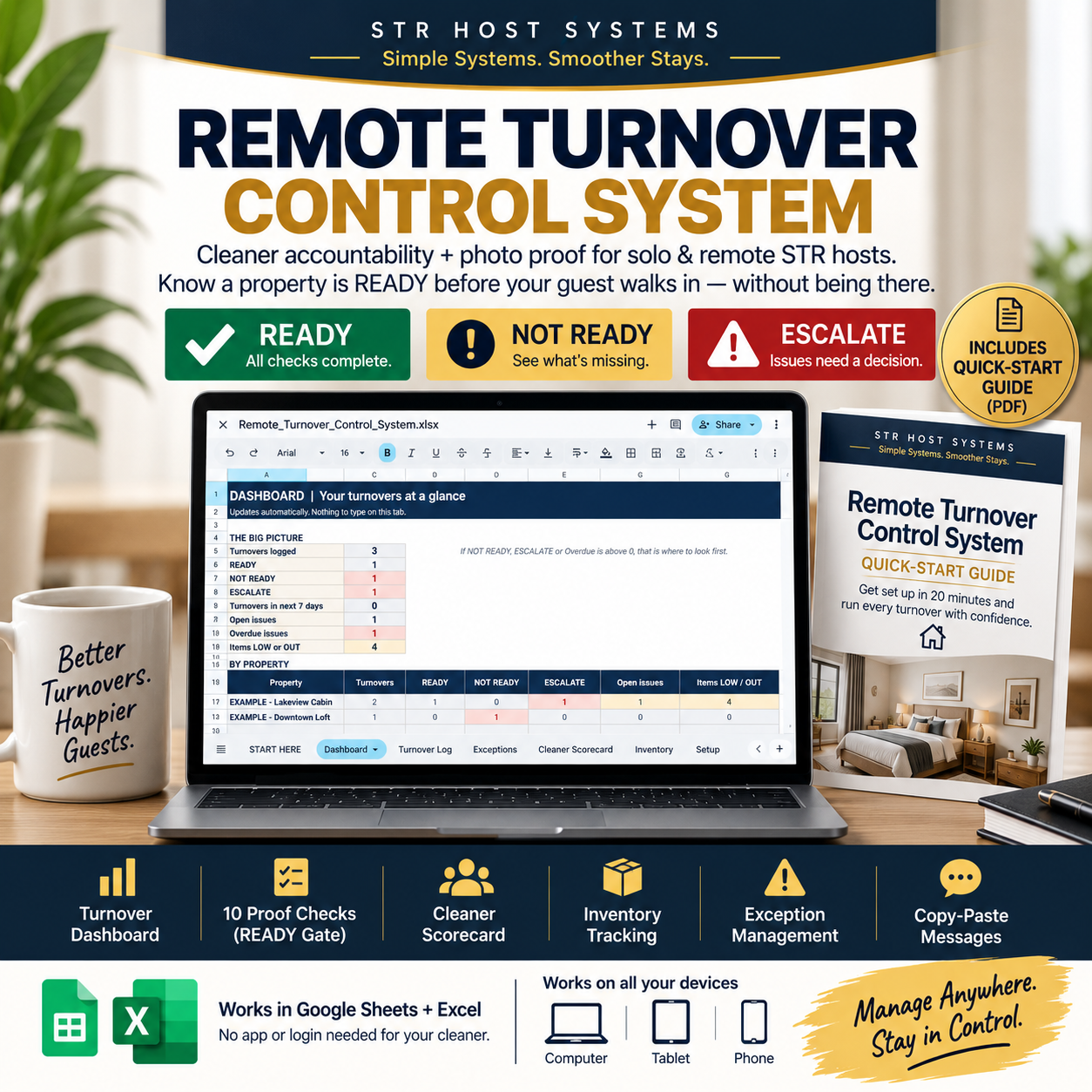
The Remote Turnover Control System gives you one simple operating system to track every turnover from checkout to READY.
DONE is a status update.
READY is a verified status.
━━━━━━━━━━━━━━━━━━━━
THE READY GATE — HOW IT WORKS
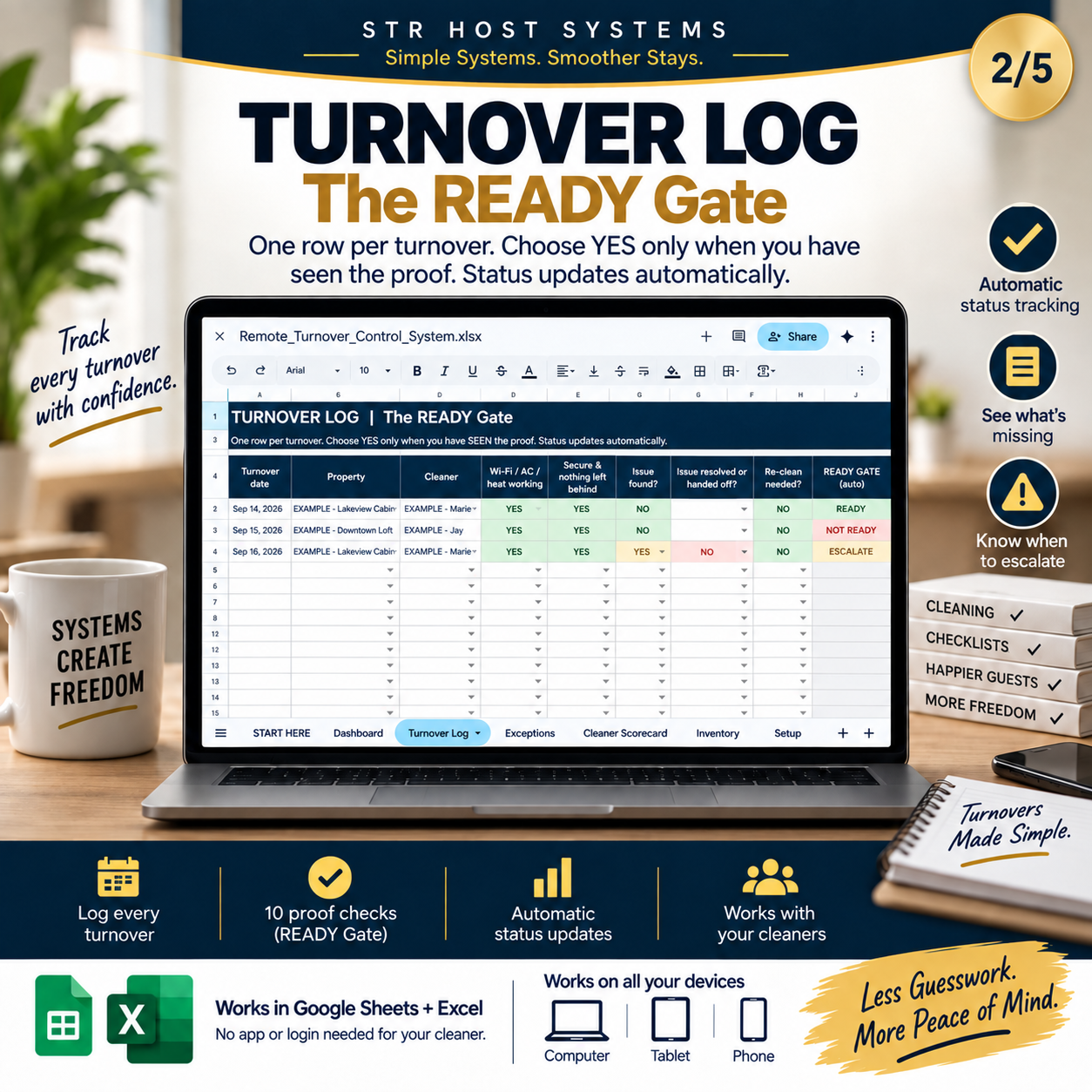
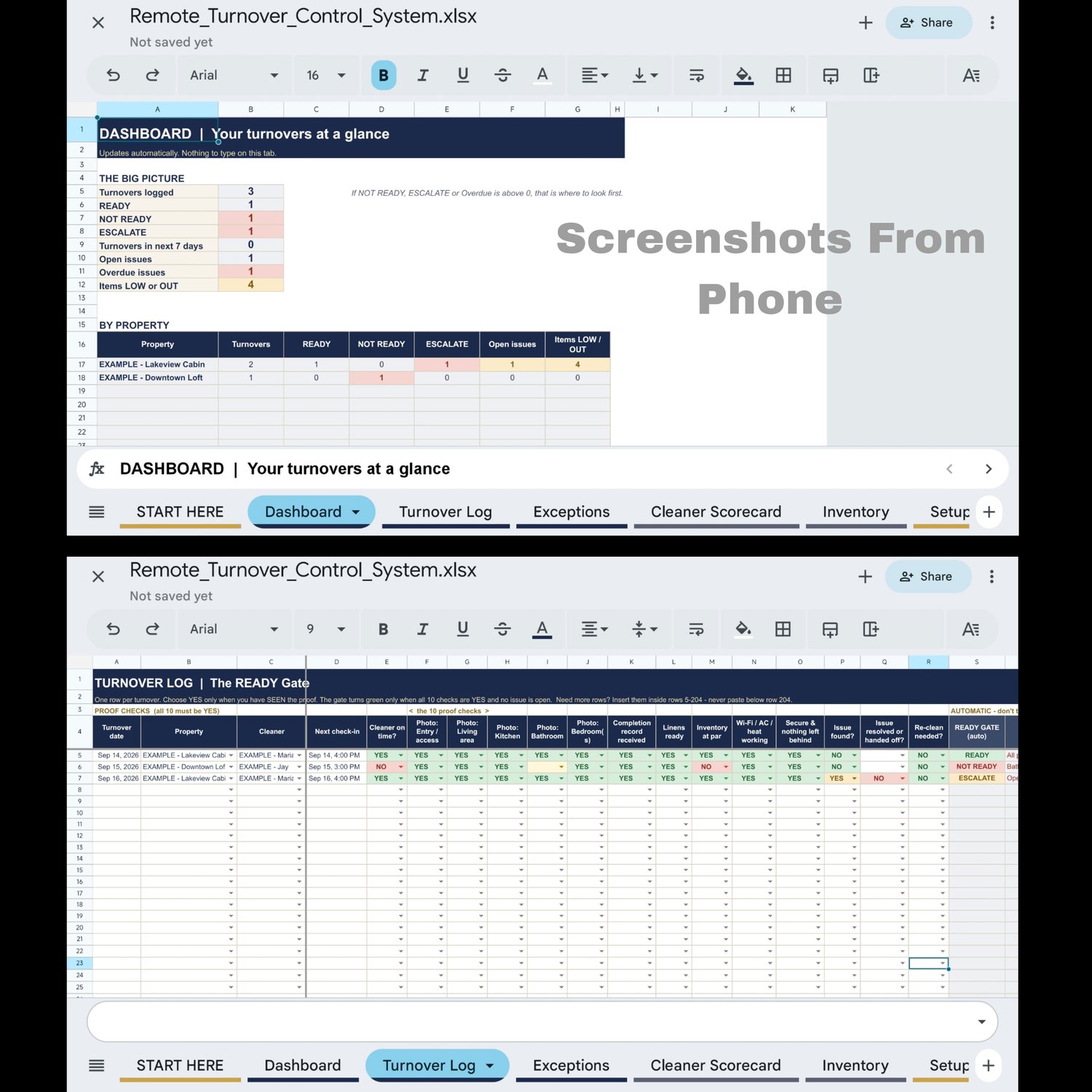
Mark each proof check YES as you receive it: 5 photos, completion record, linens, inventory, Wi-Fi/AC/heat, and a secure/nothing-left-behind check.
The sheet then gives every turnover one automatic status:
READY — all 10 proof checks are YES and no issue is open.
NOT READY — something is missing, and the sheet tells you exactly what (for example: "Bathroom photo; Inventory").
ESCALATE — an issue was found and needs your decision before check-in.
If you mark a property READY while proof is still missing, the sheet warns you.
The workflow: CHECK OUT → ASSIGN → RESET → PROVE → CHECK → ESCALATE → READY
━━━━━━━━━━━━━━━━━━━━
WHY THIS IS DIFFERENT FROM A CLEANING CHECKLIST
A cleaning checklist tells someone what to clean.
This system helps you answer:
Was it done? Where is the proof? Is anything wrong? Who is responsible? What happens next? Can I mark this property READY?
That's the difference between a checklist and a turnover control system.
━━━━━━━━━━━━━━━━━━━━
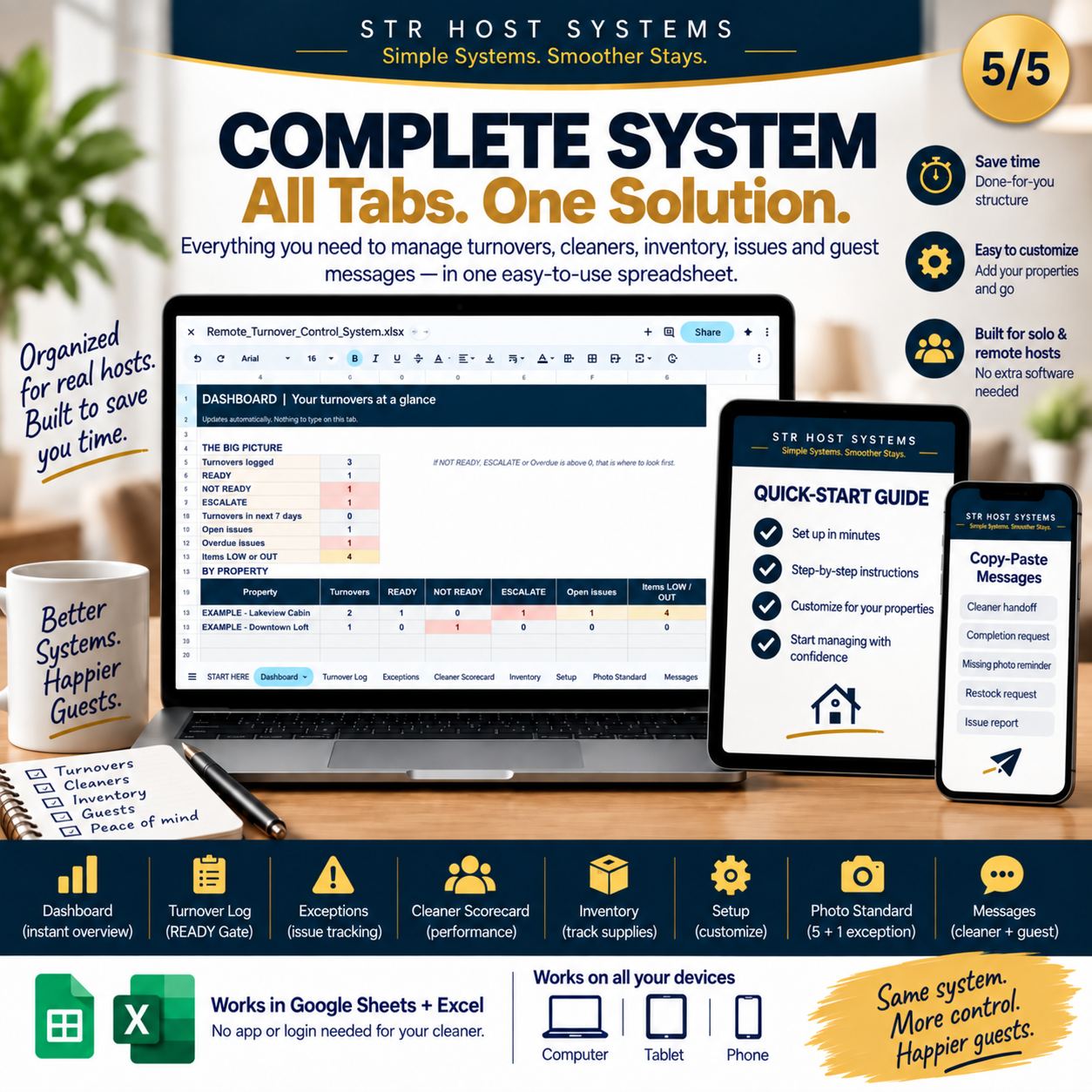
WHAT'S INSIDE
1. DASHBOARD
See your whole operation at a glance: turnovers logged, READY / NOT READY / ESCALATE, open and overdue issues, low-stock items — all broken down by property. Updates automatically.
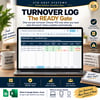
2. TURNOVER LOG — THE READY GATE
One row per turnover. The READY Gate status and the "What's missing" column update automatically as you mark proof.
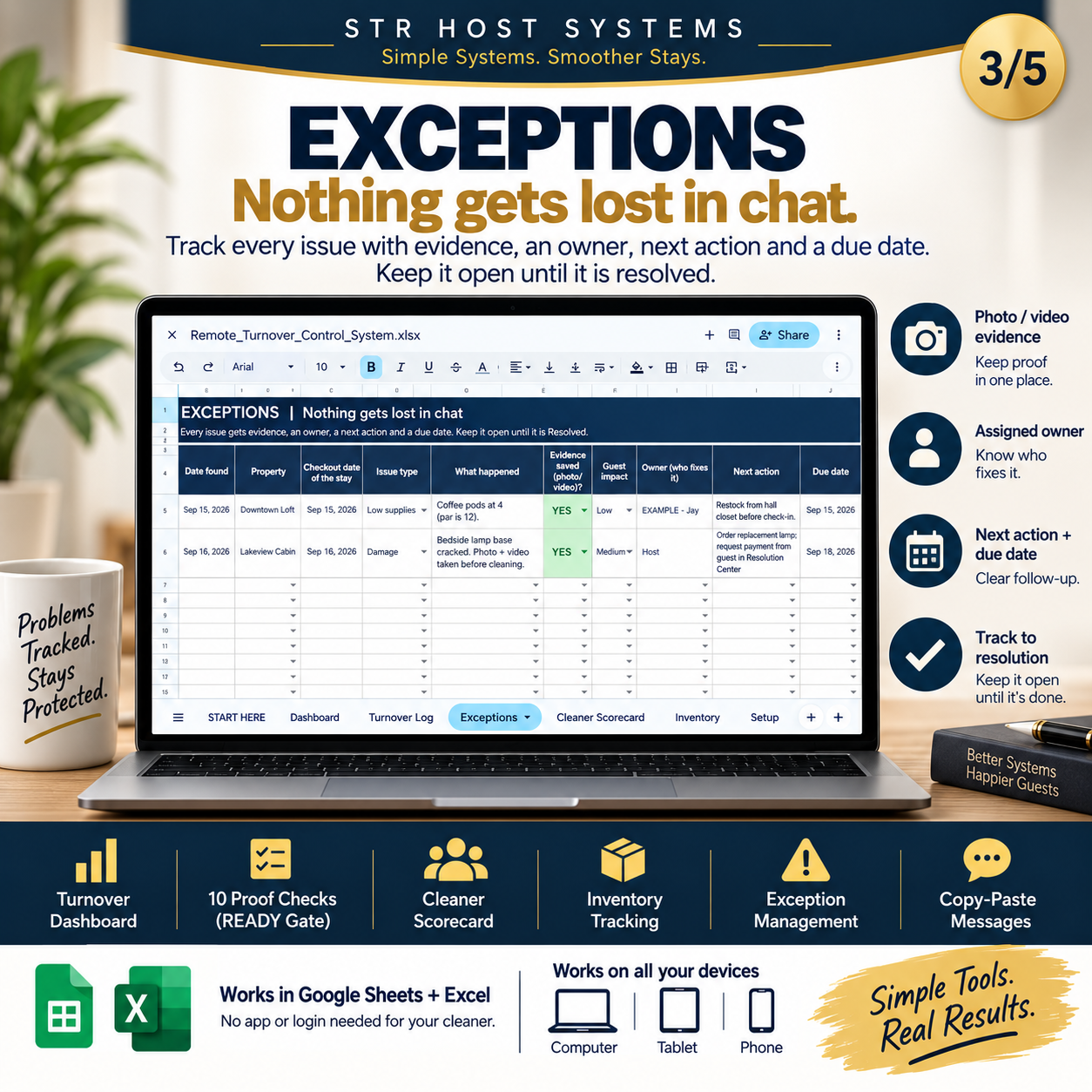
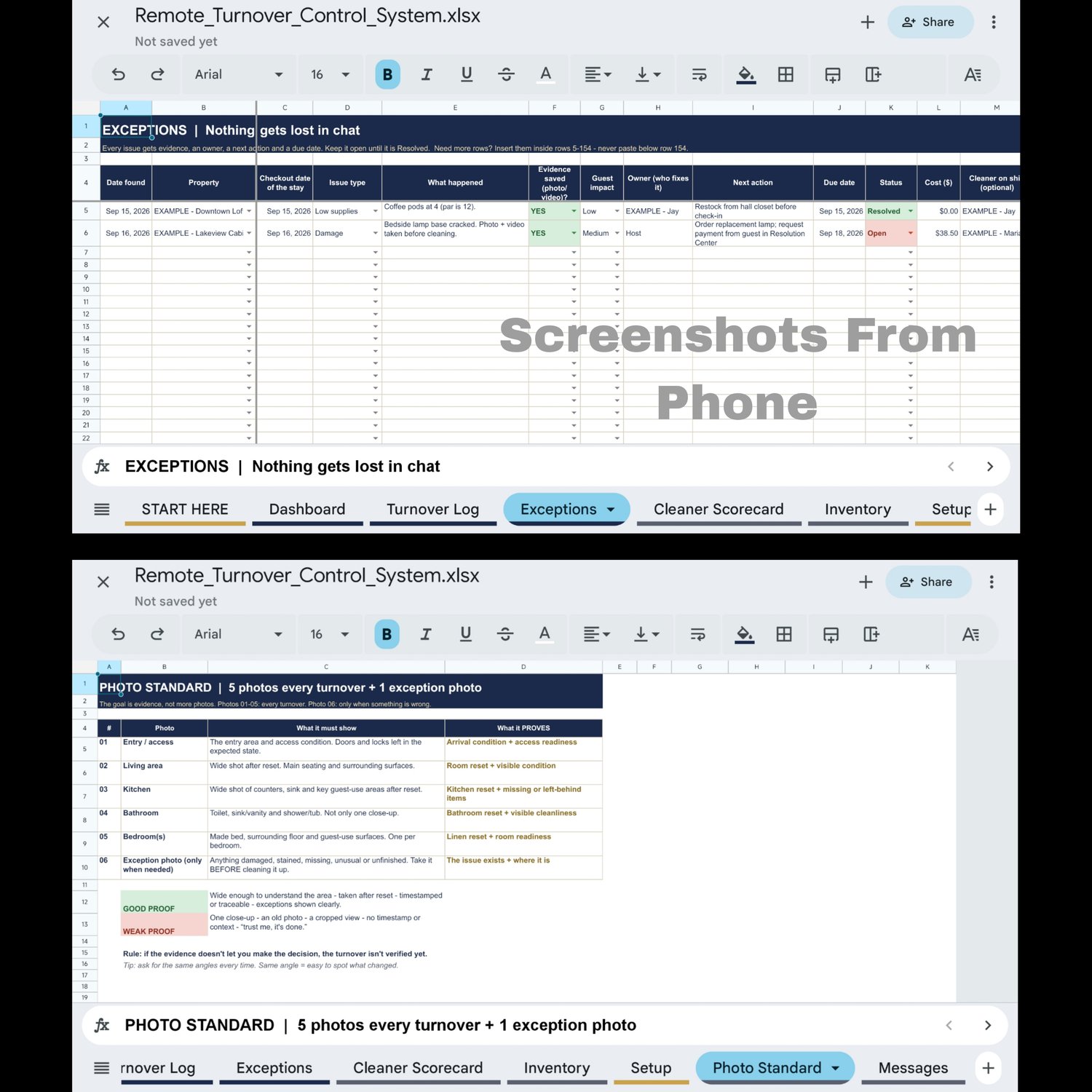
3. EXCEPTIONS
Problems shouldn't disappear inside a chat. Every issue gets evidence, an owner, a next action, a due date and a status. Overdue issues are flagged, and damage issues get an automatic 14-day reminder date.
4. CLEANER SCORECARD
Automatic, fact-based scores for each cleaner: full photo proof %, on-time %, and re-clean rate. Ratings only start after 3 turnovers, so one bad day never labels anyone. Use it to coach and thank — not to blame.
5. INVENTORY
Set a minimum (par level) for each supply at each property. The sheet shows OK / LOW / OUT and how many to reorder — so you catch supply problems before your guest does.
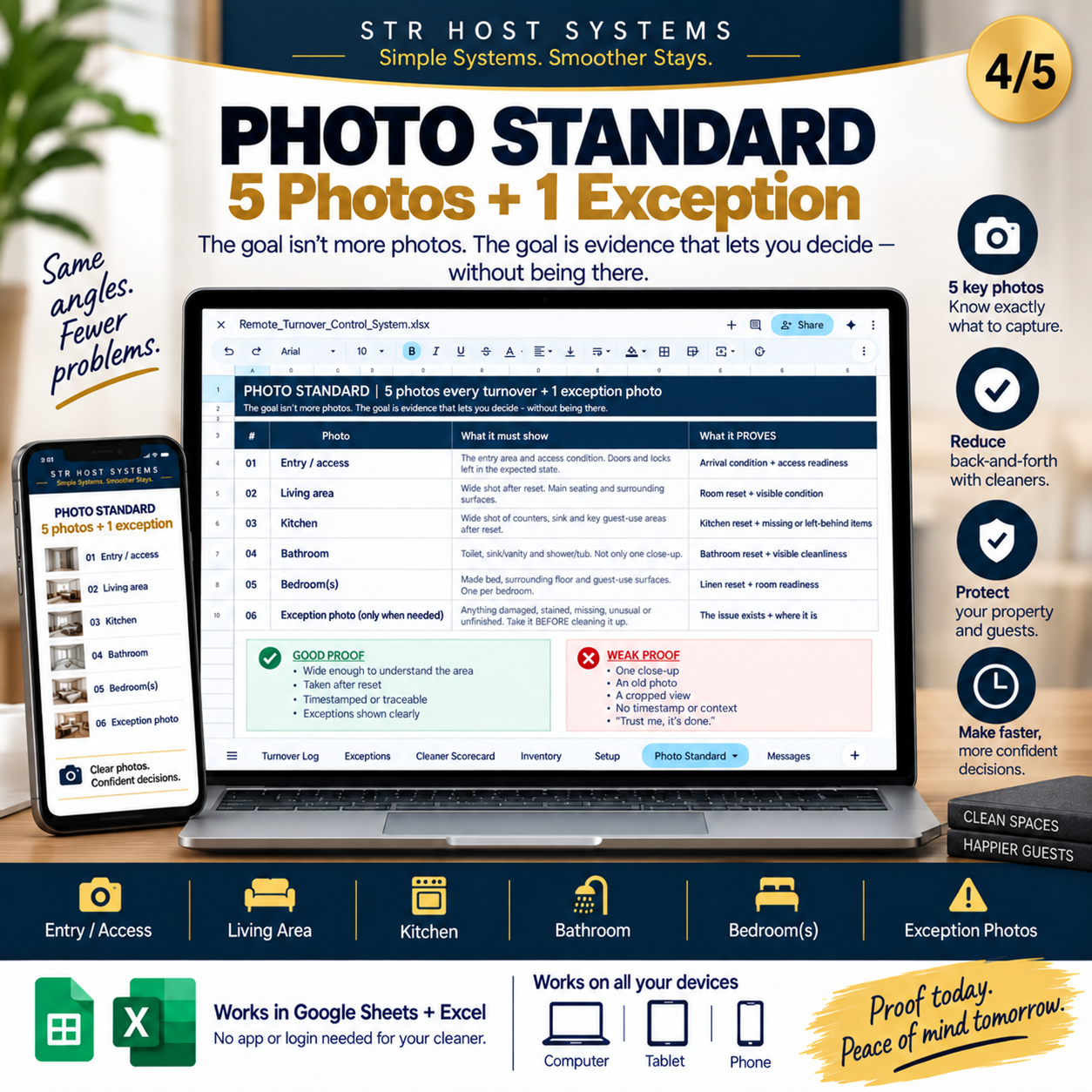
6. PHOTO STANDARD
The 5 photos to require after every turnover (entry/access, living area, kitchen, bathroom, bedroom) plus an exception photo whenever something is wrong, and what each one proves. The goal isn't more photos. It's evidence you can decide on.
7. COPY-PASTE MESSAGES
Ready-to-send messages: cleaner handoff, completion request, missing photo reminder, restock request, issue report, urgent backup cleaner request, guest check-in delay — plus the CLEAN / REPORT / ESCALATE rule for your cleaner.
8. SETUP
Add your properties, cleaners and property quirks once. They feed every dropdown in the system.
PLUS: QUICK-START GUIDE (PDF)
Get set up in about 20 minutes. Filled example rows are included, so you can see exactly how everything works before you add your own properties.
━━━━━━━━━━━━━━━━━━━━
NO NEW SOFTWARE REQUIRED
- Works in Google Sheets and Excel (Latest Version)
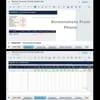
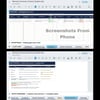
- Use it on your phone, tablet or computer
- Your cleaner doesn't need an app or login — they send photos the way they already do
- No subscription. One-time purchase. Instant download.
━━━━━━━━━━━━━━━━━━━━
WHO THIS IS FOR
✔ Solo and self-managing Airbnb / VRBO hosts
✔ Remote hosts who aren't there for every turnover
✔ Co-hosts managing properties for owners
✔ Hosts working with independent cleaners
✔ Up to 20 properties
WHO THIS IS NOT FOR
✘ Large property management companies looking for enterprise software
✘ Anyone looking for an app — this is a system you own and control
━━━━━━━━━━━━━━━━━━━━
BETA PRICE — $17
This is the first version of the system, priced at $17 while it's refined with real host feedback. The standard price will be $24.
━━━━━━━━━━━━━━━━━━━━
FREQUENTLY ASKED QUESTIONS
Is this a cleaning checklist?
Not exactly. It includes turnover checks, but its main job is verification and control — knowing whether a property is actually READY.
Does my cleaner need an app?
No. Only you use the sheet. Your cleaner sends photos by text, WhatsApp or email as usual.
Do I need Google Sheets?
It works in Google Sheets or Excel (Microsoft 365). The guide shows you how to open it in Google Sheets in about a minute.
Does it work on my phone?
Yes, through the free Google Sheets app. Dropdowns and colours work on mobile and tablet.
Do I need spreadsheet skills?
No. You only choose from dropdowns and type in white cells. Everything grey calculates automatically.
How many properties can I manage?
Up to 20 properties, 20 cleaners and 200 turnovers before you need more rows (the guide shows how to add them).
Can I customise it?
Yes. Edit any white cell — checks, messages, supplies and property details.
Is the damage reminder legal or insurance advice?
No. It's an organisation reminder only. Always check Airbnb's current terms for the rules that apply to you.
Is this a one-time purchase?
Yes. One payment, no subscription.
I'm stuck — can I get help?
Yes. Message us through this shop or @strhostsystems on Instagram.
━━━━━━━━━━━━━━━━━━━━
Stop managing turnovers from scattered messages.
Give every turnover a process.
Give every issue an owner.
Give every READY status a reason.
Remote Turnover Control System — $17 beta
Google Sheets + Excel
STR Host Systems — Simple Systems. Smoother Stays.
This is a general operational template. Customise it for your property, agreements, guest policies, local rules and actual conditions.