




Lawn Care & Landscaping Equipment Maintenance Log | Excel + Google Sheets Tracker with EN/ES Checklist
Equipment maintenance log template for lawn care and landscaping businesses, in Excel and Google Sheets editions.
Track equipment hours, set a lawn mower maintenance schedule by engine hours or calendar days, record repairs, and see what's coming due, all in one equipment maintenance spreadsheet. No expensive fleet software needed.
Whether you run a small lawn care crew or manage dozens of mowers, trimmers, blowers and trucks, it keeps your maintenance records in one place.
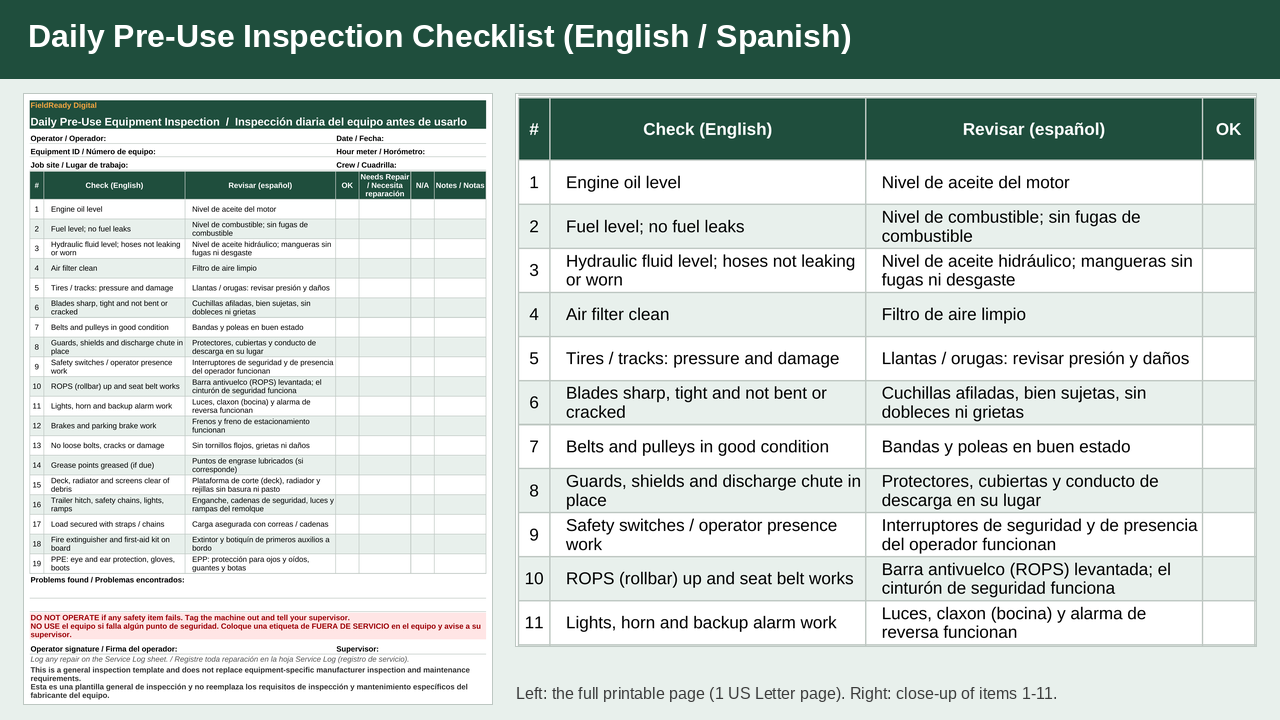
Includes a printable English/Spanish daily equipment inspection checklist for pre-use checks.
One-time purchase: $19. No subscription required.
How it works
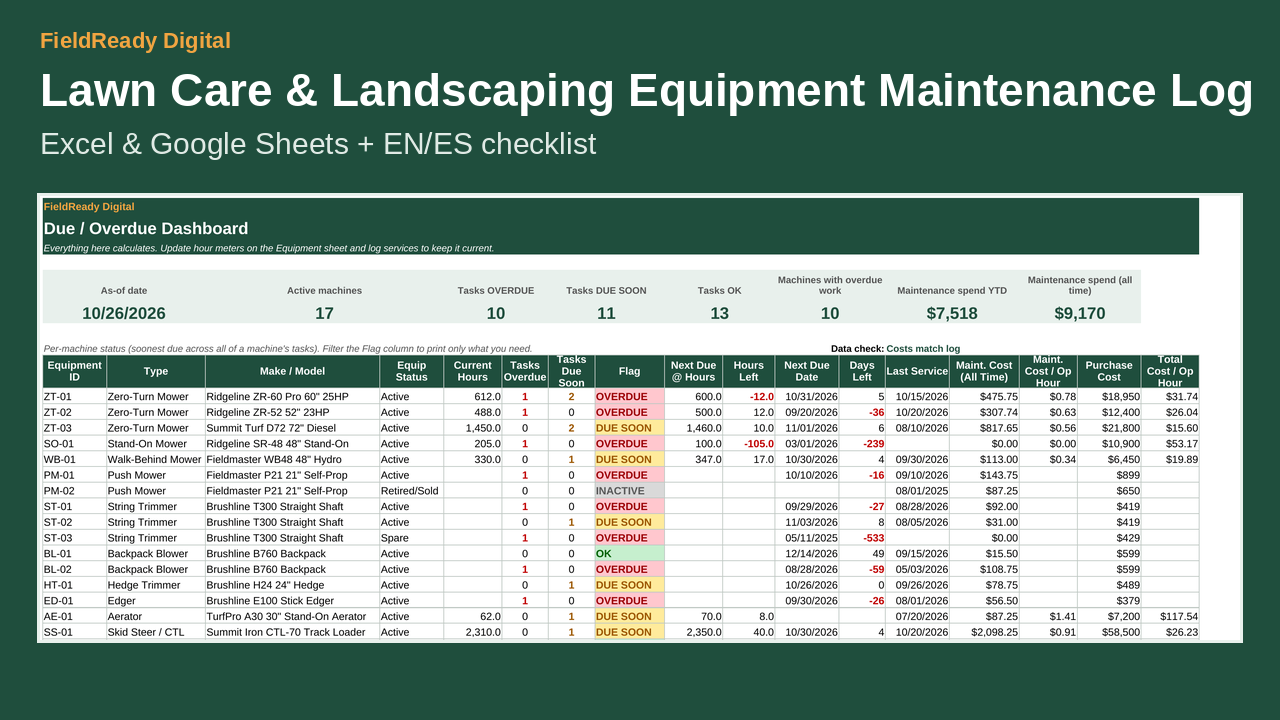
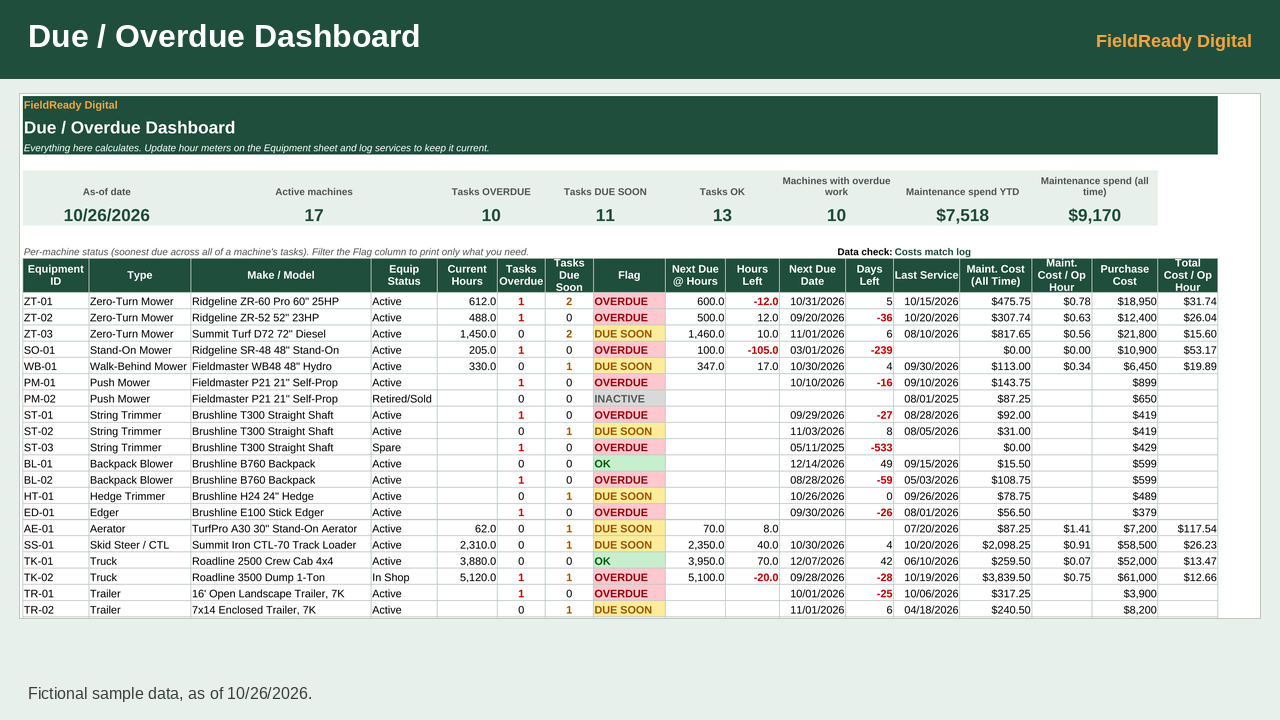
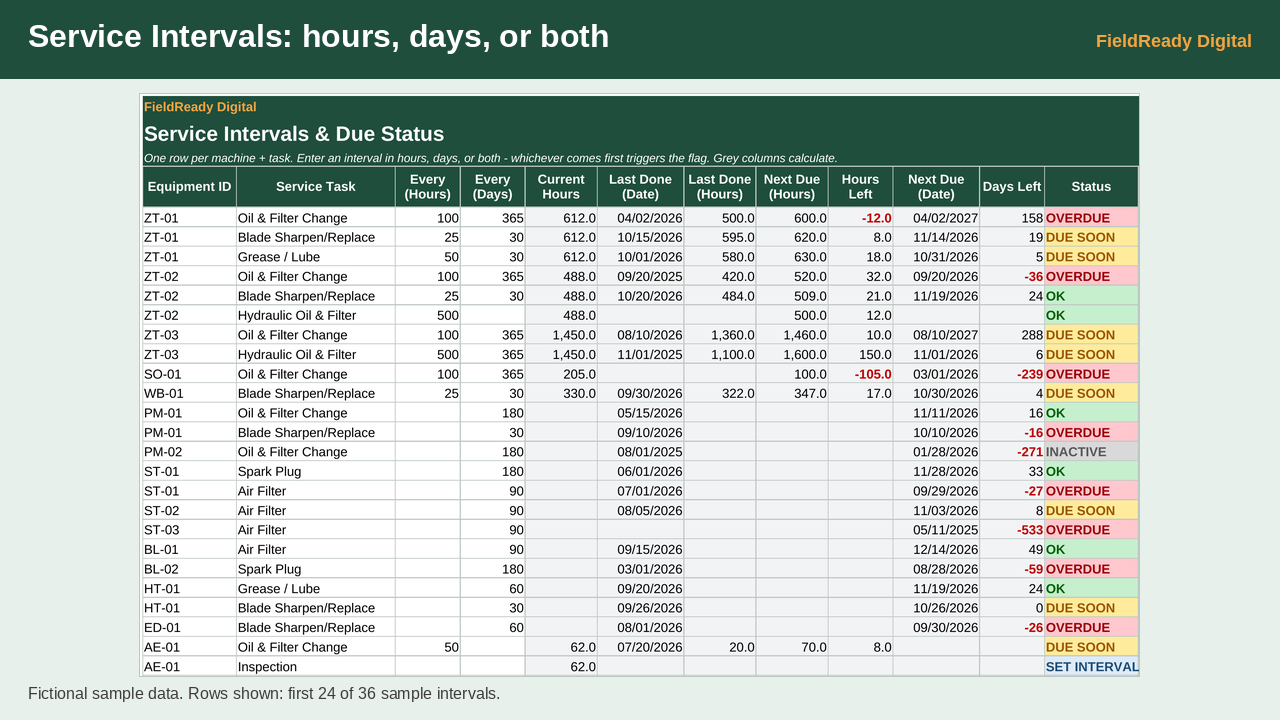
Service intervals work by engine hours, days, or both, and whichever comes first sets the flag. The Dashboard marks each task OVERDUE, DUE SOON or OK, and shows maintenance cost and cost per operating hour. Update hour meters, log each service, and check the Dashboard as part of your weekly routine. Flags recalculate whenever the file is opened or edited.
What's included
- Google Sheets edition: sample file + blank file (.xlsx; upload to Google Drive, then Open with > Google Sheets)
- Excel edition: sample file + blank file (.xlsx)
- Printable bilingual English/Spanish daily pre-use inspection checklist (PDF, 1 US Letter page; also a tab in the workbook)
- Quick Start README
Features
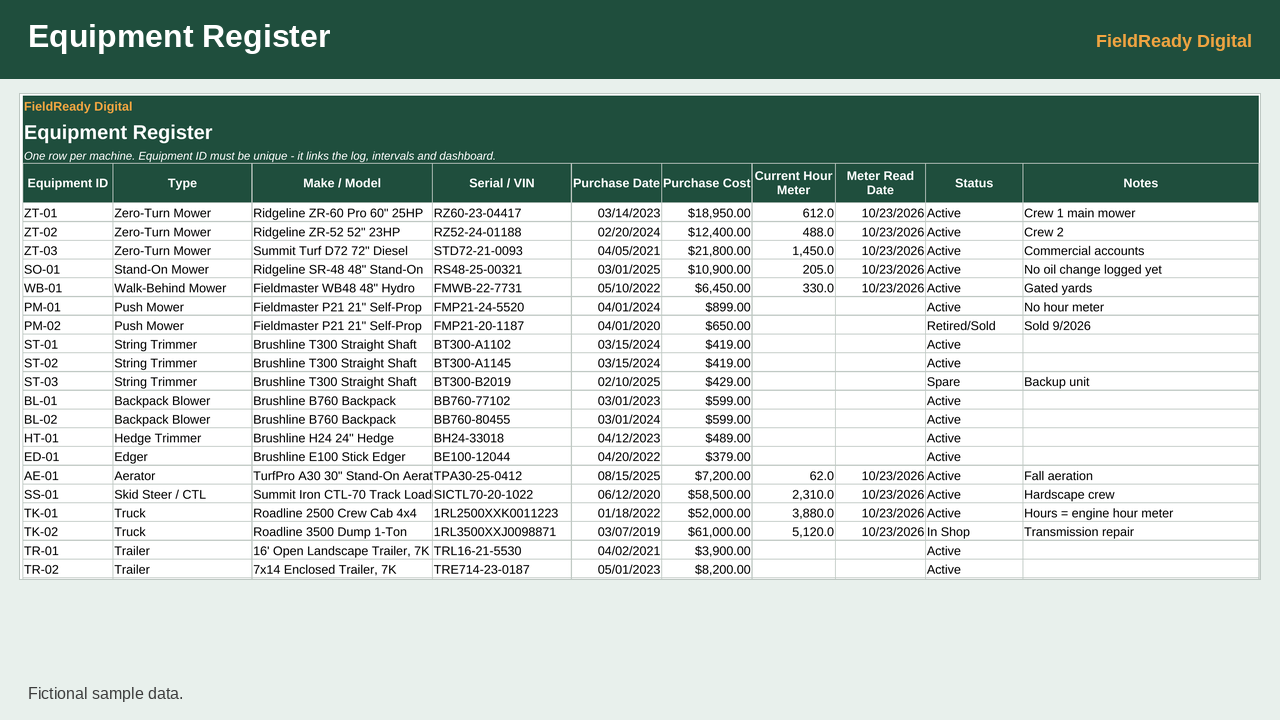
- Equipment register sized for up to 200 machines and 2,000 service log rows
- Service intervals by engine hours and/or calendar days
- Dashboard: next due by hours and by date, hours left, days left, and flags
- Adjustable "due soon" window (default: 10 hours / 14 days)
- Dropdowns for equipment IDs, types, status and service types, plus an ID check that flags log entries whose Equipment ID isn't on the register
- Built-in data check confirming dashboard costs match the service log
- No macros. No sign-up, no subscription.
Compatibility and limitations
- Google Sheets edition tested in Google Sheets; Excel edition checked in LibreOffice, not yet opened in Microsoft Excel.
- This is a spreadsheet, not fleet software. There are no automatic alerts or notifications, and nothing is sent anywhere. Open the Dashboard to see what's due.
- The sample file is set to an as-of date of Oct 26, 2026 so its example flags stay meaningful. Use the blank file for your own equipment.
- The sample company and equipment brands are fictional.
- Digital download only. No physical item ships.
Download instructions
1. After purchase, download the zip file from the link on the confirmation page or in your receipt email.
2. Unzip it. Start with README_Quick_Start.txt.
3. Google Sheets: upload the GoogleSheets .xlsx file to Google Drive, then choose Open with > Google Sheets.
4. Excel: open the Excel .xlsx file.
5. Look at the SAMPLE file first, then enter your own equipment in the BLANK file.
6. Print the PDF checklist on US Letter paper.
Disclaimer
This is a general inspection template and does not replace equipment-specific manufacturer inspection and maintenance requirements.
Esta es una plantilla general de inspección y no reemplaza los requisitos de inspección y mantenimiento específicos del fabricante del equipo.
Refund policy
Because this is an instant digital download, all sales are final and refunds are not offered. If a file is damaged, won't open, or isn't what the listing describes, email fieldreadydigital@gmail.com within 14 days of purchase and we'll send a working replacement or help you fix it.