

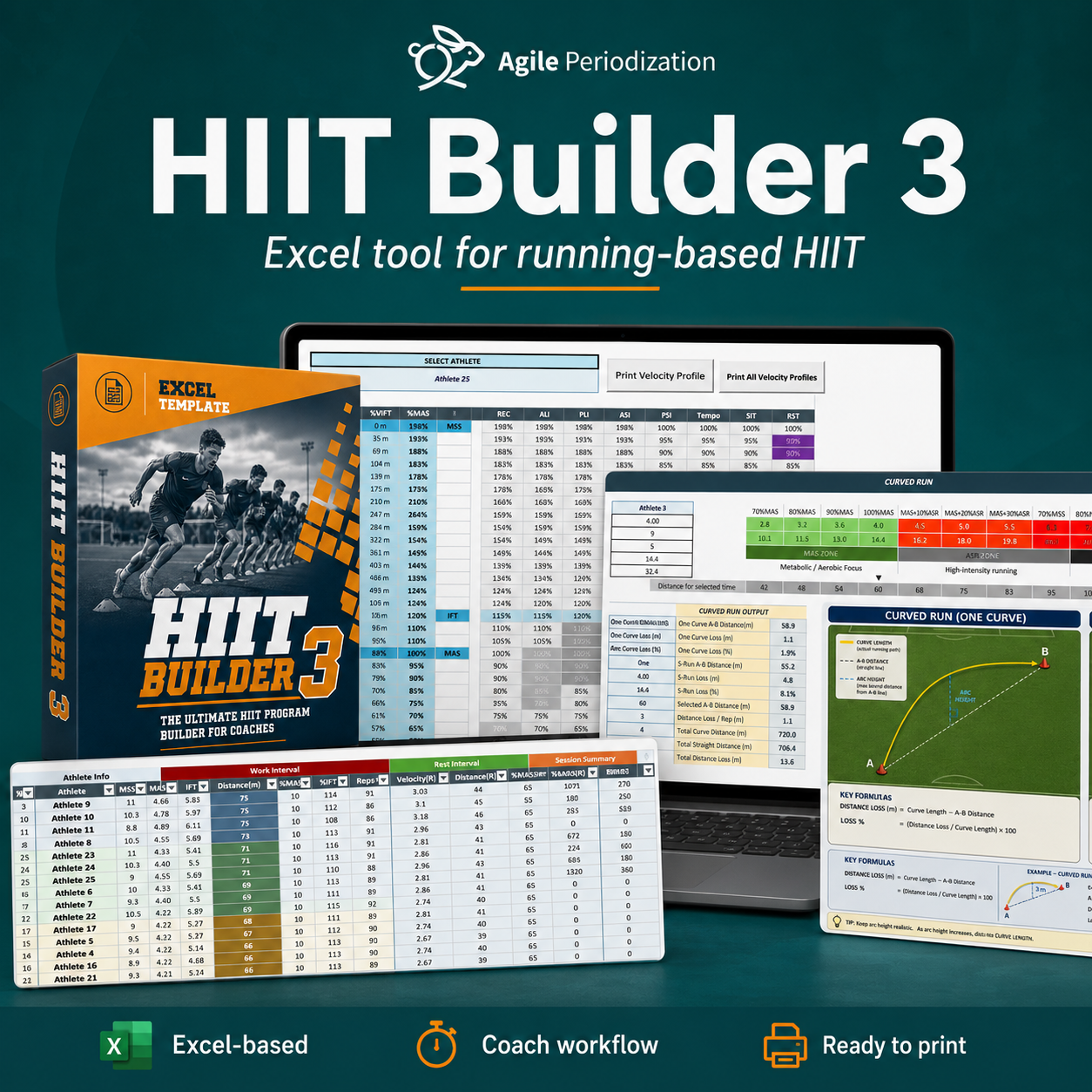

HIIT Builder 3
Build individualized running-based conditioning sessions without rebuilding the math every time.
HIIT Builder v3 is a macro-enabled Excel system for coaches who need to turn athlete testing data into clear, practical running prescriptions for individuals and teams.
Enter the athlete data. Choose the interval method. Adjust intensity, duration, recovery, start loss, change-of-direction loss, and shuttles. The Builder calculates the target velocities and distances, organizes athletes into workable groups, and prepares the session for delivery.
Less time calculating. More time coaching.
Get HIIT Builder v3 and build your first session.

Your spreadsheet should support the session—not become the session.
Running-based HIIT planning can become a mess of separate calculators, test files, drill tables, handwritten notes, distance conversions, athlete groups, and last-minute changes.
The calculations are not always difficult. The friction comes from having to repeat them for every athlete, every drill, and every change in the plan.
HIIT Builder v3 brings the key parts of that workflow into one workbook:
- athlete testing data;
- HIIT drill selection;
- individualized velocity and distance targets;
- MAS-, IFT-, and ASR-based prescription;
- start and change-of-direction adjustments;
- practical athlete grouping;
- sets, reps, duration, volume, RPE, and simple workload fields;
- saved session templates;
- printable coaching outputs;
- a structured running database for later analysis.
The result is not a “perfect” program generated by a spreadsheet. It is a clearer starting point for the coach to review, adjust, deliver, and improve.
The workbook does the repetitive math. The coach still makes the decision.
A major upgrade to the original HIT Builder
HIIT Builder v3 was developed from the original HIT Builder and upgraded by Đorđe Sekulić.
The original version already helped coaches prescribe HIIT using MAS, IFT, and ASR; correct for starts and changes of direction; calculate running targets; and group athletes by similar distances.
Version 3 keeps that practical foundation and expands it into a more complete planning and tracking workflow.
See the previous HIT Builder here.
What is new or substantially improved in Version 3?
- Program Manager: save, search, filter, load, overwrite, and delete complete session templates.
- Running Database: store planned or completed session data for each athlete and build a usable training history.
- Planned-versus-completed workflow: adjust sets, reps, RPE, and session outputs when reality differs from the plan.
- Printable athlete velocity profiles: export one athlete or a complete squad batch.
- Curved Run module: explore one-curve and S-run setups using athlete speed, duration, arc height, and path length.
- Curved Run program history: save, reload, delete, and print curved-running prescriptions.
- Expanded load fields: review total distance, duration, intensity-adjusted work, RPE, and RPE-based load information.
- Editable drill library: add or modify drills instead of being locked into a closed list.
- Cleaner session delivery: generate practical groups, distances, summaries, and training codes from the same working sheet.
From testing data to a coach-ready session
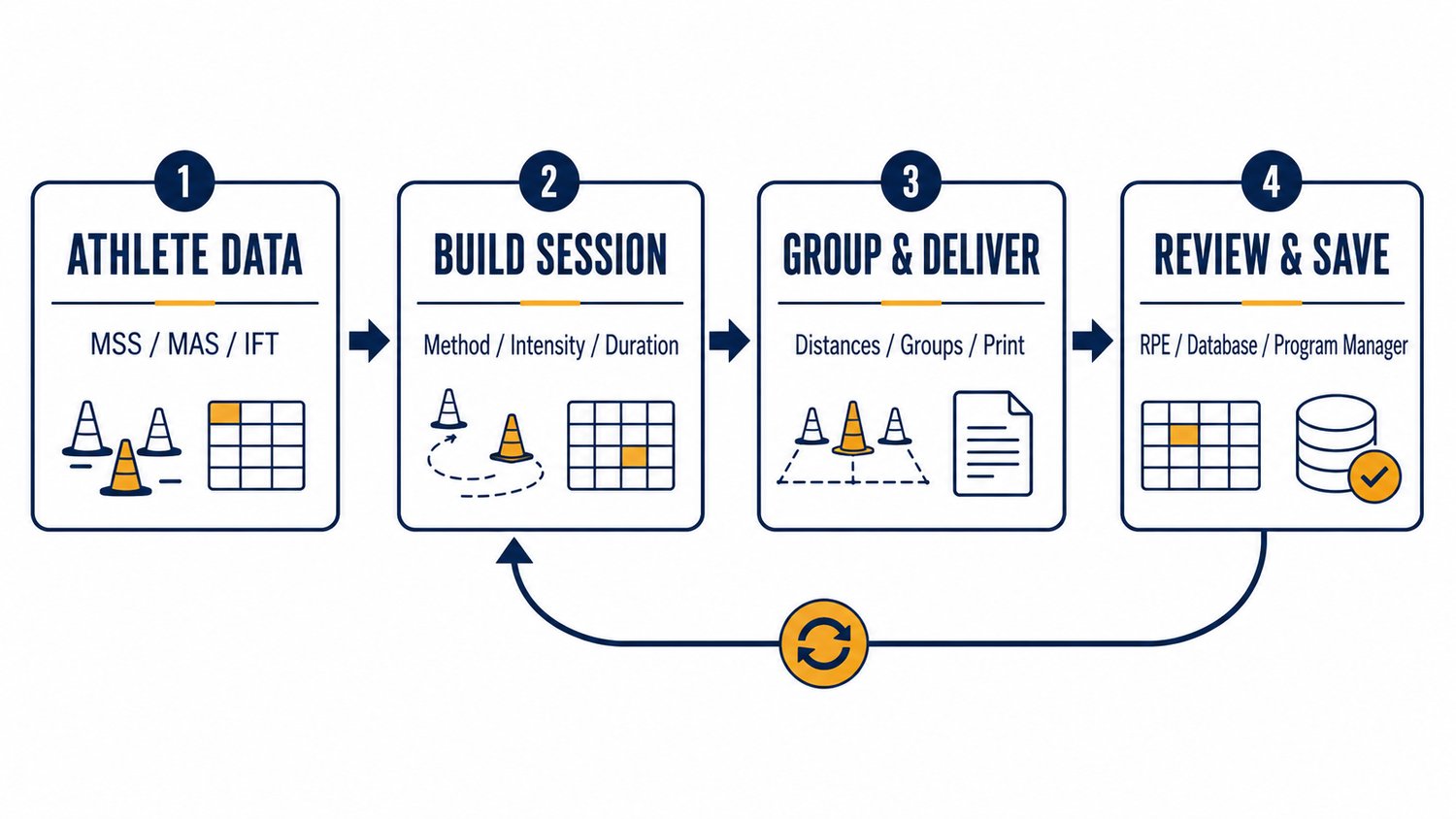
1. Enter or update the athlete data
Use the Athletes sheet to enter names and key speed anchors:
- MSS — maximum sprinting speed;
- MAS — maximal aerobic speed;
- IFT — intermittent fitness test velocity.
When a direct MAS value is unavailable, the workbook can provide a practical IFT-based estimate as a starting point. Treat this as a coaching heuristic—not a physiological truth carved into stone.
2. Choose the session logic
Select the HIIT category and variation, then choose how the session should be prescribed:
- MAS;
- IFT;
- ASR.
Adjust the work duration, intensity, recovery structure, start loss, change-of-direction loss, number of shuttles, and the output you want to display.
3. Group the athletes and deliver the session
The Builder calculates individual targets and organizes athletes into practical groups according to the maximum difference you are willing to accept.
You decide the trade-off:
- fewer groups and easier organization;
- or more groups and tighter individualization.
4. Save what worked and record what happened
Save the session in the Program Manager, tag it for later retrieval, print the program, or upload completed athlete rows to the Running Database.
The next time you need a similar session, load it, adjust it, and move on.
Eight HIIT methods. Seventy-four ready-made drill entries. One editable system.
The workbook includes 74 pre-built drill entries across eight major methods:
- Passive Long Intervals;
- Active Long Intervals;
- Passive Short Intervals;
- Active Short Intervals;
- Tempo;
- Sprint Interval Training;
- Repeat Sprint Training;
- Intermittent Recovery.
Each entry connects the method and variation with suggested work duration, intensity ranges, recovery structure, work-to-rest ratio, format, sets, and between-set recovery.
Use the library as a starting point, not a prison. The hidden HIT_Drills table can be unhidden and extended when your context demands something different.
Individualization that remains usable with a team
Two athletes can have the same MAS and very different sprint ceilings. Prescribing only from MAS can therefore create very different relative demands when running above MAS.
HIIT Builder v3 allows the coach to work with:
- MAS for practical aerobic-speed prescription;
- IFT for intermittent running prescription;
- ASR when the relationship between MAS and MSS matters;
- start-loss adjustments for different starting conditions or surfaces;
- change-of-direction loss for shuttle-based work;
- distance ranges or single target values depending on how much flexibility is needed.
The goal is not fake precision. The goal is a prescription that is individualized enough to be useful and simple enough to organize on the field.
Built for the difference between the plan and the session
The session rarely unfolds exactly as written.
An athlete may complete fewer reps. A returning player may need a reduced volume. A group may need a simpler target. The pitch may be heavy. The session may feel much harder than expected.
HIIT Builder v3 allows sets and reps to be edited at athlete level, records RPE and tags, and uploads only active rows with completed work to the Running Database.
That makes it possible to keep the plan, the completed session, and the first layer of feedback in the same system—without pretending that workload numbers explain everything.
Review fields include
- total running distance;
- session duration;
- RPE;
- intensity-adjusted workload;
- RPE-based load;
- tags such as match-day positioning or any classification you choose.
The structured database can then be explored in Excel, connected to Power BI, or used as the base for your own analysis sheets.
Save the session once. Reuse the logic, not just the numbers.
The new Program Manager is one of the biggest upgrades in Version 3.
Save the complete Builder setup with a program name and tag. Later, search by category or tag, inspect the program details, and load the session parameters back into the Builder.
This is useful for:
- recurring match-day sessions;
- pre-season interval progressions;
- rehabilitation or return-to-running templates;
- position-specific conditioning;
- common 15:15, 20:20, 30:30, long-interval, tempo, SIT, or RST setups;
- storing useful solutions your staff can revisit instead of rebuilding them from memory.
Experimental Curved Run Builder
Version 3 also includes an experimental module for planning:
- a single curved run;
- an S-run with two curves.
Choose the athlete, intensity, duration, arc height, and curve type. The module estimates the required path length, straight A-to-B distance, distance difference, total volume, and the practical setup. Curved-running prescriptions can be saved, reloaded, deleted, and printed.
This module is intentionally presented as experimental. Use it, test it on the field, and report what should be improved.
What is included
- HIIT Builder v3 macro-enabled Excel workbook (.xlsm);
- athlete database;
- athlete velocity-profile system;
- HIIT drill and training-guide tables;
- main session Builder;
- automatic athlete-grouping workflow;
- Program Manager;
- Running Database;
- Distance Calculator;
- MAS and MSS calculation tools;
- Curved Run Builder and history;
- print and PDF-export functions;
- instructional walkthrough video.
Who is it for?
HIIT Builder v3 is designed for:
- strength and conditioning coaches;
- sport scientists;
- football, rugby, basketball, handball, hockey, and other team-sport practitioners;
- coaches working with running-based conditioning;
- combat-sport coaches using running intervals;
- private coaches managing several athletes;
- staff who want a transparent, editable system rather than another black-box calculator.
Who is it not for?
This is probably not the right tool when you:
- want a mobile app that automatically collects GPS or wearable data;
- want the spreadsheet to make coaching decisions for you;
- do not have usable athlete speed or fitness data;
- need a completely cloud-based multi-user platform;
- plan to use Google Sheets, Apple Numbers, or browser-only Excel instead of desktop Microsoft Excel.
System requirements and important notes
HIIT Builder v3 is a macro-enabled Microsoft Excel workbook.
For the best compatibility, use a current desktop version of Microsoft Excel and enable macros when opening the file. The workbook uses modern Excel formulas, structured tables, hidden helper sheets, forms, and VBA automation.
A current Microsoft 365 desktop version is strongly recommended.
Before entering your own data:
- save a backup copy of the original file;
- read the Info sheet;
- use the designated input cells and dropdown menus;
- do not rename key sheets or tables;
- review every final prescription before delivering it to athletes.
The workbook provides structure and automation. The coach remains responsible for adjusting the output to the athlete’s current status, training history, fatigue, readiness, surface, sport demands, and session objective.
Support, bug reports, and feature requests
Version 3 is designed to keep improving through real coaching use.
For bug reports, feature requests, general feedback, or examples of how you are using the workbook, contact:
Đorđe Sekulić
Email: djordjesekulic555@gmail.com
When reporting a bug, include:
- your operating system;
- your Excel version;
- the sheet and action that caused the problem;
- a screenshot or short screen recording;
- the exact error message, when available;
- whether the problem happens in a fresh copy of the workbook.
Frequently asked questions
Is this a new product or an update to the original HIT Builder?
It is a substantially upgraded Version 3 built from the logic of the original HIT Builder. The core prescription concepts remain, while the workflow now includes program management, session history, improved printable outputs, athlete-level completion data, workload fields, and the Curved Run module.
Does the workbook create the training program for me?
It helps you build and organize the prescription. It does not know the athlete’s readiness, injury status, technical level, weekly load, tactical context, or the actual problem you are trying to solve. Those decisions remain with the coach.
Do I need MAS, MSS, and IFT for every athlete?
No single input is perfect for every situation. MAS and IFT can support a wide range of running prescriptions. MSS becomes particularly useful when using ASR and prescribing work above MAS. Better inputs usually produce more useful outputs.
Can I add my own drills?
Yes. The drill system is table-based and can be extended. Make a backup before changing the hidden tables, and preserve the required columns and naming structure.
Can I use it with a team?
Yes. Team organization is one of the main reasons the Builder exists. It calculates individual targets and groups athletes according to a coach-selected tolerance so that individualization remains practical on the field.
Can I track completed sessions?
Yes. Adjust sets, reps, RPE, and tags, then upload active athlete rows to the Running Database. Use that table as a simple history or connect it to your own reporting workflow.
Does it work in Google Sheets or Excel Online?
No. The workbook depends on VBA macros, modern Excel formulas, structured tables, and desktop functionality. Use desktop Microsoft Excel.
Is the Curved Run module fully validated?
It should be treated as an experimental coaching tool. Test the setup in practice, use realistic arc heights, observe the athlete response, and send feedback for future improvements.
Stop rebuilding the same session from scratch.
Enter the athletes. Choose the method. Adjust the prescription. Build the groups. Deliver the session. Record what happened. Save what worked.
Get HIIT Builder v3 and let the workbook handle the repetitive math—so you can focus on coaching.
Credits
Original HIT Builder concept and system: Mladen Jovanović
Version 3 development and upgrade: Đorđe Sekulić
Watch the Instructional Video