



Harborline — Local Marina Slip & Booking Planner
A ready-to-open local browser app for one operator managing overnight slip bookings. Configure slips, save and cancel bookings, check availability, calculate contract values and keep JSON backups. Editable React/TypeScript source included.
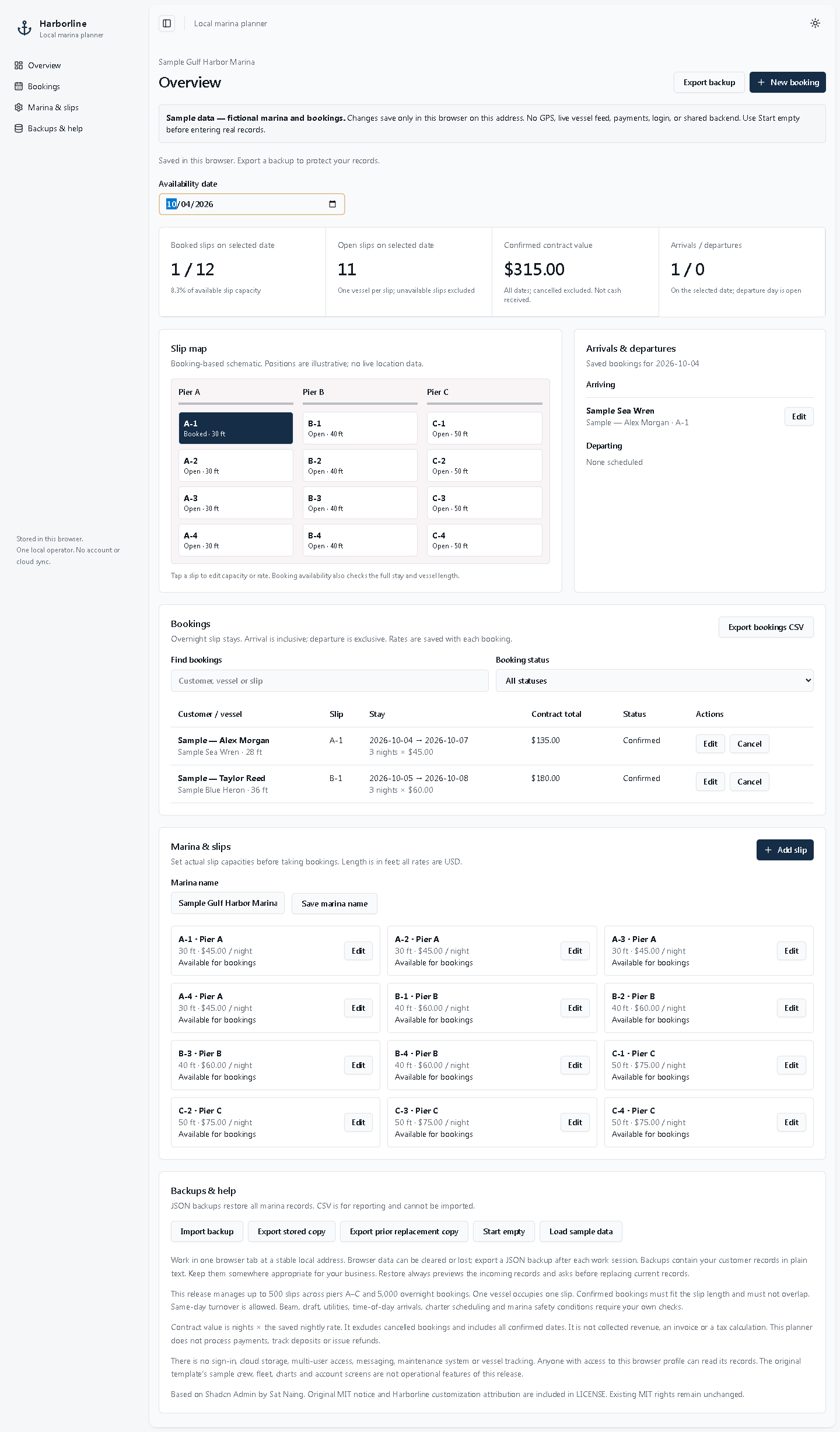
Keep your marina's overnight slip bookings in one local planner. Harborline opens from the included HTML file in desktop Chrome or Edge and saves records in that browser. No hosted account or paid backend is required.
What you can do
• Set up slips with unique names, piers A–C, maximum vessel length in feet, nightly USD rates and booking availability.
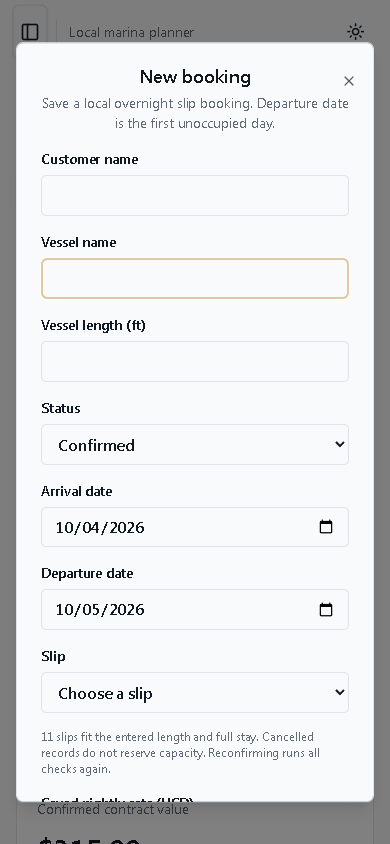
• Create, edit and cancel overnight bookings. Confirmed bookings are checked for overlapping dates and vessel-length fit.
• See booked and open slips, arrivals and departures for a selected date on a booking-based schematic.
• Calculate confirmed contract values from nights and saved booking rates. Existing rates stay unchanged when a slip's default rate changes.
• Export complete JSON backups, preview and restore valid backups, and download booking reports as CSV.
• Start empty or explore clearly labeled fictional samples. Sample loading and restoring data require confirmation before replacing current records.
What's in the download
• START_HARBORLINE.html — app and styles in one file.
• Customer instructions and the MIT/third-party license notices.
• Editable React/TypeScript source, locked dependencies, build configuration and tests.
• A prebuilt version and optional local-server script for users with Node.js installed.
Compatibility and fit
Tested in desktop Chrome 154 and Edge 154 on Windows. Opening the included HTML file needs no npm installation, backend or internet connection. Keep the same file location and browser profile. The layout adapts to smaller windows, but physical mobile browsers, Safari, Firefox and other operating systems have not been verified.
Best for one operator who needs a simple local record of overnight slip bookings and is comfortable exporting backups. Source is included for developers who want to adapt it.
Important limits
• Browser-local storage; no shared staff database, hosted account, cloud sync or automatic off-device backup. Export JSON backups regularly. Changing browsers/profiles, moving the HTML file or clearing browser data may make saved records inaccessible.
• Up to 500 slips and 5,000 bookings within a 2 MB dataset. Piers A–C, USD, dates 2000–2100, maximum 3,660 nights per stay.
• Availability is by calendar day. Departure is the first unoccupied day; same-day turnover is allowed.
• Vessel length is the only automated physical fit check. Beam, draft, utilities and actual marina conditions require manual checks.
• Contract value is not collected revenue, a payment balance, taxes or an invoice. No payment processing, deposits or refunds are included.
• No GPS or live vessel feed, charter scheduling, fleet maintenance, staff management, messaging or production authentication.
License
Based on the open-source Shadcn Admin project. The original MIT notice and third-party licenses are included. Editable source use and modification follow those terms; no single-business restriction is added. This offer does not claim exclusive ownership or original authorship of the entire codebase.
FAQ
Is this just a visual mockup?
No. The included local app saves slips and bookings, validates date conflicts and vessel length, calculates contract values, and exports/restores JSON backups. Its scope is the local single-operator workflow described above.
Does everyone on my team see the same data?
No. Records are stored in one browser profile at one file location or local-server address. It has no shared backend or cloud synchronization.
Does the map show boats in real time?
No. It is an illustrative schematic of entered bookings. It has no GPS or live vessel connection.
Do I need to code to open it?
No. Extract the ZIP and open START_HARBORLINE.html in a tested desktop browser. Source editing and rebuilding are optional and require developer tools.
Can I import a spreadsheet or an old product's data?
CSV import is not included. Restore accepts supported Harborline v1 JSON backups. No migration from the former demo-only dashboard is included.