
Creator Image Exporter - Batch Resize, Convert & Watermark Images
Get your images ready without opening five different tools.
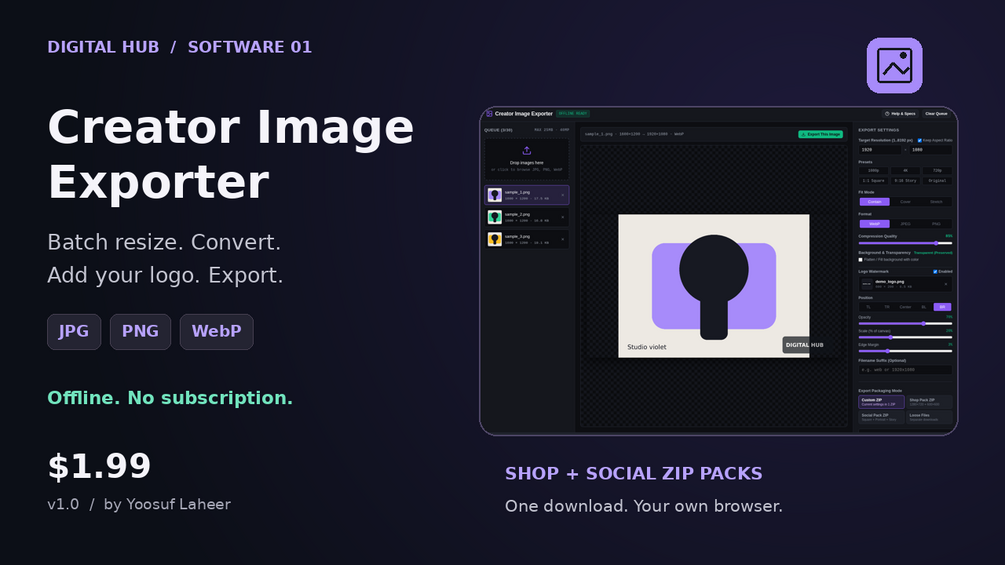
Creator Image Exporter is a small, offline browser tool for batch resizing, converting JPG, PNG and WebP images, and adding your own logo. Choose custom dimensions, adjust JPEG or WebP quality, and place your watermark in any corner or the centre, with controls for size, opacity and margin.
Export your current settings in a Custom ZIP, or choose a ready-made pack. Shop Pack makes a 1280x720 cover and a 600x600 thumbnail for each source. Social Pack makes 1080x1080 squares, 1080x1350 portraits and 1080x1920 stories. These are generic size presets, not a promise of any platform's current requirements.
Download the ZIP, extract it, and open Creator-Image-Exporter.html in desktop Chrome or Edge. No installation, account, internet connection or subscription is needed. Your images stay in your browser; the tool does not upload them.
Version 1.0 includes the HTML tool, a start-here guide and a customer-use license. Personal and commercial image-processing work is allowed when you have rights to the images and logos you use. The software itself cannot be resold or shared.
Before you buy: desktop Chrome or Edge is recommended. Up to 30 images per queue, 25 MB and 40 megapixels per image. Compression results vary; PNG is lossless and its compression is not changed by the quality slider. Animated images become a static frame. No SVG, HEIC or GIF support. Exports do not retain EXIF metadata or original colour profiles. There is no project saving or cloud sync. Keep your originals. Physical iOS and Android download behaviour is not certified.