
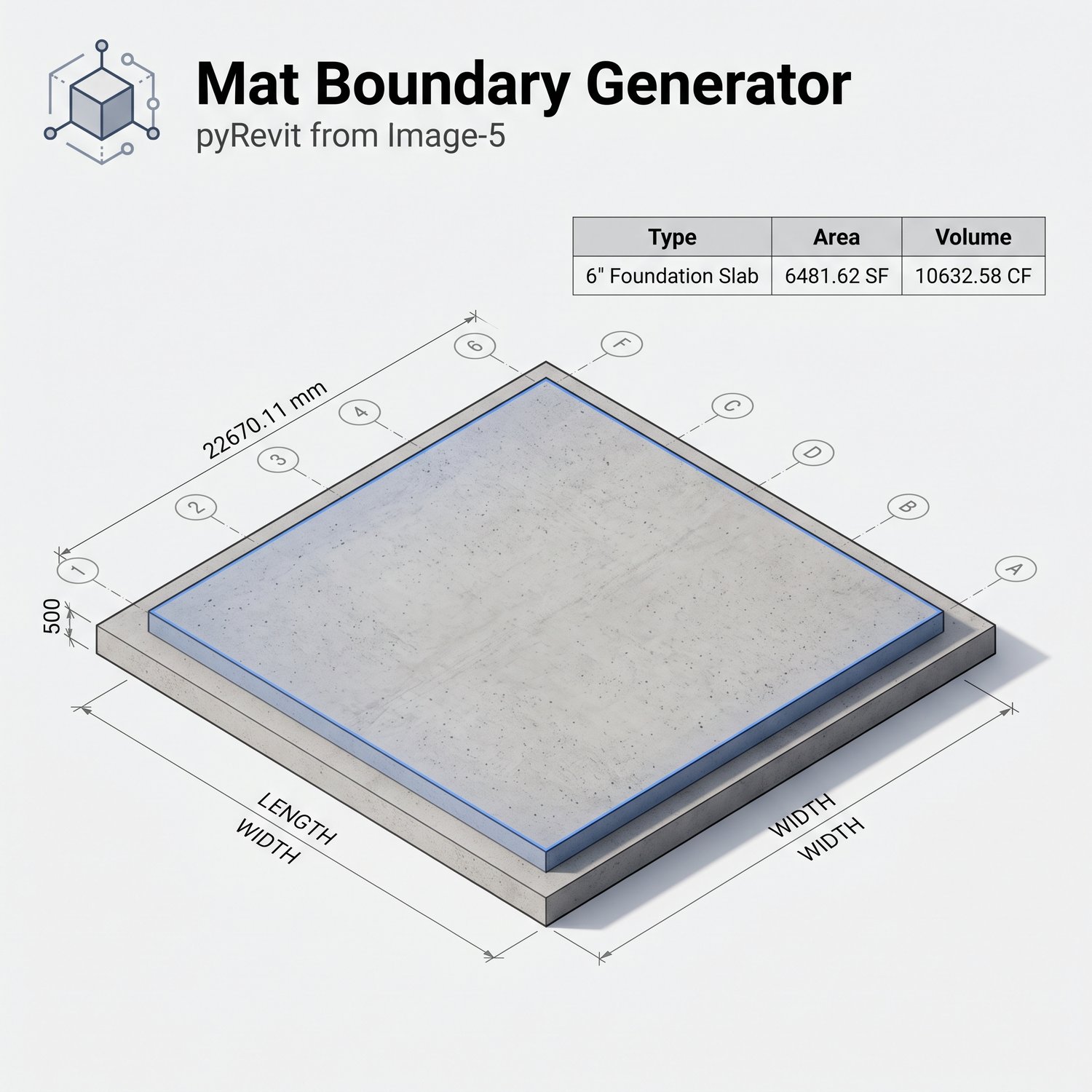
Mat Foundation Generator: PyRevit Automation Suite
On Sale
$0.00
The Problem
Modeling mat foundations and placing structural columns manually in Revit requires repetitive sketching, tedious grid alignment, and time-consuming schedule configuration. For large-scale projects, outlining slab boundaries and placing individual columns at every single grid intersection creates significant workflow friction, delays, and increases the risk of dimensional drafting errors.
The Solution & Features
This custom pyRevit-based automation suite eliminates manual drafting by instantly generating structural grids, placing columns, and modeling mat foundations.
- Automated Grid & Column Placement: Instantly generate parametric grids and automatically place, align, and tag structural columns at every grid intersection across selected levels.
- Smart Mat Foundation Generator: Automatically generate foundation slab boundaries based on perimeter project grids, complete with customizable cantilever/overhang offsets.
- Instant Schedule Integration: Bypasses manual schedule creation by automatically linking the generated structural foundation elements to pre-configured volume and area schedules for immediate quantity extraction.
Compatibility
- Autodesk Revit (Compatible with standard modern versions: 2020 and newer)
- Requires pyRevit installation to execute the custom WPF scripts.
How to Use It
- Access the custom tool suite from your pyRevit ribbon.
- Run the automated Grid and Column placement tools to establish your vertical structural layout.
- Launch the "Mat Boundary Generator," select your target level, slab type, and desired cantilever offset.
- Click "Create Mat" to instantly model the foundation boundary and review your automatically populated quantities.