
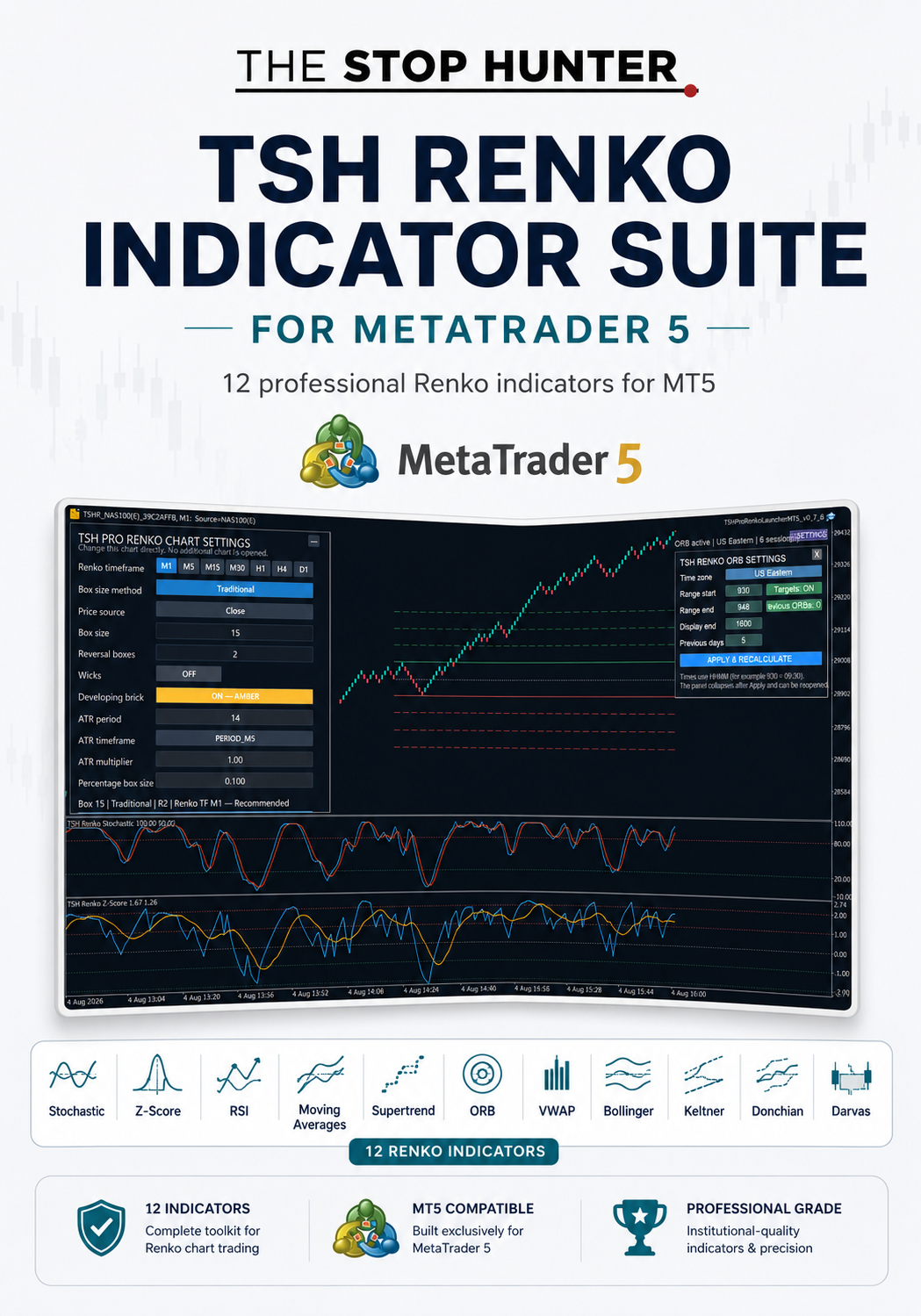
TSH RENKO INDICATOR SUITE 1 FOR MT5
TSH Renko Indicator Suite 1 for MetaTrader 5
12 Professional Indicators Built for Renko Chart Trading
Take your Renko analysis further with the TSH Renko Indicator Suite 1 for MetaTrader 5.
This complete collection brings together 12 specialist indicators designed, adapted and tested for use on Renko charts inside MT5.
Rather than relying on standard indicators that were originally designed around time-based candles, the TSH Renko Indicator Suite 1 gives you a focused toolkit for analysing:
- trend;
- momentum;
- overbought and oversold conditions;
- volatility;
- breakouts;
- dynamic support and resistance;
- market structure;
- session ranges;
- value and mean reversion.
The suite can be used with TSH Pro Renko Charts for MT5 or another compatible Renko charting solution running inside MetaTrader 5.
What Is Included?
Your download contains 12 compiled MT5 indicators:
1. TSH Renko Moving Averages
Display configurable moving averages directly on your Renko chart.
Use them to assess:
- short-, medium- and long-term trend;
- moving-average alignment;
- dynamic support and resistance;
- crossover conditions;
- trend continuation and reversal.
2. TSH Renko Stochastic
A Renko-focused stochastic oscillator for measuring momentum and identifying overbought and oversold conditions.
Includes:
- configurable stochastic settings;
- signal line;
- upper and lower reference levels;
- vertical panel padding for improved readability.
3. TSH Renko RSI
A Renko-focused Relative Strength Index with an optional moving-average overlay.
Use it to assess:
- momentum;
- overbought and oversold conditions;
- momentum shifts;
- RSI and moving-average interaction;
- divergence and trend strength.
4. TSH Renko Z-Score
Measures how far the current market value has moved from its statistical mean.
Includes:
- configurable Z-Score settings;
- positive and negative reference levels;
- optional moving-average overlay;
- mean-reversion and momentum analysis.
This can help identify statistically stretched market conditions.
5. TSH Renko Bollinger Bands with Offset
Bollinger Bands adapted for Renko chart analysis, with configurable offset controls.
Use them to assess:
- volatility expansion and contraction;
- dynamic support and resistance;
- mean reversion;
- breakouts;
- price interaction with the upper, middle and lower bands.
6. TSH Renko Keltner Channels with Offset
A volatility-based channel using an average-price line and ATR-style channel width.
Use it to identify:
- trend direction;
- volatility expansion;
- channel breakouts;
- pullbacks;
- momentum continuation.
7. TSH Renko Donchian Channels with Offset
Plots the highest and lowest price levels over a chosen lookback.
Useful for:
- breakout trading;
- trend-following;
- support and resistance;
- range identification;
- identifying new highs and lows.
8. TSH Renko SuperTrend
A trend-following indicator designed to help identify bullish and bearish market conditions.
Use it to assess:
- trend direction;
- trailing support and resistance;
- trend continuation;
- reversal conditions;
- potential stop-management levels.
9. TSH Renko ORB
A configurable Opening Range Breakout indicator for Renko charts.
It allows you to define:
- time zone;
- range start;
- range end;
- display end;
- previous sessions;
- target levels;
- historical opening ranges.
The ORB can be used for any chosen session and is not limited to the US market open.
10. TSH Renko Dual VWAP Value Pro
Combines two VWAP-style calculations to provide a clearer view of value, trend and market positioning.
Use it to assess:
- short- and longer-term value;
- VWAP crossovers;
- trend changes;
- mean reversion;
- price position relative to value.
11. TSH VWAP Width
Measures the relationship between VWAP-based levels and market expansion.
This can help identify:
- changes in market volatility;
- expansion and contraction;
- trend development;
- changing distance from value.
12. TSH Renko Darvas Box
Automatically identifies potential consolidation and breakout zones.
Use it to assess:
- trading ranges;
- support and resistance;
- breakout levels;
- trend continuation;
- compression before expansion.
Why Use Renko-Specific Indicators?
Renko charts are constructed from price movement rather than fixed time intervals. This changes how indicators behave.
A standard indicator applied to a Renko chart may react differently from the same indicator applied to a time-based chart because:
- Renko blocks are created only after sufficient price movement;
- time between blocks is variable;
- market noise is filtered;
- price structure becomes more prominent;
- indicators respond to completed Renko blocks rather than ordinary candles.
The TSH Renko Indicator Suite is designed to provide a more coherent professional toolkit for this style of chart analysis.
A Complete Renko Analysis Toolkit
The suite covers four main areas of technical analysis.
Trend
- Moving Averages
- SuperTrend
- Keltner Channels
- Donchian Channels
- Darvas Box
Momentum
- Stochastic
- RSI
- Z-Score
Volatility and Structure
- Bollinger Bands
- Keltner Channels
- VWAP Width
- Darvas Box
Session and Value Analysis
- ORB
- Dual VWAP Value Pro
- VWAP Width
This allows you to build a complete Renko charting workflow without needing to source unrelated indicators from multiple developers.
Designed for MetaTrader 5
The suite is built for MetaTrader 5 desktop.
It can be used with compatible MT5 platforms supplied by different brokers.
It is not restricted to IG or any other single broker.
Available markets, symbols, price feeds, decimal places, trading hours and historical data will vary between brokers.
This product is not compatible with:
- MetaTrader 4;
- TradingView;
- NinjaTrader;
- browser-only platforms;
- mobile-only MT5 installations.
How to Access the Files in Your Download
After purchasing, Payhip will provide a ZIP file containing the indicators and installation guide.
Step 1 — Download the ZIP File
Download:
TSH_Renko_Indicator_Suite_for_MT5_v1_2.zip
Save it somewhere easy to find, such as your Downloads folder.
Step 2 — Extract the ZIP File
Do not try to install the indicators directly from inside the ZIP file.
On Windows:
- Right-click the ZIP file.
- Select Extract All.
- Choose a destination folder.
- Press Extract.
You will then see the extracted product folder.
Step 3 — Open the MQL5 Folder
Inside the extracted download, open:
MQL5
Then open:
Indicators
Then:
TSH
This folder contains the 12 compiled .ex5 indicator files.
Step 4 — Follow the Installation Guide
The download also includes:
TSH_Renko_Indicator_Suite_MT5_Installation_User_Guide.pdf
Open the guide and follow the installation instructions.
A README_FIRST.txt file is also included for quick reference.
Installation Overview
The full guide takes you through the process, but installation follows these main steps:
- Open MetaTrader 5.
- Select File.
- Select Open Data Folder.
- Open the MQL5 folder.
- Open Indicators.
- Create or open the TSH folder.
- Copy the supplied .ex5 indicator files into that folder.
- Return to MetaTrader 5.
- Refresh the Navigator or restart MT5.
- Open Indicators > TSH in the Navigator.
- Drag the required indicator onto your Renko chart.
No programming knowledge is required.
The .mq5 source code is not included.
Using the Indicators
To add an indicator:
- Open the MT5 Navigator.
- Expand Indicators.
- Expand the TSH folder.
- Drag the required indicator onto the chart.
- Adjust the settings.
- Press OK.
To edit an indicator already on the chart:
- Right-click the chart.
- Select Indicators List.
- Select the indicator.
- Press Properties.
To remove an indicator:
- Right-click the chart.
- Select Indicators List.
- Select the indicator.
- Press Delete.
Some indicators appear in the main chart window, while oscillators such as RSI, Stochastic and Z-Score open in a separate indicator panel.
Use with TSH Pro Renko Charts
The indicator suite is designed to complement:
TSH Pro Renko Charts for MetaTrader 5
TSH Pro Renko Charts creates and controls the Renko chart.
The Indicator Suite then provides the technical-analysis tools used to study that chart.
The two products are sold separately and can be purchased individually.
For the complete workflow, the wider TSH Renko range also includes:
TSH Renko Block Size Calculator for MT5
This provides volatility-led suggested Renko box sizes before you build or adjust your chart.
Together, the three products provide:
Construct. Calibrate. Analyse.
Who Is This For?
The TSH Renko Indicator Suite is designed for traders who:
- use Renko charts in MetaTrader 5;
- want more than basic trend indicators;
- analyse momentum, volatility, breakouts and value;
- trade forex, indices, commodities, metals or cryptocurrencies;
- want indicators organised in one professional toolkit;
- use systematic or rules-based trading methods;
- want specialist Renko analysis without relying on multiple third-party downloads.
What You Receive
Your download includes:
- 12 compiled MetaTrader 5 indicators;
- the correct MT5 folder structure;
- installation and user guide;
- quick-start README file;
- complete indicator file list;
- guidance on installing, using and removing each indicator.
The source code is not included.
Important Information
The indicators are analysis tools only. They do not:
- place trades automatically;
- guarantee profitable signals;
- provide financial advice;
- replace risk management;
- determine whether a trade should be taken.
Indicator behaviour can vary according to:
- Renko box size;
- reversal settings;
- selected timeframe;
- broker price feed;
- available chart history;
- market conditions;
- indicator parameters.
The currently developing Renko block may change before completion. Signals based on an unfinished block should therefore be treated differently from signals based on a confirmed block.
Trading leveraged products involves substantial risk and may not be suitable for everyone.