
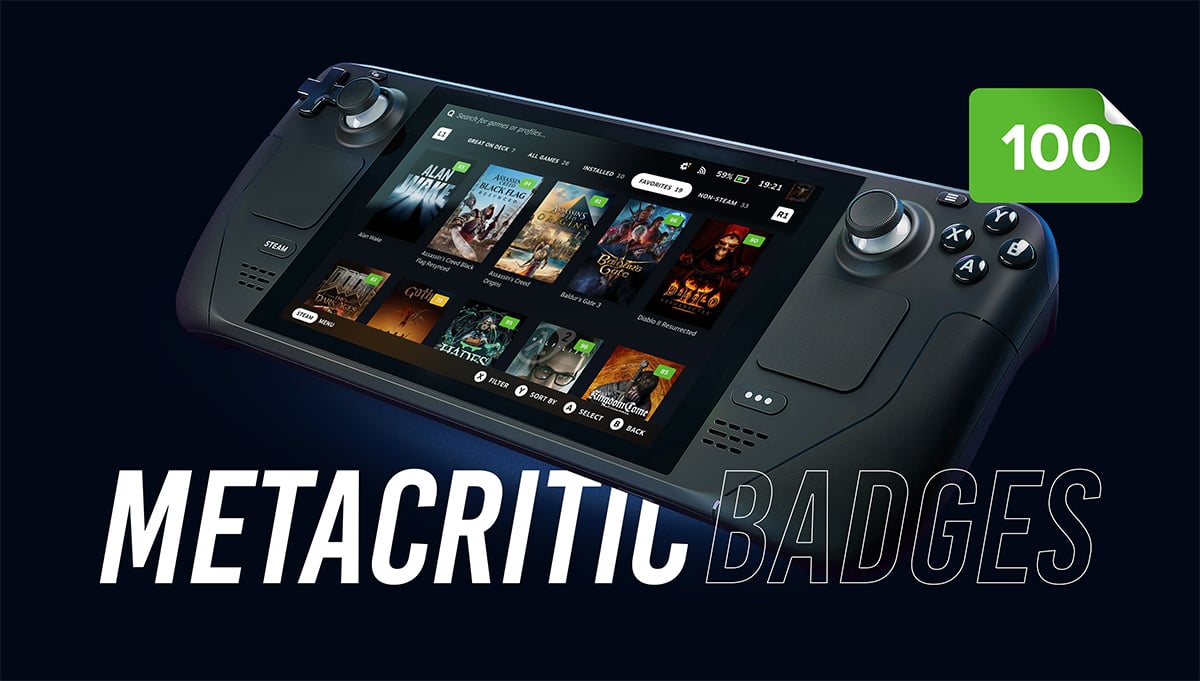
Steam Deck Metacritic Badges
See Metacritic scores right on your Steam Deck — in your library, on the Store, and in your wishlist. No browser tab required.
A lightweight Decky Loader plugin that adds a colored Metascore badge to every game tile in your Steam Deck library and to each game's detail page, so you can judge your backlog (or decide what to play next) at a glance.
What it does
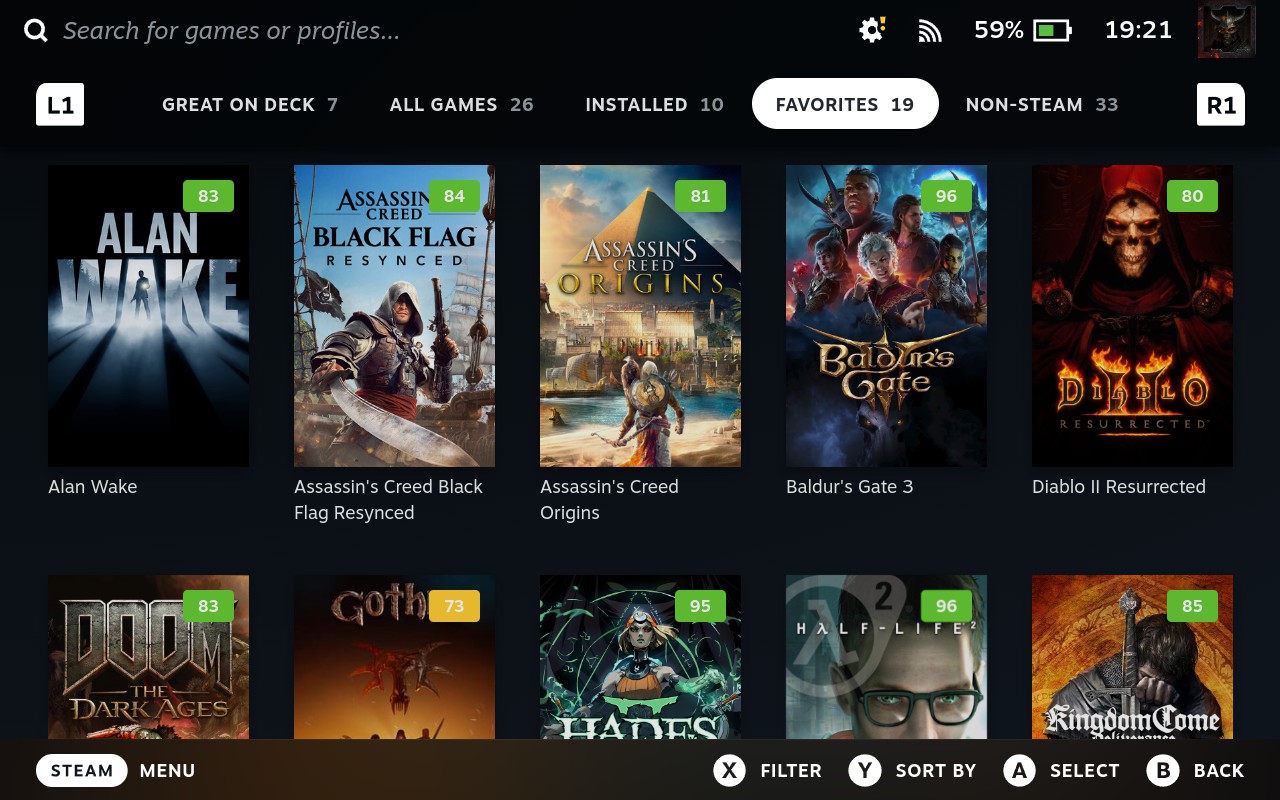
- Adds a Metascore badge to every game tile in your Steam library grid (Favorites, Great on Deck, Non-Steam, Collections — everywhere).
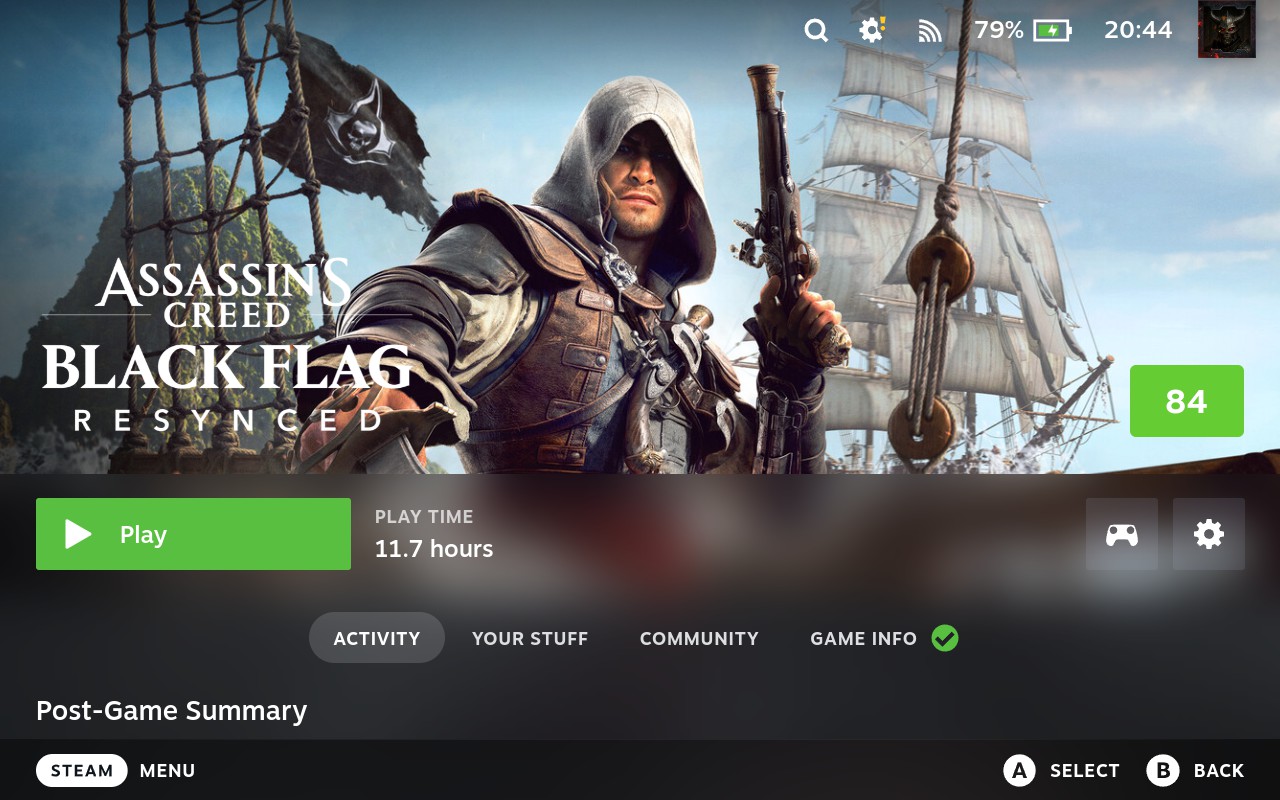
- Shows the score on the game detail page too, next to the hero art.
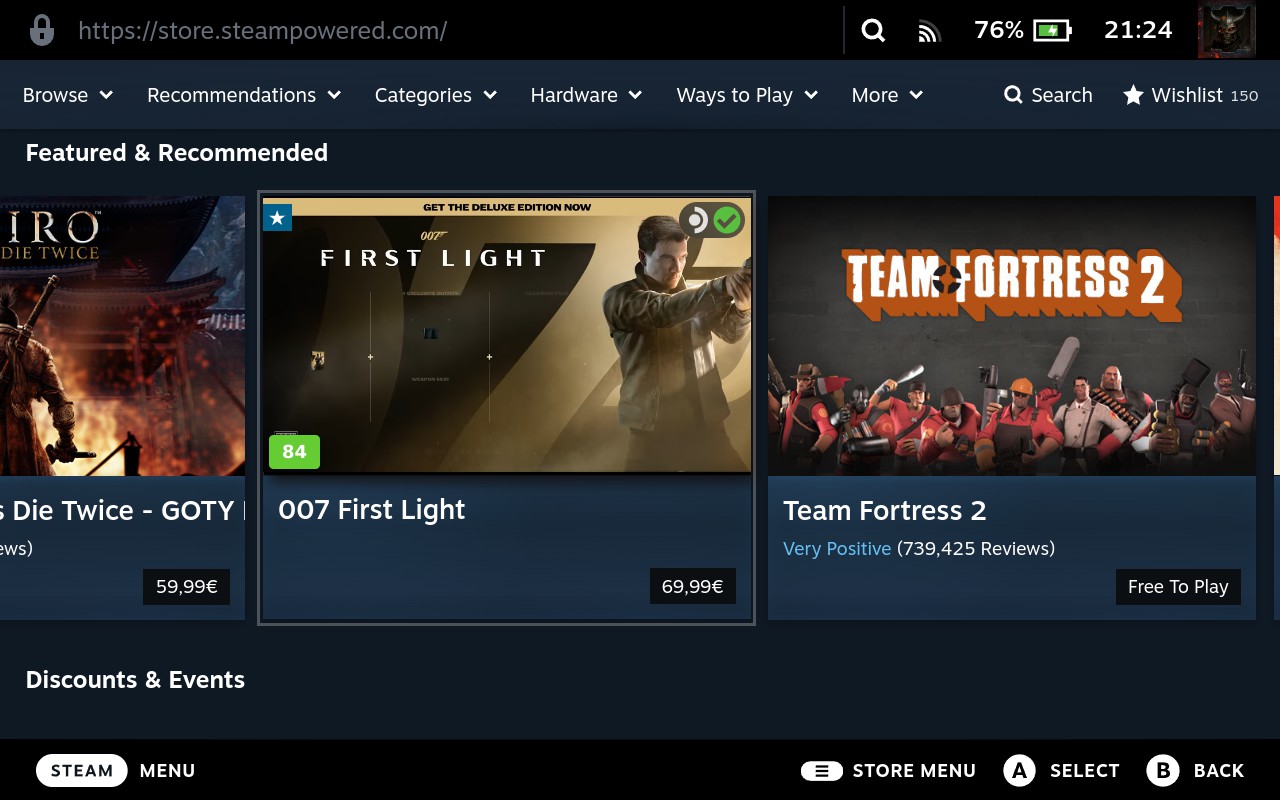
- Also shows badges while browsing the Store — on the currently focused game tile in any carousel/list, and a full badge on a game's own Store page.
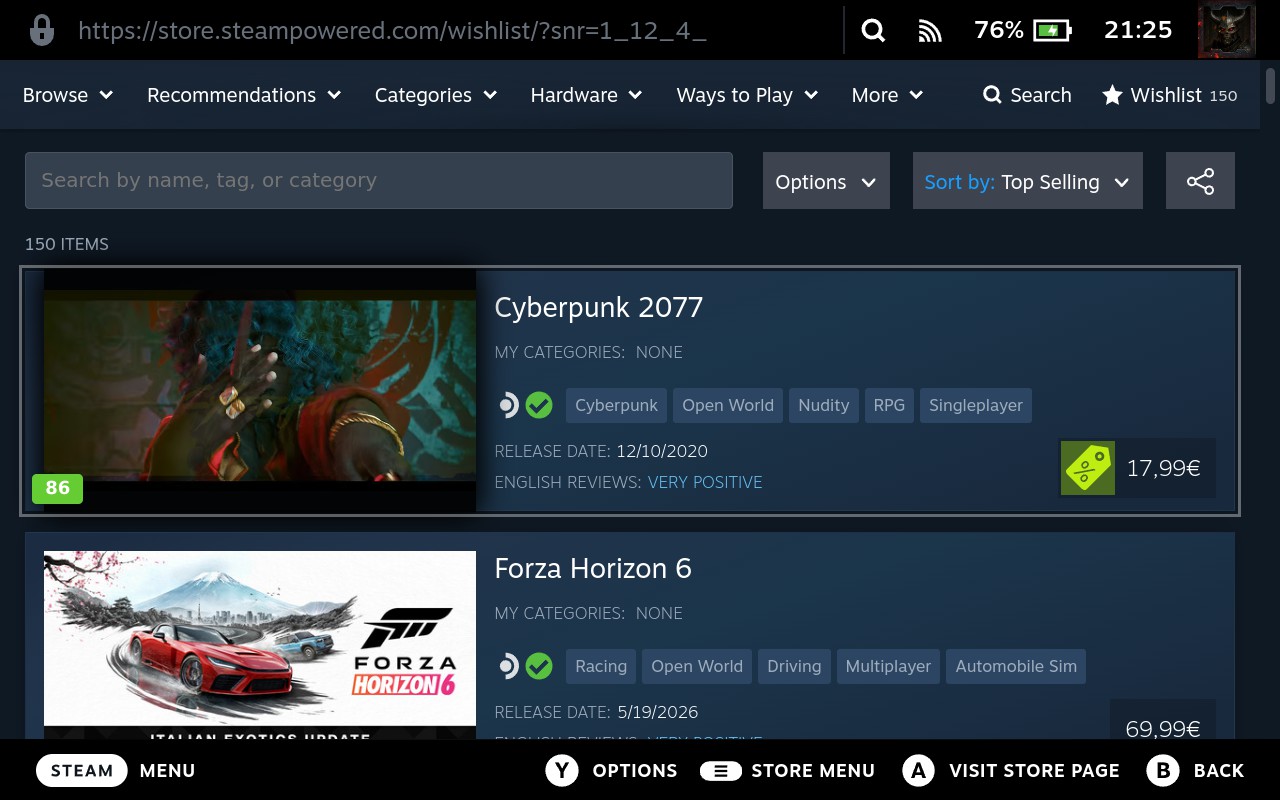
- Works in your Wishlist too — see Metascores on wishlist entries without opening each game's page.
- Color-coded at a glance, using the same bands as Metacritic itself:
- 🟢 Green: 75–100 (Generally Favorable / Universal Acclaim)
- 🟡 Yellow: 50–74 (Mixed)
- 🔴 Red: 0–49 (Generally Unfavorable)
- Fetches the PC-specific score where available — the number that actually matters for a Steam Deck, not just whatever platform a game originally released on.
- Skips non-game shortcuts automatically — apps like GeForce Now, Chrome, OBS Studio, Discord, and similar tools never get a (meaningless) badge.
- Works for everything in your library — native Steam games, non-Steam shortcuts, emulator entries — since matching is done by game title, not by store ID.
- No API key, no account, no setup. Install it and it works.
- Caches results locally so scores load once and stay put — switching library tabs or rebooting the Deck doesn't re-download anything.
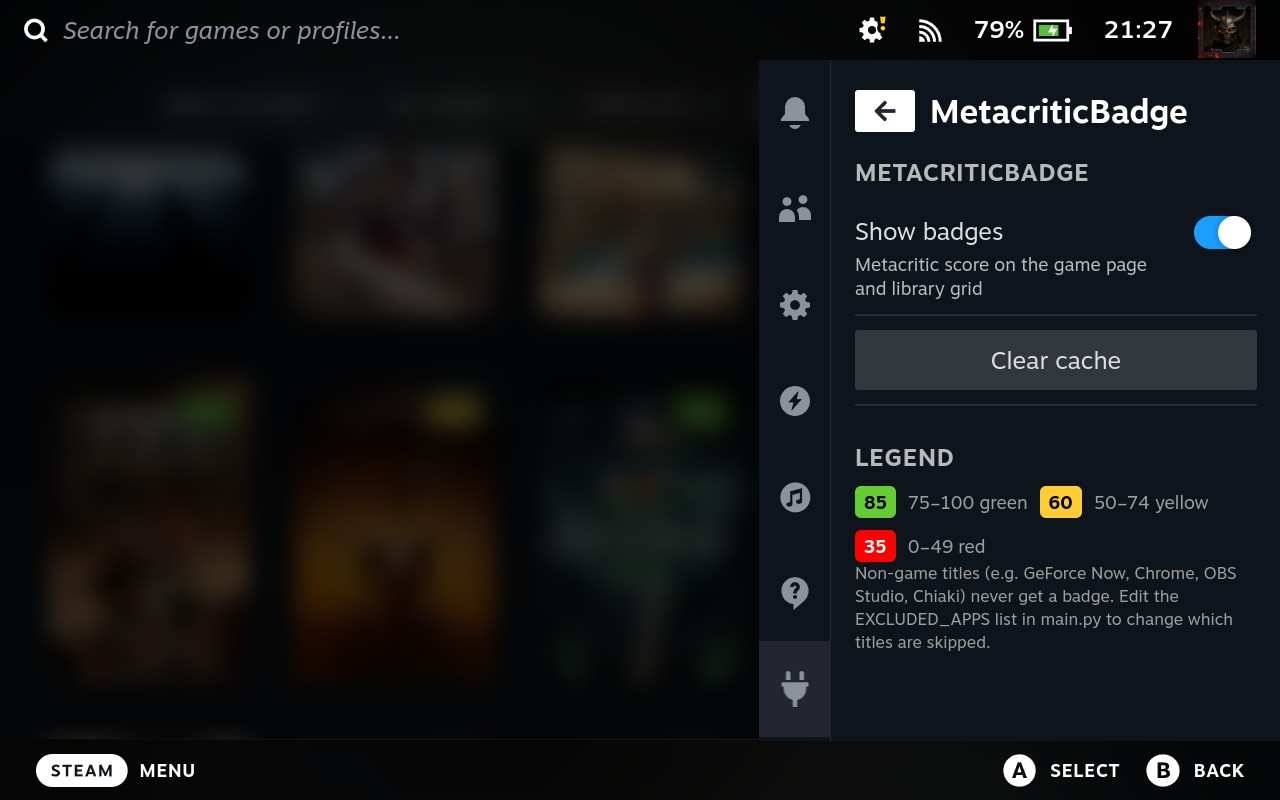
- One toggle to turn badges on/off from the Quick Access Menu.
Screenshots
Library grid:
Game card:

Game detail page:
The plugin's Quick Access Menu panel:
Steam Store:
Your Wishlist:
Requirements
- A Steam Deck (or other SteamOS/Linux handheld running Decky Loader — should work anywhere Decky runs).
- Decky Loader installed. If you don't have it yet, install it first — it's the free, open-source plugin framework this runs on.
- An internet connection (Wi-Fi) — needed the first time each game's score is looked up.
That's it — no Metacritic account, no API key, no extra configuration.
Installation
This plugin isn't (yet) in the official Decky Store, so it installs via a ZIP file through Decky's Developer Mode. It takes about two minutes:
- Download the MetacriticBadge.zip file included with your purchase — easiest in Desktop Mode (Game Mode's browser is limited), or copy it over via USB stick / cloud storage. Save it somewhere easy to find.
- Back in Game Mode, open Decky Loader (the plug icon in the Quick Access Menu).
- Go to Settings → General and turn on Developer Mode.
- A new Developer tab appears — open it.
- Tap Install Plugin from ZIP File, browse to where you saved the ZIP, and select it.
- Done! You should now see MetacriticBadge listed among your Decky plugins in the Quick Access Menu (star icon).
Head to your library — badges will start appearing on game tiles as the plugin looks up each score, which can take a few minutes depending on how many games you have. After that first pass, everything is cached locally, so badges show up instantly from then on — no repeated lookups, even after switching library tabs or restarting your Deck.
How it works (for the curious)
The plugin shows Metacritic score information from publicly available sources inside the Deck UI — no third-party API, no key required. Once a score is found for a title, it's cached locally on your Deck so it's never re-downloaded. A short list of known non-game shortcuts (streaming apps, launchers, capture tools) is excluded so you don't get badges on things like Chrome or OBS Studio.
FAQ
Does this cost anything to run / need an account? No — no API key, no login, no subscription. One-time install.
Will it slow down my Steam Deck? No. Lookups happen quietly in the background and only for games it hasn't already scored; everything is cached after the first check.
What if a game isn't on Metacritic? It's simply skipped — no badge is shown, nothing breaks.
Does it work with non-Steam games / emulators? Yes — matching is based on the game's title, not its store, so anything with a recognizable name in your library is eligible for a badge.
Can I turn the badges off without uninstalling? Yes — there's an on/off toggle in the plugin's Quick Access Menu panel.
Is this affiliated with Metacritic or Valve? No. This is an independent, unofficial project. Metacritic and Steam are trademarks of their respective owners.
Does it work on the Store and Wishlist, or just my library? All three — library grid, game detail pages, the Store (including focused tiles while browsing), and your Wishlist.
Support
Found a bug or have a request? Email iwoshek@gmail.com — happy to help.
Changelog
v1.1.1 — Fixed: games added as non-Steam shortcuts could show the wrong score if you had more than one non-Steam shortcut added.
v1.1.0 — Added Metascore badges to the Store (the tile you're currently browsing, plus the full game page) and to your Wishlist. Added a "TBD" badge for freshly-released games that don't have enough critic reviews yet, which automatically updates to a real score once enough reviews come in.
v1.0.0 — Initial release: library + detail-page badges, PC-score priority, non-game exclusion list, local caching, on/off toggle.
Follow me
This is the first in a series of Steam Deck / vibecoding plugins — more on the way. Follow along:
- 🎥 Twitch: twitch.tv/iwoshek
- 📸 Instagram: instagram.com/iwoshek