




Kaddora SocialHub Plugin for WordPress
Kaddora SocialHub Plugin for WordPress :
Documentation : https://womens.kaddora.com/docs-socialhub-kaddora/
Kaddora SocialHub Plugin for WordPress is a complete social sharing and social media engagement solution designed for WordPress websites, WooCommerce stores, blogs, online magazines, business websites, news portals, digital agencies, content creators, influencers, and modern online platforms. The plugin helps website owners increase social shares, improve content visibility, boost traffic, and grow audience engagement using modern social sharing tools and social media integrations.
The plugin provides responsive social share buttons, floating share bars, social follow widgets, social feeds, click-to-share tools, social analytics, and customizable sharing layouts directly from the WordPress dashboard. Kaddora SocialHub helps websites improve social media reach while maintaining fast website performance and modern responsive design.
Kaddora SocialHub Plugin is built with lightweight architecture and optimized performance to ensure smooth integration with WordPress, WooCommerce, and modern page builders.
Introduction
Social media sharing plays an important role in website traffic growth, SEO visibility, content promotion, and audience engagement. Kaddora SocialHub Plugin helps businesses and content creators simplify social sharing using modern social media tools and responsive share button systems.
The plugin allows website owners to display attractive social share buttons, floating social bars, social follow icons, and real-time social feeds across websites without coding knowledge.
Kaddora SocialHub is suitable for websites that want to improve social engagement, grow social traffic, increase content visibility, and enhance user interaction using social media marketing tools.
Main Features
- Social share buttons
- Floating social share bar
- Social follow buttons
- Social media feeds
- WooCommerce social sharing
- Click-to-share quotes
- Responsive social layouts
- Social analytics dashboard
- AJAX-powered operations
- Lightweight architecture
- Multi-network social support
- Social icon customization
- Shortcode support
- Mobile-friendly design
- Social engagement tracking
- Social popup sharing
- Custom share layouts
- Fast loading performance
- Modern admin dashboard
- Easy setup and configuration
Requirements & Compatibility
Minimum Requirements
- WordPress 6.0 or higher
- PHP 7.4 or higher
- HTTPS-enabled website
- Modern browser support
Recommended Environment
- WordPress 6.x
- PHP 8.0+
- WooCommerce latest version
- SSD hosting
- Cloud hosting compatibility
Compatible With
- WooCommerce
- Elementor
- Gutenberg
- WPML
- RTL websites
- Multisite installations
- Modern WordPress themes
- Mobile devices
Plugin Installation
Installation Steps
- Download the plugin ZIP file.
- Login to the WordPress dashboard.
- Navigate to Plugins → Add New.
- Click Upload Plugin.
- Select the plugin ZIP file.
- Click Install Now.
- Activate the plugin.
- Open the Kaddora SocialHub menu from the dashboard.
After Activation
The plugin automatically creates:
- SocialHub Dashboard
- Social Sharing Settings
- Social Feed Modules
- Analytics Dashboard
- Social Button Controls
- Customization Panel
SocialHub Settings (Admin Panel)
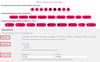
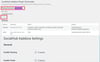
The Settings Panel provides centralized control for social sharing features, layouts, and social media integrations.
Admin Panel Features
- Social network management
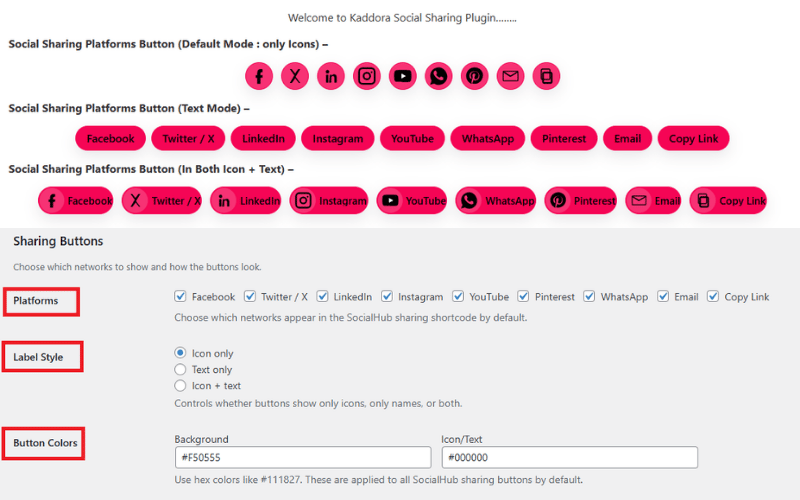
- Share button controls
- Floating bar configuration
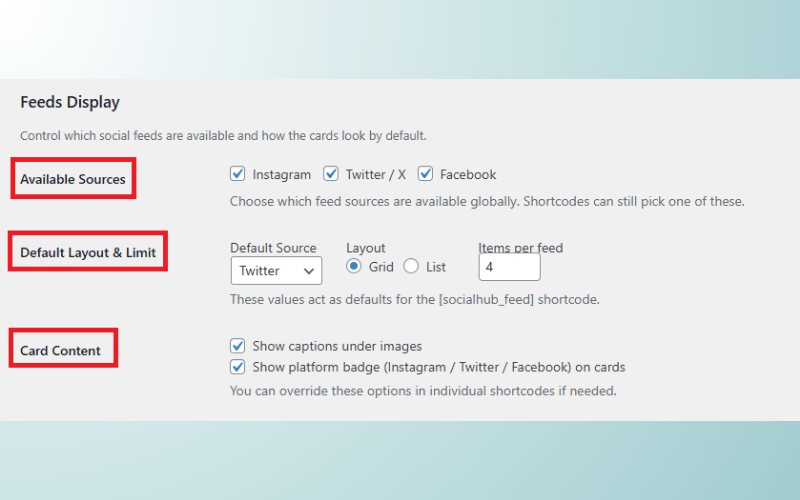
- Social feed settings
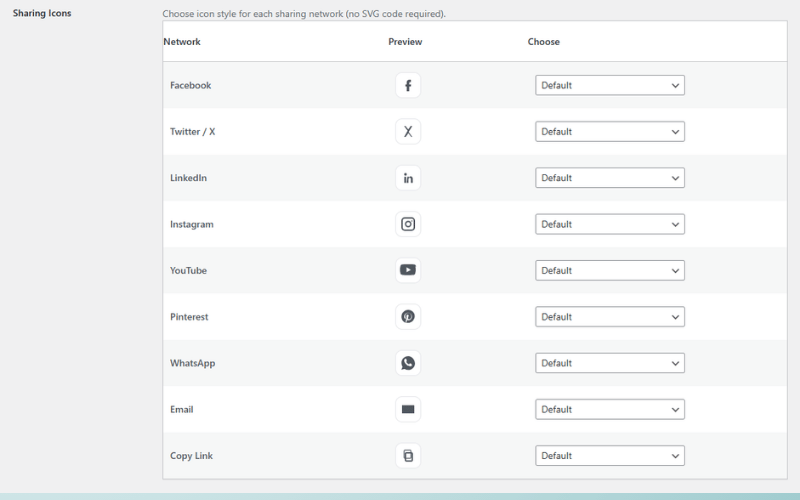
- Social icon customization
- Share analytics settings
- WooCommerce integration controls
- Mobile optimization settings
- Social popup management
- Performance optimization settings
Advanced Settings
- Enable or disable social networks
- Share counter configuration
- Social icon positioning
- Responsive display controls
- Custom share labels
- Animation settings
- Social feed controls
- AJAX optimization settings
- Shortcode configuration
- Social popup customization
Social Sharing Buttons
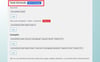
Kaddora SocialHub Plugin includes responsive and customizable social sharing buttons that help visitors share website content across social platforms.
Supported Sharing Features
- Floating social buttons
- Inline share buttons
- Sticky share bars
- Popup share windows
- Mobile share support
- WooCommerce product sharing
- Blog post sharing
- Click-to-share functionality
- Social share counters
- Multi-position share layouts
Supported Social Networks
- X (Twitter)
- Telegram
- Tumblr
- Email sharing
- More social platforms
Benefits
- Increase social traffic
- Improve content visibility
- Boost user engagement
- Increase audience reach
- Improve content sharing
- Better social interaction
Social Feeds
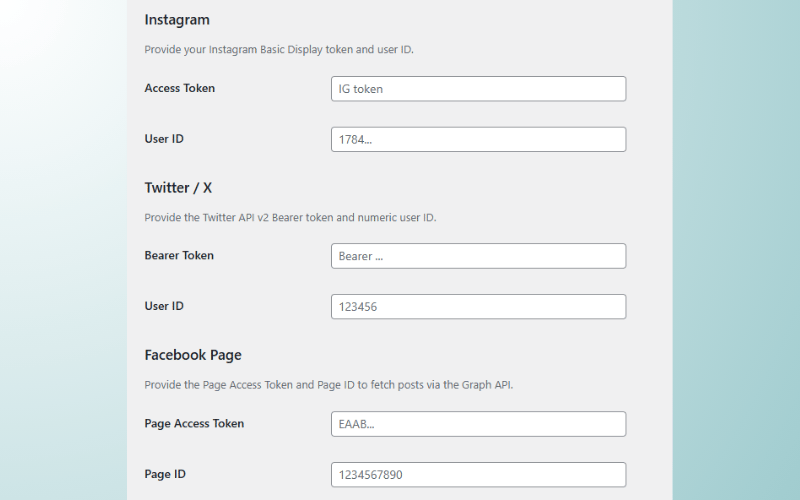
The Social Feed System allows website owners to display real-time social media content directly on WordPress websites.
Social Feed Features
- Instagram feeds
- Facebook feeds
- X (Twitter) feeds
- YouTube feeds
- TikTok integration
- Social media widgets
- Real-time feed updates
- Responsive social galleries
- Dynamic feed layouts
- Social engagement displays
Feed Benefits
- Increase social engagement
- Improve website interaction
- Showcase social content
- Grow followers
- Improve website activity
- Better visual engagement
Customization Options
The plugin includes advanced customization controls that help websites match social elements with branding and design.
Customization Features
- Custom icon styles
- Color scheme controls
- Button shape customization
- Floating bar styling
- Typography controls
- Responsive design settings
- Animation effects
- Social popup styling
- Hover effects
- Mobile layout customization
Appearance Controls
- Dark and light mode
- Gradient button styles
- Rounded icon layouts
- Floating animations
- Sticky positioning
- Responsive spacing
- Custom branding
- Social icon sizes
- Layout customization
- User-friendly controls
Shortcodes Guide
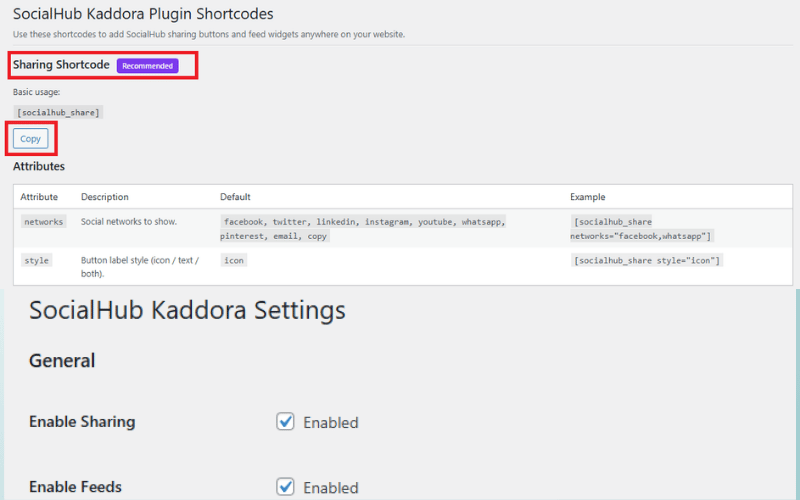
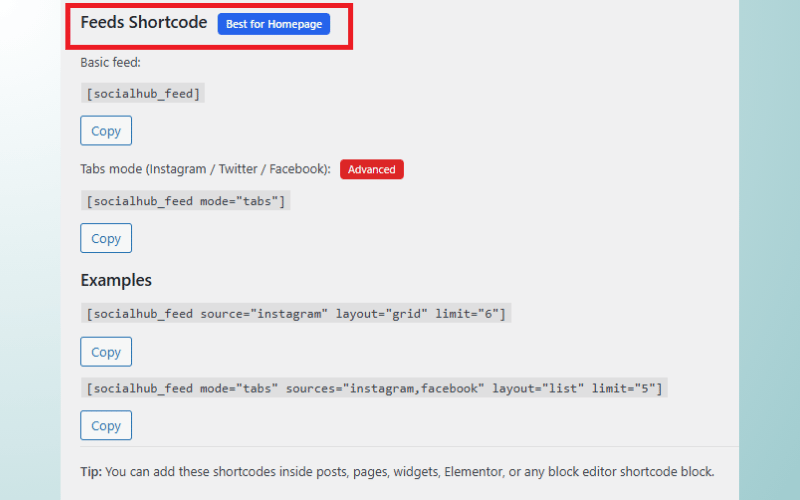
Kaddora SocialHub Plugin includes shortcode support for displaying social sharing elements anywhere on the website.
Shortcode Features
- Share button shortcodes
- Social follow shortcodes
- Social feed shortcodes
- Floating button integration
- Analytics widgets
- WooCommerce share tools
- Responsive shortcode layouts
- Dynamic shortcode support
Example Usage
- Blog post share buttons
- Product page sharing
- Social feed embedding
- Floating share bar placement
- Social follow sections
- Marketing campaign widgets
Performance & Caching
Kaddora SocialHub Plugin is designed with optimized architecture and lightweight operations for modern WordPress websites.
Performance Features
- Lightweight plugin structure
- Optimized database queries
- AJAX-powered operations
- Fast loading social buttons
- Minimal server resource usage
- Selective asset loading
- Mobile optimization
- Cloud hosting compatibility
- Performance-focused design
- Scalable architecture
Caching Features
- Optimized social feed caching
- Fast social icon loading
- AJAX caching support
- Responsive asset optimization
- Feed update optimization
- Performance-friendly operations
Analytics and Reporting
The plugin includes analytics tools that help website owners monitor social engagement and sharing activity.
Analytics Features
- Share analytics dashboard
- Click tracking
- Social engagement reports
- Traffic analytics
- Social performance monitoring
- User interaction tracking
- Real-time analytics
- Content performance reports
- Social growth insights
- Audience engagement tracking
WooCommerce Integration
Kaddora SocialHub Plugin integrates directly into WooCommerce to improve product sharing and social engagement.
WooCommerce Features
- Product share buttons
- WooCommerce social feeds
- Product sharing analytics
- Social engagement tracking
- Product promotion tools
- eCommerce sharing support
- Cart share functionality
- Product visibility optimization
- Mobile shopping integration
- WooCommerce responsive layouts
Security Features
- Secure social integrations
- Input sanitization
- SQL injection protection
- XSS protection
- Safe shortcode processing
- Secure admin controls
- Protected social feeds
- Safe API handling
Admin Dashboard Features
The admin dashboard provides centralized control for social sharing tools, feeds, analytics, and customization.
Dashboard Features
- Modern admin interface
- Social analytics overview
- Share performance reports
- Feed management tools
- Customization controls
- WooCommerce integration settings
- Real-time activity tracking
- User-friendly dashboard
- Performance monitoring
- Quick setup system
Suitable For
- Blogs
- WooCommerce stores
- News websites
- Online magazines
- Business websites
- Digital agencies
- Content creators
- Influencers
- Portfolio websites
- Marketing websites
Why Choose Kaddora SocialHub Plugin for WordPress?
Kaddora SocialHub Plugin for WordPress helps businesses improve social engagement, grow traffic, increase content visibility, and simplify social media sharing using modern social sharing tools and responsive social layouts.
The plugin combines social share buttons, social feeds, WooCommerce integration, analytics, shortcode support, floating share bars, and customization tools into one complete social media engagement solution for WordPress websites.