






Inventory OS — Inventory & Cash Flow Toolkit
Inventory OS v1.1 — Take Control of Your Inventory
Track your stock. Plan smarter purchases. Make better inventory decisions.
Managing inventory shouldn't mean juggling complicated spreadsheets, guessing when to reorder, or spending money on software subscriptions you don't need.
Inventory OS by Velnora is a practical inventory planning toolkit designed for small businesses that want more visibility and control over their stock, purchasing decisions, and inventory spending.
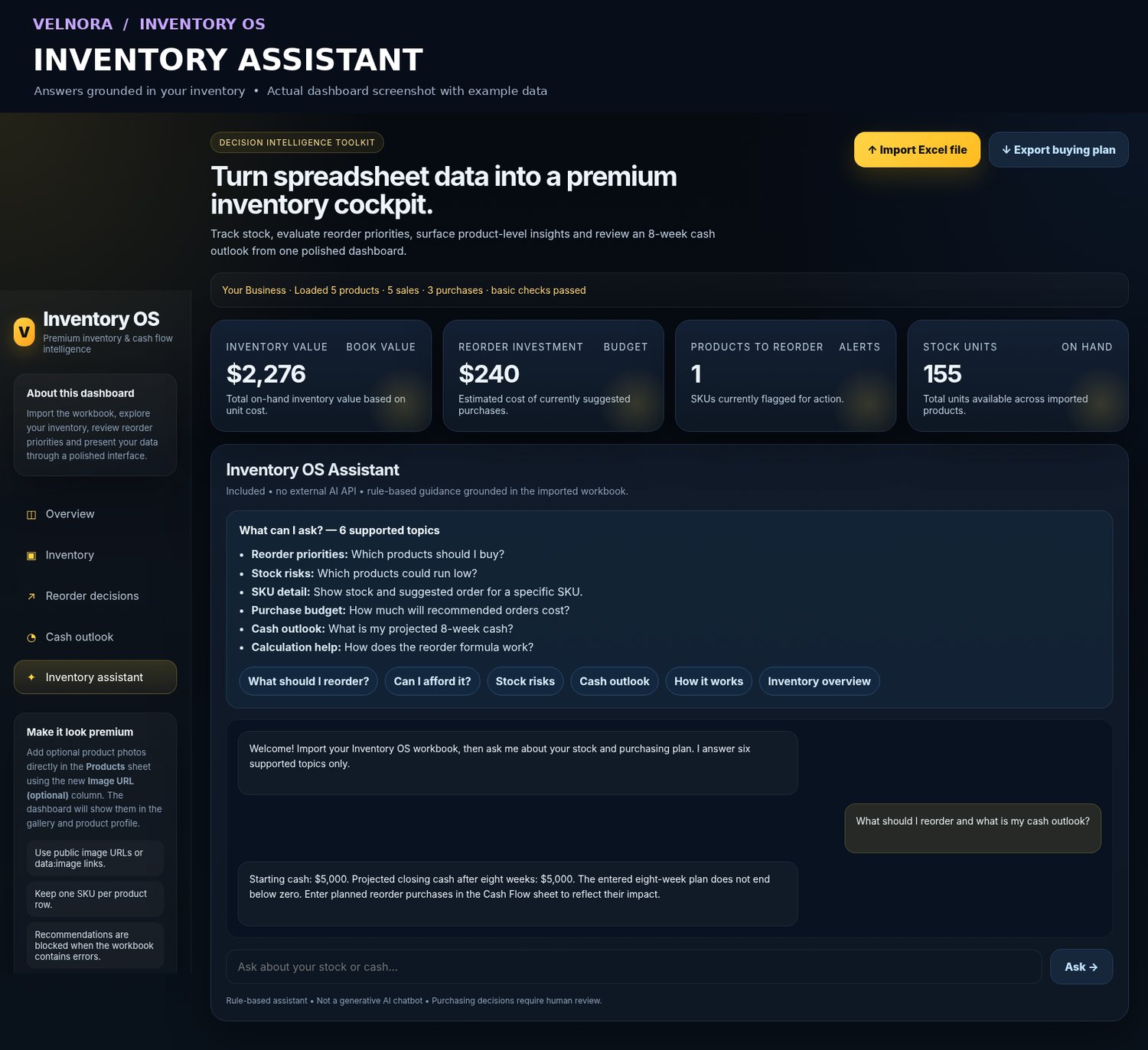
With an Excel-based workflow and an interactive browser dashboard, Inventory OS helps you understand what you have, what needs attention, and what you may need to purchase next.
One-time payment: $19. No monthly subscription.
Everything You Need to Plan Your Inventory
📦 Manage Up to 1,000 Products
Organize and analyze a catalog of up to 1,000 individual SKUs.
Monitor product information, stock quantities, and inventory value from one dashboard.
Whether you're managing a small boutique, an online store, or a growing retail business, Inventory OS gives you a clearer view of your inventory.
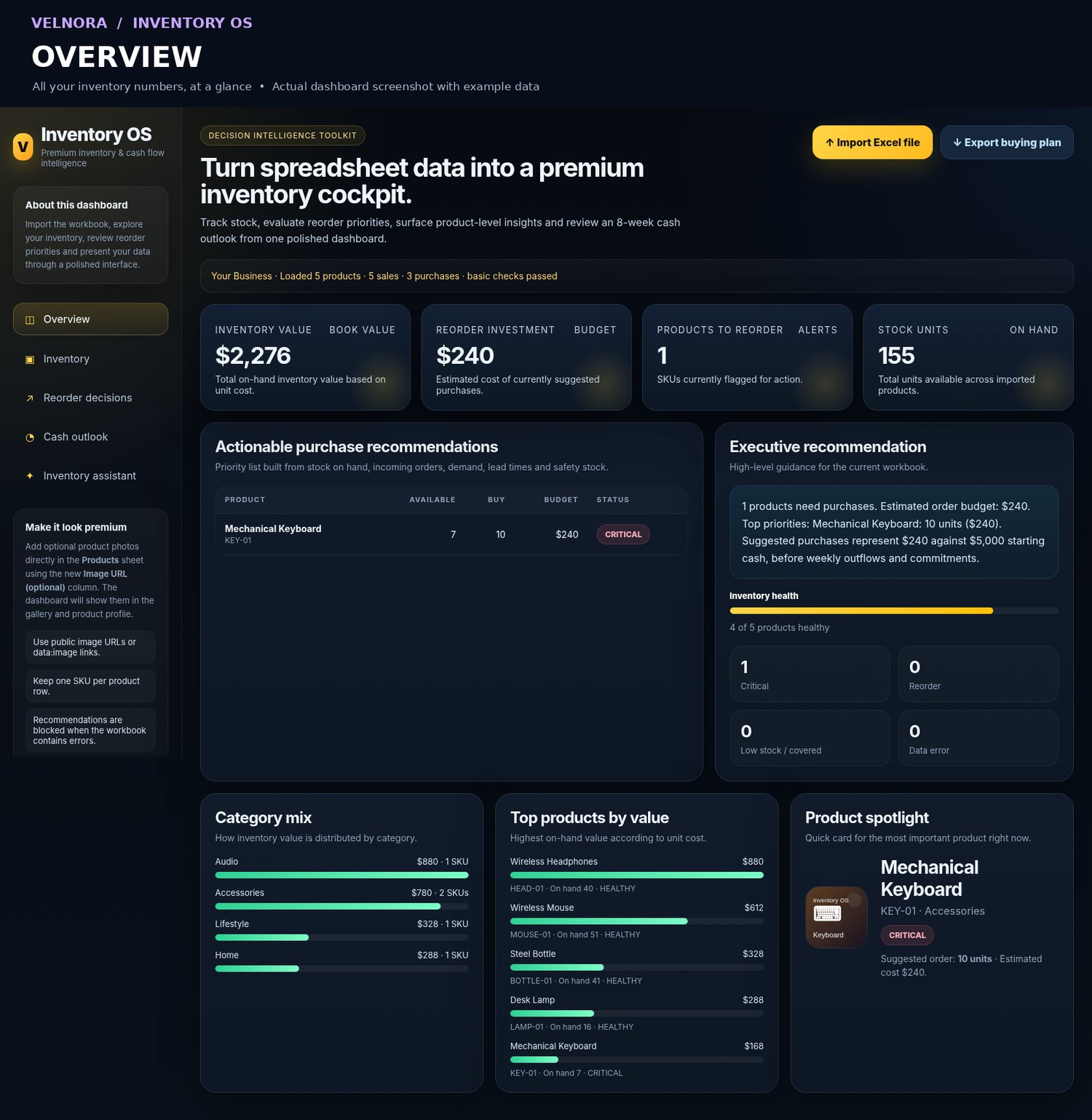
📊 Understand Your Inventory at a Glance
Turn your Excel data into an interactive dashboard with useful inventory insights.
- Current inventory quantities and estimated value
- Products approaching reorder levels
- Stock coverage and inventory planning indicators
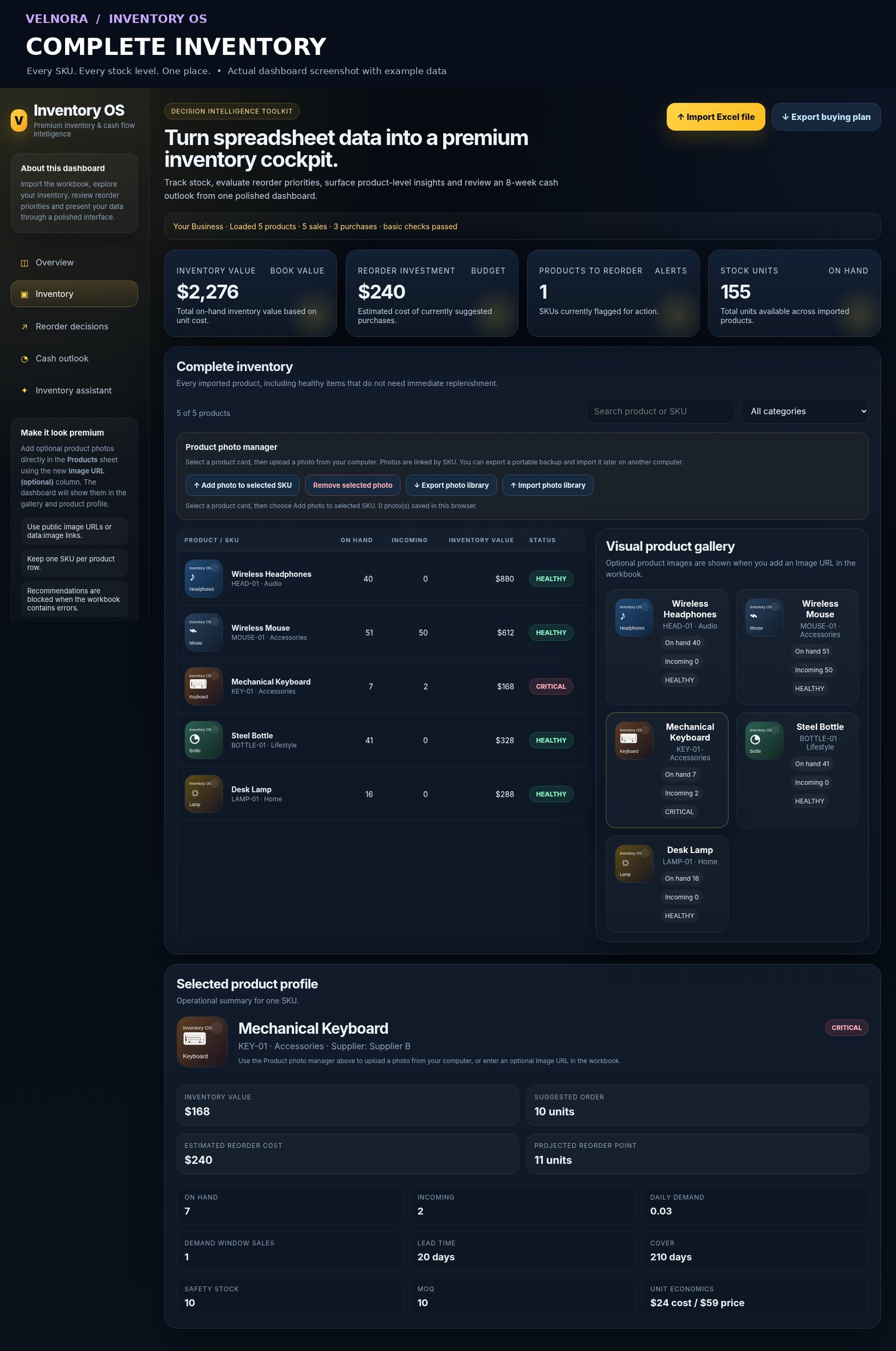
- Product-level details and search
- Filters and pagination for larger catalogs
Spend less time navigating spreadsheets and more time making informed decisions.
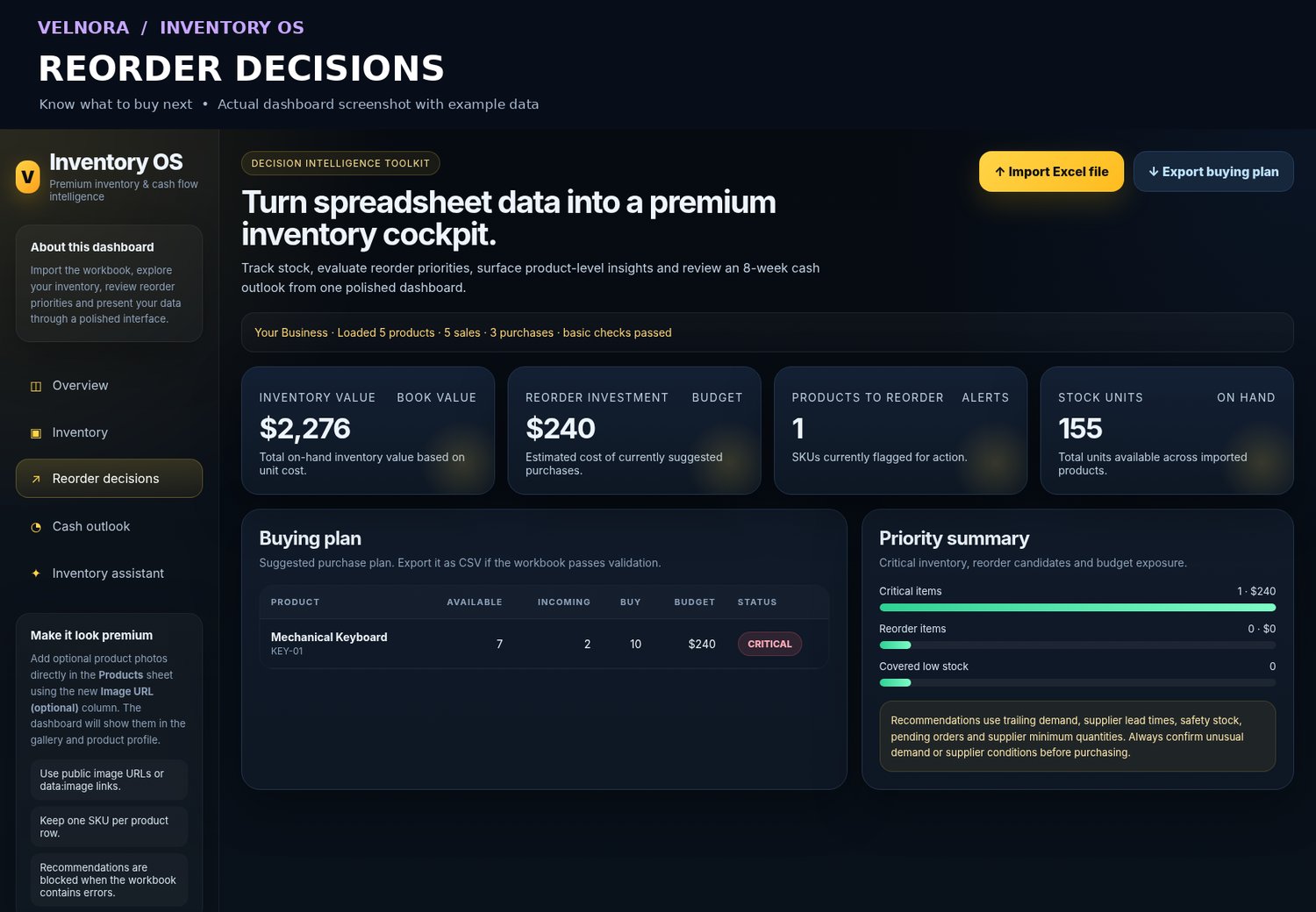
🔄 Know What to Reorder
Stop relying entirely on guesswork when planning your next purchase.
Inventory OS helps you estimate:
- Reorder points
- Safety stock requirements
- Suggested purchase quantities
- Products requiring attention
- Estimated replenishment costs
Use these calculations to support more consistent purchasing decisions and reduce unnecessary stockouts or overbuying.
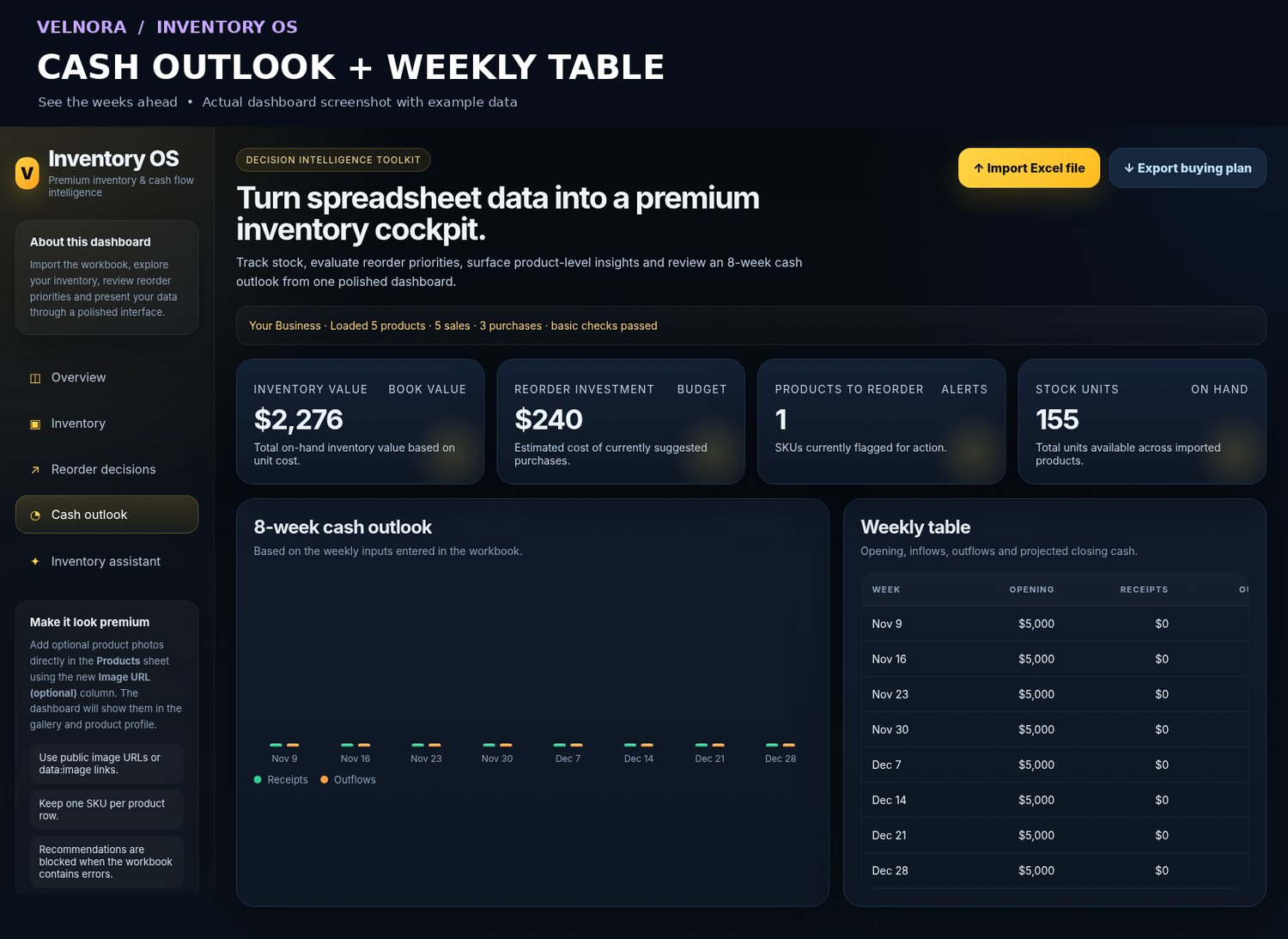
💰 Plan Inventory Spending
Inventory purchases affect cash flow.
Inventory OS includes an 8-week cash flow planning view to help you understand upcoming inventory-related spending and prepare for purchasing decisions.
See how replenishment plans may affect your available budget before committing to an order.
📈 Handle More Transactions
The expanded v1.1 edition supports:
- 1,000 products
- 5,000 sales records
- 5,000 purchase records
Work with a more substantial inventory history without needing to purchase a monthly software subscription.
📸 Add Product Photos
Make your inventory easier to recognize visually by associating product images with your catalog.
Inventory OS also includes tools for exporting and restoring your product image library.
📤 Export Your Purchasing Plan
Generate a purchasing plan and export your results to CSV, helping you organize recommended replenishment quantities and estimated costs.
How It Works
1. Download your files
After purchasing, receive the Inventory OS toolkit, including the browser dashboard, Excel templates, and demonstration data.
2. Enter your inventory information
Use the included Excel template to organize products, sales, and purchases.
3. Import your Excel file
Open the HTML dashboard in a compatible browser and load your inventory workbook.
4. Review your inventory
Explore product information, stock levels, reorder recommendations, and purchasing estimates.
5. Make better purchasing decisions
Use the dashboard's calculations to plan your next inventory order.
No complicated installation or monthly subscription required.
What's Included?
Your purchase includes:
- Inventory OS Dashboard — Interactive HTML application
- Expanded Excel Template — Supports up to 1,000 products
- Excel Demo Workbook — Explore the dashboard with sample data
- Legacy Excel Templates — Previous templates included for compatibility
- Inventory planning and purchasing tools
- CSV export functionality
- Product image management tools
The expanded Excel templates are designed primarily for data entry. Inventory calculations and recommendations are generated inside the HTML dashboard. The included legacy workbooks retain their original spreadsheet-based functionality.
Who Is Inventory OS For?
Inventory OS is designed for businesses that manage physical products and want a straightforward planning system.
It's especially useful for:
- Independent retail stores
- Small ecommerce businesses
- Boutiques and clothing stores
- Gift and stationery shops
- Pet supply retailers
- Home goods businesses
- Small product-based entrepreneurs
If you're currently using Excel to manage inventory and want clearer insights without committing to expensive software, Inventory OS may be a practical next step.
Important to Know
Inventory OS is a file-based inventory planning toolkit, not a cloud-connected point-of-sale or enterprise inventory management system.
- It does not automatically synchronize with Shopify, Amazon, POS systems, or online stores.
- Sales and purchase information must be updated through the Excel workflow.
- The browser dashboard uses your imported data to calculate inventory indicators.
- It does not automatically place supplier orders or update stock from live transactions.
This makes it particularly suitable for business owners who prefer a straightforward, manually maintained inventory planning system.
Simple Pricing. No Subscription.
$19 — One-Time Purchase
Pay once and receive the Inventory OS v1.1 toolkit.
No recurring software subscription. No mandatory account to use the local dashboard.
Know your numbers. Plan your next order. Take control of your inventory.
Get Inventory OS today.