
Automated Teacher Gradebook Google Sheets Weighted Grade Calculator Dashboard At-Risk Students Alerts & IEP 504 Tracking Middle High School
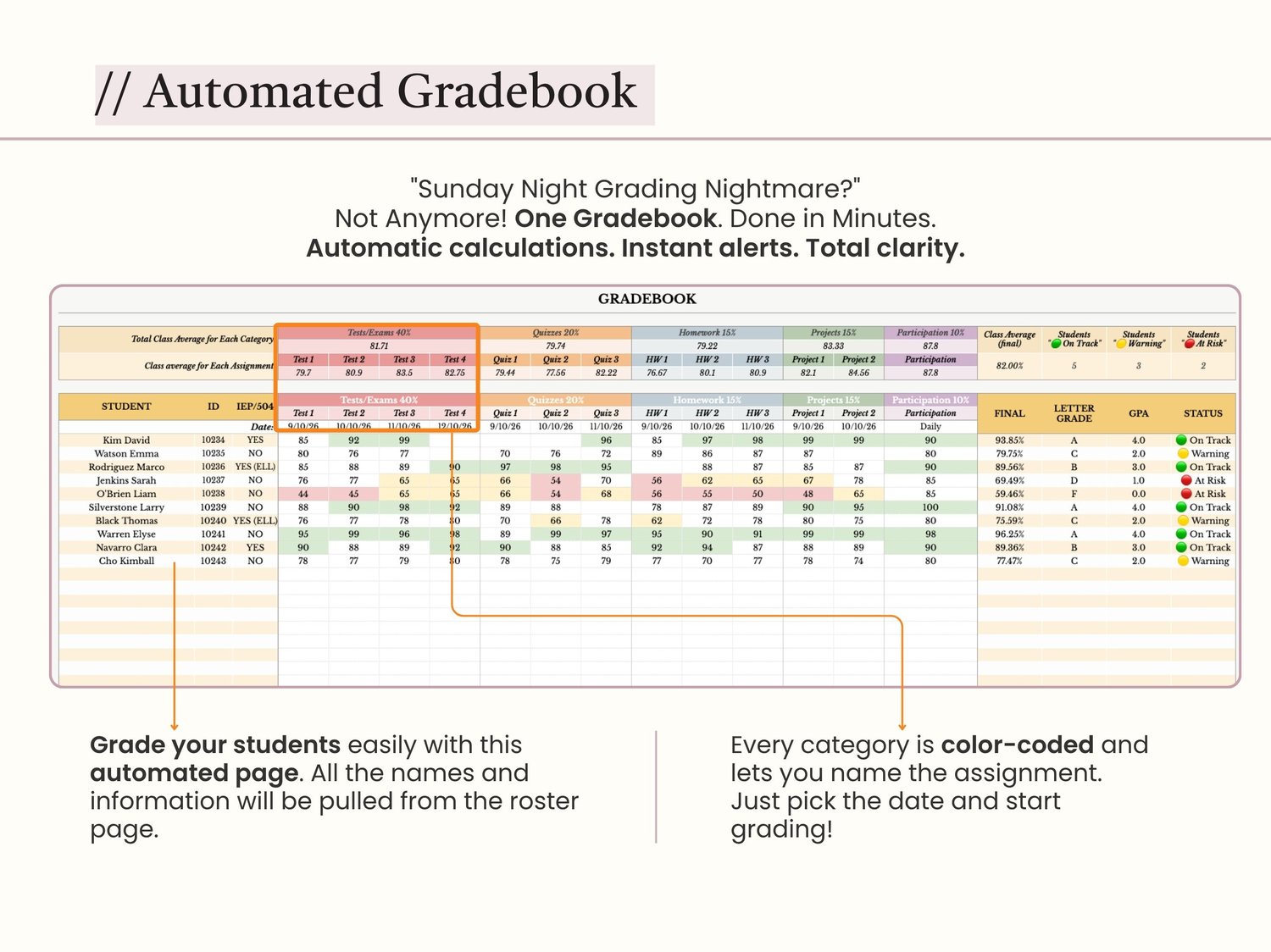
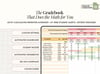
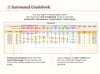
Stop calculating grades manually. Let this Gradebook do the math for you! You just spent your Sunday afternoon grading 30 essays. Now you need to calculate weighted averages, figure out who's failing, and prepare for parent-teacher conferences tomorrow. The Automated Gradebook is a fully functional Google Sheets template that calculates weighted averages, flags at-risk students, tracks IEP/504 accommodations, and gives you a visual dashboard of your class performance. Just enter the grades. The rest is done for you.
✨ WHY TEACHERS LOVE THIS GRADEBOOK:
✅ WEIGHTED AVERAGES CALCULATED AUTOMATICALLY
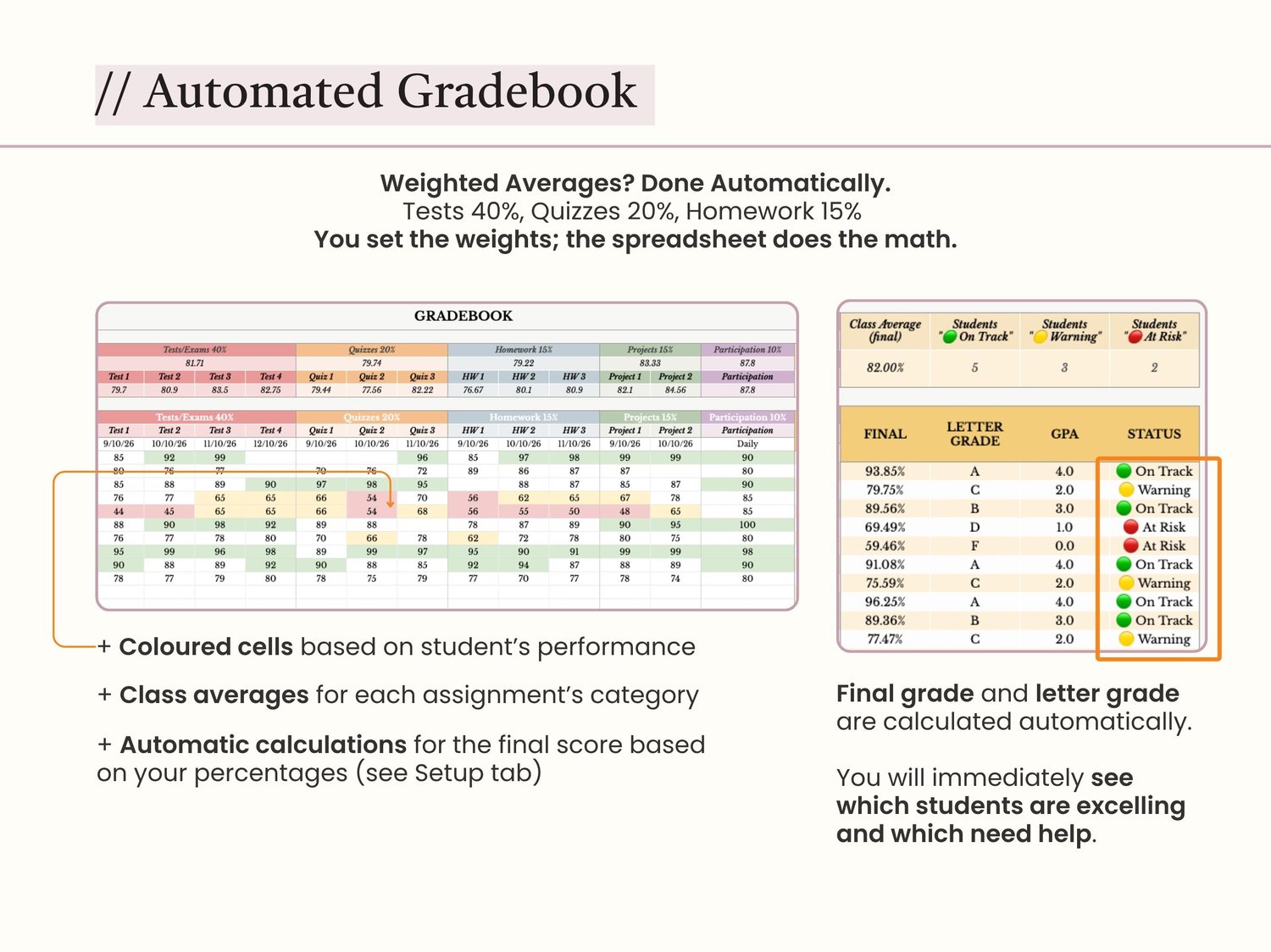
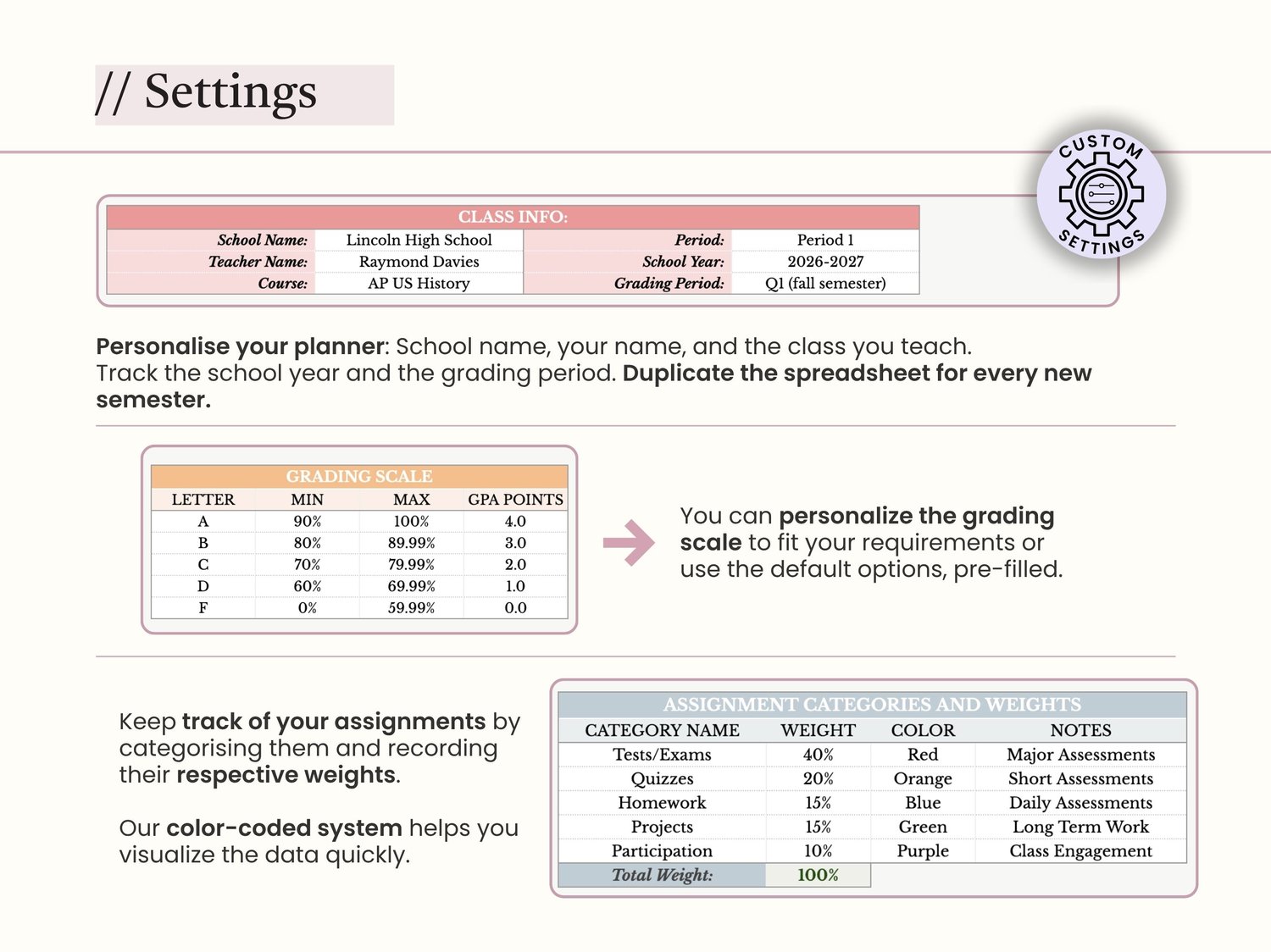
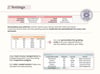
Set your category weights once (Tests 40%, Quizzes 20%, Homework 15%, etc.), and the gradebook calculates each student's final grade automatically. No more manual math. No more errors.
✅ AT-RISK STUDENT ALERTS
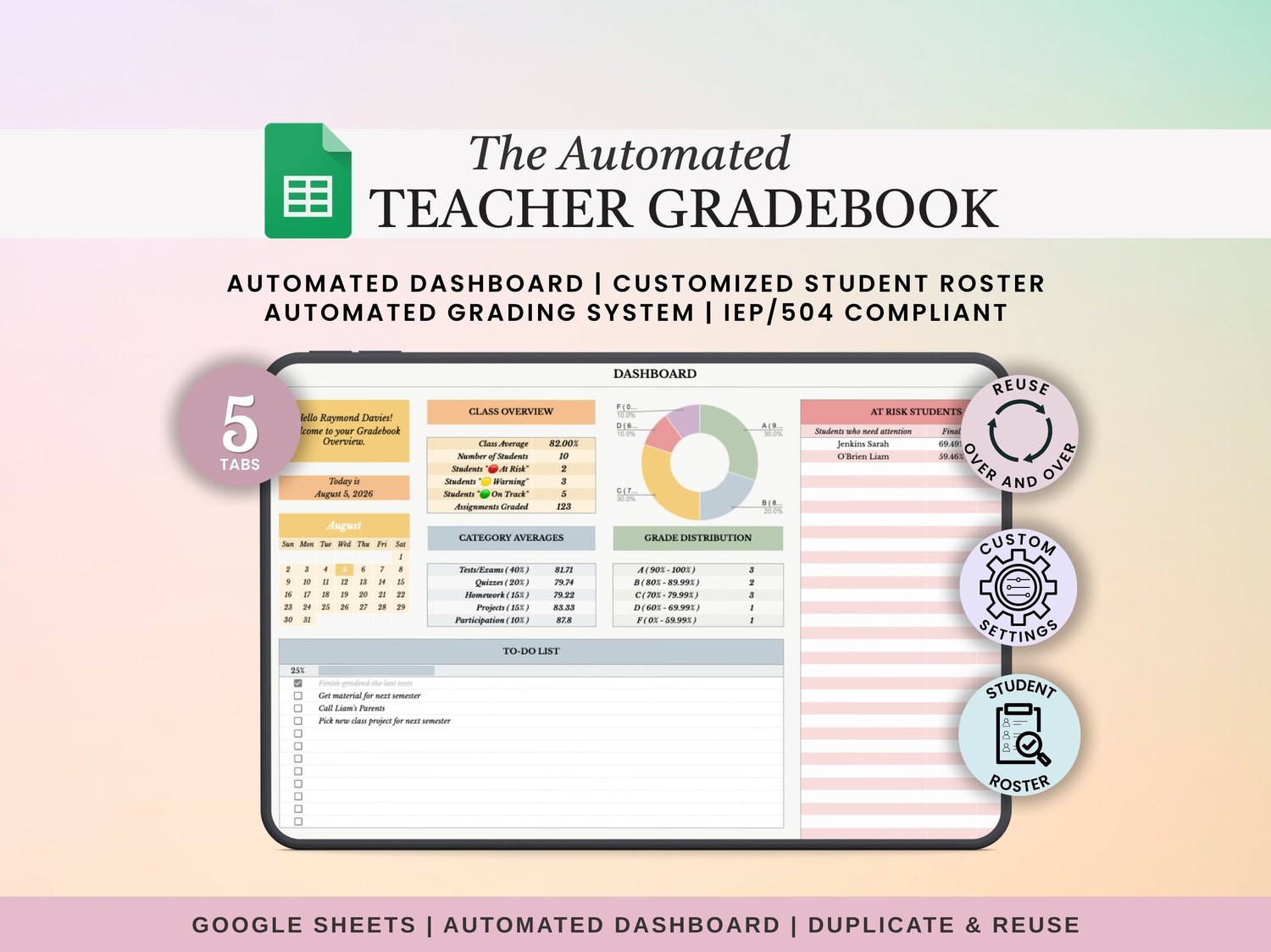
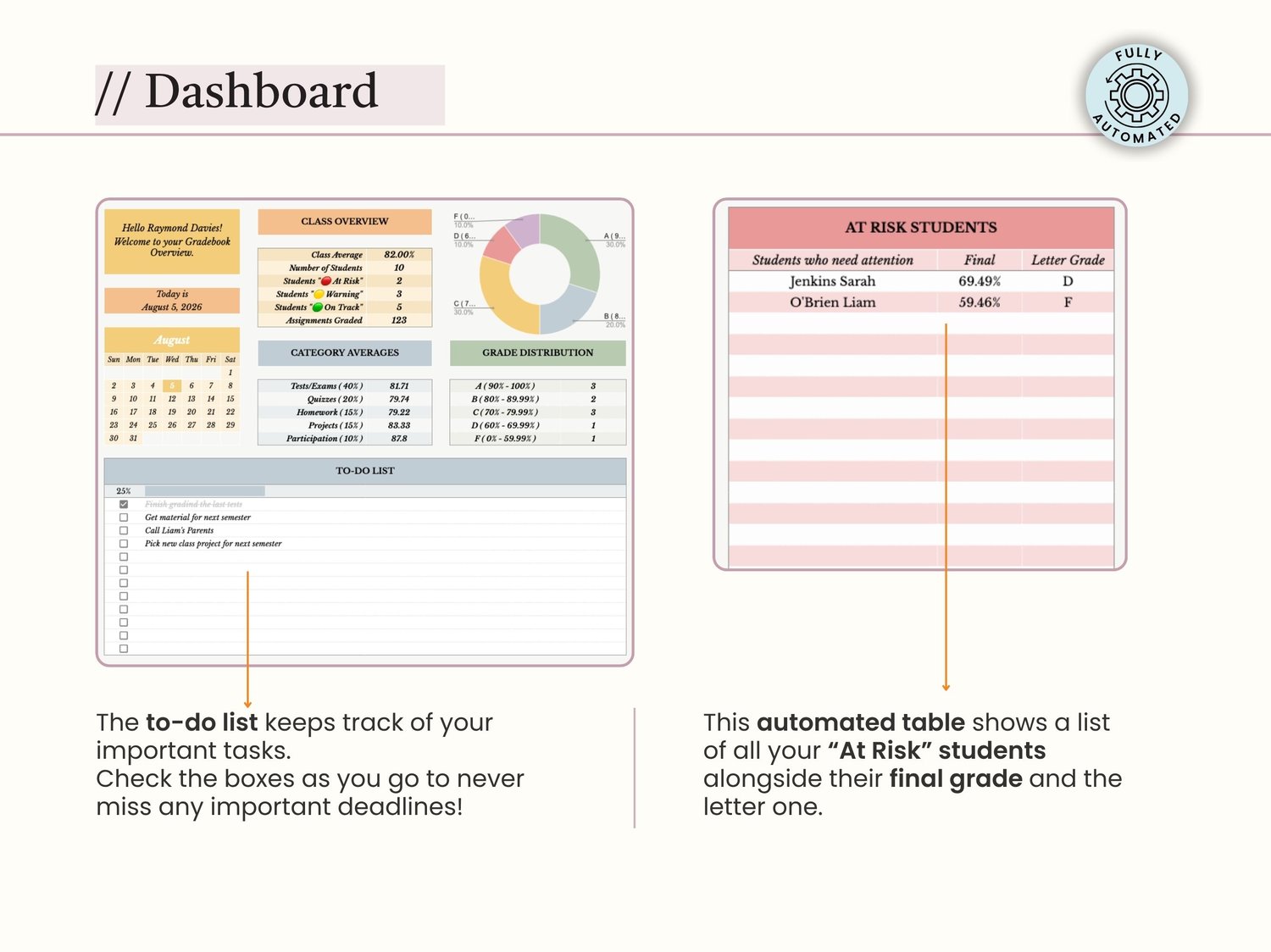
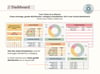
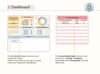
The Dashboard automatically generates a list of students below 70%. See exactly who needs intervention before parent-teacher conferences. No more digging through rows of data.
✅ IEP/504 TRACKING BUILT IN
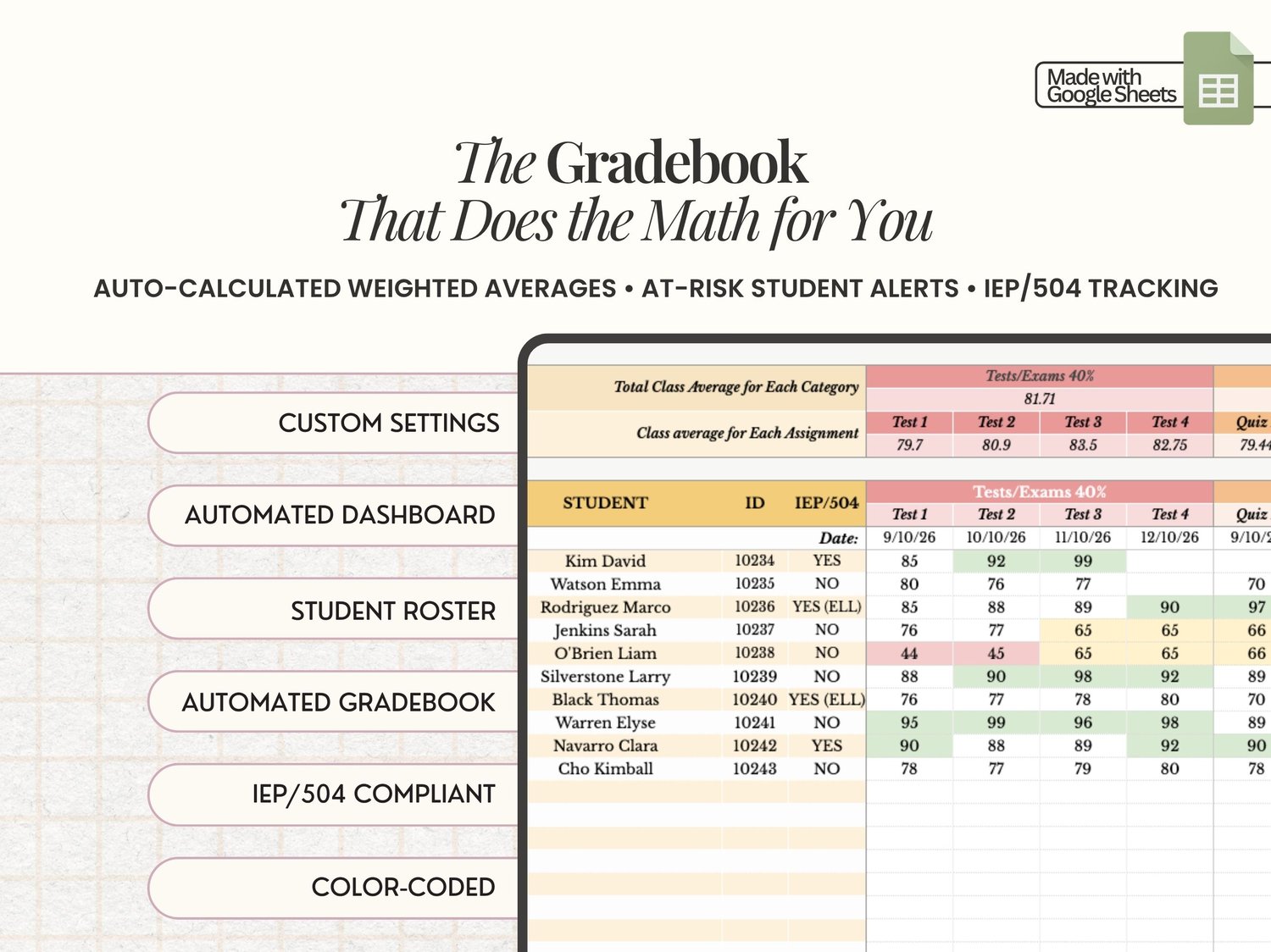
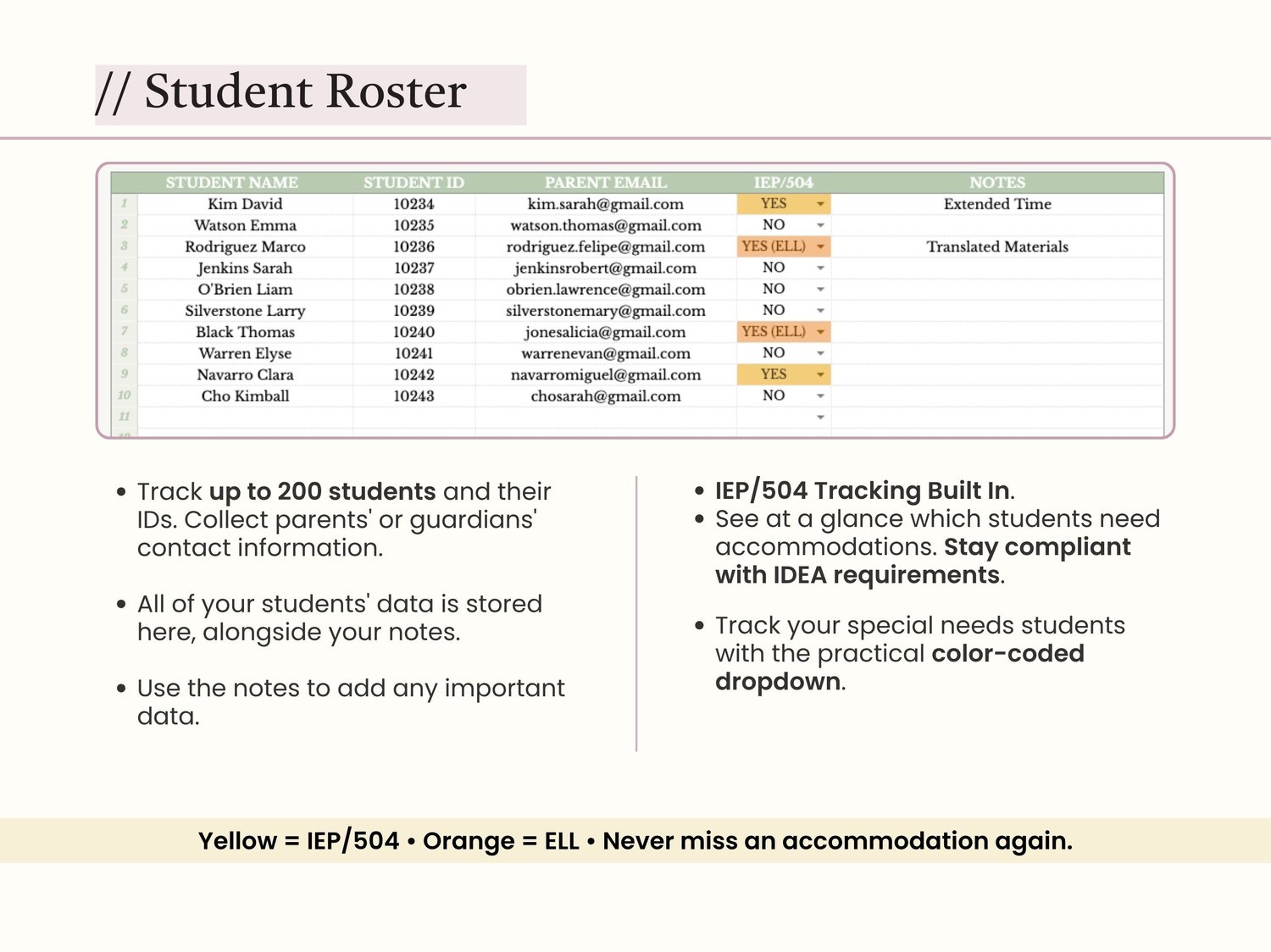
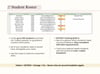
Mark students with IEPs, 504 plans, or ELL status in the Roster. The cells turn yellow/orange so you never miss an accommodation. Stay IDEA-compliant without extra paperwork.
✅ VISUAL DASHBOARD
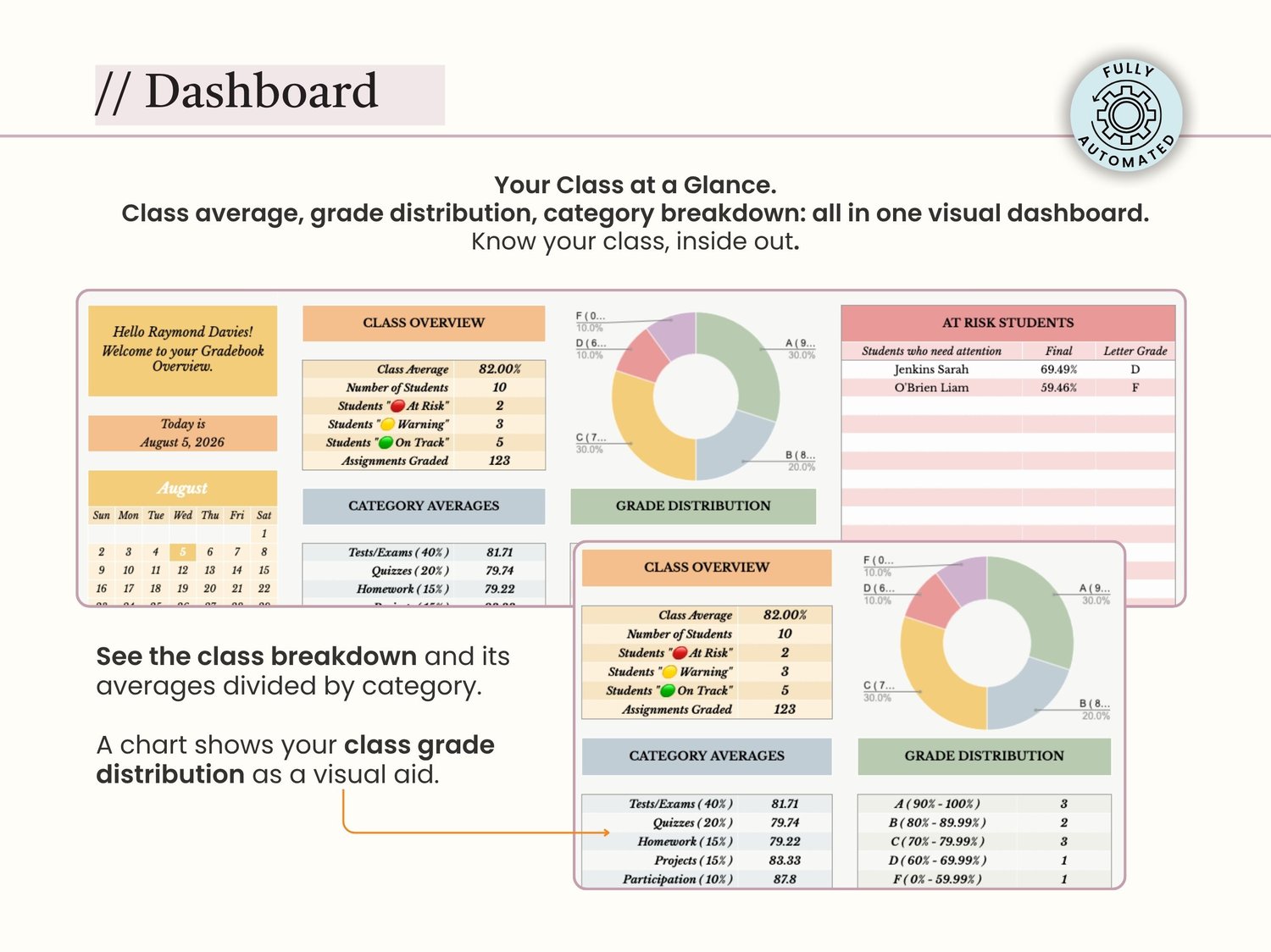
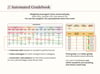
See your class average, grade distribution (A/B/C/D/F), and category breakdowns at a glance. Print it for administrators. Share it with parents. Know your class inside out.
✅ MOBILE-FRIENDLY
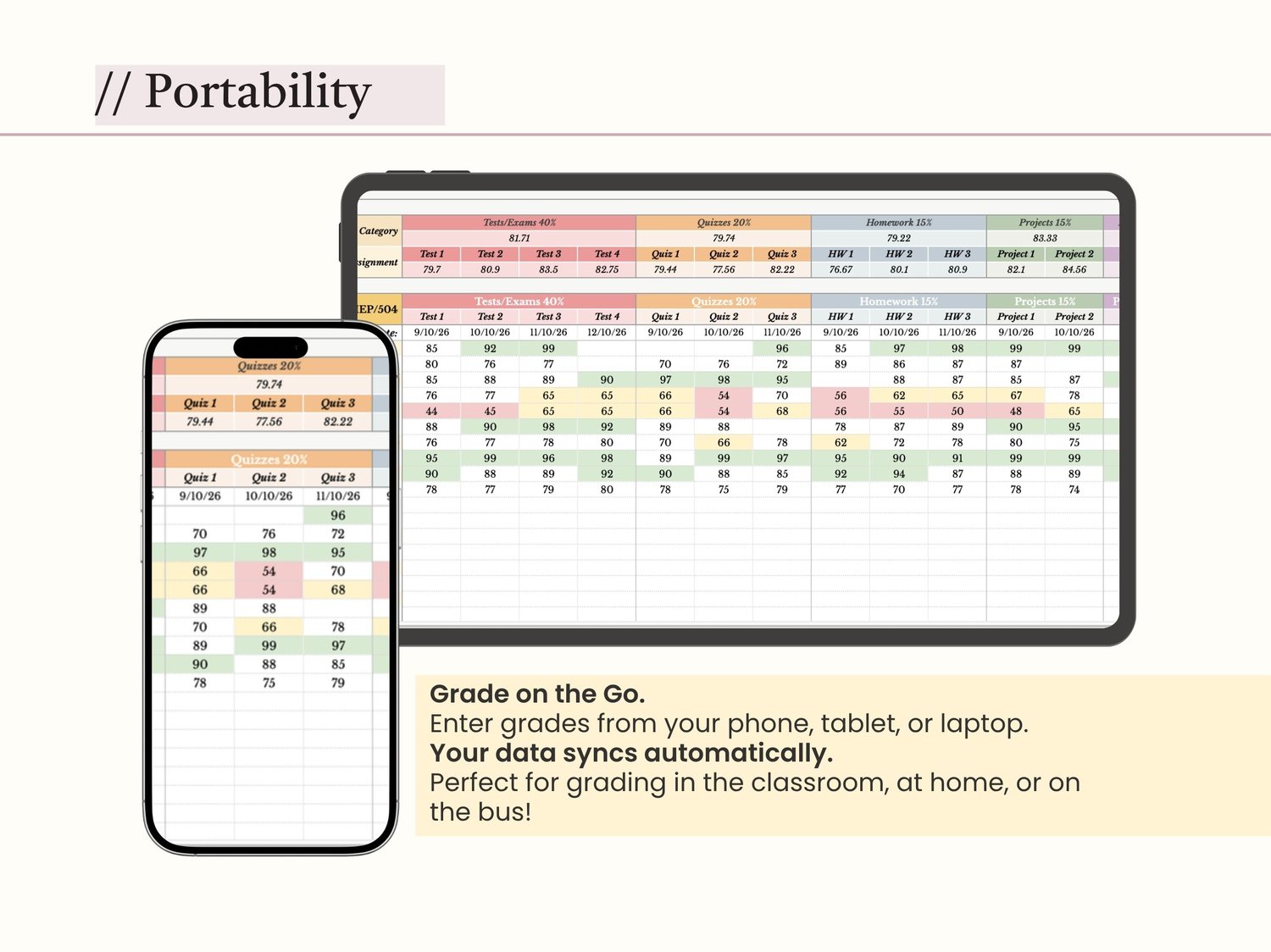
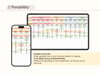
Enter grades from your phone, tablet, or laptop. Your data syncs automatically across all devices. Grade in the classroom, at home, or on the bus.
✅ BEGINNER-FRIENDLY
No spreadsheet experience required. Step-by-step setup guide included. Formulas are locked so you can't accidentally break them. Just enter the grades in the white cells.
✅ CUSTOMIZABLE
Change the grading scale, add assignment categories, adjust weights — all without breaking the formulas. Works for any middle school or high school course.
📦 WHAT'S INCLUDED:
- 1x Automated Gradebook Google Sheets Template (Instant Digital Download)
• 4 Tabs: Settings, Roster, Gradebook, Dashboard
• Comes with a pre-filled copy with sample grades so you can see how it works
• Step-by-step "How to Use" guide (built into the template)
• Video tutorial (link included in the template)
• Lifetime access + free updates
👩🏫 PERFECT FOR:
- Middle School Teachers (grades 6-8)
• High School Teachers (grades 9-12)
• AP / Honors / General Education Teachers
• Special Education Teachers (IEP/504 tracking)
• Department Heads (overview of multiple sections)
• Homeschool Parents (traditional grading)
• Tutors and Academic Coaches
Works for any subject: Math, Science, English, History, Foreign Languages, Art, PE, etc.
⚙️ HOW IT WORKS:
1. Purchase and download the PDF with the template link.
2. Click "Make a Copy" to add it to your Google Drive.
3. Go to the Settings tab and customize your grading scale and category weights.
4. Add your students in the Roster tab (or copy-paste from another spreadsheet).
5. Enter assignment names and categories in the Gradebook tab.
6. Start entering grades (numbers only, e.g., 85, 92, 78).
7. Watch the Final Grade, Letter Grade, GPA, and Status columns update automatically!
8. Check the Dashboard tab for class overview and at-risk student alerts.
Setup takes about 10 minutes. No formulas to learn. No technical skills required.
📊 GRADEBOOK STRUCTURE:
TAB 1: ⚙️ SETTINGS
• Grading Scale (A-F with percentage thresholds and GPA points)
• Assignment Categories & Weights (customizable, must total 100%)
• Class Info (school name, teacher name, course, period, school year)
TAB 2: 👥 ROSTER
• Student Name, Student ID, Parent Email
• IEP/504/ELL tracking (cells turn yellow/orange for visual reminder)
• Notes column for accommodations (extended time, preferential seating, etc.)
TAB 3: 📊 GRADEBOOK
• Header rows for Category, Assignment Name, and Date
• Student grades (enter numbers only)
• Auto-calculated columns: Final Grade (%), Letter Grade (A-F), GPA (4.0 scale), Status (🔴 At Risk, 🟡 Warning, 🟢 On Track)
• Color-coded cells (green = excellent, yellow = needs attention, red = at risk)
TAB 4: 🏠 DASHBOARD
• Class Overview (average, number of students, at-risk count, etc.)
• 🚨 At-Risk Students (auto-generated list of students below 70%)
• Category Averages (how the class is doing in each category)
• Grade Distribution (pie chart showing A/B/C/D/F breakdown)
❓ FREQUENTLY ASKED QUESTIONS:
Q: Do I need Google Sheets Premium?
A: No! This template works perfectly on the free version of Google Sheets.
Q: Is this a physical product?
A: No, this is a 100% digital download. No physical item will be shipped.
Q: Can I use this on my phone or tablet?
A: Yes! Google Sheets works on mobile devices. However, we recommend entering grades on a laptop or desktop for the best experience.
Q: Can I add more assignment categories?
A: Yes! You can add categories in the Settings tab and insert columns in the Gradebook tab. The formulas will adjust automatically (instructions included in the template).
Q: What if I accidentally delete a formula?
A: All formula cells are locked to protect your data. If you do manage to break something, just click Undo (Ctrl+Z) or duplicate the template again and start over.
Q: Can I use this for multiple classes/periods?
A: Yes! Make a copy of the gradebook for each class/period you teach. Each copy will have its own data and dashboard.
Q: Do you offer refunds?
A: Due to the digital nature of this product, we cannot offer refunds once the template has been accessed. However, if you have any issues, please contact us, and we'll make it right!
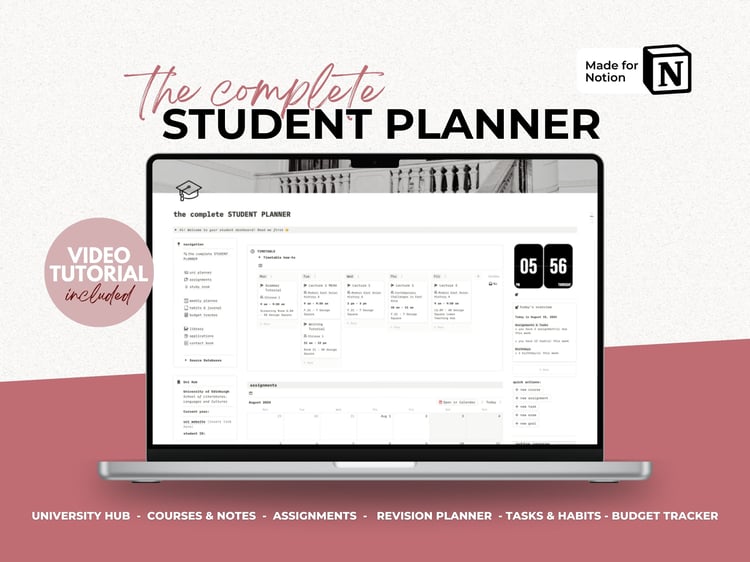
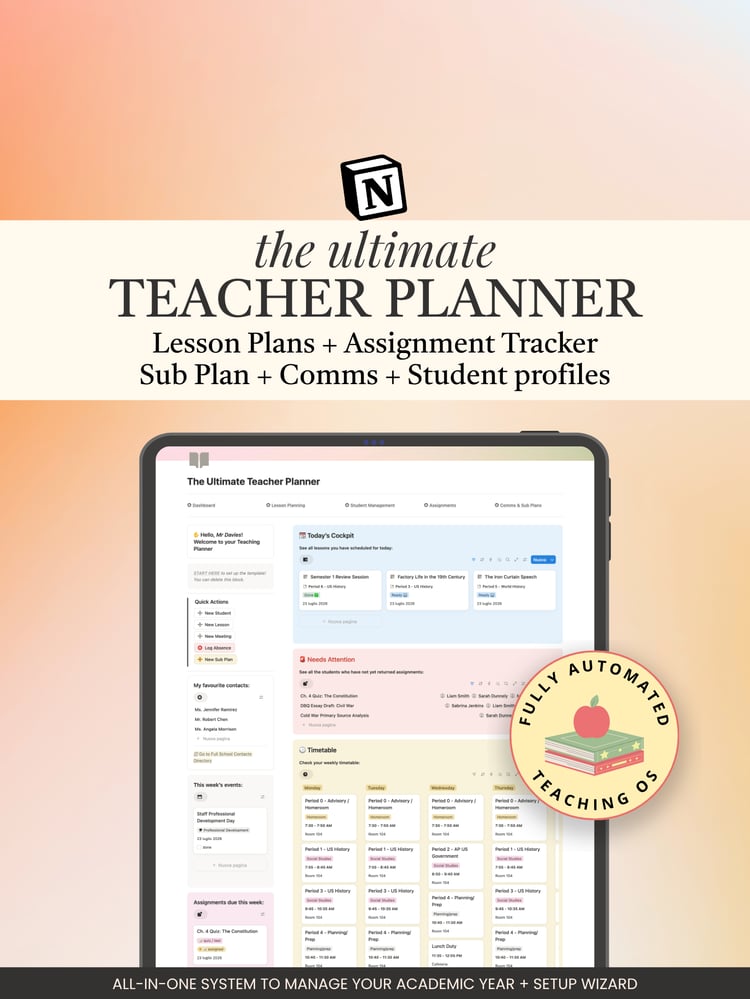
🔗 WORKS SEAMLESSLY WITH OUR NOTION TEACHER PLANNER
Want the complete organization system? The MintCanvas Notion Teacher Planner is the perfect companion to this gradebook. Use Notion for lesson planning, student profiles, attendance tracking, parent communication logs, and emergency sub plans. Use Google Sheets for grading and calculations. Together, they form a complete teaching operating system that saves you hours every week.
Get the Teacher Planner: https://payhip.com/b/9vEPb
💡 TIPS FOR BEST RESULTS:
1. Enter grades regularly (don't wait until the end of the grading period)
2. Check the Dashboard tab weekly to catch at-risk students early
3. Use the Parent Email column to prepare for parent-teacher conferences
4. Back up your gradebook at the start of each semester (File → Make a copy)
5. Print the Dashboard tab for administrators or parent meetings
📩 NEED HELP?
If you have any questions or run into issues, don't hesitate to reach out!
Response time: We typically respond within 24 hours (often much sooner!)
⭐ LEAVE A REVIEW
If you found this gradebook helpful, we'd love it if you could leave a review! Your feedback helps us create better products and helps other teachers find these tools. Thank you for supporting MintCanvas! We're here to help you reclaim your weekends and teach with confidence.
⚠️ DISCLAIMER:
This is an independent product and is not affiliated with or endorsed by Google LLC. Google Sheets is a trademark of Google LLC.
This is a digital product. No physical item will be shipped. All sales are final once the template has been accessed.
Results may vary. This gradebook is designed to save time and reduce errors, but individual results depend on how the template is used.
*TERMS OF USE* - All materials are copyrighted © MintCanvas Studio. This template is for personal use only. You may not resell, distribute, reproduce, or give away the template in any form, even if you have made modifications. By purchasing this product, you accept these terms.
Copyright ©️ MintCanvas Studio