
FlexSpace & Armature Picker
Build the Blender panel you always wanted.
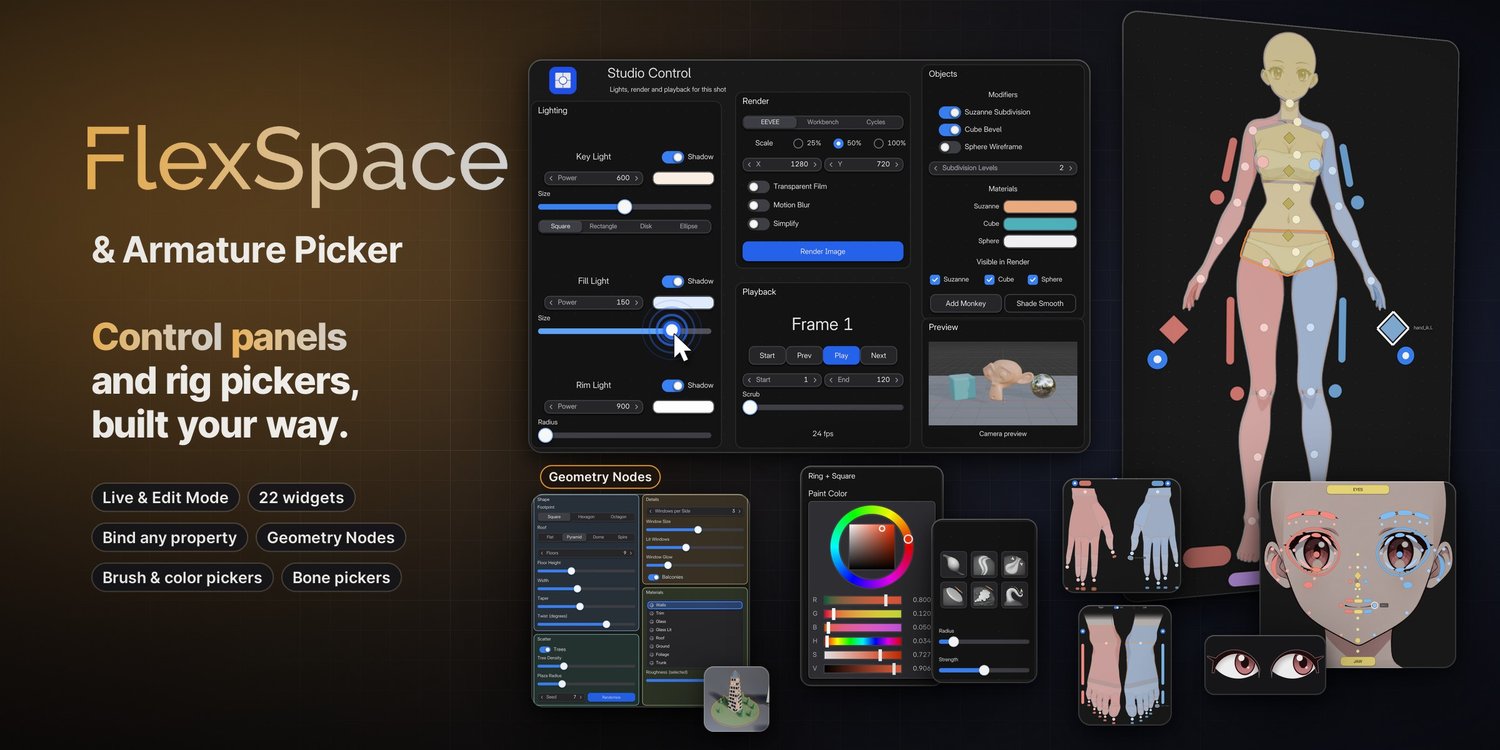
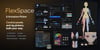
FlexSpace turns any area into a canvas for your own controls. Lay out buttons, sliders, toggles, colour pickers and a sculpt-ready Ring Menu, bind them to any property, operator or script, and use them while you work. And when it's time to animate, the Armature Picker puts every bone of your rig one click away.
Two canvases, one extension: Flex Space for control panels and Armature Picker for rig pickers. For Blender 5.3 or newer.
- Control panels: 22 widgets bound to any property, operator or your own Python script.
- Right-click › Add to FlexSpace Canvas on any property or button in Blender: the right widget appears on your canvas, already bound.
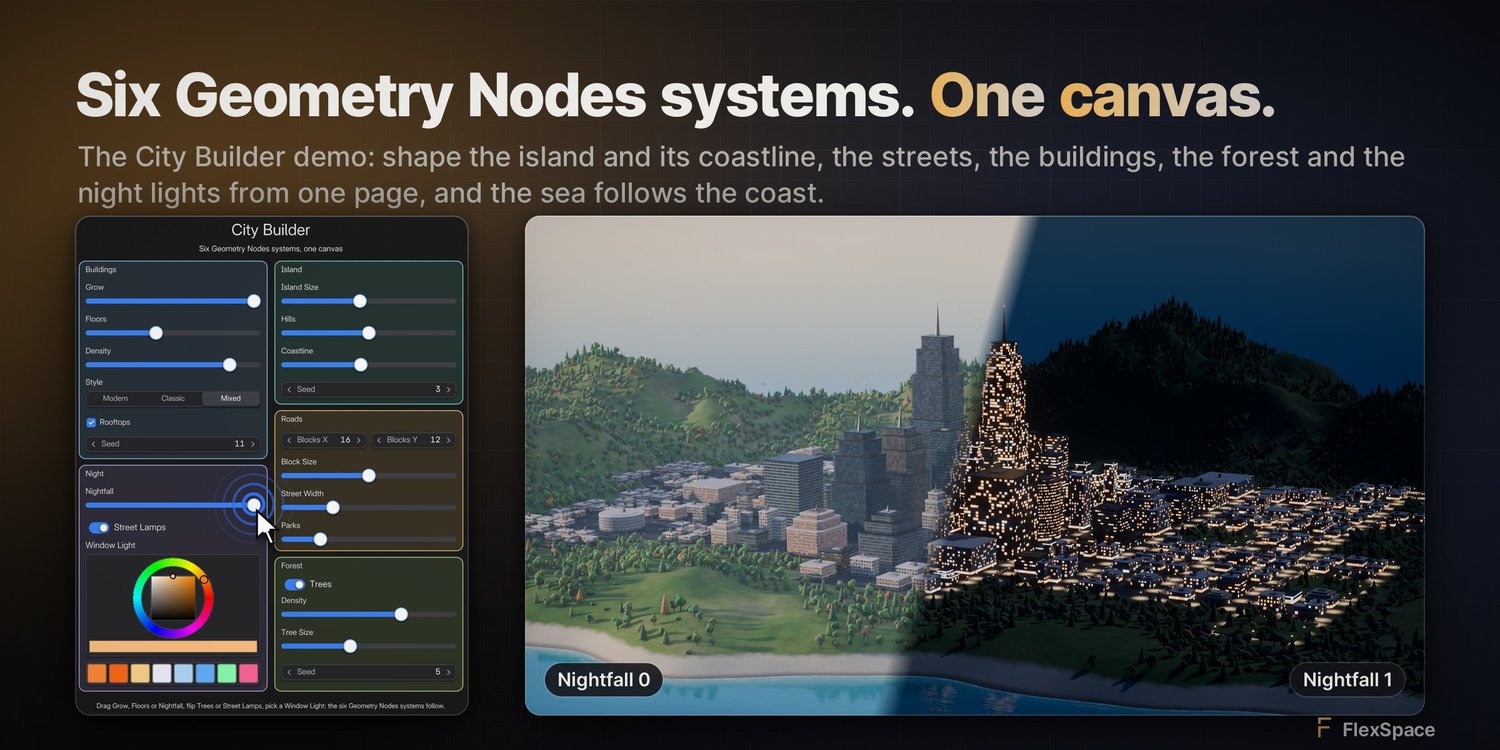
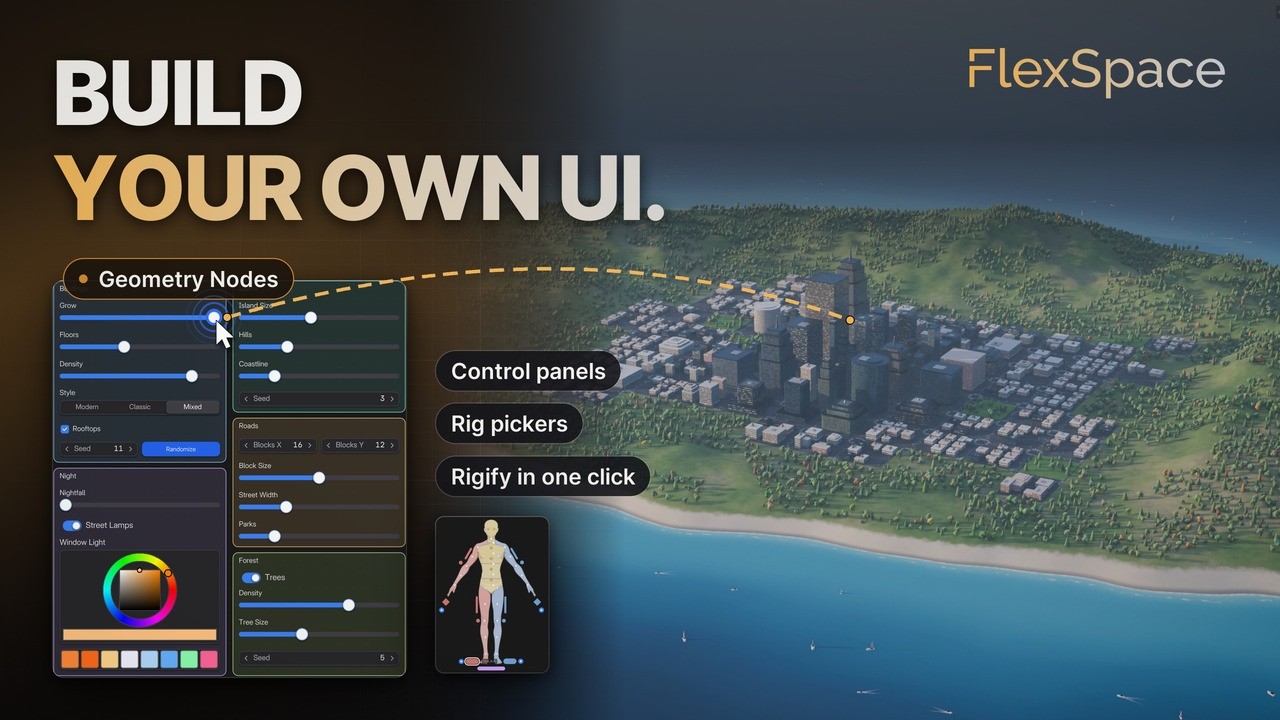
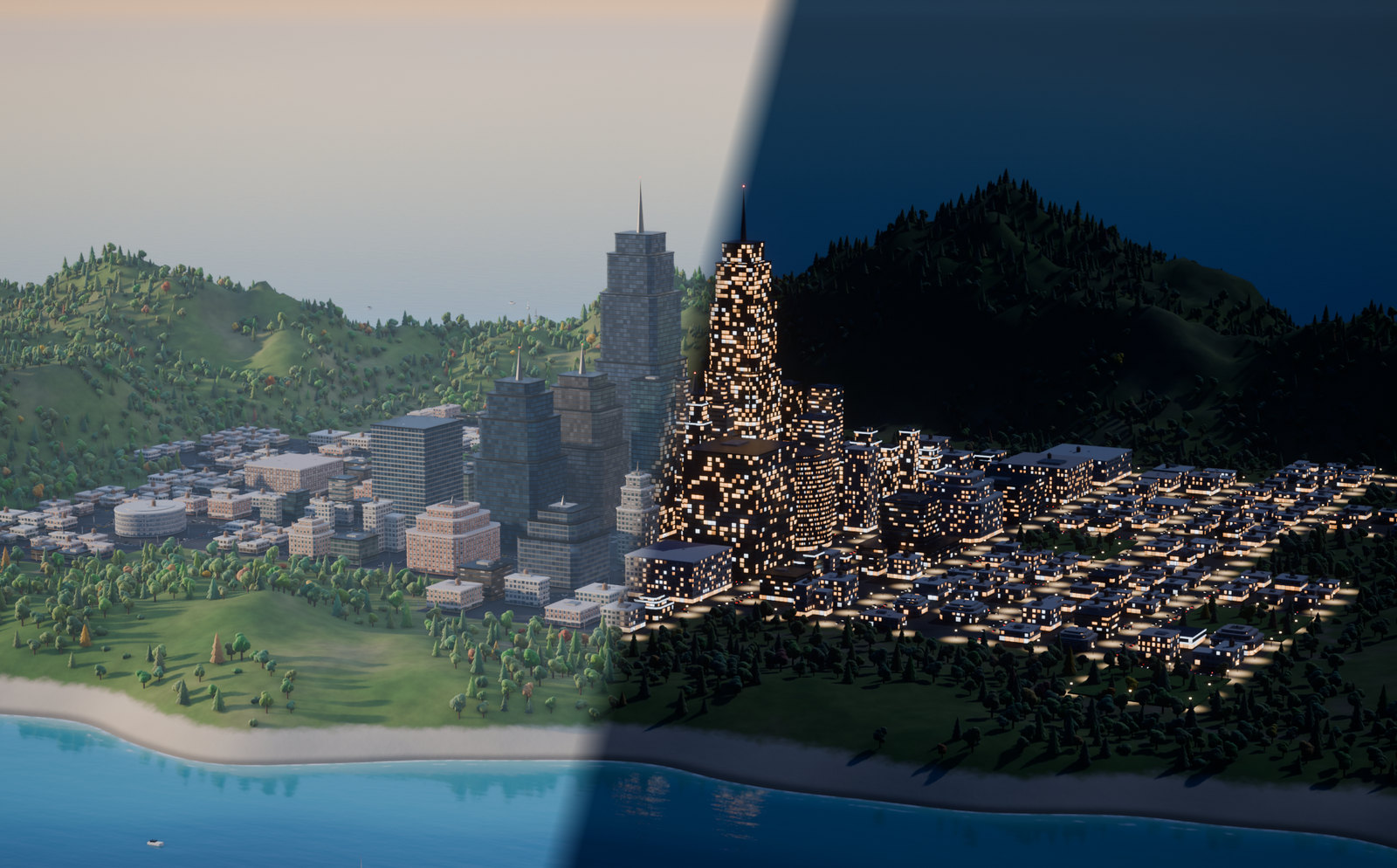
- Geometry Nodes inputs on a canvas: the City Builder demo drives six Geometry Nodes systems from one page.
- Edit Mode / Live Mode: lay it out like a design tool, then use it. Every change is one undo step.
- Ring Menu for sculpting, plus Color Picker, Color Palette and Brush Picker.
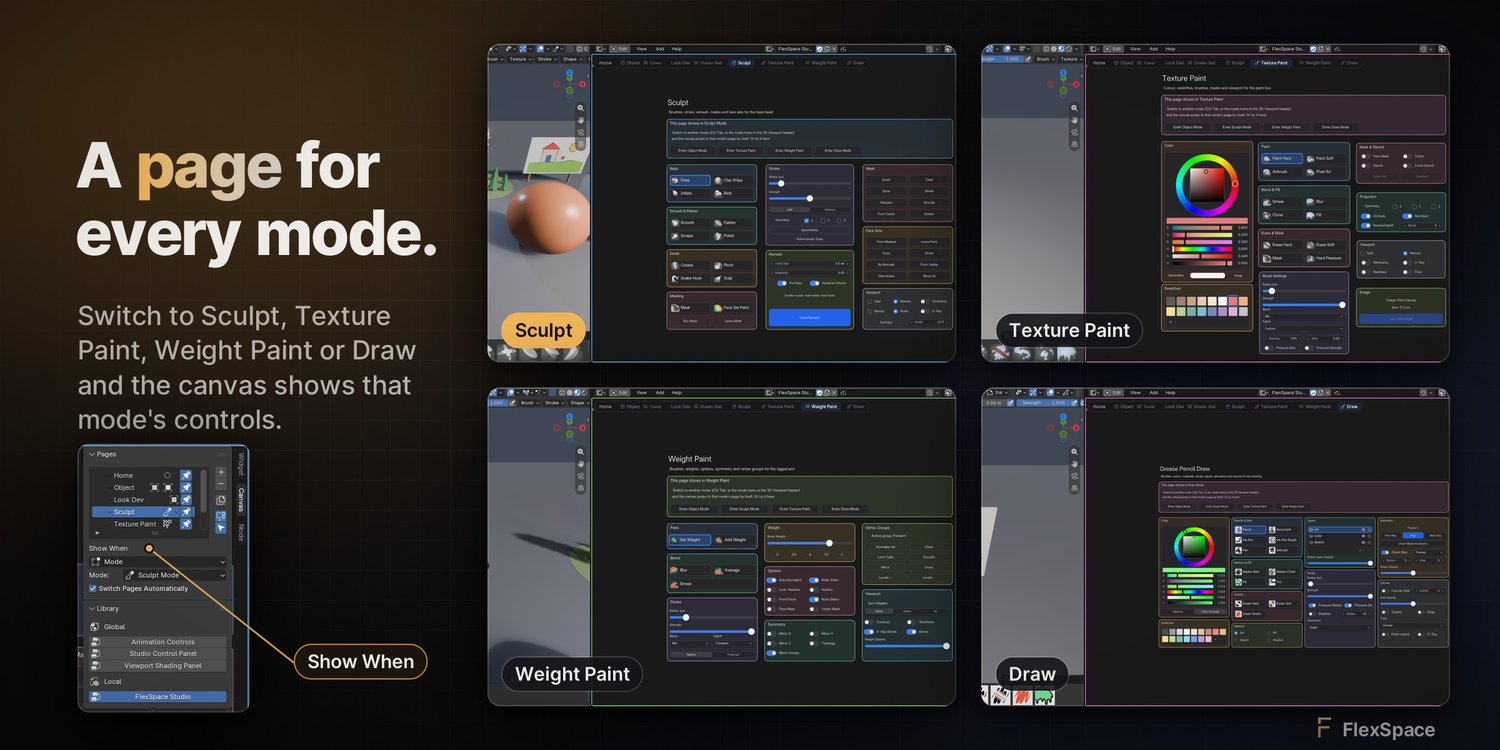
- A page per mode: the canvas follows Blender's mode and the active object.
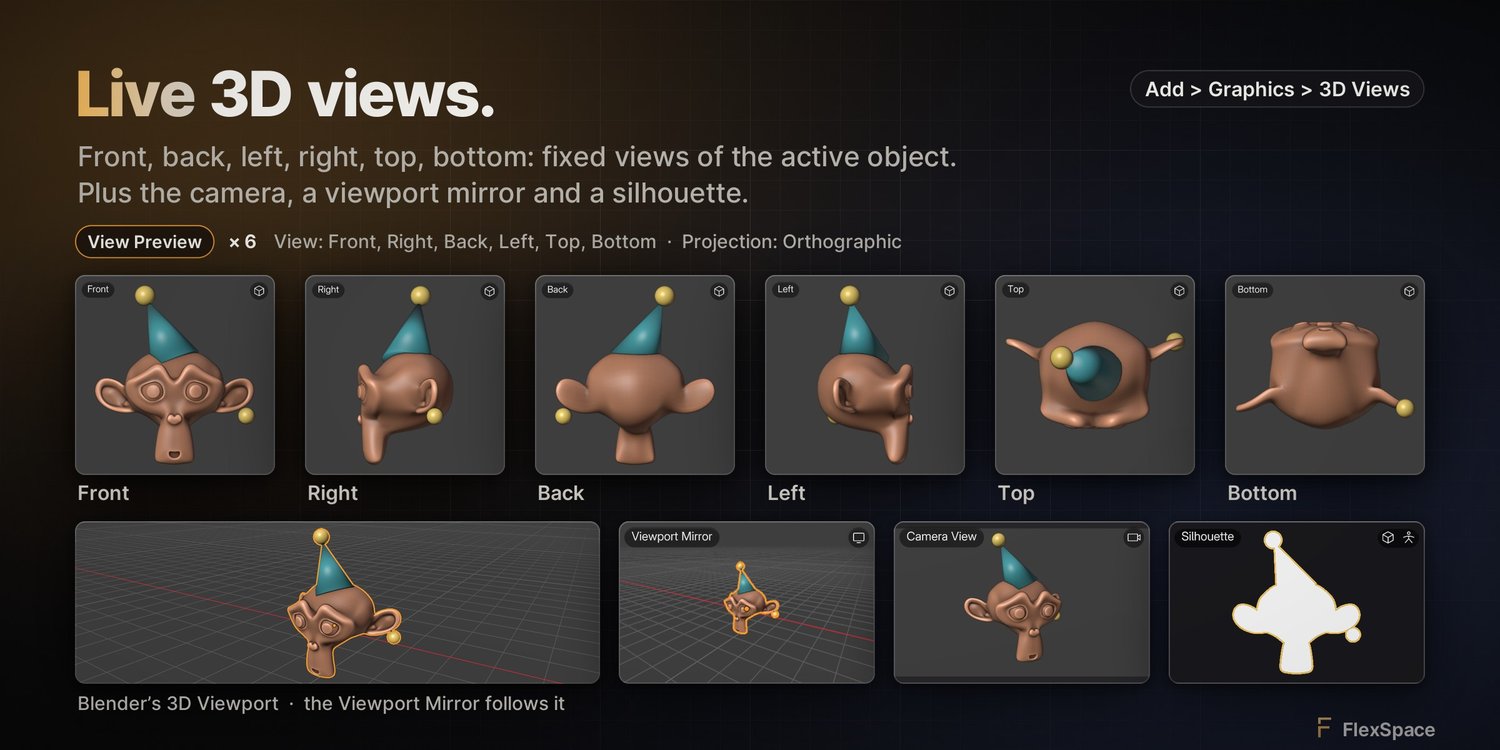
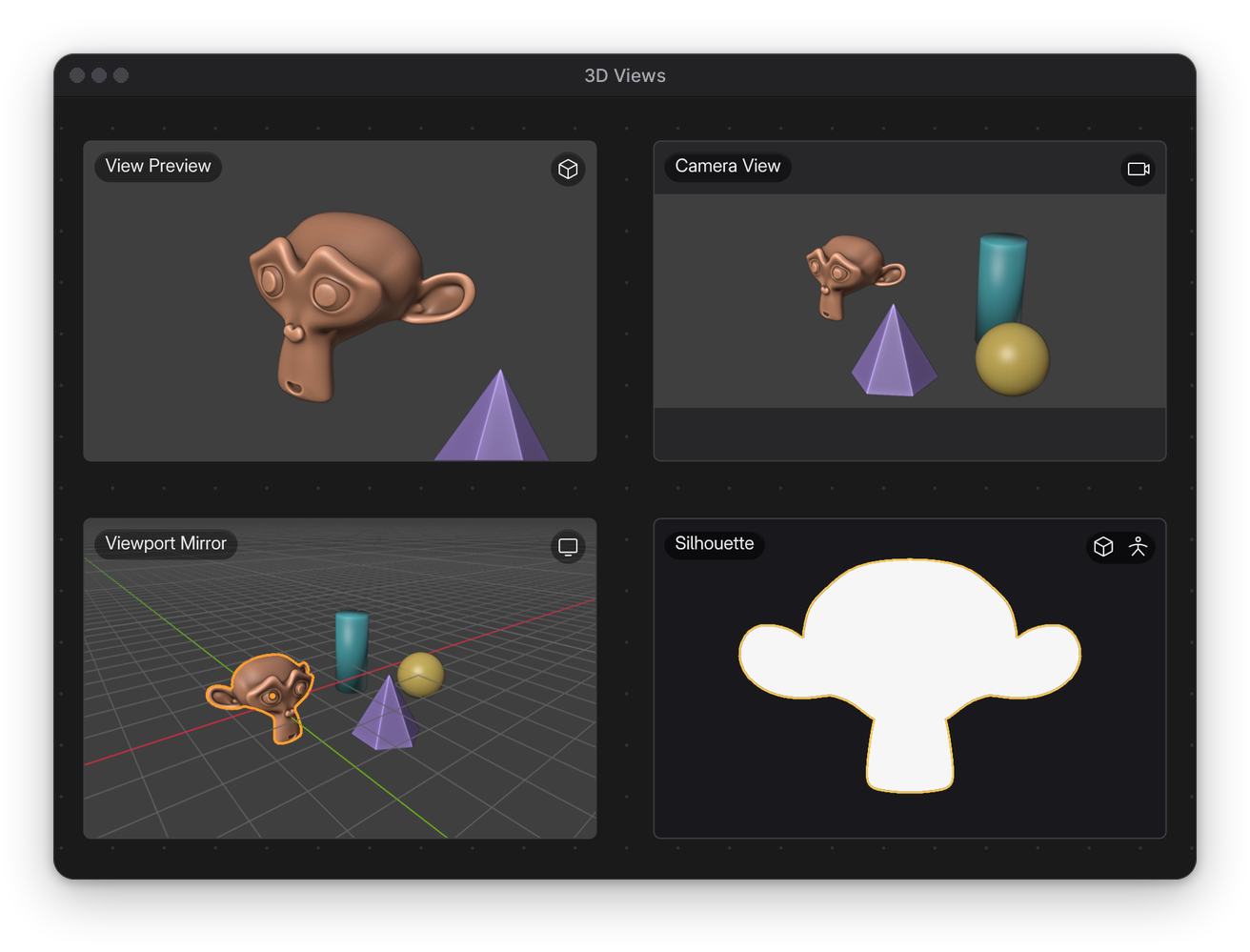
- Live 3D views on the canvas: View Preview, Camera View, Viewport Mirror and Silhouette.
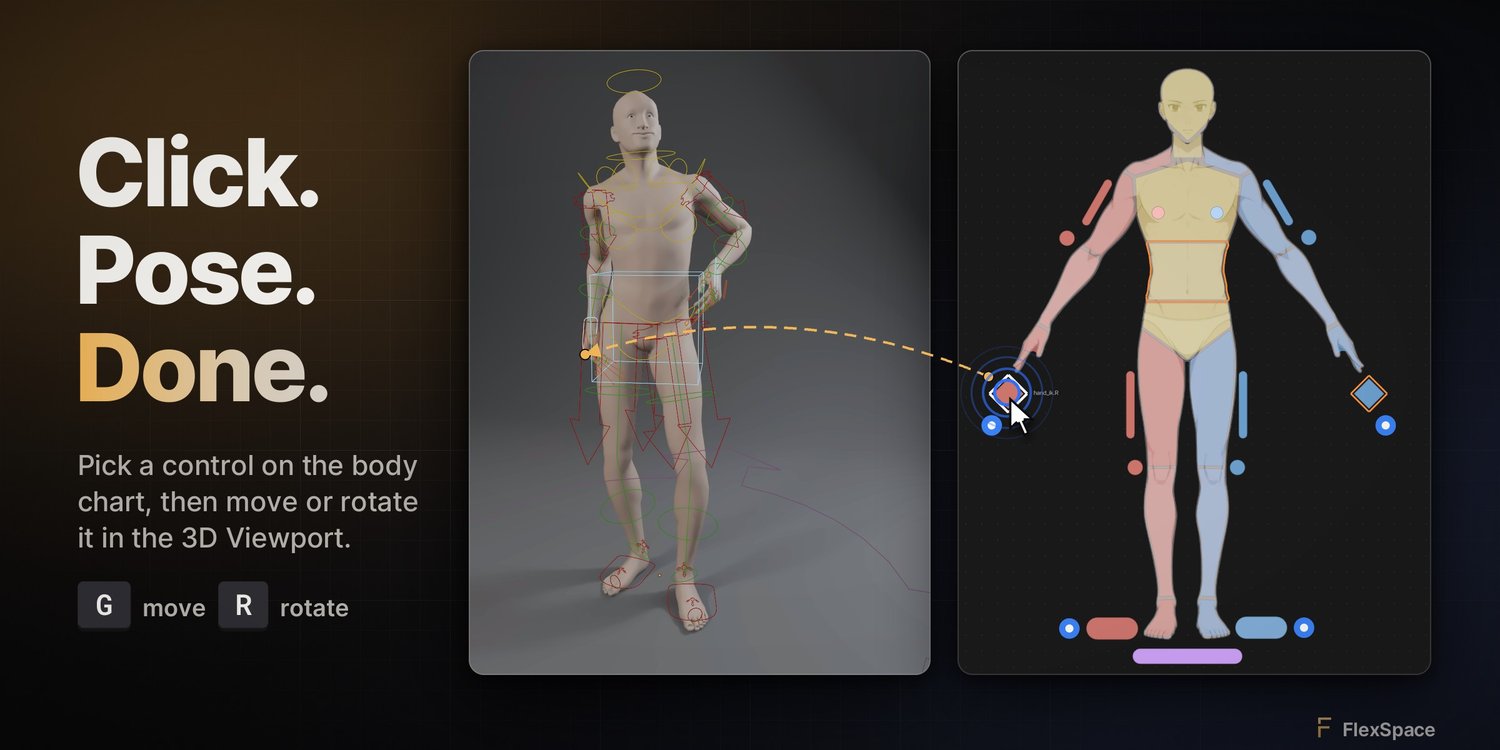
- Armature Picker: click in the picker, pose in the viewport. Any rig; Rigify in one step.
- Global presets, .flexspace files and shared team folders. Dark, Light or your own theme.
- Demo files ready to try, and the full docs inside Blender's Help menu.
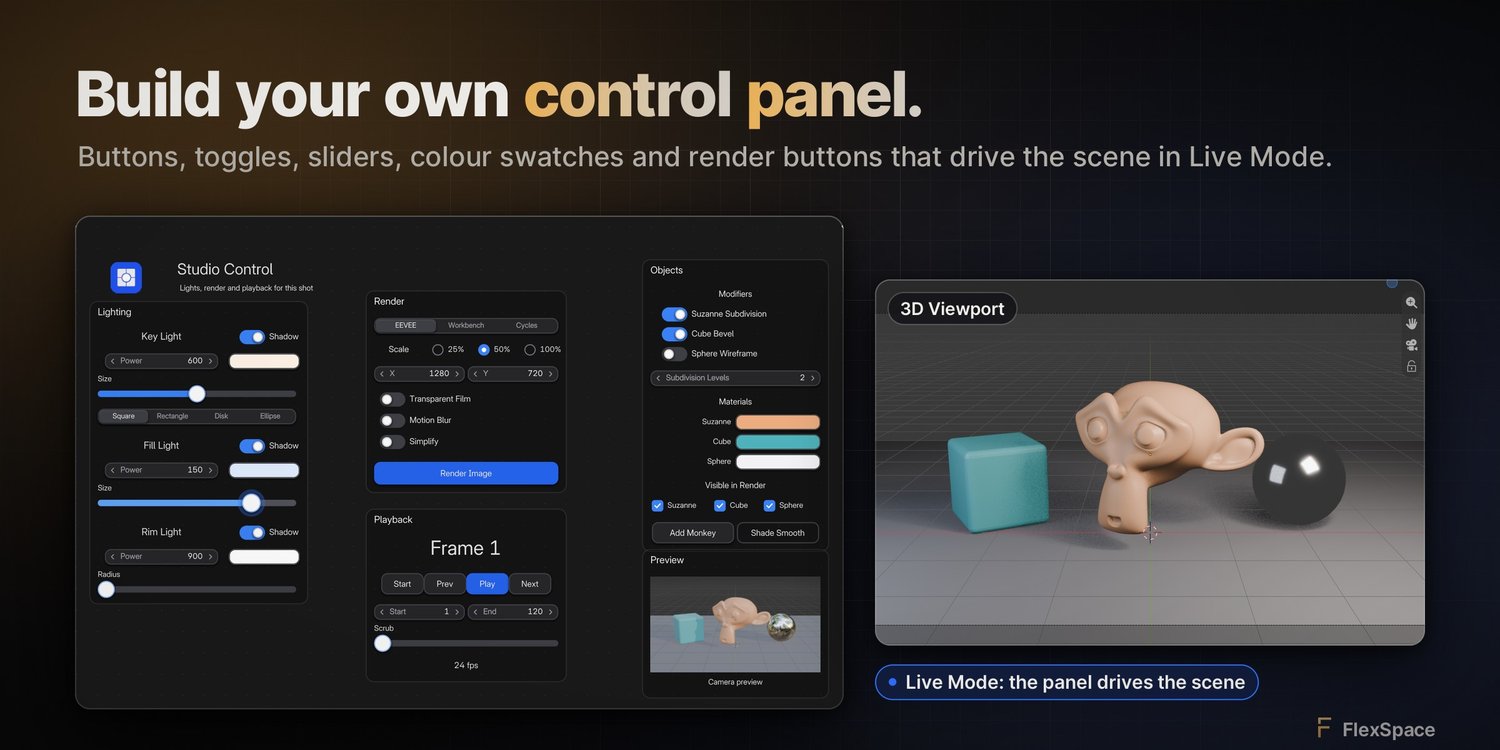
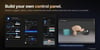
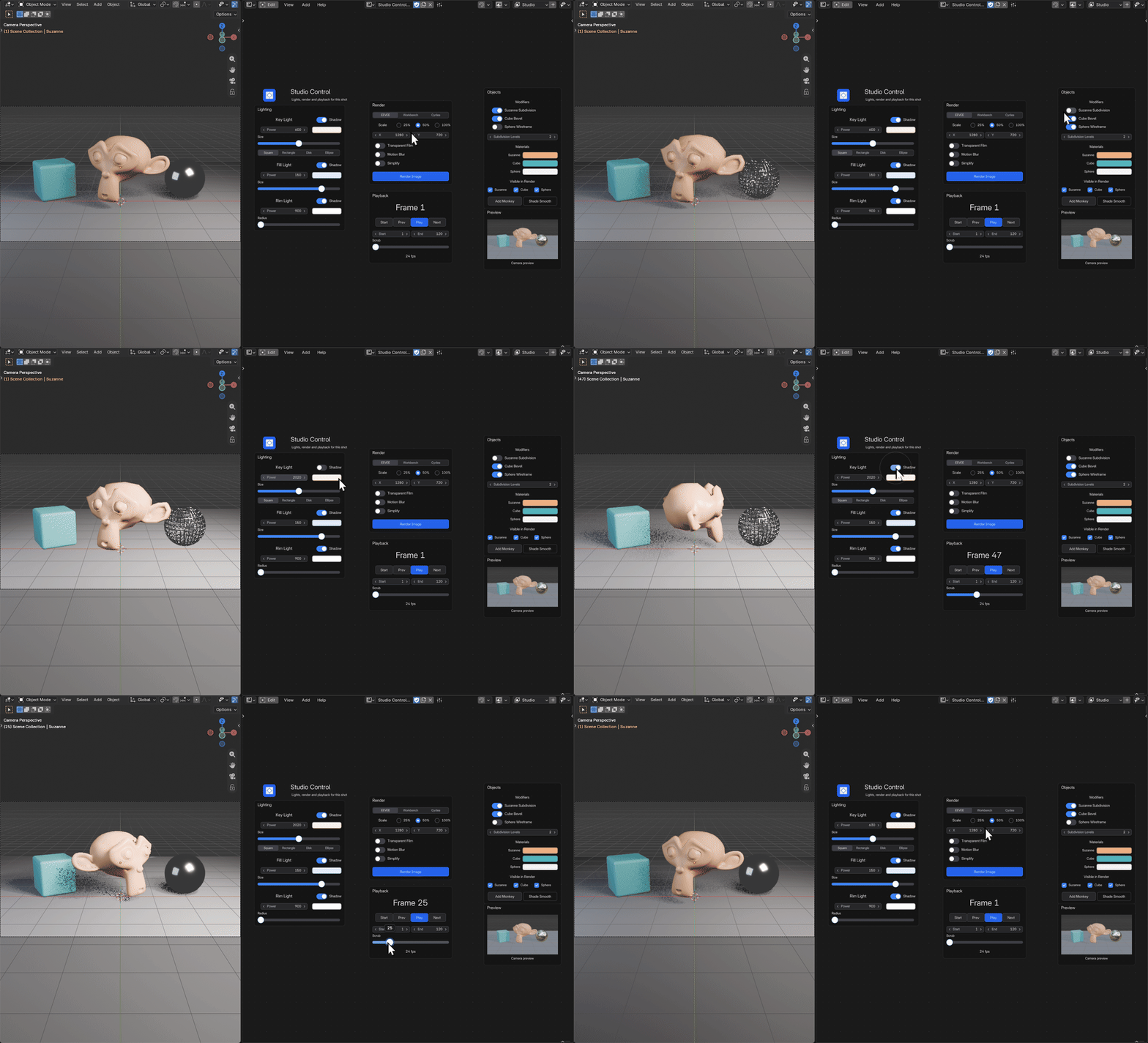
Your panel drives the scene
In Live Mode every toggle, field and slider changes the scene right away: modifiers, light shadows, light power, the current frame.
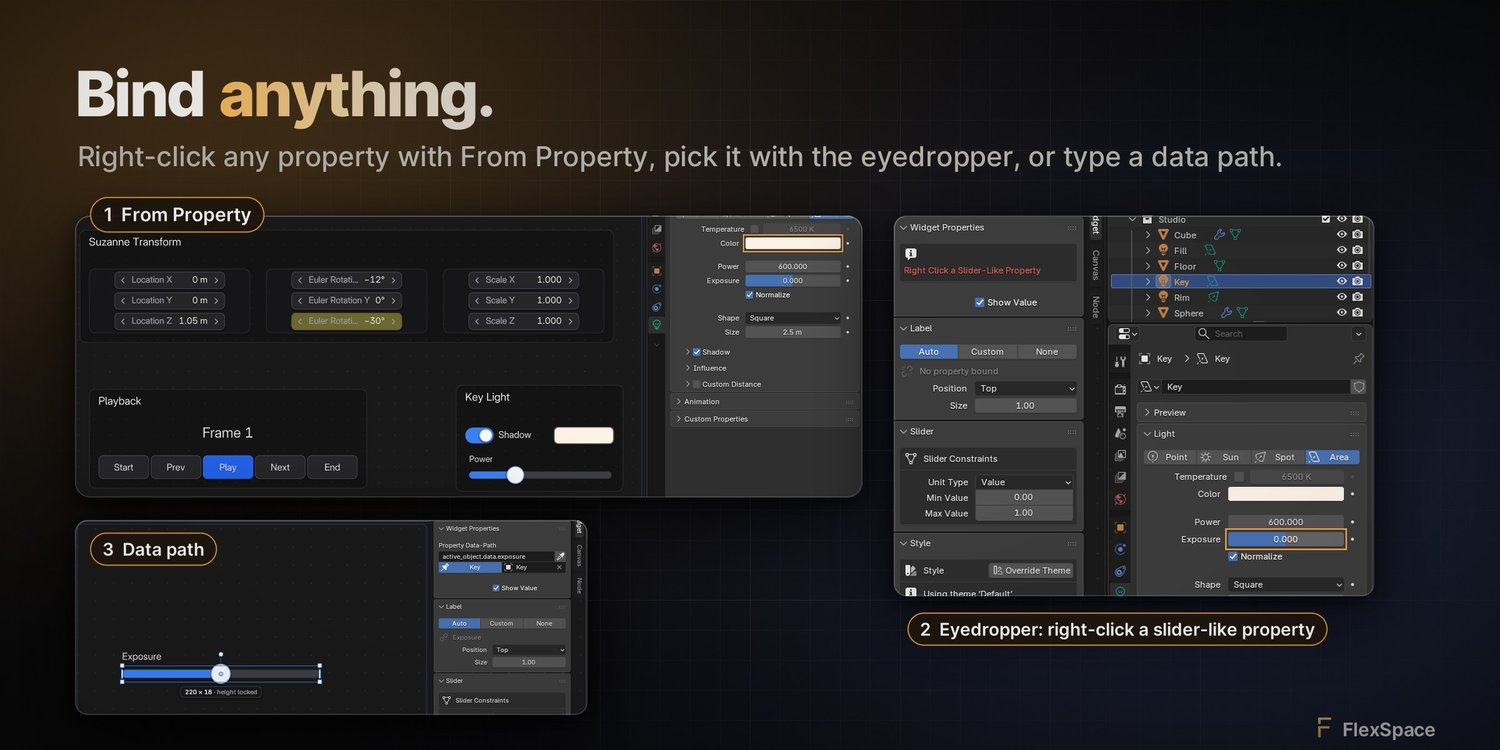
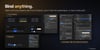
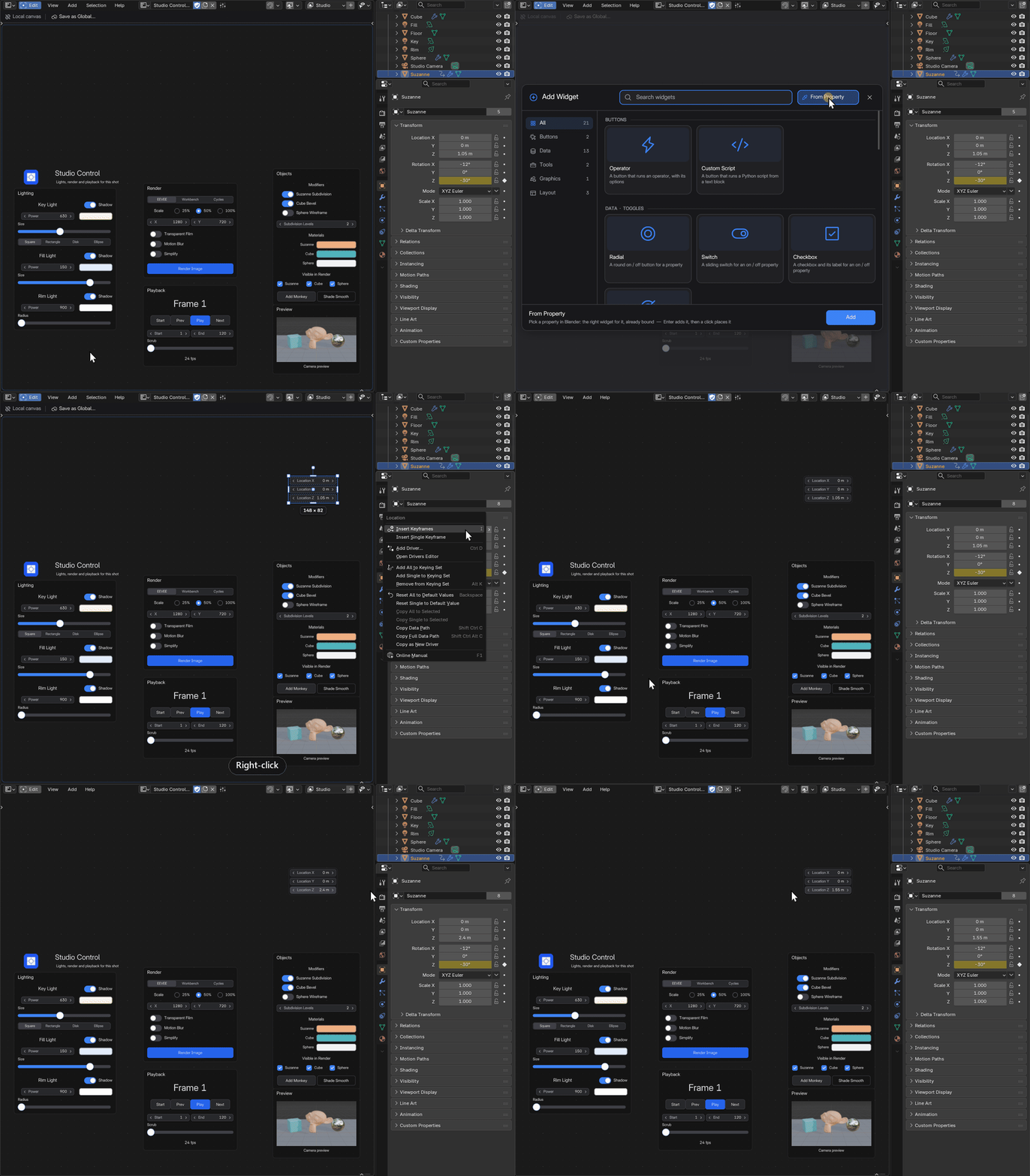
Bind anything with a right-click
Right-click any property or button in Blender and choose Add to FlexSpace Canvas: the right widget appears on your canvas, already bound and labelled. Or press Shift A › From Property and pick it. Widgets show Blender's animation colours, I keys them, and Auto Keying just works.
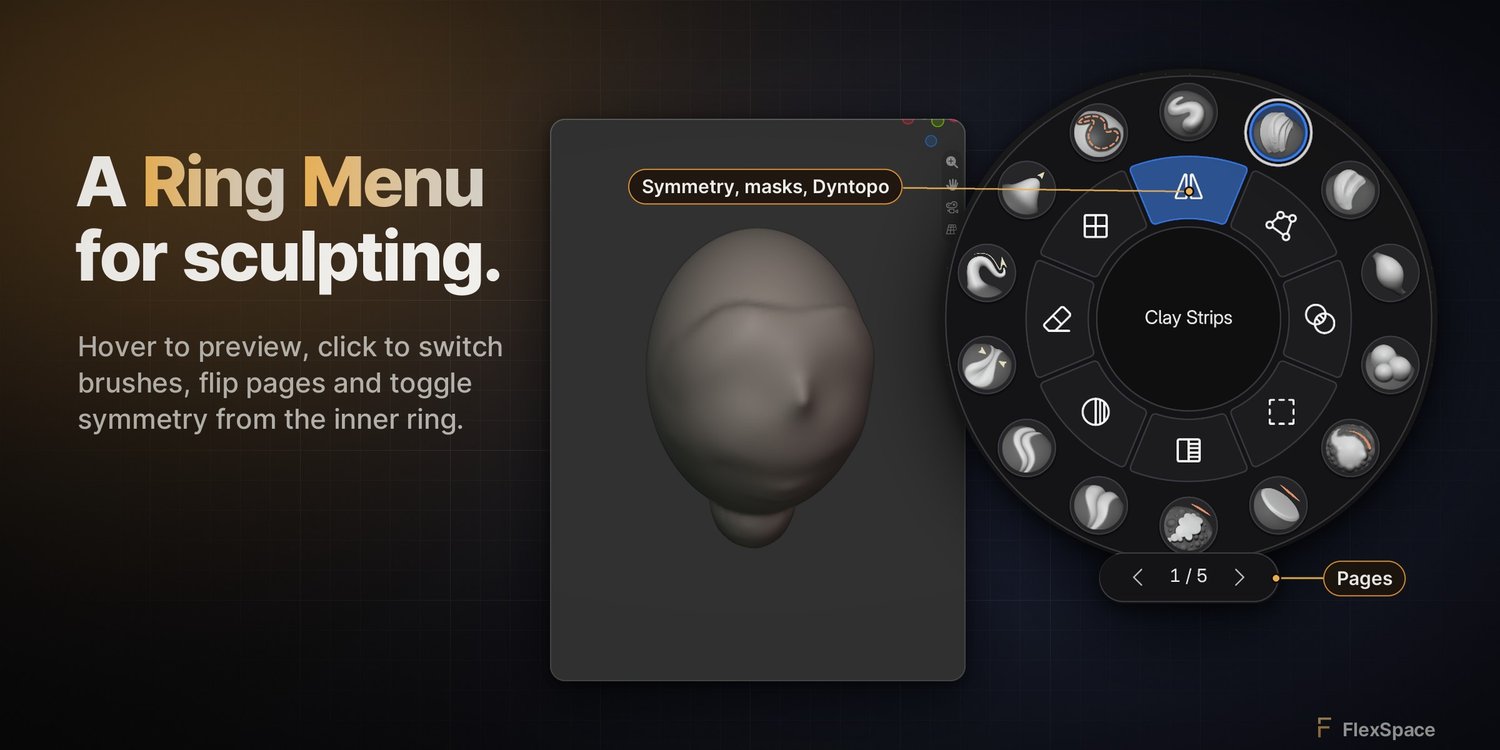
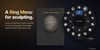
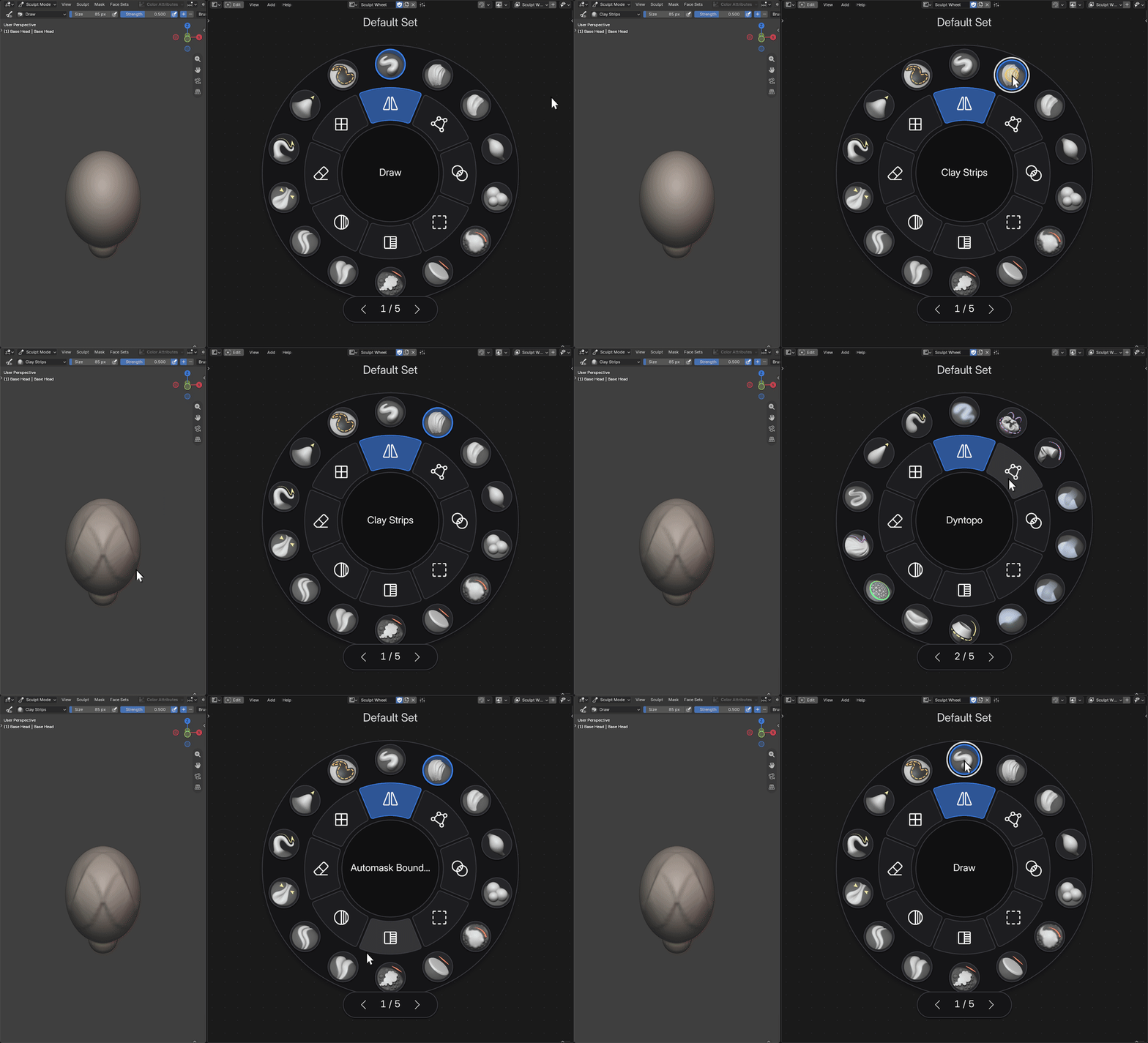
A Ring Menu for sculpting
Brushes in the outer ring, toggles and operators in the inner ring, the active brush named in the core. It lives on the canvas: no pie to summon, no menu to close. Fill it with every Essentials brush in one click.
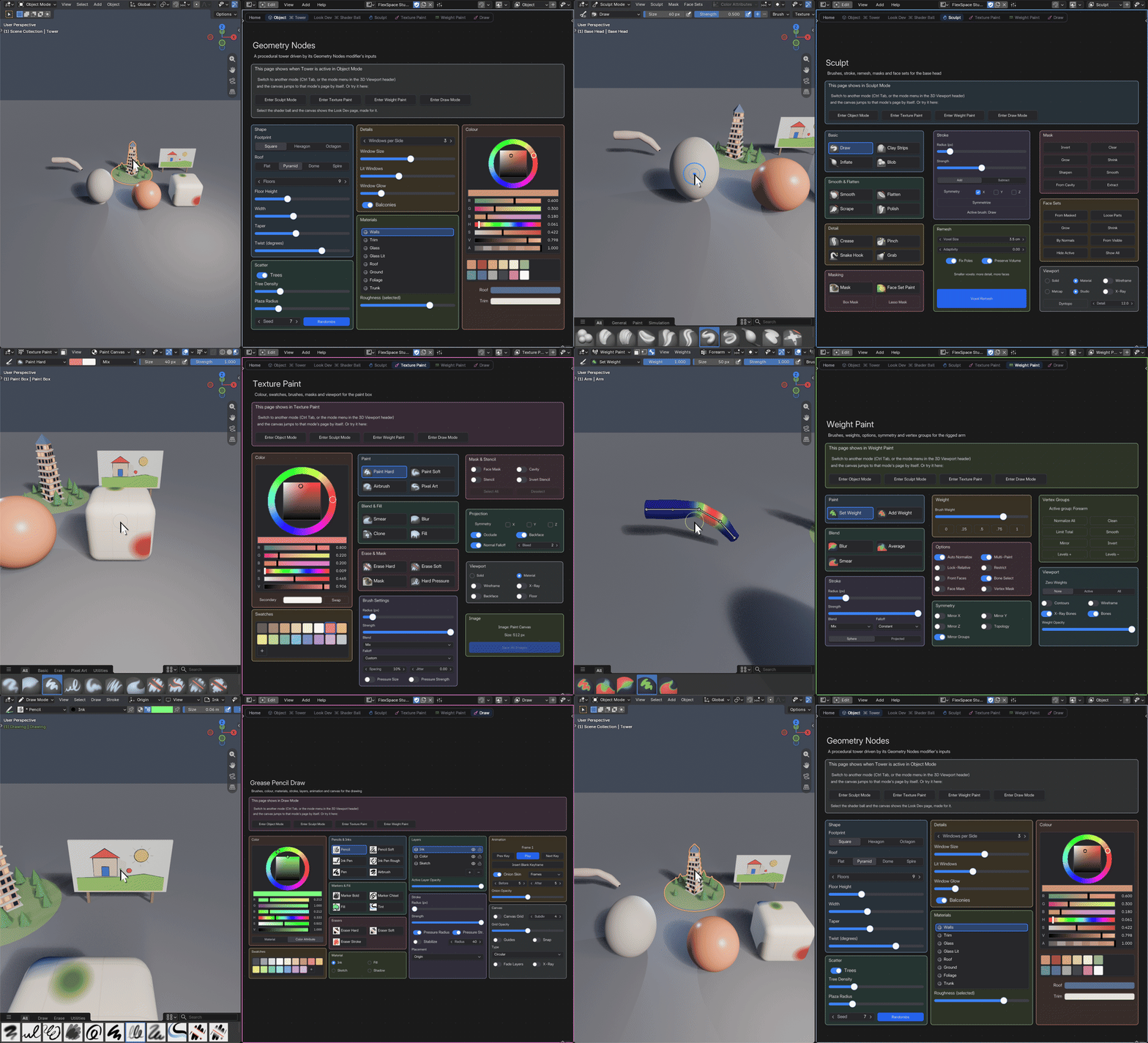
One canvas, a page per mode
Give each page its moment: always, in one Blender mode, for one object, or for one object in one mode. Switch to Sculpt Mode and your sculpt page is there; select the tower and its Geometry Nodes controls show up.
City Builder: Geometry Nodes on a canvas
A procedural island city made by six Geometry Nodes systems (island, sea, streets, buildings, forest and street lights), all driven from one canvas. Grow the city, stretch the skyline, then drag Nightfall: the sun sets and the windows light up. It ships as a demo file.
Live 3D views, right on the canvas
A close-up of the object you are working on, what the camera sees, or a second look at your viewport, updated as you work: View Preview, Camera View, Viewport Mirror and Silhouette.
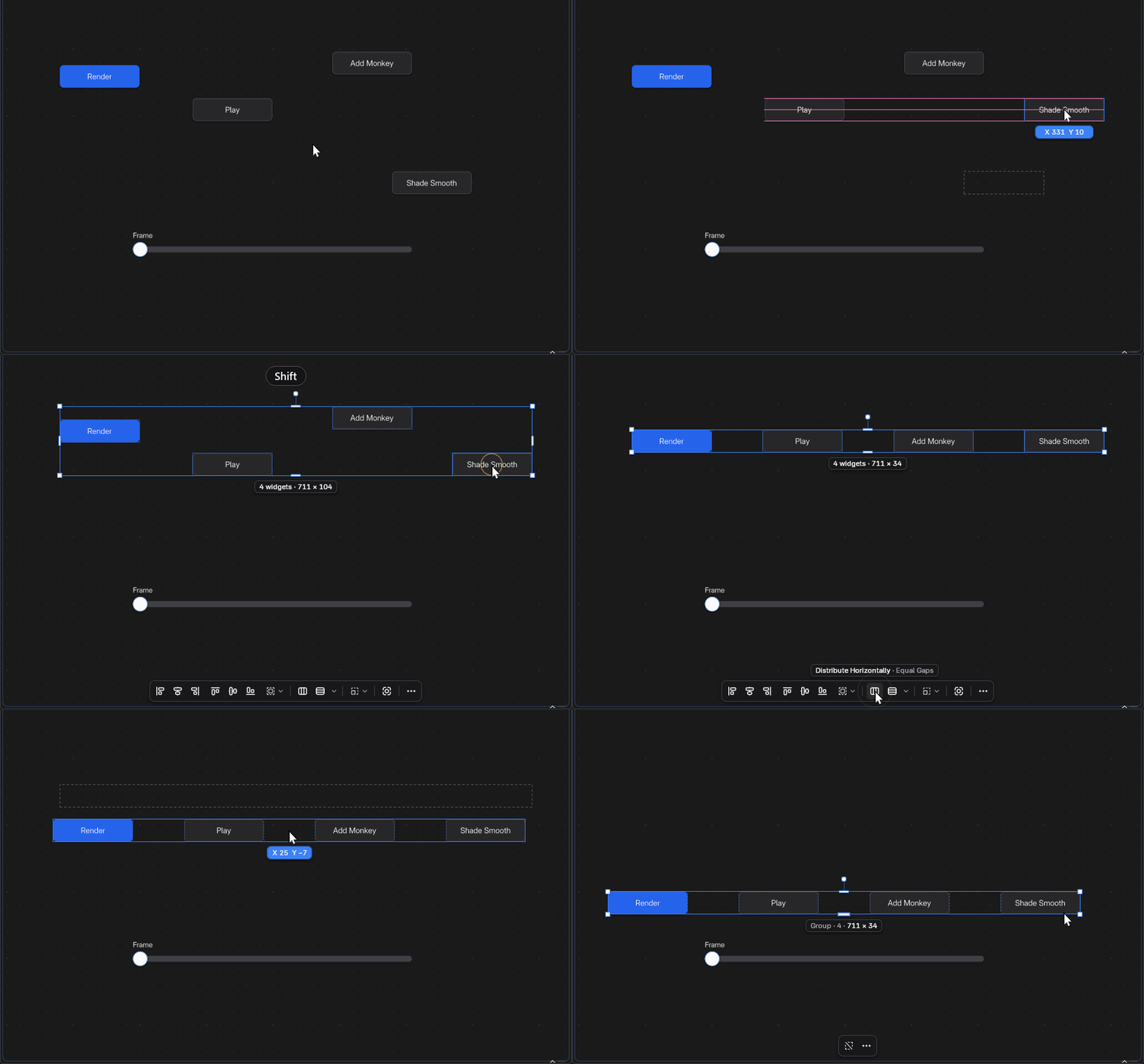
Lay out like a design tool
Smart snapping to edges, centres, equal gaps and the grid. A Selection Bar to align, distribute and match sizes. Frames, groups and Flex Boxes keep it tidy.
Armature Picker: pose without hunting for bones
A picker is a canvas of buttons that select the bones of your rig. It's saved with the armature, so it travels when you link or append the rig, and your Pose Mode keys keep working over it.
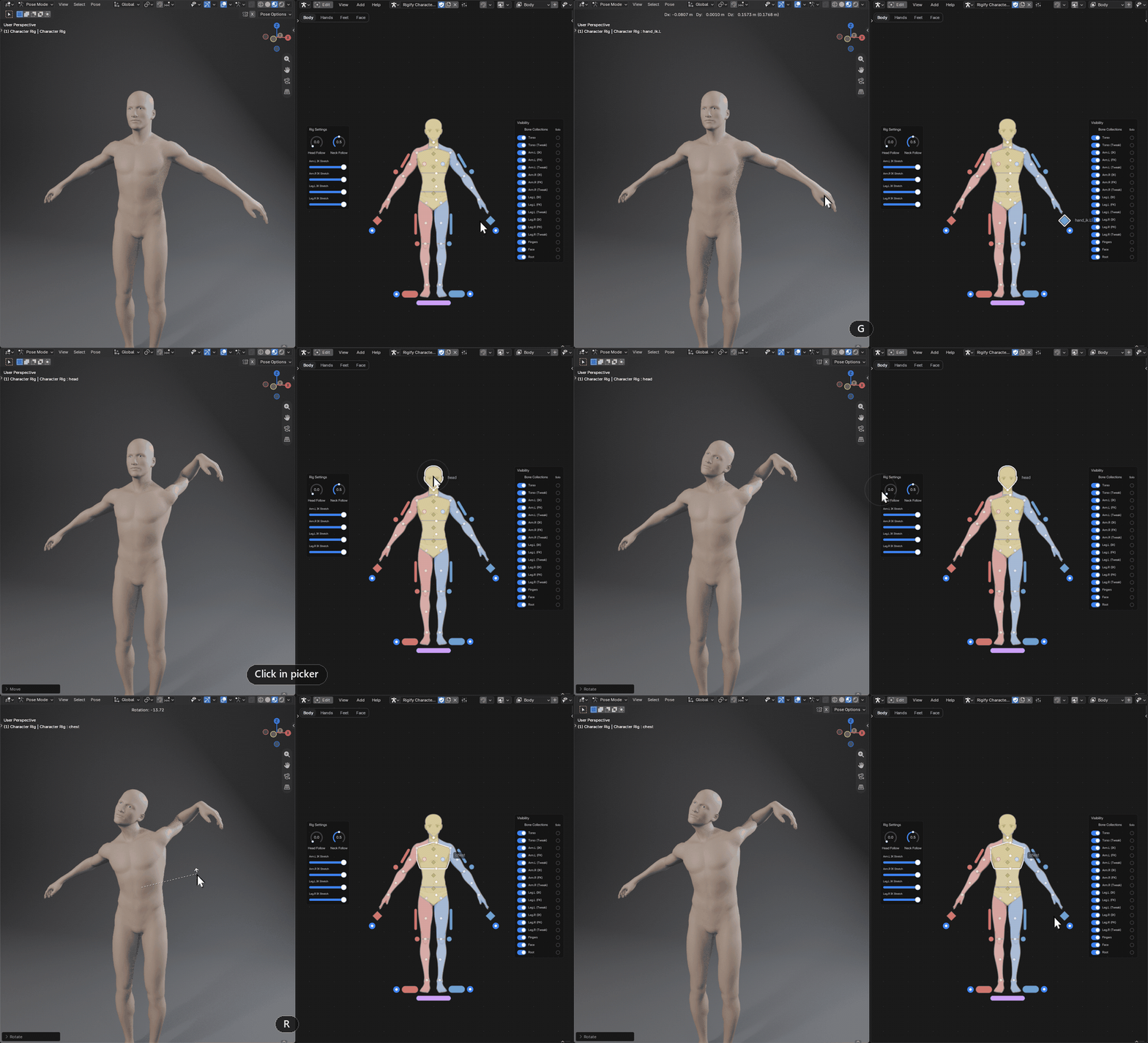
Aim the eyes with the gaze pad, shape the face, curl a hand in one move, flip IK and FK with the puck beside the hand.
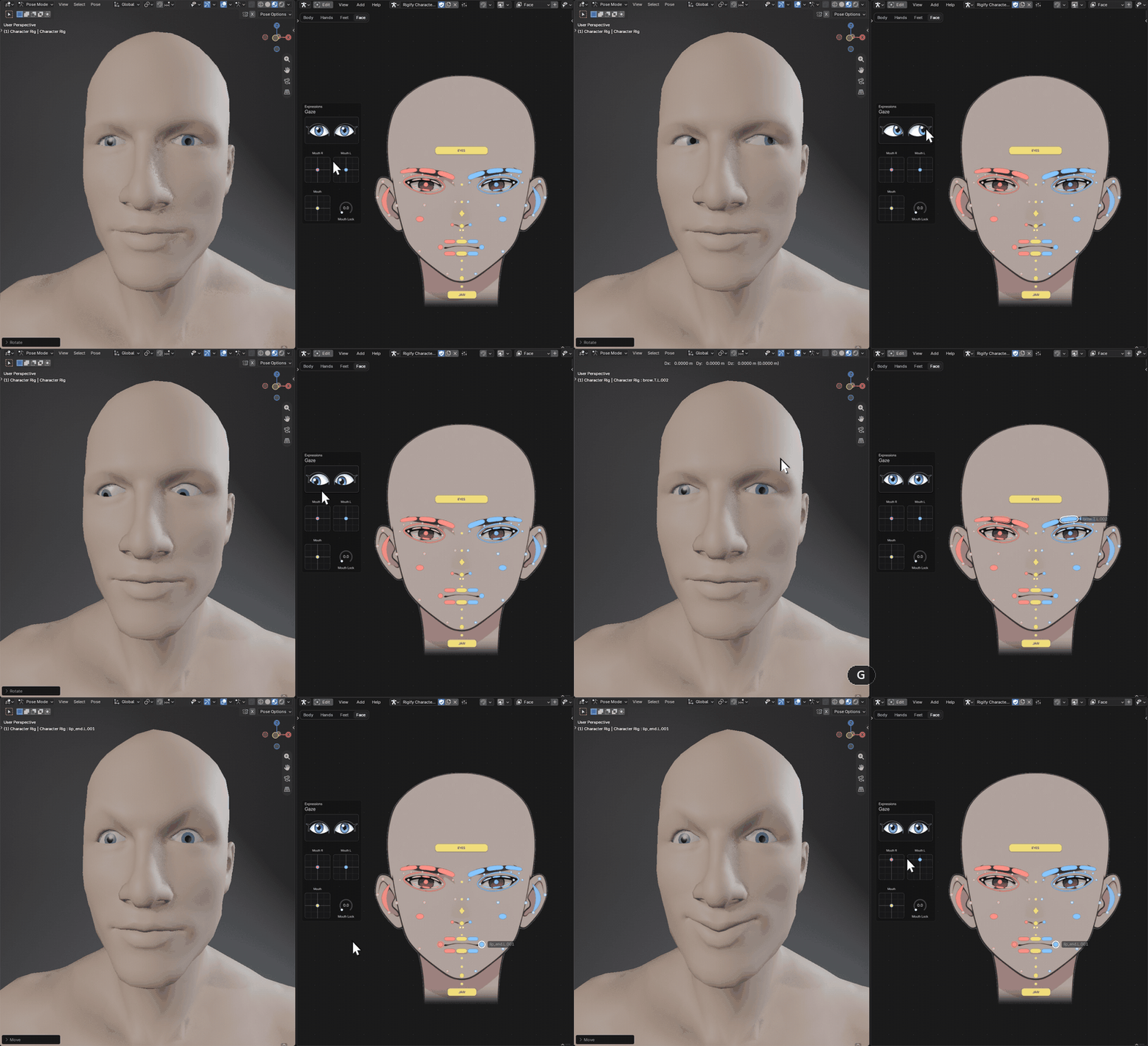
Rigify? One step.
Add a full Humanoid Body picker for a Rigify rig in one step: body, hands, feet and face pages, adult female and male charts. Buttons follow renamed bones, and Repair Bone Bindings fixes the rest.
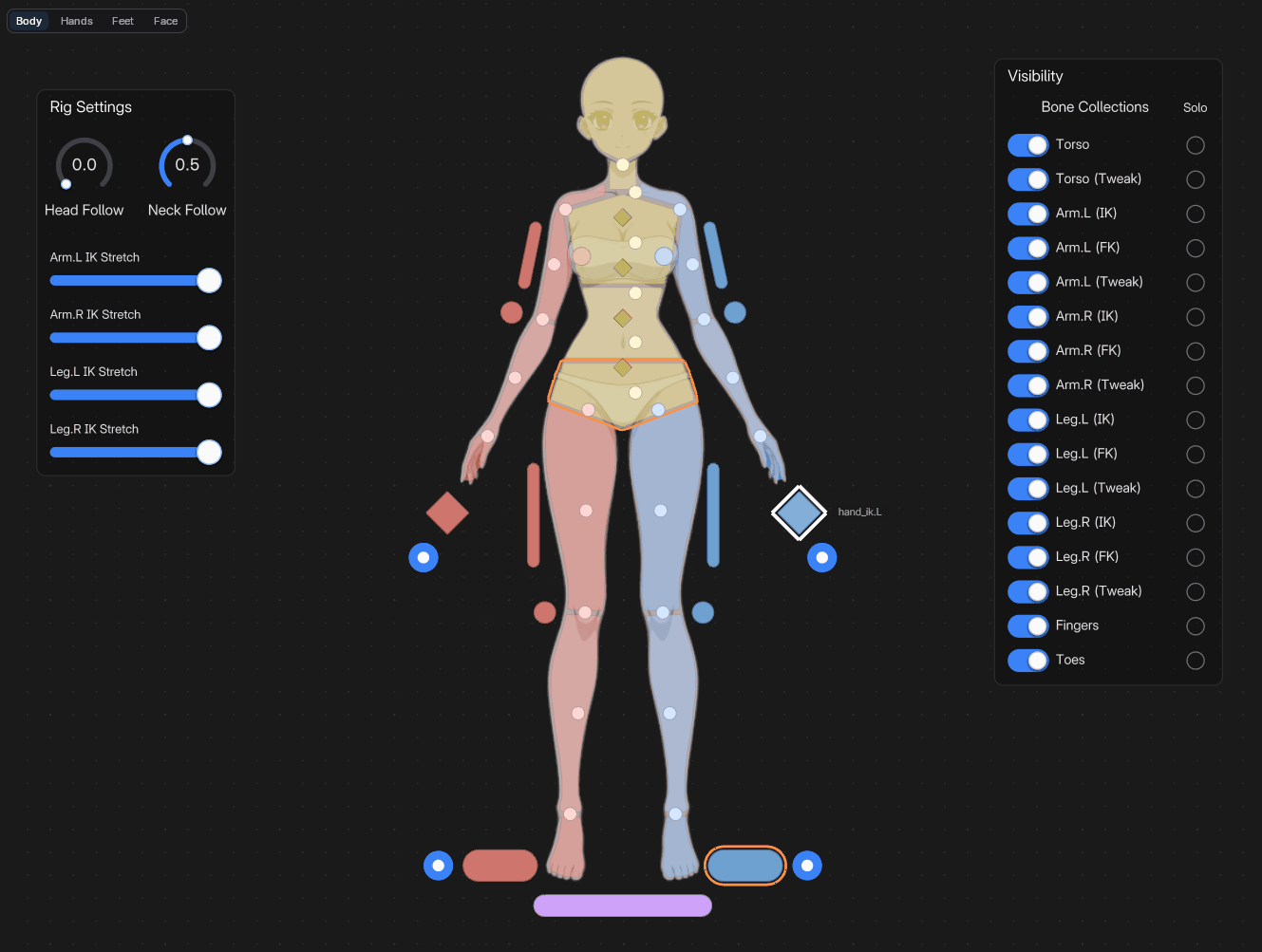
Build it once. Use it everywhere.
Save a canvas as a global preset and add it to any project. Linked canvases know when the preset changed, keep your local edits until you choose, and can restore any of the last 5 versions. Export a .flexspace file, or point your team at a shared presets folder.
What's in the box
- The FlexSpace extension (.zip) with both canvases: Flex Space and Armature Picker.
- Demo files: control panels, a canvas that follows Blender's mode, a Sculpt Wheel, the City Builder (Geometry Nodes) and five armature pickers.
- The full docs, online and in the Help menu: getting started to troubleshooting, with every shortcut.
Requirements and install
- Blender 5.3 or newer. It's a regular Blender extension, not a fork or an external app.
- Install: Edit › Preferences › Get Extensions › Install from Disk... and pick the zip.
- Licence: GPL-3.0-or-later.
Docs and support
- Documentation · Getting started
- The Armature Picker · Picker with Rigify
- Widgets · Shortcuts
- Found a bug? Help › Report a Bug... in the canvas header opens a GitHub issue with your versions and recent errors filled in.
FAQ
Will my shortcuts still work?
Yes. The canvas uses its own keys first; any other key goes to Blender's keymap, Industry Compatible and custom bindings included.
Does the picker work with my rig?
Any armature works: import selected bones and place their buttons. Rigify rigs get a full Humanoid Body picker in one step.
Can my team share panels?
Yes. Save a canvas as a global preset, export it as a .flexspace file, or set a shared presets folder on a network drive.
Can a button run my own Python?
Yes, with a Custom Script button. Buttons from an untrusted file ask before running.
Made by one independent developer, J. Fran Matheu (@jfranmatheu).