
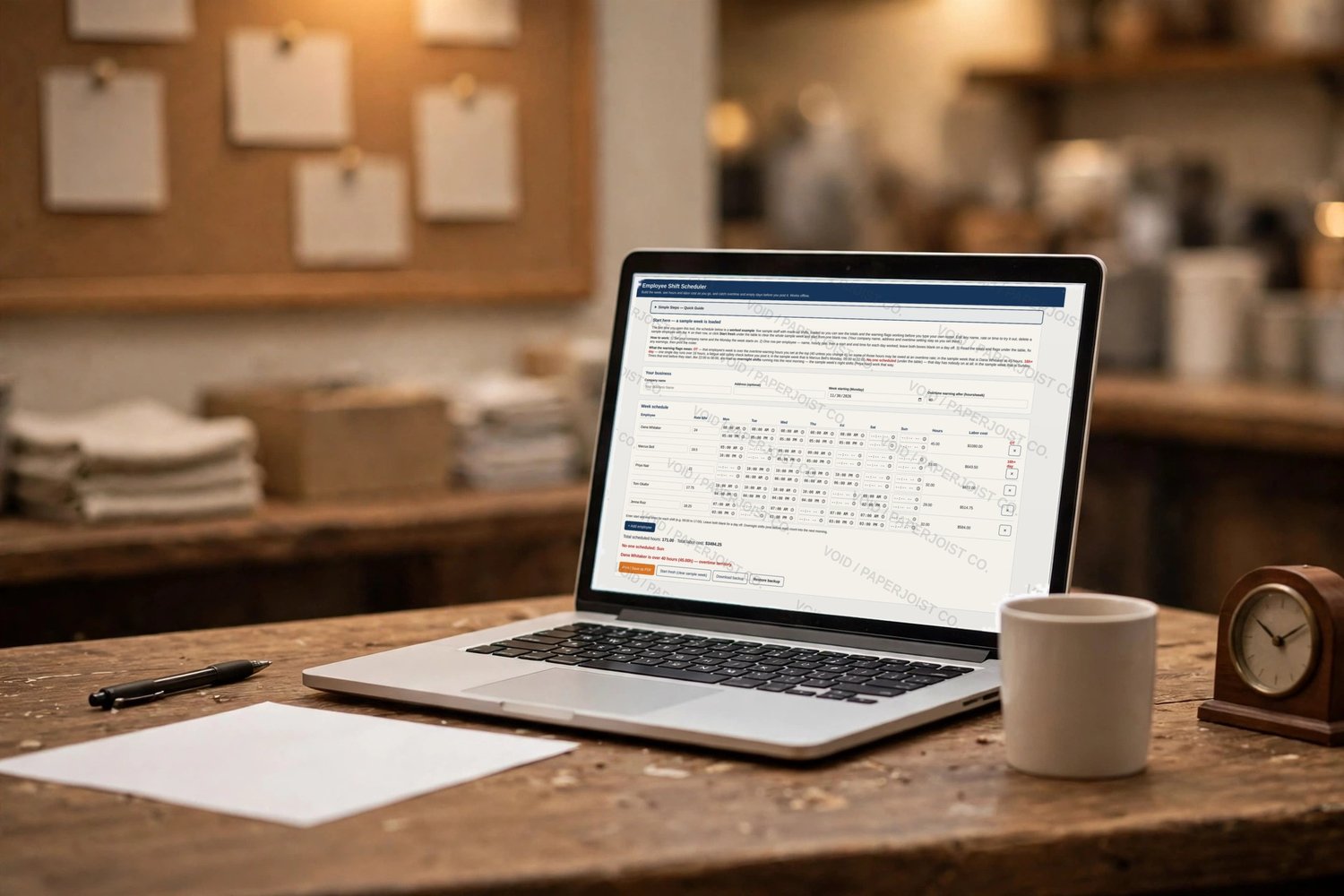
Employee Shift Scheduler
Build the week's schedule on one screen and watch the hours and labor cost add up as you type. This offline program flags anyone heading into overtime, spots days nobody is scheduled, and catches 16-hour days before you post the roster — then prints a clean schedule for the wall. No subscription scheduling app, no per-employee monthly fee: one file, yours forever.
WHAT'S INCLUDED
- Shift Scheduler (1 HTML program file) — add your team with hourly rates, type start and end times for each day (overnight shifts handled), and the week builds itself.
- Live totals & warnings — hours and labor cost per employee and for the whole week, overtime warnings at the threshold you set, empty-day coverage flags, and long-day flags.
- Worked-example week preloaded — the tool opens on a filled sample week (five sample staff with varied rates and shifts, week of Monday Nov 30, 2026) that deliberately sets off every warning: one overtime flag (45 hours), one 16h+ day flag (a 17-hour Monday), one uncovered day (Sunday), and overnight shifts (22:00–06:00). A Start-here panel explains the workflow and what each flag means. Delete the sample staff row by row like normal entries, or clear the whole sample week at once with the Start fresh button — your company name, address and overtime setting stay as you set them.
- Print-ready roster — print or save as PDF to post or send.
Backup built in — save the whole roster as a backup file and reuse it as next week's starting point.
Print-Saver print option included — save paper and ink when you print: tick the Print-Saver box for a light-ink version of any printout (thin lines, no dark fills, still fully legible). The normal full-color print stays the default — Print-Saver is there when you want it.
Plain-Language Employee Edition included — simple steps anyone on the team can follow.
All versions included in this one purchase — works on iPhone & iPad, Android, Mac, Windows and Linux. Opens in your browser, nothing to install, works offline.
GOOD TO KNOW
Instant download. One self-contained HTML file — open it in any web browser (phone, tablet or computer). It works fully offline: no internet, no account, no subscription, and nothing you type leaves your device.
Your entries are saved in that browser on that device. Every tool has a Download backup button so you can keep your own copy of your data and move it to another device.
Languages included: English. (Spanish editions of the coded line are planned; the store's paper products already include Spanish.)
A scheduling aid, not payroll software: overtime and break rules vary by state and employer policy, and final pay decisions are yours.
MAKE IT YOURS
Make it yours: type your company name (and optional address) into the tool once and it appears on every document it prints. Want bigger changes before you buy? Use the customization request box on our website (paperjoistco.square.site) or email paperjoistco@gmail.com — we build your version to spec and send you its purchase link.
AFTER YOU BUY — HELP & EDITS
Questions, or a file that won't open? Email paperjoistco@gmail.com — help is always free, and if a file is broken we fix or replace it free. Every purchase includes ONE free minor edit within 30 days: wording or label changes, adding or removing up to 3 fields or columns, or having your company name and address built into the files. More edits: $12 per additional minor-edit round. Bigger changes — new sections, new forms, restructuring, another language — are quoted first from our custom rates, and you approve the price before any work starts. If we improve a product you already bought, the updated version is free — just download it again. We reply within 1 business day; minor edits are delivered within 2 business days. Every purchase also earns you a one-time coupon for 10% off your next purchase — we email it to you after your order.
OUR MAKE-IT-RIGHT PROMISE
We stand behind what we sell — without promising what no honest seller can. If a product doesn't match its listing, or a file doesn't work the way it should, tell us and we will fix it, replace it, or adjust it free. If we can't make it right, you get store credit or a refund for that item. If a product just isn't what you expected, contact us within 14 days: we'll first try to make it fit with your free edit, swap it for another product of equal value, or give you store credit. Custom orders follow the terms in their listing.