
Phoenix Field Inspector Tracker - Multi-Vendor Job, Mileage & Payment Tracker
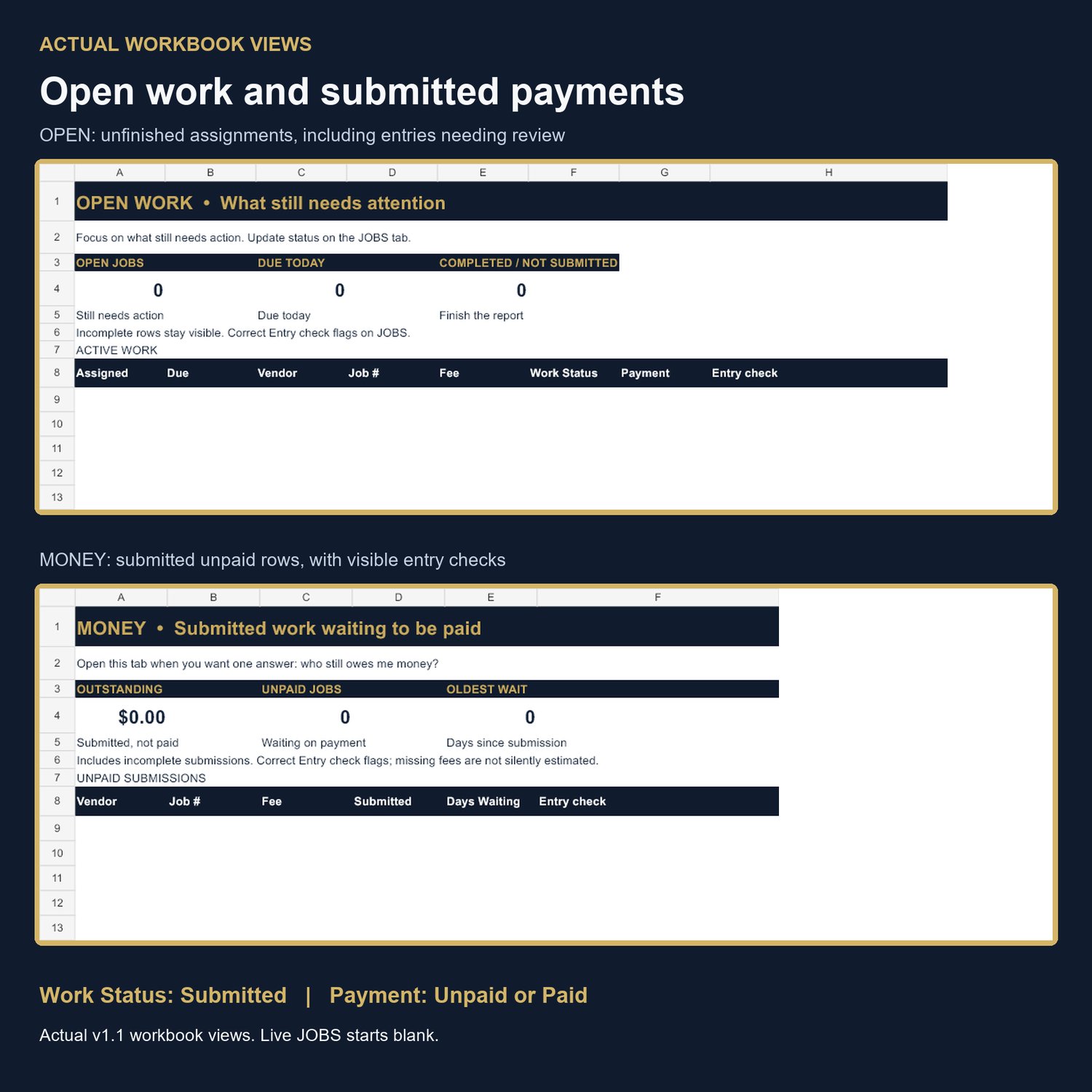
Keep two questions separate: Which inspection jobs still need work, and which submitted jobs still need payment?
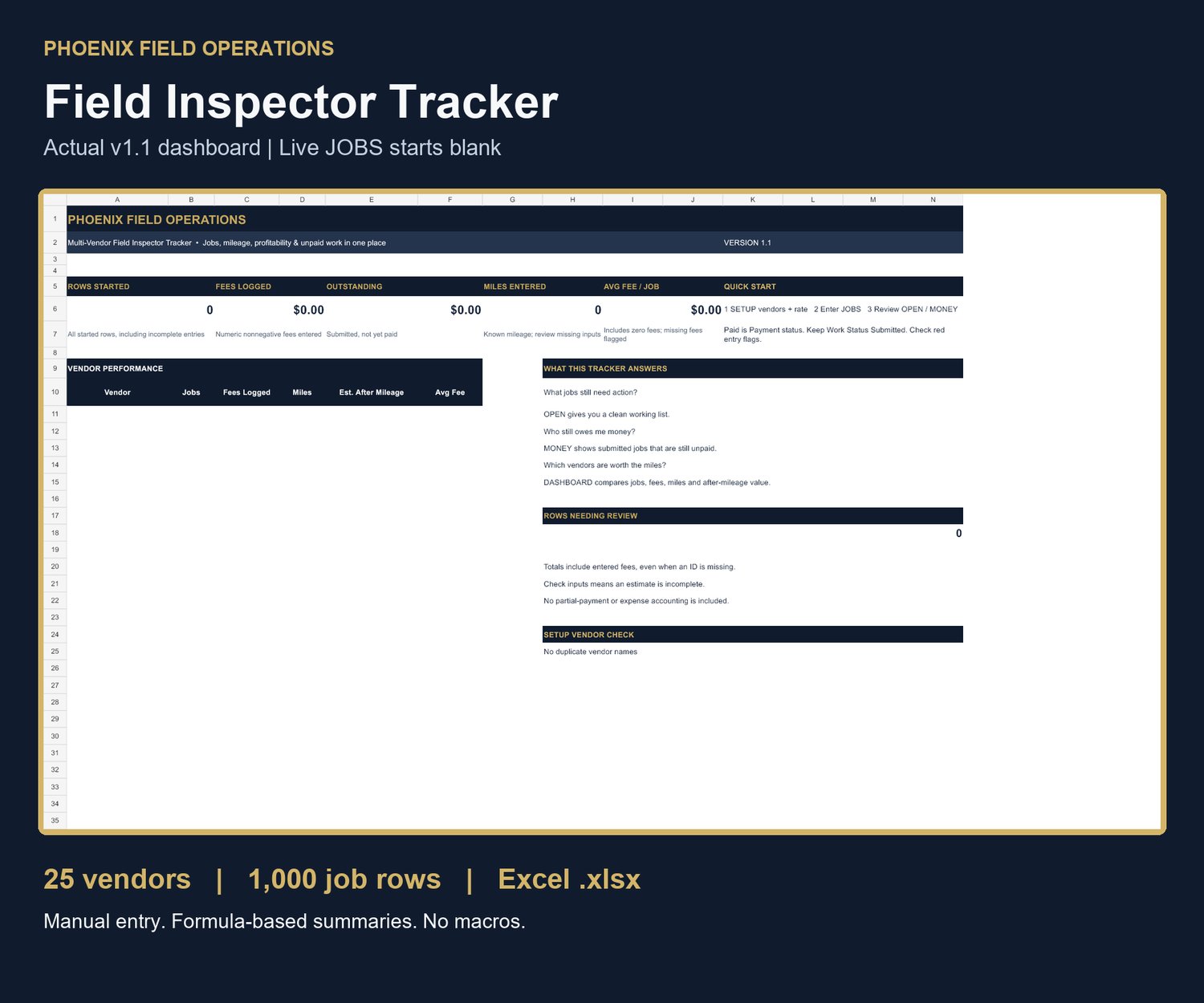
Phoenix Field Inspector Tracker is a spreadsheet for independent field inspectors working with multiple vendors. Enter and update jobs manually, use OPEN for work not yet submitted, and use MONEY for submitted jobs marked Unpaid. Review your entered fees, mileage and vendor summaries on the dashboard.
Version 1.1 supports up to 25 unique vendors and 1,000 job rows. It includes:
• A dashboard with entered fees, outstanding submitted/unpaid fees, miles, averages and all 25 vendor summaries.
• An OPEN view for work not yet submitted and a MONEY view for submitted unpaid rows.
• Entry checks for missing IDs, duplicate IDs, missing costing inputs and inconsistent statuses.
• Mileage Cost and After Mileage calculations based on your own vehicle-cost assumption. Missing mileage or rate shows Check inputs; intentional numeric zero is accepted.
• A separate fictional EXAMPLE sheet, Quick Start PDF, License and Compatibility PDF, and README.
Work Status moves from Assigned to Scheduled to Completed to Submitted. Payment is tracked separately as Unpaid or Paid. Keep Work Status Submitted when payment arrives.
Format: Microsoft Excel (.xlsx), delivered in a ZIP. No macros, scripts, add-ins or product subscription are required.
Compatibility: Calculation, filtering and XLSX save/reopen were verified in LibreOffice Calc 26.2.6.3 on Windows using native automated tests. Microsoft Excel has not been independently verified. Manual keyboard protection and dropdown interaction were not tested. Spreadsheet applications may behave differently; see the included compatibility guide.
This is an operational tracking tool. After Mileage is fee less the user-entered mileage-cost estimate only, not accounting or tax profit. The workbook does not provide route optimization, client report submission, automated vendor imports, partial-payment accounting, credits/refunds or tax calculations. Maintain required business records separately.
Worksheet protection helps prevent accidental edits; it is not encryption or access control. Back up your records and review entry warnings regularly.
Free worksheet or paid tracker?
Choose the free Route & Profit Calculator if you want a one-page printable worksheet for up to 16 jobs and are comfortable doing the math yourself.
Choose the $29 tracker if you want an ongoing spreadsheet record for up to 25 vendors and 1,000 job rows, with formula-based summaries and separate work/payment views. You still enter jobs and update statuses manually.
View the free two-page tracker preview before deciding: https://payhip.com/preview/HznqU
Get the free printable worksheet by email: https://phoenix-field-operations-rgdif3.subscribepage.io/
Signup includes follow-up tips and product offers; unsubscribe anytime.