
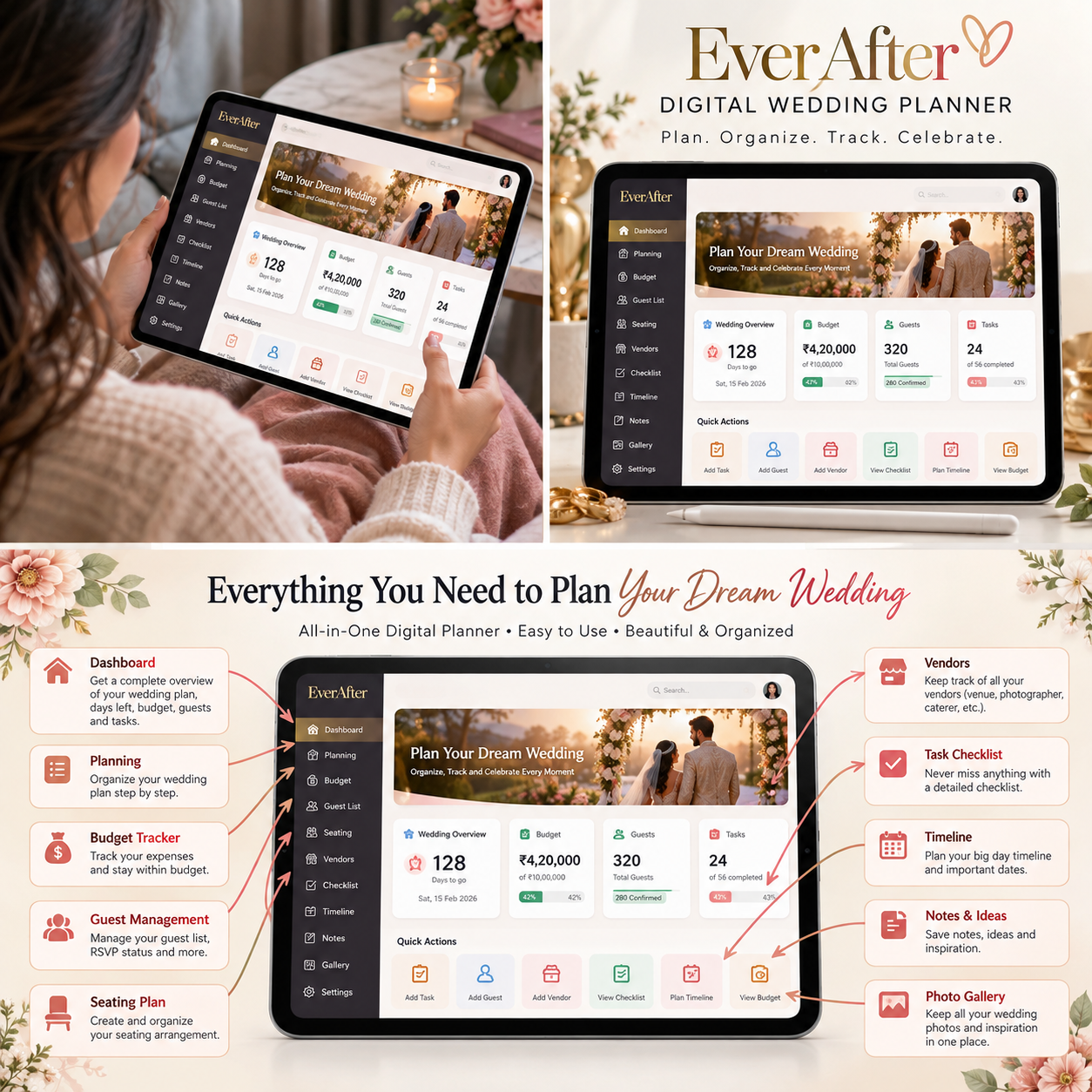




Wedding Planner Mini web app
💍 EverAfter Wedding Planner
Plan Your Day. Cherish Every Moment.
🎉 LIMITED-TIME OFFER — GET 70% OFF! 💍
💒 Wedding Planner Mini Web App
Plan your dream wedding with ease! ✨
🏷️ Use Coupon Code: WELCOME123
⏳ Hurry! This special offer won't last forever!
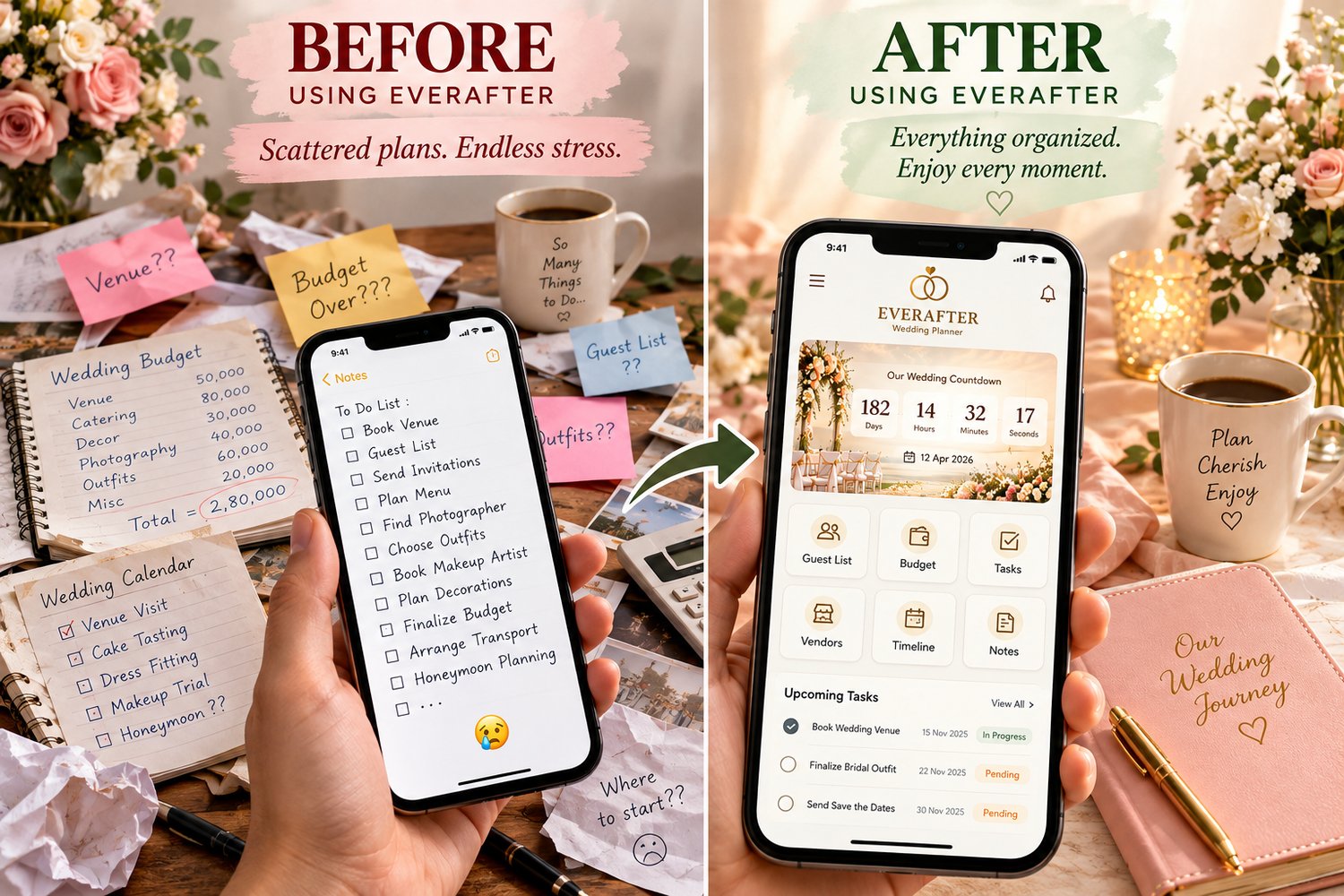
Your wedding should be filled with excitement, meaningful moments, and memories you will treasure — not endless searching through scattered notes, spreadsheets, and messages.
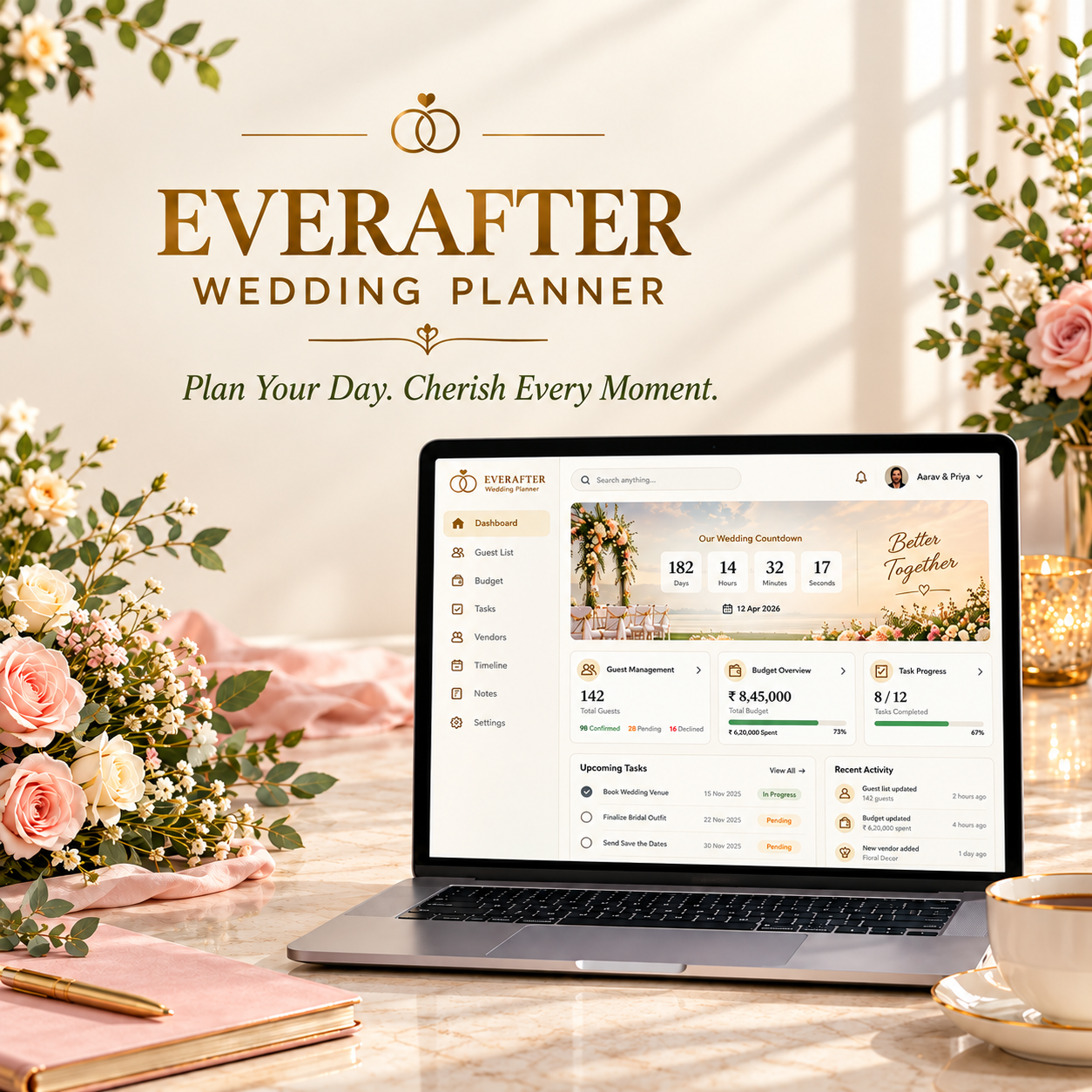
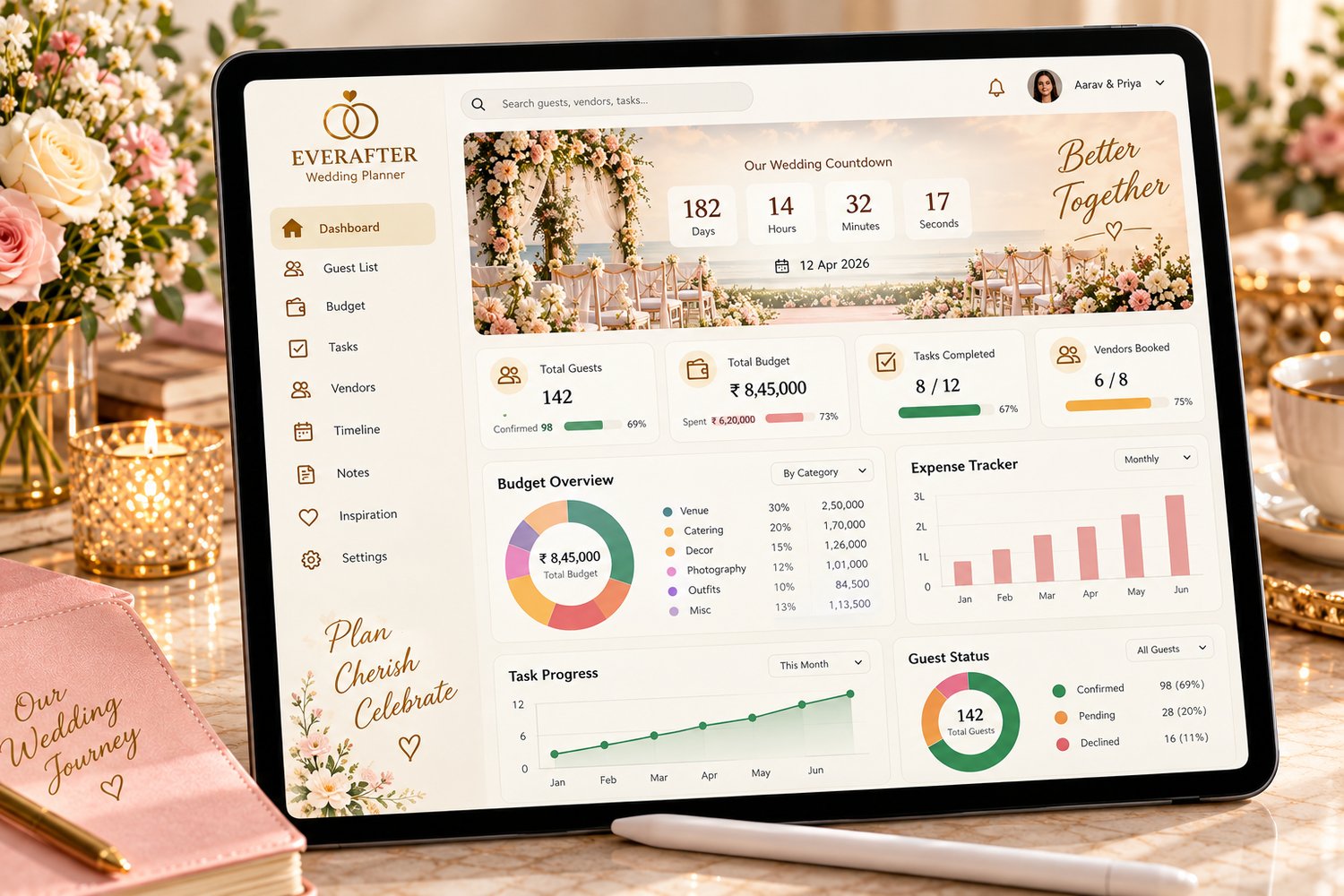
Meet EverAfter Wedding Planner, an interactive, browser-based wedding planning dashboard designed to bring your wedding details together in one organized workspace.
From your first planning checklist to your wedding-day schedule, keep track of the details that matter: your guest list, RSVPs, budget, vendors, payments, seating arrangements, wedding style, music, photography, gifts, and honeymoon plans.
No complicated application installation. No required product account. No monthly software subscription for the included HTML planner.
Just open the file in a supported browser, personalize your wedding details, and start planning your celebration your way.
✨ Everything Your Wedding Needs, in One Workspace
💑 1. Wedding Details & Countdown
Make your wedding your own from the very beginning.
- Add both partners' names.
- Record your wedding date and location.
- Set your budget and preferred currency.
- View a personalized wedding countdown.
- Keep important wedding details together.
💌 2. Save the Date
Preview different Save the Date designs for your celebration.
- Explore classic, modern, and floral-inspired layouts.
- Personalize the displayed names, date, and location through your wedding details.
- Use the previews as inspiration for your wedding stationery.
The included previews are planning aids, not a replacement for a professional printing or invitation service.
🎨 3. Wedding Style & Design
Give your wedding a consistent look and feel.
- Record your wedding style or concept.
- Choose your main, secondary, and accent colors.
- Save descriptive keywords and style notes.
- Organize ideas around your preferred aesthetic.
Create a reference point for discussing decorations, flowers, stationery, and other design decisions.
📅 4. Wedding Planning Timeline
Turn a long list of wedding responsibilities into manageable tasks.
- Organize tasks by planning stage.
- Assign responsibilities.
- Set due dates and priorities.
- Mark tasks as completed.
- Review outstanding and high-priority items.
From early planning to the wedding day and post-wedding tasks, keep your next steps visible.
🗓️ 5. Planning Calendar
Keep important dates in view while coordinating your plans.
Use the calendar to review the planning schedule and relevant tasks, payments, and events supported by the app.
⏰ 6. Wedding-Day Schedule
Give your celebration a clear running order.
- Record event times.
- Add ceremony and reception activities.
- Assign people responsible for individual tasks.
- Keep notes and instructions with each schedule entry.
- Organize plans for the day before, wedding day, and day after.
Help your wedding party and suppliers understand what needs to happen and when.
🏛️ 7. Venue Comparison
Keep venue information organized while evaluating your options.
- Record venue details.
- Compare important venue information.
- Keep relevant cost figures together.
- Review options before making a decision.
🤝 8. Vendor Management
Keep your wedding suppliers and their details in one place.
Track vendors such as:
- Venues and caterers
- Photographers and videographers
- Florists and decorators
- DJs and live bands
- Bakers and cake suppliers
- Hair and makeup professionals
- Transport and rental providers
- Officiants, planners, and stationery suppliers
Record contact information, quotes, contract amounts, package details, booking status, and notes.
📇 9. Contact Organization
Keep relevant wedding contacts and guest information organized for easier planning and coordination.
💰 10. Wedding Budget Planner
Plan your spending with a clearer view of your overall wedding budget.
- Set your total wedding budget.
- Organize spending into categories.
- Record planned amounts.
- Track wedding expenses.
- Review payment commitments.
- Monitor budget-related figures in the dashboard.
Use your records to identify areas that may need attention before expenses grow.
💳 11. Wedding Spending Tracker
Keep a record of wedding-related expenses as they happen.
- Enter transaction dates.
- Categorize expenses.
- Record amounts and descriptions.
- Note who paid.
- Store receipt references and additional notes.
Build a useful record of what you have spent throughout the planning process.
💵 12. Vendor Payments
Keep payment commitments from slipping through the cracks.
- Record supplier names and payment amounts.
- Add due dates and paid dates.
- Track paid and unpaid status.
- Record who made the payment.
- Add payment descriptions and reminder notes.
This is a manual tracking feature; it does not make payments or send automatic payment reminders on your behalf.
👥 13. Guest List & RSVP Tracking
Manage your guest list without relying on scattered notes.
- Add guest names.
- Organize guests into groups.
- Record Save the Date and invitation status.
- Track RSVP responses.
- Record meal choices and dietary requirements.
- Add accommodation notes.
- Record table assignments and gift status.
- Search and update guest entries.
Quickly review total guests, attending guests, declined invitations, and pending responses.
📍 14. Guest Details
Keep additional guest-related information organized to support your planning.
Use the available fields to record relevant details and notes, while protecting guests' personal information in your local files and backups.
🪑 15. Seating Plan & Table Plan
Bring more structure to your reception arrangements.
- Organize table assignments.
- Keep guest seating information together.
- Review seating details as your guest list changes.
- Make it easier to coordinate your table plan.
👰 16. Wedding Party
Keep wedding-party information and relevant responsibilities organized in one section.
🍽️ 17. Menu Planner
Organize menu ideas and wedding meal details.
Keep your menu planning information together and use guest meal preferences and dietary notes to support your discussions with the catering team.
📸 18. Photography Plan
Create a structured reference for your wedding photography.
- Record desired photo moments and shot-list items.
- Organize ideas for important people and events.
- Keep photography notes together.
- Use your plan when coordinating with your photographer.
🖼️ 19. Photo Gallery & Inspiration
Keep photo-related references and gallery links organized as part of your planning workspace.
Use it to help maintain a visual reference for your wedding ideas.
🎵 20. Music & Playlist
Collect music ideas for the different moments of your celebration.
Organize songs and music-related notes for discussions with your DJ, band, or other entertainment providers.
🎁 21. Gifts & Thank You Tracking
Keep gift records and thank-you progress organized.
- Record gift-related details.
- Track thank-you status.
- Keep notes together.
- Review which thank-you tasks still need attention.
🌴 22. Honeymoon Planning
Carry your organization into the next chapter.
- Record honeymoon trip dates.
- Plan a trip budget.
- Organize trip-related spending.
- Record itinerary details.
- Keep relevant travel notes together.
💱 23. Honeymoon Spending & Currency
Track manually recorded honeymoon expenses and use the available currency-related fields to organize your planning.
Exchange rates and spending amounts depend on the information you enter. This feature does not promise live exchange-rate updates.
💾 24. Backup & Restore
Your wedding plans matter — so keep a separate backup.
- Export supported planner data to a JSON file.
- Import a compatible backup when needed.
- Transfer your records to another device using the backup workflow.
- Save a copy before clearing browser data or making major changes.
Important: Store backup files securely because they may contain personal details, guest information, and financial records.
🤍 A More Personal Way to Plan
EverAfter is designed for couples who want a dedicated planning space without adding another subscription-based service to their wedding expenses.
One workspace. Your plans. Your priorities. Your celebration.
Use it to bring details together, stay aware of outstanding tasks, and make planning conversations with your partner and suppliers more organized.
Why You'll Love EverAfter
- Centralized planning: Keep many wedding-planning categories in one workspace.
- Personalized details: Add your names, wedding date, location, budget, and currency.
- Organized guest management: Record invitations, RSVPs, meal choices, and seating.
- Practical budget tracking: Keep expense and payment records together.
- Clearer task management: Assign priorities, due dates, and responsibilities.
- Celebration planning: Organize the schedule, menu, music, photography, and gifts.
- Honeymoon organization: Keep trip dates, spending, and itinerary information together.
- Browser-based access: Use the included HTML file in a supported browser.
- Local data storage: Your planner records are stored in your browser rather than automatically synced to a cloud account.
- Backup support: Export and restore supported data with JSON files.
📦 What's Included?
Your download package is intended to include:
- EverAfter-Wedding-Planner.html — The interactive wedding planning dashboard.
- Quick-Setup-Guide.pdf — Step-by-step usage guide, if included in your final ZIP.
- README.md — Product instructions, compatibility notes, and troubleshooting information.
Product format: HTML web app and supporting documentation
Product type: Digital download
Version: EverAfter Wedding Planner
Delivery: Downloadable files
Physical item: Not included
Before publishing, make sure every file listed above is actually present in your downloadable package.
🌐 Browser Compatibility
EverAfter is designed for current versions of:
- Google Chrome
- Microsoft Edge
- Mozilla Firefox
- Brave
- Safari
The responsive layout is intended for desktop, tablet, and mobile browser use.
Very old browsers may not support every modern visual effect or browser storage behavior. For the best experience, use an up-to-date browser.
🔒 Privacy & Data Storage
EverAfter stores planner information locally in your browser on the device where you use the file. A separate product account or cloud login is not required for the standard workflow.
Please understand these limitations:
- Your planner data does not automatically sync between devices.
- Clearing browser data may remove your saved planner records.
- Private or incognito sessions may not retain data after the session ends.
- Browser local storage should not be treated as encrypted storage.
- JSON backup files may contain personal, guest, and financial information.
Export backups regularly, protect access to your device, and store backup files securely.
🚀 How to Get Started
- Download the product ZIP, if supplied as a ZIP archive.
- Extract the files.
- Open EverAfter-Wedding-Planner.html in a supported browser.
- Explore the included sample wedding data, if present.
- Open Wedding Details and replace the sample information with your own.
- Review and edit or delete demonstration records.
- Add your own guests, vendors, tasks, expenses, payments, and plans.
- Export a JSON backup regularly.
Tip: Set up your wedding date, location, currency, and total budget first. Then build your guest list and planning timeline.
💍 Who Is EverAfter For?
EverAfter may be a good fit for:
- Engaged couples planning their own wedding.
- Couples organizing a ceremony and reception.
- Budget-conscious couples who want to track expenses manually.
- Couples coordinating multiple vendors.
- People who want to manage guest lists and RSVPs in one place.
- Couples who want a structured wedding-day schedule.
- People who prefer a browser-based tool over a complex subscription service.
- Couples who want a single place for wedding and honeymoon planning notes.
🚫 Who Should Not Buy This?
EverAfter may not be suitable if you need:
- Automatic syncing across multiple devices.
- Cloud storage or shared real-time collaboration.
- Automatic guest invitation or RSVP emails.
- Integrated payment processing.
- Automatic payment reminders or vendor booking.
- A professional invitation-printing service.
- Live travel bookings or live exchange rates.
- Encrypted storage or enterprise security guarantees.
- A professional wedding planner to make decisions for you.
EverAfter helps you organize your own plans. It does not replace professional suppliers or guarantee that every wedding detail will go according to schedule.
❓ Frequently Asked Questions
Do I need to install an app?
No traditional installation is required. Open the included HTML file in a supported browser.
Do I need an account?
No separate product account is required for the standard local workflow.
Is there a monthly subscription?
There is no required monthly software subscription for the included HTML planner.
Can I use it on my phone?
The interface includes responsive mobile layouts and is designed for current mobile browsers. Your experience may vary by device and browser.
Does it automatically send invitations or RSVP requests?
No. The planner helps you record invitation and RSVP status; it does not automatically send invitations.
Can it pay vendors or send payment reminders?
No. Payment records and reminder notes are manually maintained.
Can my partner access the same data from another device?
The app does not automatically sync data between devices. Use the supported backup and restore workflow to transfer records.
What happens if I clear my browser data?
Your saved records may be removed. Export a backup regularly and before clearing browser data.
Can I start over?
Yes. Review the Backup & Restore instructions before clearing your planner data. Export a backup first if you might need your existing records.
Is the planner suitable for destination weddings?
You can use the available honeymoon, itinerary, budget, guest, and planning sections to organize relevant information manually. It is not a live travel-booking service.
Is a physical planner shipped?
No. This is a digital download.
✨ Start Planning Your Ever After
Your wedding is made up of countless little details — and every one deserves a place.
Bring your guest list, budget, vendors, timeline, seating, celebration plans, and honeymoon notes together with EverAfter Wedding Planner.
Start organizing your plans today and make more room for the moments that matter.
Get EverAfter Wedding Planner and begin planning your celebration, your way.
Digital product only. No physical item will be shipped. Features depend on the included HTML application. Planner records are stored locally in your browser and should be backed up regularly. EverAfter is an organizational tool, not professional wedding-planning, financial, legal, or travel advice.