
Loan and EMI Planner (Excel): See the True Cost of a Loan
See what a loan really costs, and what extra payments save, in Excel.
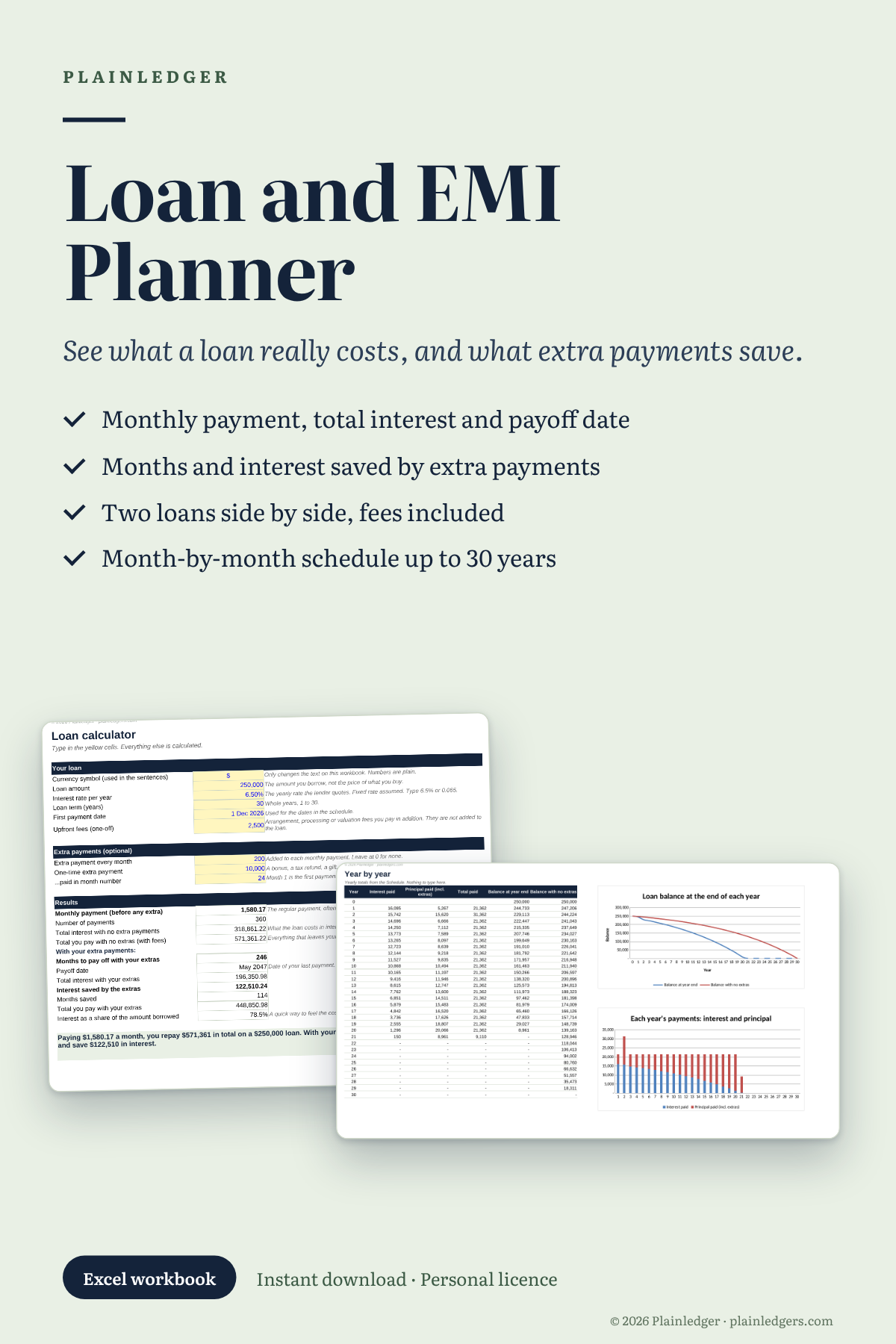
Enter a loan amount, rate and term. The workbook shows the monthly payment (EMI), the total interest, the payoff date, and a month-by-month schedule. It also tells you in plain English what it all means.
What you get (10 sheets):
- Calculator: your loan, optional monthly extra payments, a one-off lump sum, upfront fees
- Schedule: every payment for up to 30 years, split into interest and principal
- Yearly: totals by year, with charts of the balance and of interest against principal
- Compare: two loan offers side by side, fees included, with a verdict
- Affordability: roughly how much you could borrow from a payment you are comfortable with
- Guide: five experiments to try, and eight questions to ask any lender
- Glossary, FAQ and Notes
Requirements: built for Microsoft Excel (Windows and Mac). It uses standard functions and has not been tested in other programs. It assumes equal monthly payments and a fixed rate, and does not model variable rates or interest-only loans. Your data stays on your computer.
One licence is for one person’s personal use. This is a calculation tool, not a lender’s quote or financial advice. See the refund policy before buying.
Questions? support@plainledgers.com