

Training & Tickets Matrix — Scottish Construction (Excel + Quick-Start Guide)
A clearer way to see whose tickets need attention before the next job starts.
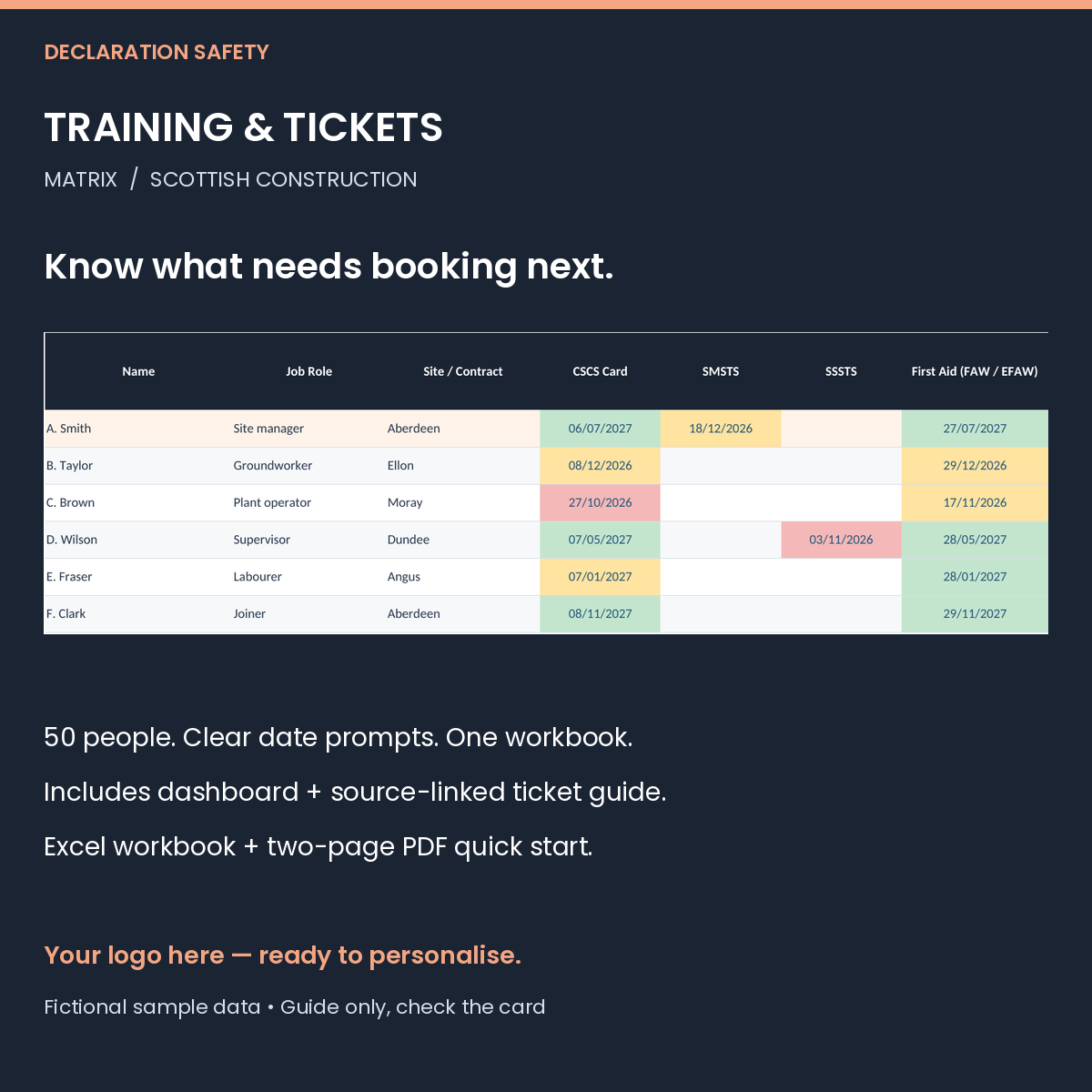
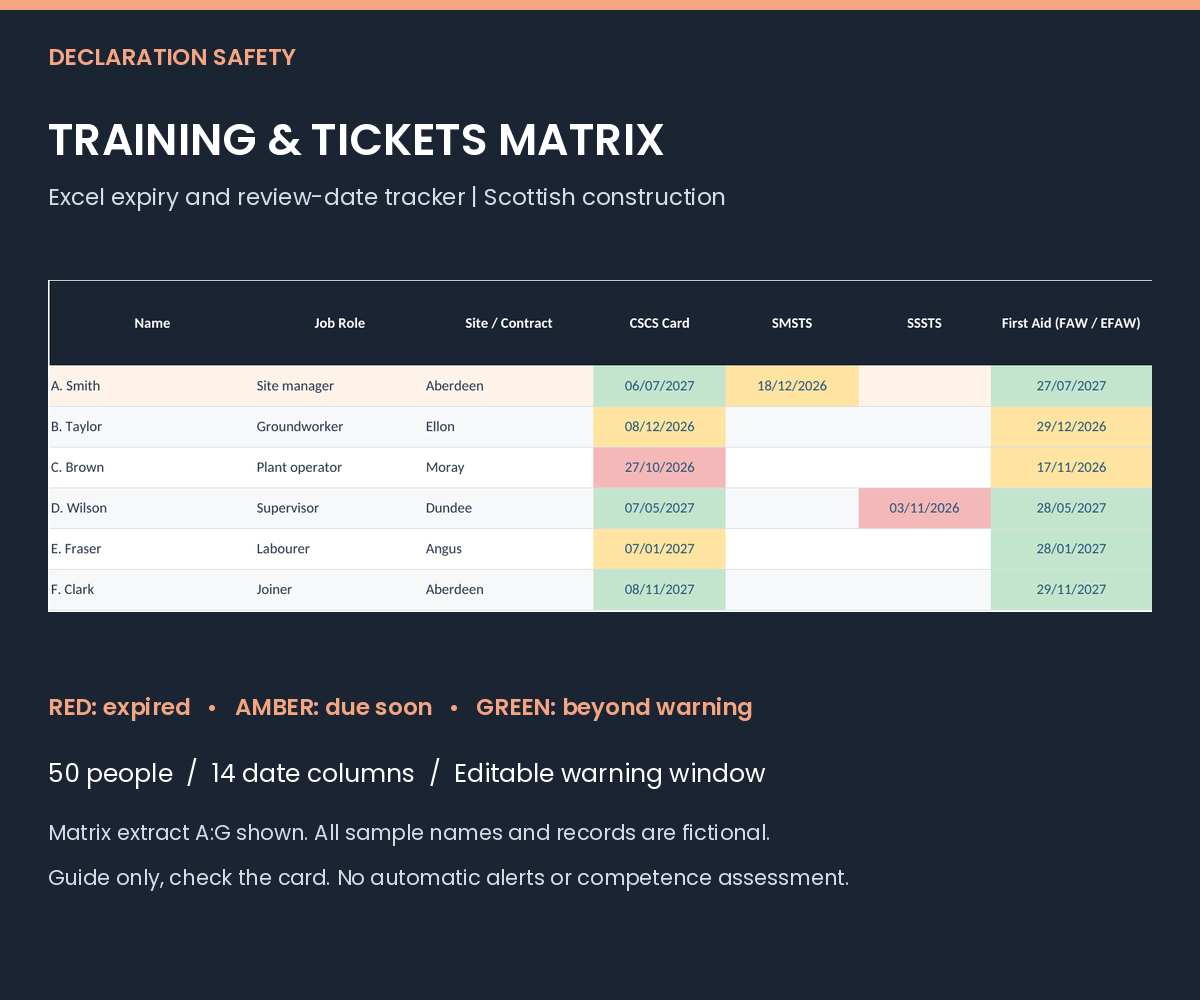
Built for small Scottish construction firms, the Training & Tickets Matrix keeps your team's expiry and agreed review dates in one editable Excel workbook. Add the dates from the actual cards and certificates, choose your warning window and use the colour prompts to plan renewals.
WHAT'S INSIDE
• An editable .xlsx workbook with four tabs: Start Here, Matrix, Dashboard and Ticket Guide.
• Space for up to 50 people, with name, role and site / contract details.
• 14 date columns: CSCS, SMSTS, SSSTS, first aid, plant cards, slinger / signaller, IPAF, PASMA, asbestos awareness, working at height, manual handling, Street Works (SWQR card), plus two columns you can rename.
• A changeable warning window, red / amber / green date prompts and automatic per-person date counts and status.
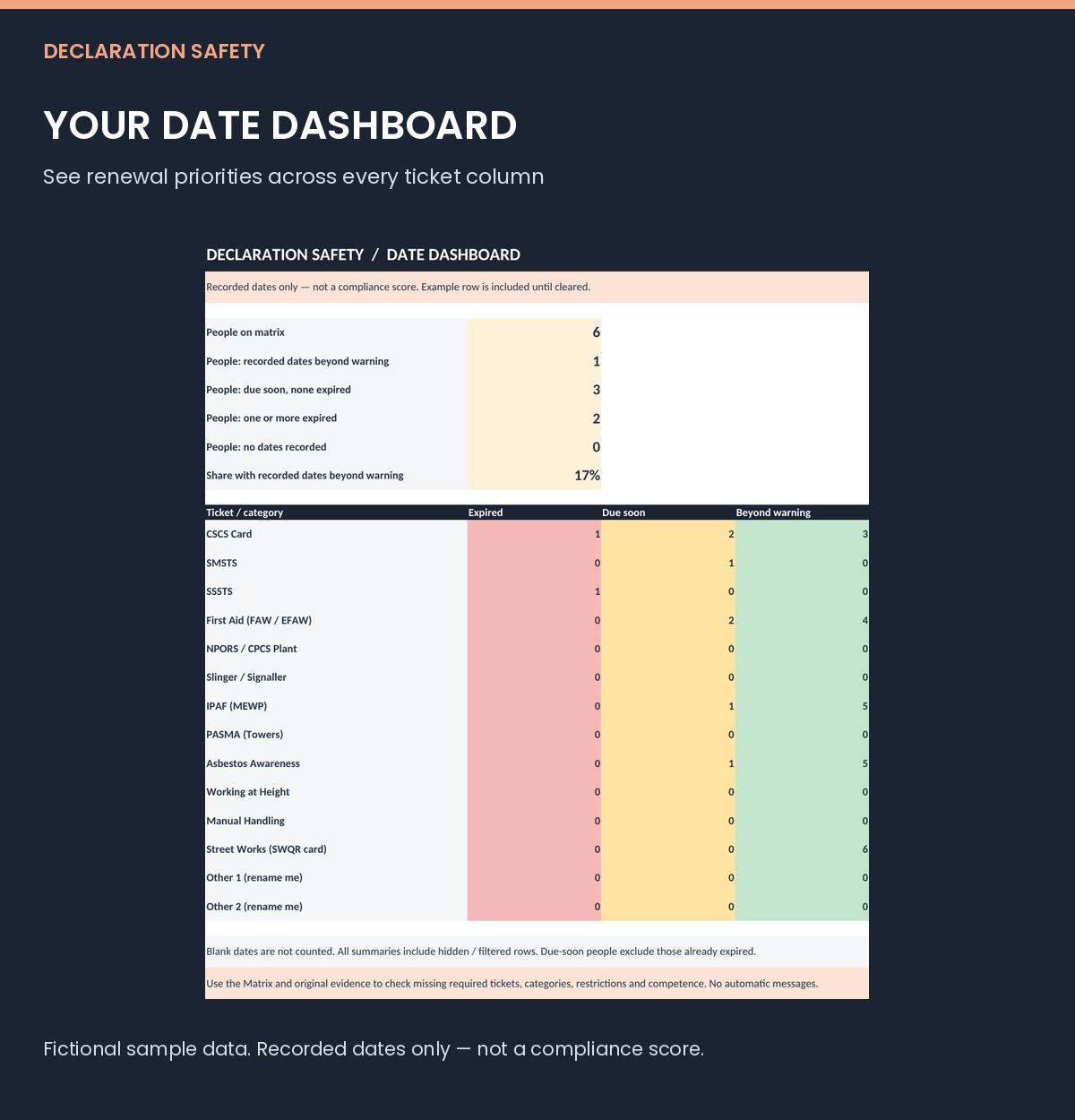
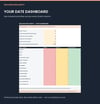
• A dashboard covering every ticket column, with separate counts for expired, due soon and dates beyond the warning window.
• Date-entry validation, filters, frozen headings and identity columns, a logo placeholder and landscape print settings.
• A source-linked Ticket Guide checked in November 2026, including Scottish SWQR unit-date notes.
• A two-page PDF quick-start guide and a single-business reuse licence.
The workbook contains one clearly marked fictional example row. Clear its input cells before adding your own team; the example is included in totals until removed. No macros, subscription or sign-up is needed.
BRAND IT FOR YOUR BUSINESS
Your logo and company details can be added for £15 per pack, or £40 for any three packs, on top of the pack prices. The standard workbook includes a “Your logo here” placeholder.
IMPORTANT BEFORE YOU BUY
This is an administrative tool to stay organised, not a replacement for legal duties on competence, a competence assessment, training provision or a guarantee of compliance. It counts only the dates entered and does not identify missing required tickets. Blank dates are not evidence that a person is trained or a ticket is not required.
Validity periods are a guide only, check the card. Use actual issuer dates, categories, restrictions and renewal rules. Where training has no fixed expiry, use an employer-agreed review date and label it clearly. For cards with multiple plant categories or SWQR units, use the earliest relevant date as a prompt and keep the full breakdown and evidence separately. No endorsement by CITB, CSCS, HSE or any other scheme or regulator is claimed.
Designed for current desktop Microsoft Excel; recalculation also tested in LibreOffice Calc. Other spreadsheet apps and mobile previews may differ. The workbook is editable and not password protected: keep formulas intact and check data after pasting, which can bypass validation. Wide matrix printing is landscape A3, fit to width; use selected columns for readable A4 prints.
Date prompts use your device clock when the file recalculates. There are no email, phone or background alerts. Keep original evidence, training history and renewal bookings separately, review regularly and store staff information securely.
Digital download only. No physical product is supplied.