Automatic Build Table Of Contents
📑FREE Excel VBA Tool - Automatic Table of Contents
Tired of scrolling through endless sheets in Excel?
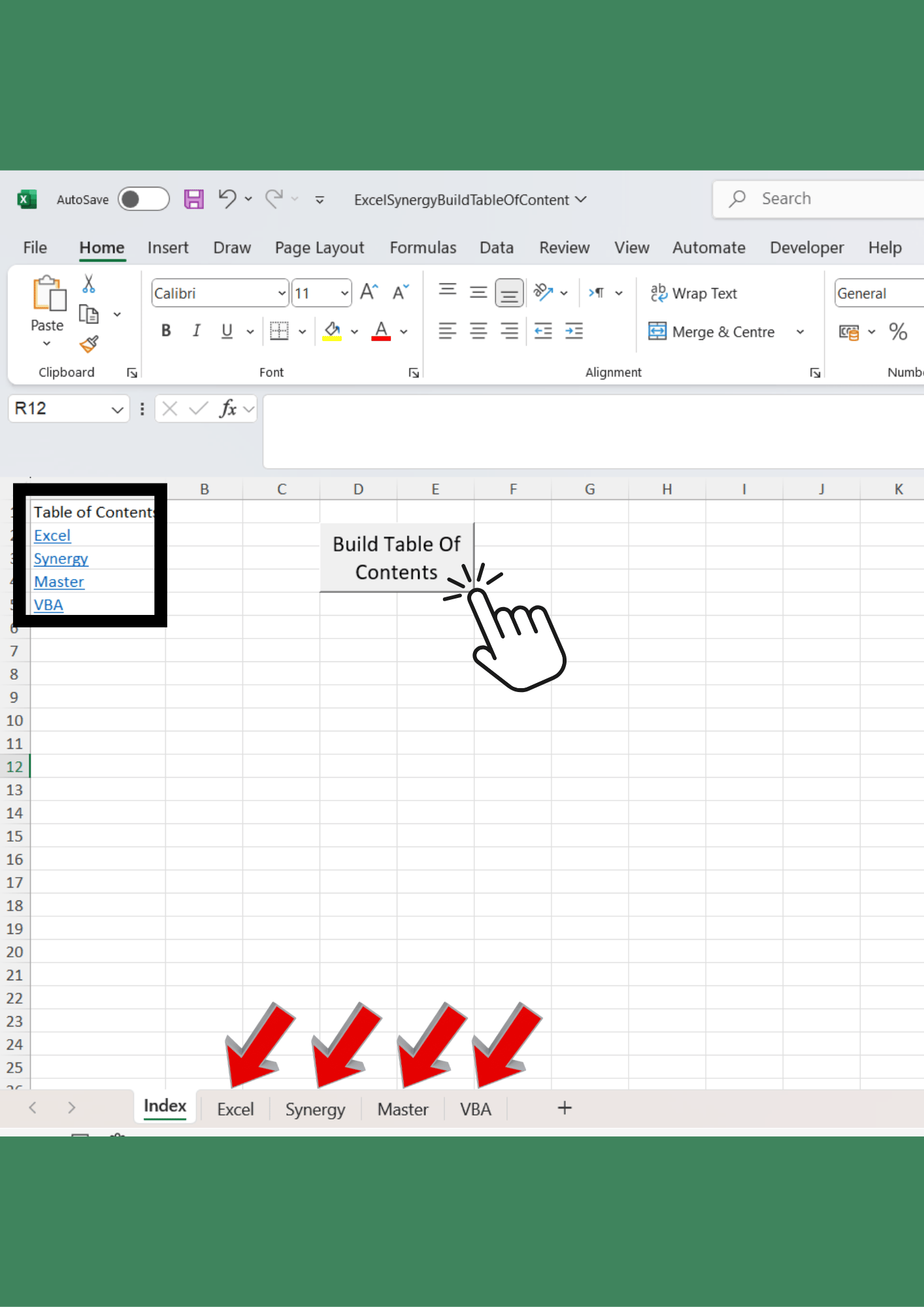
This free VBA-powered tool creates a Table of Contents in one click, instantly listing and linking all your worksheets for quick navigation.
✅ One-click setup
✅ Automatically updates your workbook with a professional Table of Contents
✅ Saves time and makes your files more organized & user-friendly
Perfect for anyone who works with multiple sheets and wants to boost productivity and give their Excel files a professional edge.
⚡ How it works:
- Download the file and open it in Excel.
- Press the button to generate your Table of Contents.
- Instantly navigate across your workbook with clickable links.
💡 Why it’s useful:
- No more endless scrolling to find the right sheet
- Adds structure and clarity to your files
- 100% built with VBA code you can view, edit, and learn from
📥 Download this free Excel tool now and start organizing your workbooks smarter.
Important Instructions:
------------------------
We're Here to Help: If you have any questions or need assistance, don’t hesitate to reach out! Remember, this template is for personal use only, and you cannot use any part of it to create products for sale or for public/commercial purposes.
Digital Product Policy: Please be aware that due to the nature of digital products, we cannot accept refunds, returns, exchanges, or cancellations.
*This is a digital product, ready for immediate download after your purchase! Enjoy the convenience of no waiting and no shipping fees—buy once, and it’s yours forever!
Please note: No physical product will be shipped.
Disclaimer: This file is provided for educational and productivity purposes only. Please ensure you enable macros to use the tool. While the VBA code has been tested, use it at your own risk — the author is not responsible for any unintended results or damages caused by its use.