
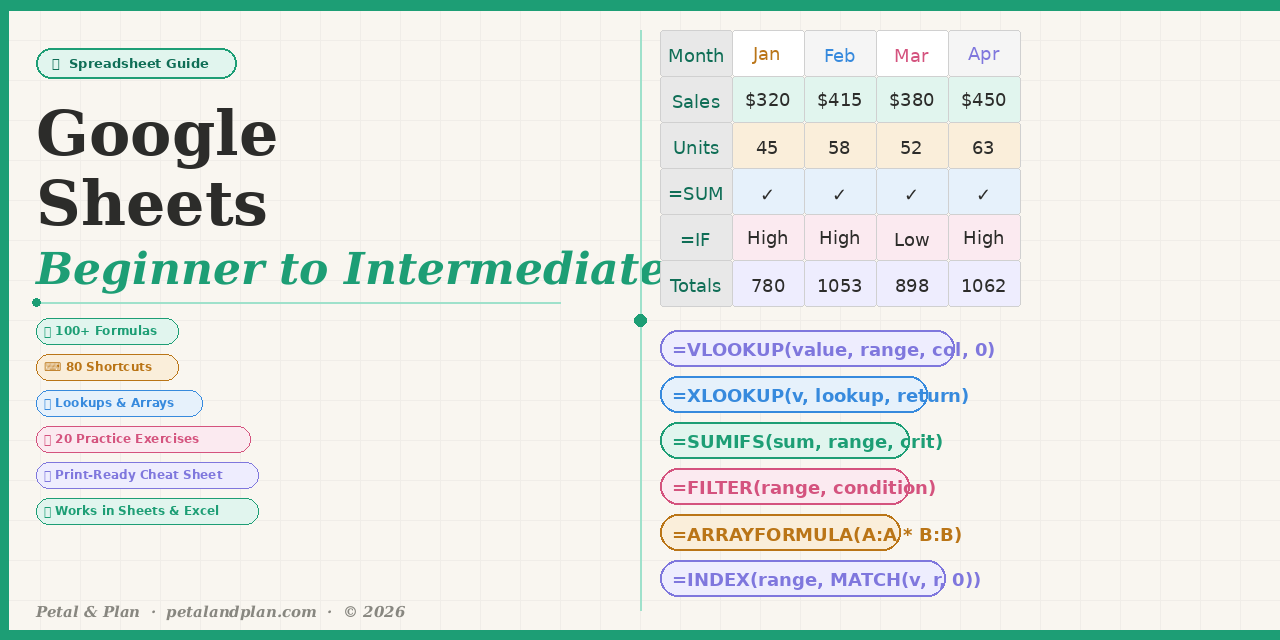
Google Sheets Complete Guide — Beginner to Intermediate
📊 Google Sheets Complete Guide — Beginner to Intermediate
📊 Stop Googling formulas one by one. Learn Google Sheets properly — in one interactive workbook.
This is not a boring tutorial. It is a real, working spreadsheet you open, interact with, and learn from at your own pace. Every formula has a live example. Every exercise checks your answer automatically. The cheat sheet is ready to print and keep at your desk.
One file. Everything you need. From your very first SUM to powerful intermediate lookups, arrays, and multi-condition formulas.
✦ WHAT IS INSIDE — 10 SHEETS
🏠 Welcome — Your guide map. Shows you exactly what is in every sheet and where to start.
📖 Beginner Basics — The Google Sheets screen explained (10 key parts), 6 data types, and the 3 types of cell references (relative, absolute, mixed) with examples.
🔢 Beginner Formulas — 25 essential formulas every beginner must know, with live sample data and real examples: SUM, AVERAGE, MIN, MAX, COUNT, IF, IFERROR, SUMIF, COUNTIF, LEN, TRIM, CONCAT, TODAY, and more.
⌨️ All Shortcuts — 80 keyboard shortcuts in 5 groups — Windows AND Mac side by side. Essential, Navigation, Editing, Formatting, and Data shortcuts all covered.
🔍 Intermediate 1 — Lookups — Master VLOOKUP, XLOOKUP, INDEX+MATCH, INDIRECT, OFFSET, CHOOSE, and ADDRESS with a real product database you can interact with.
🧮 Intermediate 2 — Advanced Formulas — IFS, nested IF, SUMIFS, COUNTIFS, AVERAGEIFS, MAXIFS, FILTER, UNIQUE, SORT, ARRAYFORMULA, RANK, LARGE, SMALL, PERCENTILE, STDEV, and more.
📝 Text & Date — 26 formulas for cleaning and formatting text (TRIM, SUBSTITUTE, FIND, MID, TEXTJOIN) and calculating dates (DATEDIF, EDATE, EOMONTH, NETWORKDAYS, WORKDAY).
📊 Charts & Data — Live bar chart built from real 12-month sales data. Edit any number and the chart updates instantly. Plus a 10-tool data guide: sort, filter, data validation, conditional formatting, pivot tables, named ranges, and more.
🏋️ Practice Lab — 20 exercises with automatic answer checking. Type your formula in the yellow cell — column F tells you instantly if you are correct. A score counter tracks your progress.
📌 Master Cheat Sheet — Print-ready two-column reference: 20 beginner formulas, 15 intermediate formulas, 20 shortcuts, and 15 pro tips. Keep it at your desk while you work.
✦ WHAT YOU WILL KNOW AFTER THIS
- Write formulas confidently without having to search the internet
- Use VLOOKUP, XLOOKUP, and INDEX+MATCH to look up data in any table
- Apply IFS, SUMIFS, COUNTIFS for powerful multi-condition calculations
- Use FILTER, UNIQUE, SORT, and ARRAYFORMULA to work with dynamic data
- Clean messy text data with TRIM, SUBSTITUTE, and TEXTJOIN
- Calculate days, months, and years between dates automatically
- Build charts that update when your data changes
- Work faster using keyboard shortcuts instead of the mouse
- Use data validation, conditional formatting, and named ranges professionally
✦ WHO THIS IS FOR
- Complete beginners who have never used a spreadsheet
- Students who need spreadsheet skills for school or their first job
- Business owners who want to track sales, expenses, and inventory
- Freelancers and virtual assistants who work with data daily
- Teachers and educators who want to use Sheets for grade tracking
- Anyone who has been intimidated by Google Sheets and wants to finally feel confident
✦ COMPATIBLE WITH
✅ Google Sheets — free, works in your browser ✅ Microsoft Excel — desktop and web ✅ Any device — laptop, desktop, tablet, Chromebook
✦ AFTER PURCHASE
Instant download. The file is yours forever — no expiry, no subscription. Open it in Google Sheets or Excel and everything works immediately. Questions? Message me and I will reply within 24 hours.