
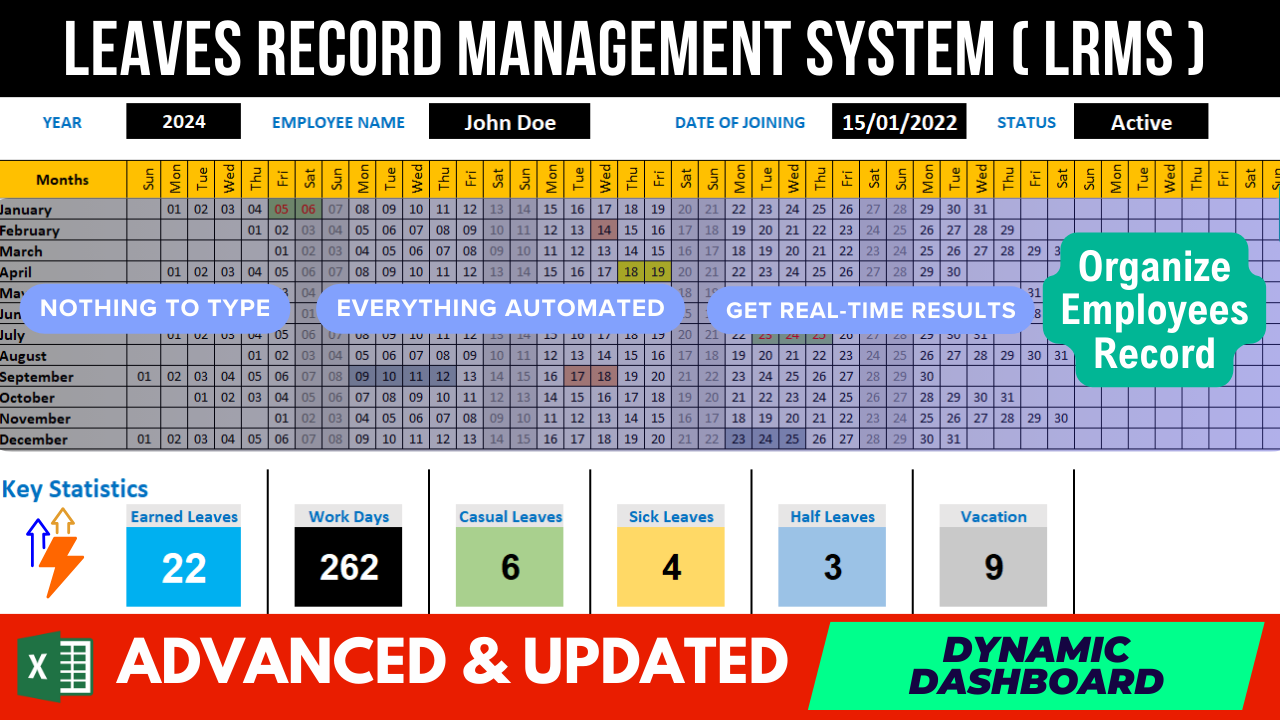
Employee Leaves Tracking System
Elevate your HR management with our latest tutorial! In this step-by-step YouTube video, we'll guide you through creating a dynamic Employee Leave Tracking and Record System in Excel. 📊✨
📝 Features Covered:
Record Leaves Efficiently:
Learn how to seamlessly input leave records in a dedicated sheet, ensuring a comprehensive and organized record of all employee leaves.
Dashboard for Quick Insights:
Explore the power of a centralized dashboard that dynamically summarizes leave data. Instantly view key metrics at a glance.
Flexible Filtering Options:
Dive into the flexibility of filtering data by year and employee name. Effortlessly tailor your view to specific criteria for swift analysis.
Annual Calendar Highlights:
Witness the magic of an annual calendar that visually highlights leaves, providing a clear overview of leave patterns throughout the year.
Key Statistic Summaries:
Gain insights into essential statistics, including earned leaves, casual leaves, sick leaves, annual vacations, half leaves, and remaining leave balances.
Customizable to Your Needs:
Understand how this system is designed for flexibility. Tailor it to your organization's unique requirements with ease.
🔧 How-To and Customization:
Our tutorial doesn't just stop at building the system; we'll guide you on how to modify and adapt the tracker to suit your evolving needs.
🤝 Empower Your HR Workflow:
Whether you're an HR professional or a business owner, this tutorial is designed for you. Streamline your leave tracking process, enhance decision-making, and optimize workforce management.