
Piping Takeoff Spreadsheet: Pipe, Fittings, Flanges, Valves, Weld Count and Diameter-Inches, Hydrotest Water (Excel)
On a piping job the counts eat the time: welds per fitting, diameter-inches, bolt sets and gaskets per flanged joint, hangers per run, water for the hydrotest. This takeoff knows how many ends each fitting has, so when you list pipe, fittings, flanges and valves by line number, the welds and diameter-inches (DI) count themselves.
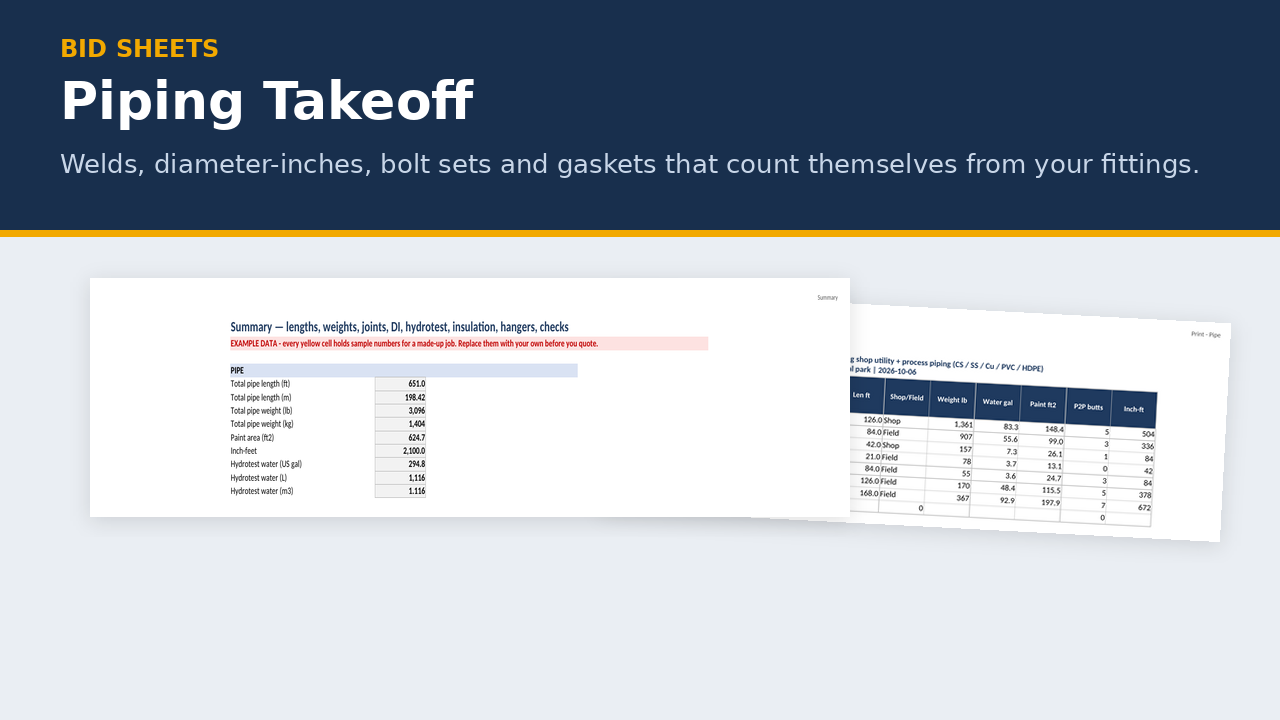
It covers carbon steel, stainless, copper, PVC and HDPE from NPS ½ to 24, with pipe weights calculated from the published dimensions. In the example ag-shop job: 651 ft of pipe, about 3,096 lb, 334 DI, 8 socket welds, 23 bolt sets and about 295 US gal of hydrotest water.
What's in the zip
- EXAMPLE takeoff (.xlsx), filled in for a made-up Alberta ag-shop utility and process piping job
- BLANK takeoff (.xlsx)
- Print preview PDF showing sample printed pages
- README quick start
- 21 tabs: Instructions · Inputs · Line List · Pipe · Fittings · Flanges · Valves · Welds DI · Insulation · Hangers · Summary · Client Summary · To Estimate · Labour Drivers · Print - Pipe · Print - Fittings · Print - Flanges · Print - Welds · Pipe Data · Bolt Lookup · Reference
Key features
- Pipe Data: carbon steel schedules (ASME B36.10M), stainless 5S/10S/40S/80S (B36.19M), copper Type K/L/M (ASTM B88), PVC Sch 40/80 (ASTM D1785) and HDPE IPS DR series. Weights are calculated from published formulas, and sources are on the Reference tab.
- Line list: every takeoff row points to a line number, so totals roll up by line and by size.
- Pipe: length in ft, ft-in or m, with weight, water volume, paint area, inch-feet, and pipe-to-pipe butt welds from your random length (or your own count).
- Fittings: elbows, tees, reducers, caps, couplings, olets and more, with butt-weld, socket-weld, threaded or grooved ends. Fitting weights come from your supplier's catalogue. There's an optional labelled approximation for butt-weld elbows.
- Flanges: each flanged joint adds a bolt set and gasket. A Class 150 and 300 bolt lookup (NPS ½–24) fills stud count, diameter and length, with an override on every joint. Studs on flanged valve joints are counted too.
- Valves: flanged valves add two flanged joints. Weld-end valves add welds and DI.
- Welds and DI: DI = NPS × (butt welds + branch/olet welds), with branches at branch size. Socket welds are counted separately and not included in DI. Threaded and grooved joints are counted. Shop vs field, an NDE count from your %, PWHT, and optional equivalent-DI multipliers you set.
- Insulation with jacket area and your own fitting and valve allowances, hangers from your maximum spacing (from the job spec), and hydrotest water in L, US gal and m³.
- Exports: To Estimate (Materials columns, imperial quantities in this version; fittings, flanges and valves split by type and size, flanges and valves also by class; pipe lines carry your pipe waste %, EXAMPLE 5% in the example file) and Labour Drivers (DI, socket welds, threaded joints, inch-feet, bolt-up, hydrotest, hangers), with your own hours per unit.
- Client Summary (1 page, no checks or notes) and 4 green Print tabs.
Who it's for
Small industrial and mechanical pipefitting contractors, pipe fab and spool shops, ag and oilfield service shops, and plumbing and heating contractors doing steel pipe.
FAQ (plus the shared takeoff FAQ)
How does it count diameter-inches? NPS × the number of butt and branch welds, with branches at branch size. Socket welds are on their own count line and don't go into DI.
What sizes and classes are covered? NPS ½ to 24. The bolt lookup covers Class 150 and 300. For Class 600 and up, type the bolt set on each joint.
Does it include fitting and valve weights? No. Those are manufacturer data, so you enter them from your supplier's catalogue. There's an optional approximation for butt-weld elbows only.
Is it a stress analysis or support design? No. Hanger counts come from the spacing you enter from the job spec. It isn't a welding procedure either.
Can I export in metric? Not yet. To Estimate exports imperial quantities in this version.
Disclaimer: Takeoff disclaimer above, plus: "Not a pipe stress analysis, support design or welding procedure. Verify dimensions against the current edition of the cited standard. Not affiliated with ASME, ASTM or any supplier."
FAQ (takeoffs, shared)
Does it read my PDF drawings? No. You measure from your drawings and type the quantities in. The takeoff does the counting, weights, volumes and roll-ups.
Does it design anything? No. It doesn't size members, check connections, design laps, design trench protection or do stress analysis. Those come from your drawings, specs, engineer and the code.
Does it include labour hours or production rates? No. Hours per unit are always yours. The Labour Drivers tab gives you the quantities crews get priced on, and you enter your own rates.
Does it price the job? It gives quantities. The "To Estimate" tab uses the same columns as the Alberta Estimating Workbook's Materials tab, so you can paste values in and price them there, or use your own pricing.
Metric or imperial? Both. Lengths can go in as feet and inches in two columns (23 | 6 for 23'-6") or in metric, and results show both where it matters.
Can I send it to my client? Yes. Each takeoff has a one-page Client Summary with no checks, notes or brand footer, and white scope and exclusions boxes.
Can I get a refund? It's a digital download, so there are no refunds once it's delivered. Try the free Bid Go/No-Go Scorer first to make sure the files work on your computer.
Disclaimer (takeoffs)
These takeoff templates are estimating aids. They count and calculate what you enter from your drawings. They don't read drawings, design anything, or replace an engineer, a geotechnical report, a supplier's catalogue, or the job specification. Check weights, laps, spacing, slopes and truck payloads against the governing documents and your suppliers before you order or bid. Example numbers are made up.
About the maker
Built by a tradesperson with 35 years in fabrication and construction across Western Canada.
Compatibility (spreadsheets)
- Made for Microsoft Excel 2016 or newer, Windows or Mac. Plain .xlsx with no macros.
- LibreOffice Calc (free): every workbook recalculates with no formula errors.
- Does it work in Google Sheets? You can upload the .xlsx and open it in Google Sheets, but Sheets drops the sheet protection (so grey formula cells can be typed over) and ignores the print layouts. For printing, Excel is recommended.
- Not tested in Apple Numbers.
- Type in the yellow cells. Grey formula cells are locked (no password), so you can't break a formula by accident.
- Grab the free Bid Go/No-Go Scorer first. It's built the same way, so if it opens and works on your computer, the paid sheets will too.
Licence
One-business licence: use it across your business (all its sites and crews) on as many jobs as you like. Please don't resell, share or publish the blank templates outside your business. Completed job files and filled-in forms can go to your clients, prime contractors, auditors and regulators.
Refund policy
Because these are digital downloads, I don't offer refunds once a file has been delivered. Please check the compatibility list above before you buy, and grab the free Bid Go/No-Go Scorer to test on your computer first. If a file won't open or something isn't working, email me at support@bidsheets.ca and I'll help you sort it out.
Updates
Buyers get the 2027 update free. I'll email you the new version when it's ready. Each January I refresh the payroll rates (CPP, EI, WCB) in the estimating workbook and fab calculator, re-check the Alberta OHS and prompt-payment references in the safety and billing products, and re-check the standards references in the takeoffs.
Support
Questions? Email support@bidsheets.ca. I usually answer within 2 business days.