
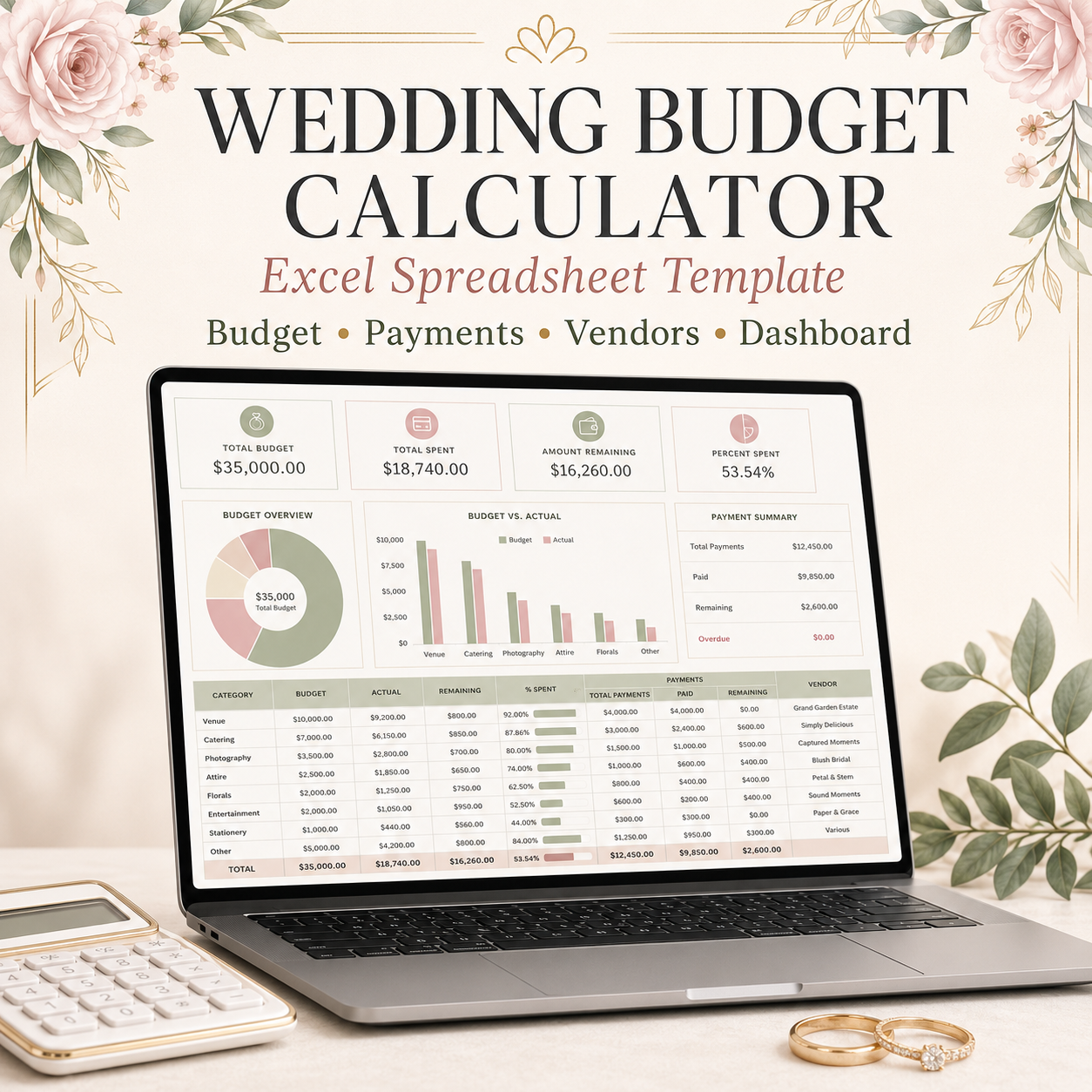
Wedding Budget Calculator Spreadsheet | Expense, Payment & Vendor Tracker for Excel
SHORT DESCRIPTION
Plan your dream wedding without losing control of your budget! This beginner-friendly Excel wedding budget calculator helps you organize expenses, payments, vendors, contributions, deadlines, and remaining balances in one convenient workbook.
WHAT’S INCLUDED
You will receive one downloadable Microsoft Excel workbook containing eight organized worksheets:
- Start Here – Simple instructions and a color guide.
- Wedding Setup – Enter your wedding date, maximum budget, guest count, currency, and contingency fund.
- Budget Planner – Plan and monitor up to 200 wedding expenses.
- Payment Tracker – Record up to 300 deposits, installments, final payments, and refunds.
- Vendor List – Store vendor contact information, contracts, quotations, and balances.
- Contributions – Track money promised or received from family and other contributors.
- Dashboard – View automatic totals, warnings, summaries, upcoming payments, and charts.
- Lists – Stores the workbook’s dropdown options.
MAIN FEATURES
• Automatic wedding budget calculations
• Estimated and actual cost tracking
• Deposits and installment payment tracking
• Refund and cancellation handling
• Remaining-balance calculations
• Vendor contact and contract tracker
• Family contribution tracker
• Cost-per-guest calculation
• Contingency-fund calculation
• Upcoming and overdue payment warnings
• Over-budget and overpayment alerts
• Automatic dashboard with five charts
• Dropdown menus for easier data entry
• 20 realistic sample expenses
• 12 sample payment transactions
• 8 sample vendors
• 5 sample contributions
• PHP included as the default currency
• Other currency options available
• No macros or external links
SIMPLE INSTRUCTIONS
- Download and open the Excel workbook.
- Begin on the “Start Here” worksheet and read the short instructions.
- Open “Wedding Setup” and enter your wedding information and maximum budget.
- Replace or delete the clearly marked sample information.
- Add your expenses to “Budget Planner.”
- Record each deposit, installment, payment, or refund in “Payment Tracker.”
- Add vendor details to “Vendor List.”
- Record financial contributions in “Contributions.”
- Check the “Dashboard” to see your updated budget, balances, warnings, and charts.
- Update the workbook whenever you receive a quotation, make a payment, receive a refund, or change your wedding plans.
IMPORTANT COLOR GUIDE
• Yellow cells: Enter your information
• Blue cells: Select an option from a dropdown menu
• Gray cells: Automatic formulas—do not overwrite
• Green: Paid, completed, or under budget
• Orange: Upcoming deadline or warning
• Red: Overdue, overpaid, or over budget
COMPATIBILITY
Designed for:
• Microsoft Excel 2019
• Microsoft Excel 2021
• Microsoft 365
The workbook may also be opened in Google Sheets, but some chart styling, colors, dropdowns, or conditional formatting may appear differently. Microsoft Excel is recommended for the best experience.
IMPORTANT INFORMATION
• This is a digital product. No physical item will be shipped.
• The sample information is fictional and should be replaced or deleted.
• Basic knowledge of Microsoft Excel is helpful but not required.
• This product is intended for personal wedding-planning use.
• Due to the nature of digital downloads, please review the product details before purchasing.
Start planning your wedding expenses confidently and keep your budget, payments, vendors, and contributions organized in one beautiful spreadsheet.