
Crop Input Loan & Payoff Planner: Farm Bills, Due Dates & Cost Per Acre (Excel + Google Sheets)
Summary line: One spreadsheet that lines up your input loans, operating line, equipment payments and land rent against what the crop should bring in.
Description
Most of us keep loan numbers in three places: the loan papers, the banker's email and our heads. This planner puts them in one spot, so early in the season you can see whether the crop covers the bills and which bills to pay first.
It was built by a working Virginia corn and cattle farmer for his own operation, then cleaned up with made-up demo numbers so you can see how it works before typing in your own.
What's in each tab:
- Crop Revenue: acres, yield, price and basis/haul deduction for up to 6 crops, in low, expected and high scenarios.
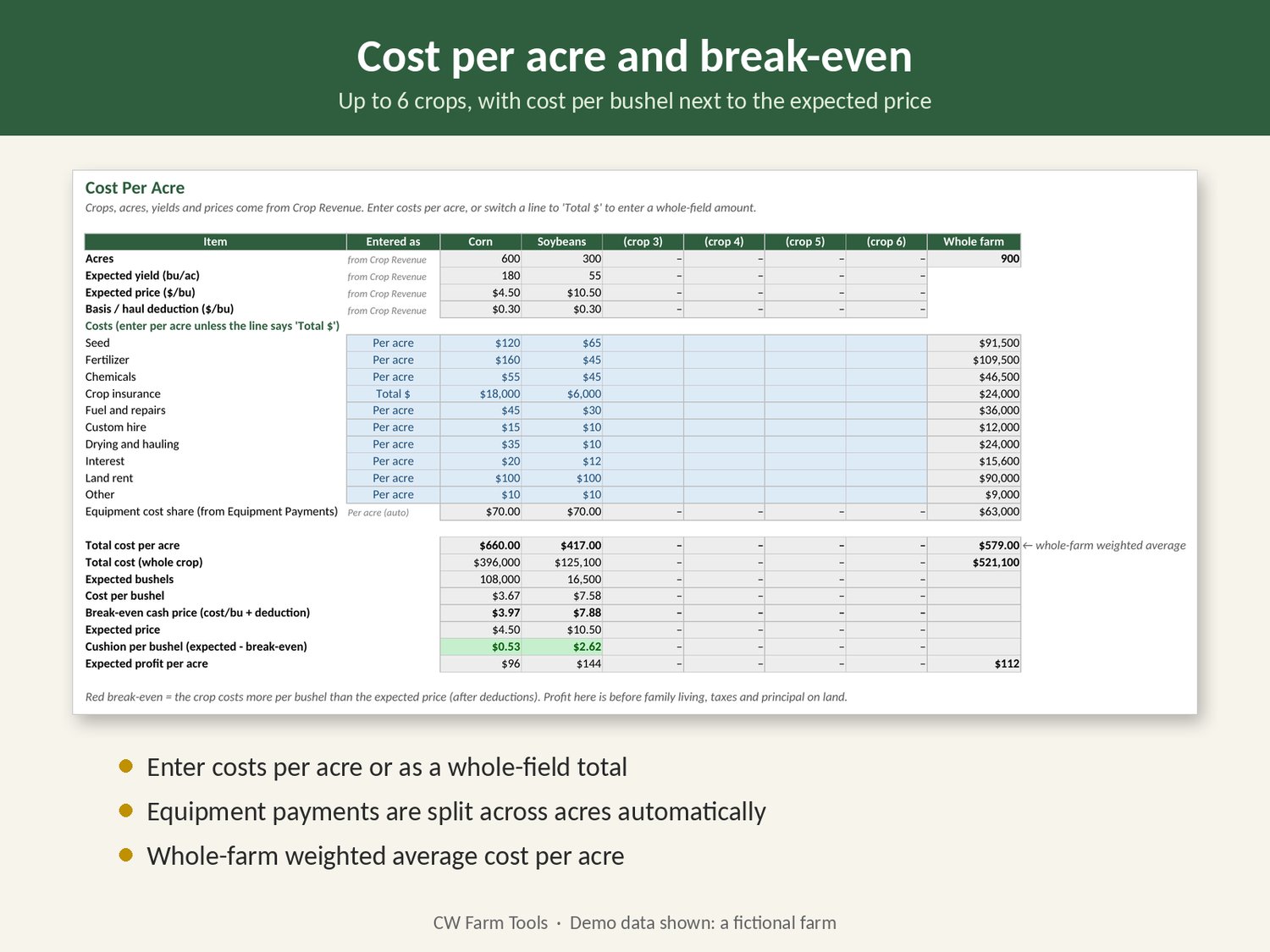
- Cost Per Acre: cost per acre, cost per bushel and break-even price for each crop, plus a whole-farm average.
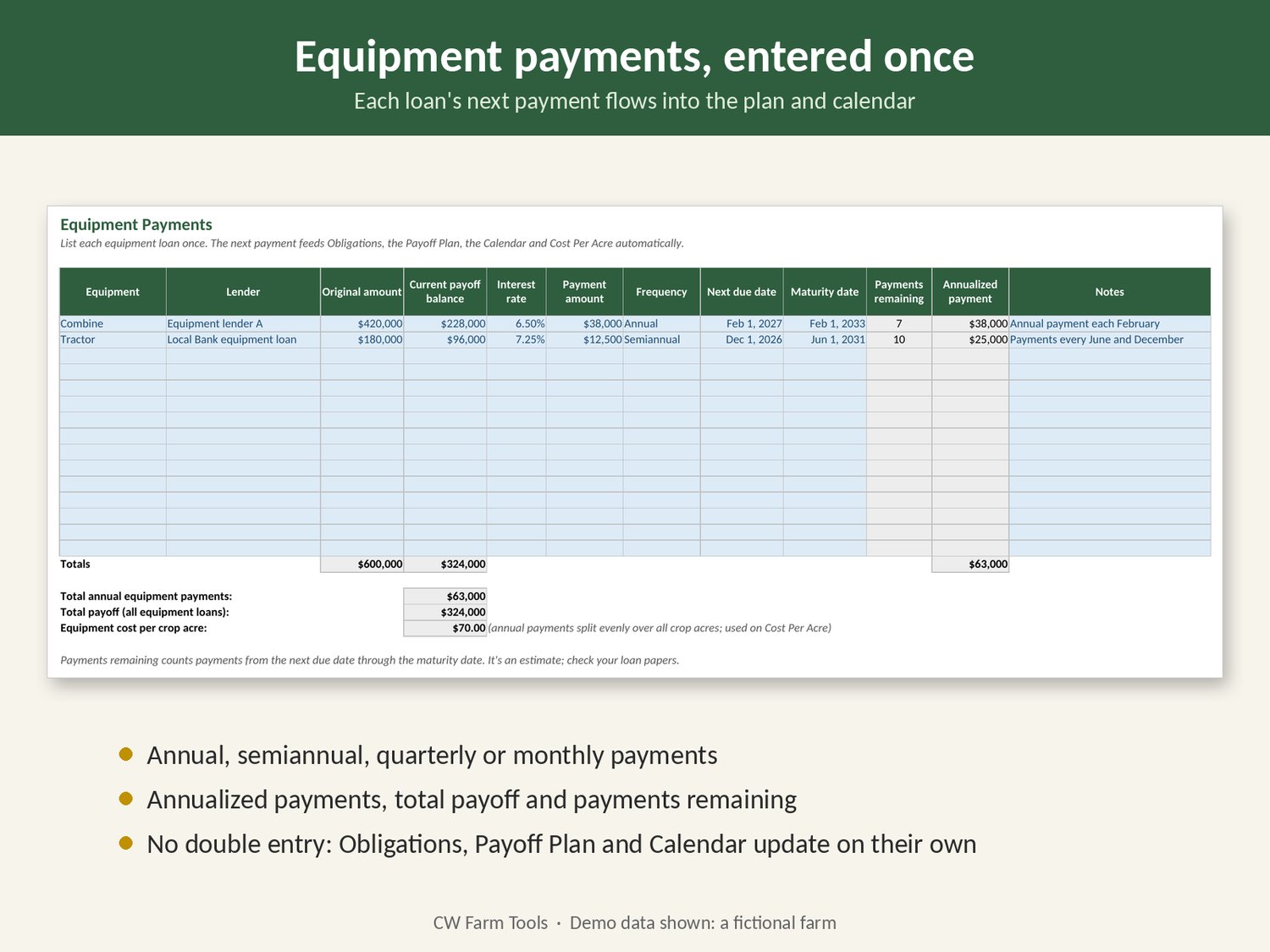
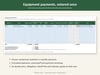
- Equipment Payments: enter each loan once; the next payment flows into the plan and calendar.
- Obligations: input programs, seed, operating line, rent and cards (up to 25).
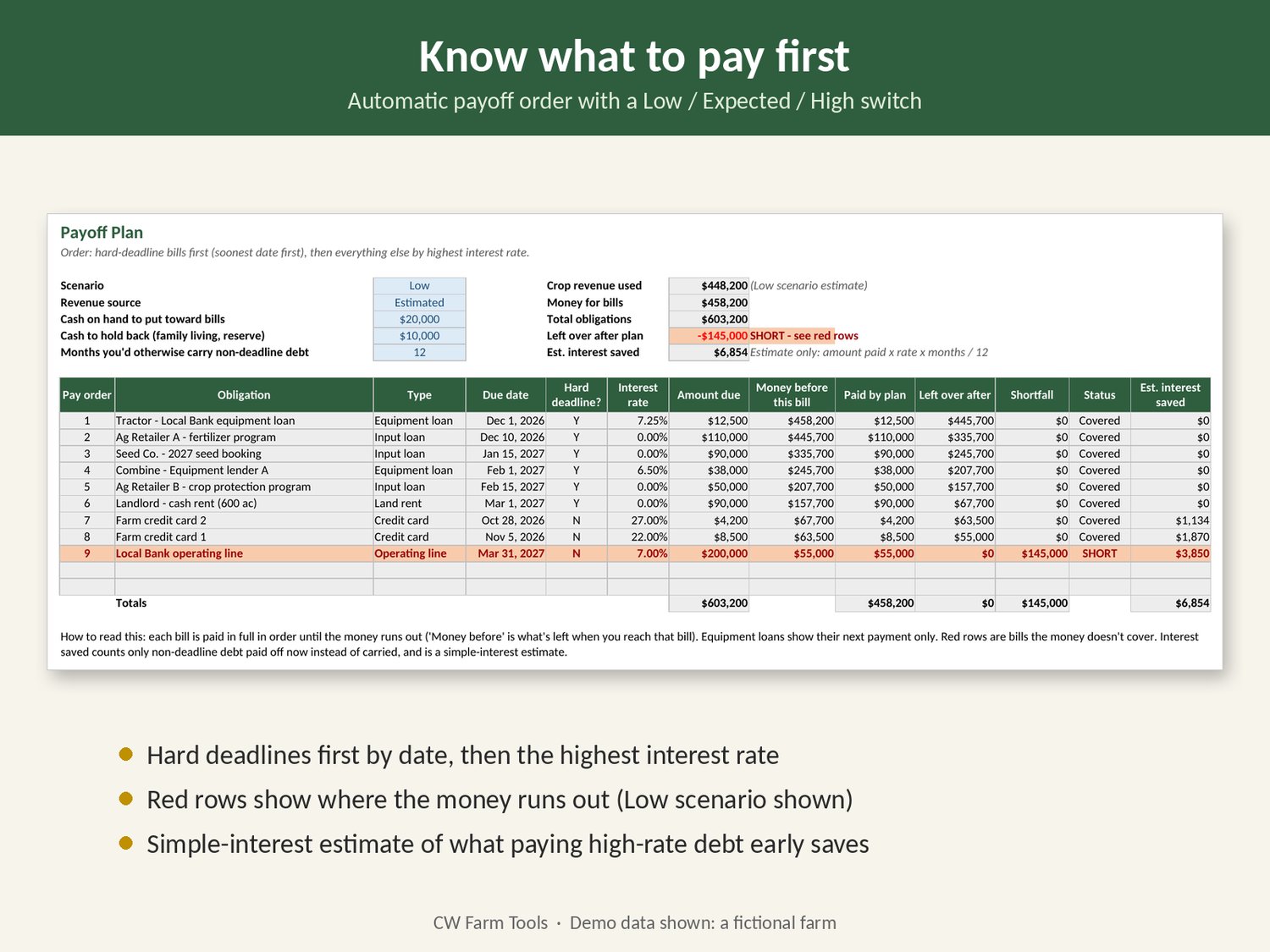
- Payoff Plan: hard-deadline bills first, then the highest interest rate. Red rows show where money runs short.
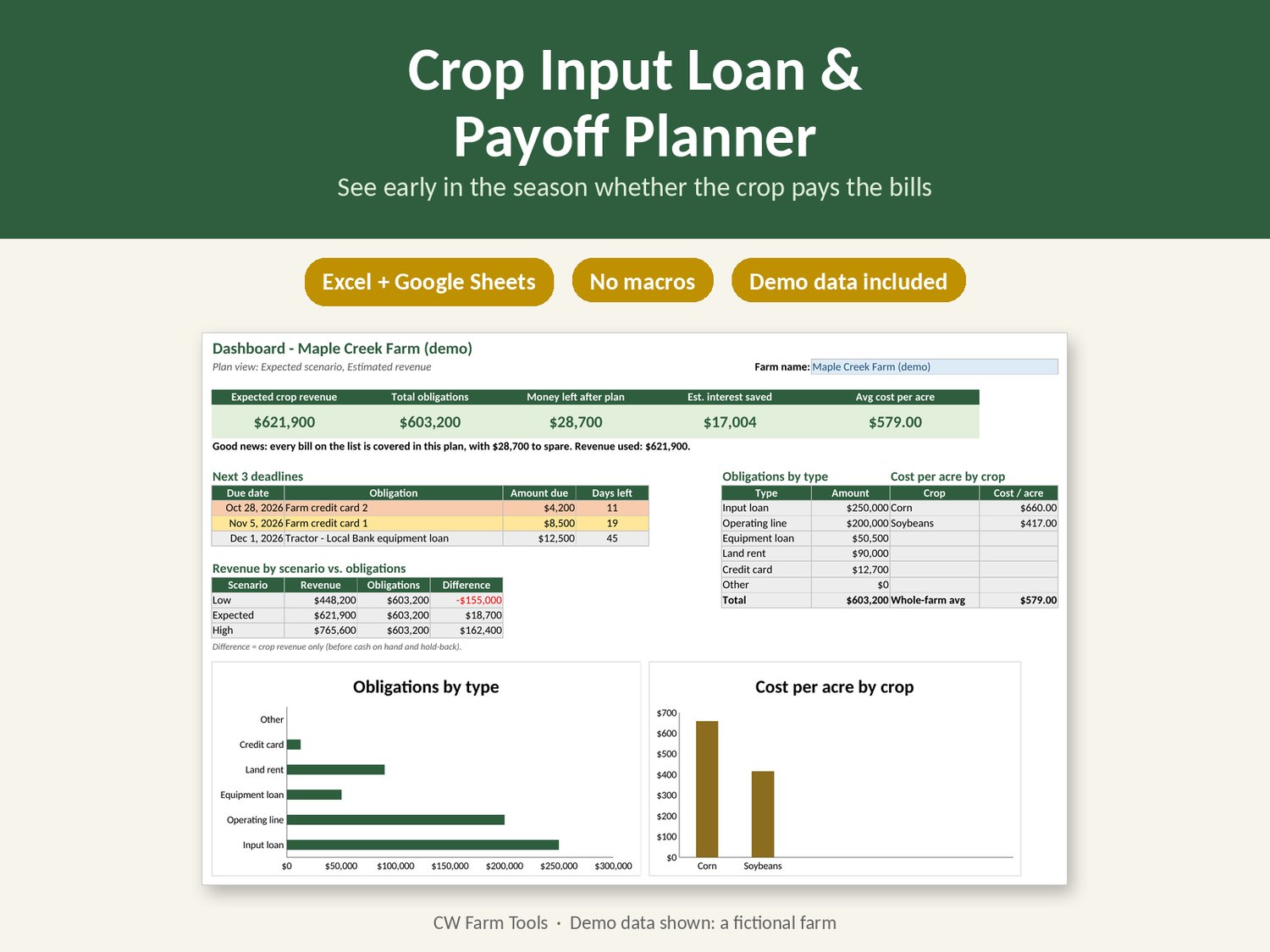
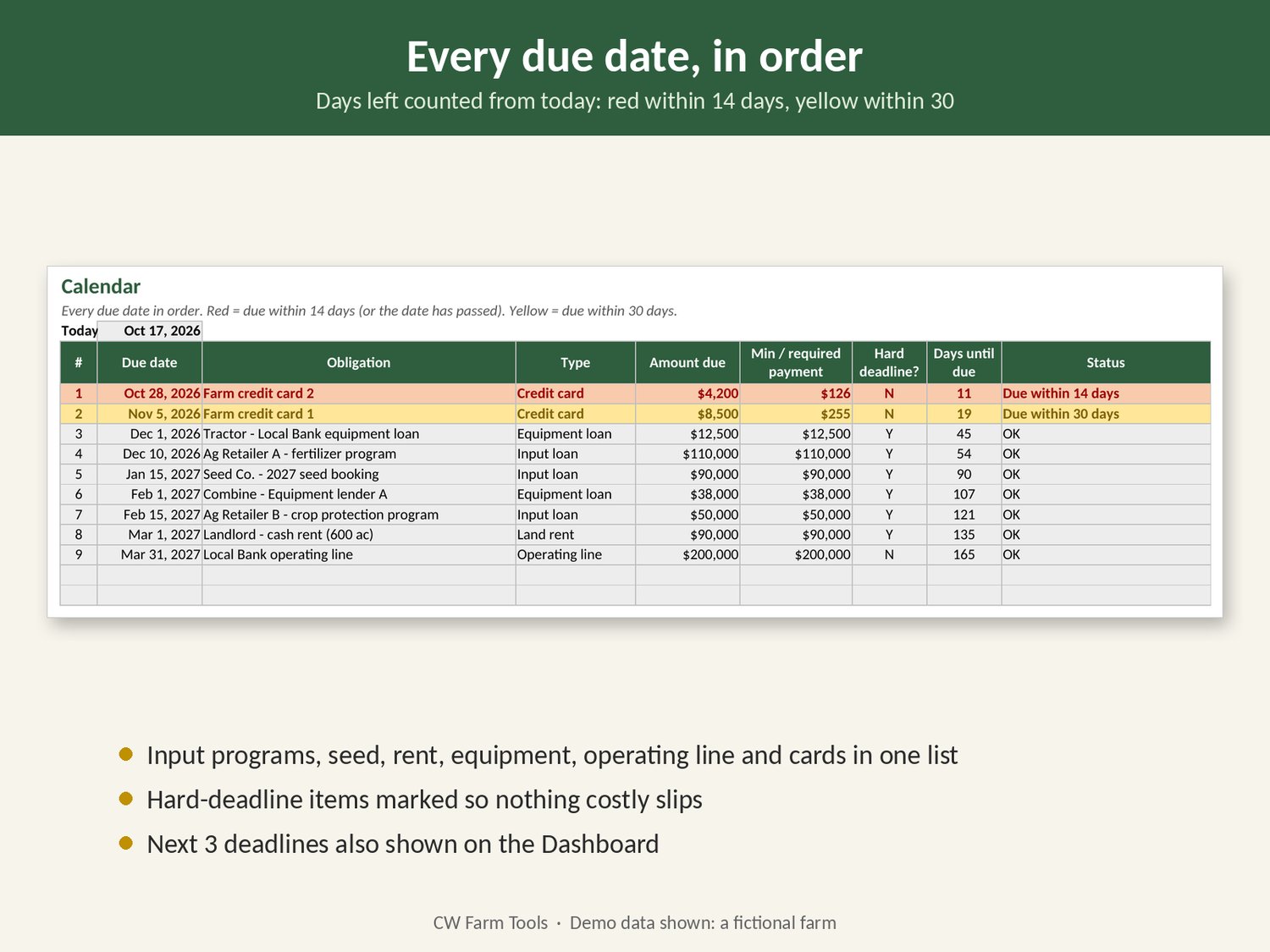
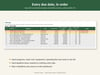
- Calendar, Sales Log and Dashboard: due dates in order, actual grain sales, and a one-page summary.
It works in Excel and Google Sheets, with no macros. One honest note: Google Sheets drops the cell protection when you import the file, so take care not to type over the gray formula cells.
This is a planning tool, not financial or lending advice.
Features
- Automatic payoff order: hard deadlines by date first, then highest interest rate
- Switch between low, expected and high crop scenarios, or plan from actual grain sales
- Shortfalls flagged in red, so you can see where the money runs out
- Cost per acre, cost per bushel and break-even price for up to 6 crops
- Equipment loans entered once, then fed into the plan, calendar and cost per acre
- Due-date calendar: red within 14 days, yellow within 30
- One-page dashboard with charts, ready to print for a lender meeting
- Blue cells for inputs, gray locked formula cells, and a plain-language Start Here tab
FAQ
Does it work in Google Sheets?
Yes. Upload the .xlsx to Google Drive and open it with Google Sheets. All formulas work. Sheet protection doesn't carry over in Google Sheets, and charts may look slightly different.
Do I need Excel macros or add-ins?
No. It uses ordinary formulas, dropdowns and color rules. Nothing to enable.
Can I use it for soybeans, wheat or hay?
Yes, up to 6 crops. For hay or anything sold by the ton, enter yield in tons and price per ton.
Will it tell me what to pay?
It suggests an order based on the deadlines and rates you enter, and estimates interest saved with simple interest. It's a planning tool. Check real terms with your lender before acting.