
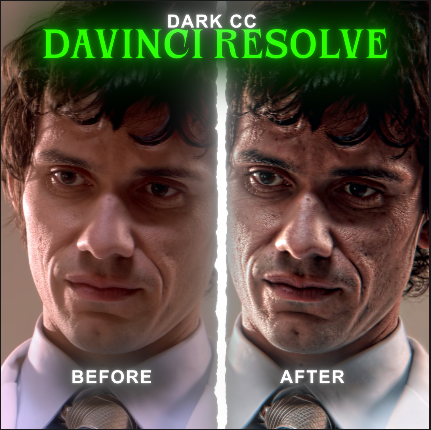
Dark cc Davinci resolve
On Sale
$1.00
$1.00
This is a Dark CC for DaVinci Resolve, available for only 5 USD.
What You Will Get
- A .DRFX file
- A .Setting file
DRFX File
The DRFX file can be applied directly in the Edit Page of DaVinci Resolve. However, this version does not include any customization options.
.Setting File
The .Setting file offers much more customization and flexibility.
How to Use the .Setting File:
- Go to the Fusion page.
- Press Shift + Space to open the tool search.
- Search for “Dark CC”.
- The Dark CC should appear in the search results.
- Add it and customize the settings to your liking.
Required Plugins
The following plugins must be installed for the Dark CC to work properly:
- Boris FX Continuum (BCC)
- Boris FX Sapphire
- Magic Bullet Suite