


Kaddora WooCommerce Sales Analytics Plugin
Kaddora WooCommerce Sales Analytics Plugin :
Documentation Link :--https://organic.kaddora.com/docs-sales-analytics-plugin/
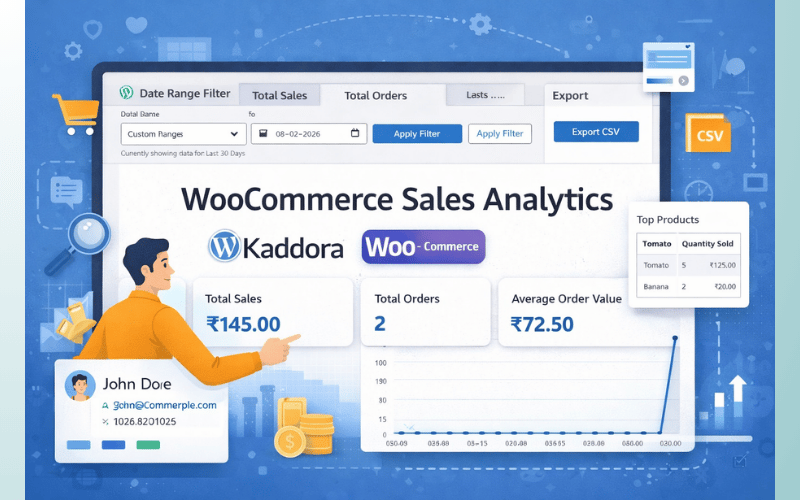
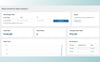
Kaddora WooCommerce Sales Analytics Plugin is a professional sales reporting, business analytics, and WooCommerce performance monitoring solution designed for WooCommerce stores, online marketplaces, digital product stores, subscription websites, retailers, wholesalers, and modern eCommerce businesses. The plugin helps store owners monitor sales performance, revenue growth, customer activity, product trends, conversion rates, and order analytics directly from the WordPress dashboard.
The plugin provides real-time sales insights, advanced WooCommerce reports, revenue tracking, customer analytics, order monitoring, product performance reports, visual charts, and business intelligence tools that help businesses make data-driven decisions and optimize store performance.
Kaddora WooCommerce Sales Analytics Plugin is built with lightweight architecture and optimized performance to ensure smooth WooCommerce integration, responsive dashboards, and fast analytics processing for stores of all sizes.
Introduction
Modern WooCommerce stores require detailed analytics and reporting systems to monitor sales growth, customer behavior, and business performance. Kaddora WooCommerce Sales Analytics Plugin helps businesses simplify eCommerce reporting using real-time analytics dashboards and intelligent WooCommerce data tracking.
The plugin allows administrators to track revenue, monitor top-selling products, analyze customer behavior, review order trends, and generate advanced WooCommerce business reports directly inside WordPress.
Kaddora WooCommerce Sales Analytics Plugin is suitable for businesses that want professional sales analytics, visual reporting systems, WooCommerce insights, and performance monitoring tools without relying on external analytics platforms.
Main Features
- WooCommerce sales analytics
- Revenue tracking dashboard
- Advanced WooCommerce reports
- Real-time sales monitoring
- Customer analytics system
- Product performance tracking
- Order analytics dashboard
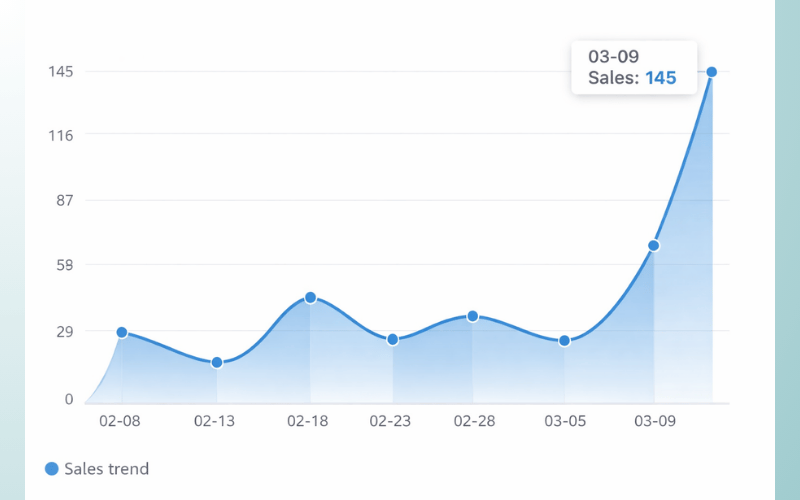
- Sales trend monitoring
- Conversion analytics
- AJAX-powered reporting
- Interactive charts and graphs
- WooCommerce revenue reports
- Customer behavior insights
- Business intelligence tools
- Mobile-friendly analytics dashboard
- Exportable analytics reports
- Lightweight architecture
- Secure WooCommerce integration
- Responsive admin interface
- Easy setup and configuration
Requirements & Compatibility
Minimum Requirements
- WordPress 6.0 or higher
- PHP 7.4 or higher
- WooCommerce latest version
- HTTPS-enabled website
- Modern browser support
Recommended Environment
- WordPress 6.x
- PHP 8.0+
- SSD hosting
- Cloud hosting compatibility
- Large WooCommerce catalog support
Compatible With
- WooCommerce
- Elementor
- Gutenberg
- WPML
- RTL websites
- Multisite installations
- Mobile devices
- Modern WordPress themes
Plugin Installation
Installation Steps
- Download the plugin ZIP file.
- Login to the WordPress dashboard.
- Navigate to Plugins → Add New.
- Click Upload Plugin.
- Select the plugin ZIP file.
- Click Install Now.
- Activate the plugin.
- Open the Kaddora Sales Analytics menu from the dashboard.
After Activation
The plugin automatically creates:
- Sales Analytics Dashboard
- Revenue Tracking Modules
- WooCommerce Reports System
- Customer Analytics Tools
- Performance Monitoring Dashboard
- Business Intelligence Reports
Settings (Admin Panel)
The Settings Panel provides centralized control for WooCommerce analytics, reporting systems, customer tracking, and sales performance monitoring.
Admin Panel Features
- WooCommerce analytics controls
- Revenue report settings
- Customer tracking configuration
- Product performance monitoring
- Sales trend controls
- Conversion tracking settings
- Chart customization options
- Export report management
- Dashboard widget controls
- Performance optimization settings
Advanced Settings
- Real-time analytics updates
- AJAX reporting controls
- Revenue filtering settings
- Customer segmentation analytics
- Order tracking configuration
- Multi-store analytics support
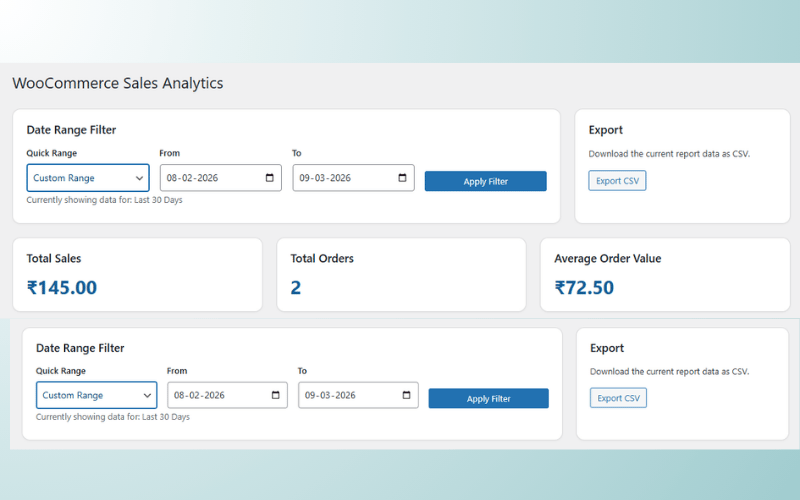
- Date range filtering
- Dynamic dashboard widgets
- WooCommerce data synchronization
- Report automation settings
Sales Analytics Dashboard
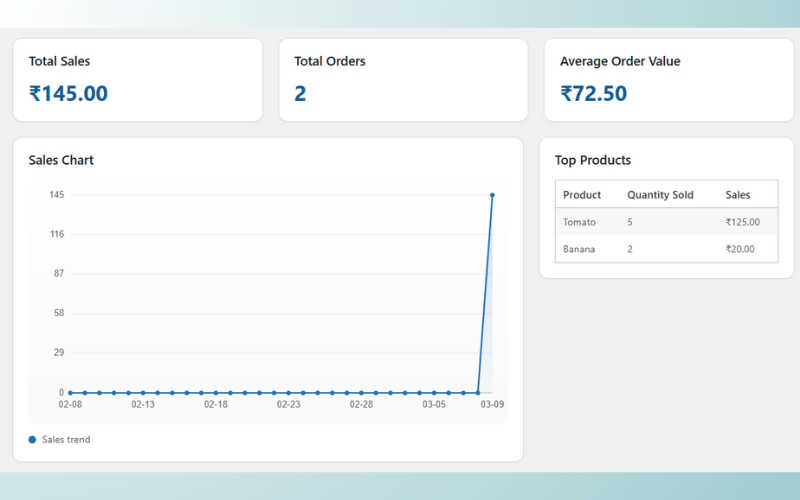
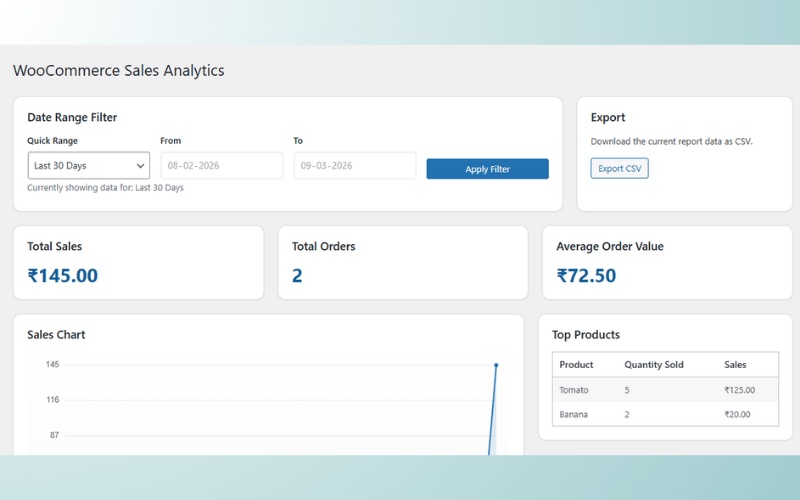
Kaddora WooCommerce Sales Analytics Plugin includes a modern dashboard that provides real-time business insights and WooCommerce sales reports.
Dashboard Features
- Real-time revenue overview
- Sales performance monitoring
- Order activity tracking
- Customer analytics reports
- Product sales charts
- WooCommerce statistics overview
- Conversion monitoring
- Monthly and yearly reports
- Dynamic analytics widgets
- Business growth tracking
Benefits
- Better business insights
- Faster decision making
- Real-time performance monitoring
- Improved revenue tracking
- Better customer understanding
- Professional reporting system
Revenue Tracking & Reports
The plugin provides advanced WooCommerce revenue tracking and sales reporting tools.
Revenue Features
- Daily revenue reports
- Monthly sales analytics
- Yearly revenue tracking
- Order revenue statistics
- Refund tracking
- Product revenue reports
- Category-based revenue tracking
- Customer spending reports
- Tax and shipping analytics
- WooCommerce financial reports
Reporting Features
- Exportable PDF reports
- CSV analytics export
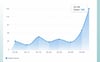
- Dynamic chart generation
- Real-time reporting updates
- Business intelligence reports
- Interactive WooCommerce dashboards
Customer Analytics
The Customer Analytics System helps businesses understand customer behavior and shopping activity.
Customer Features
- Customer purchase tracking
- Customer lifetime value analytics
- Returning customer reports
- Customer engagement analytics
- Customer spending insights
- WooCommerce customer segmentation
- Purchase frequency tracking
- Customer order history reports
- Geographic customer analytics
- Customer growth monitoring
Benefits
- Better customer targeting
- Improved marketing campaigns
- Enhanced customer engagement
- Better customer retention
- Improved sales strategy
- Data-driven business growth
Product Performance Analytics
The plugin includes product analytics tools that help businesses monitor WooCommerce product performance.
Product Features
- Best-selling products reports
- Product revenue tracking
- Product conversion analytics
- WooCommerce stock insights
- Product category analytics
- Product trend monitoring
- Product performance comparisons
- Product order statistics
- Product rating insights
- Inventory performance analytics
Sales Trend Monitoring
Kaddora WooCommerce Sales Analytics Plugin includes advanced sales trend tracking systems.
Trend Features
- Revenue trend analysis
- Sales growth tracking
- Seasonal trend monitoring
- WooCommerce order trends
- Customer activity trends
- Product demand analysis
- Business growth forecasting
- Conversion trend reports
- Revenue comparison analytics
- Real-time trend updates
How It Works (Workflow)
Kaddora WooCommerce Sales Analytics Plugin automatically collects WooCommerce data and generates real-time business insights.
Workflow Process
- WooCommerce store generates orders and customer activity.
- Plugin collects WooCommerce sales data.
- Analytics engine processes business information.
- Revenue and order reports update automatically.
- Dashboard charts and graphs refresh in real-time.
- Customer analytics and product reports generate dynamically.
- Store owners review insights and optimize business performance.
Workflow Features
- Real-time analytics processing
- WooCommerce data synchronization
- Dynamic chart generation
- Automated reporting
- Business intelligence monitoring
- Fast analytics updates
- AJAX-powered dashboards
- Mobile-friendly workflows
Customization Options
The plugin includes flexible customization tools for WooCommerce analytics dashboards and reporting layouts.
Customization Features
- Dashboard layout customization
- Analytics widget controls
- Chart style customization
- Revenue report layouts
- Typography settings
- Color scheme controls
- Dynamic dashboard modules
- Mobile analytics layouts
- Business branding support
- Responsive reporting design
Appearance Controls
- Dark and light mode
- Interactive dashboard widgets
- Responsive chart layouts
- Custom analytics panels
- Modern admin interface
- User-friendly navigation
- Flexible reporting controls
- WooCommerce branding integration
Shortcodes Guide
Kaddora WooCommerce Sales Analytics Plugin includes shortcode support for displaying WooCommerce analytics anywhere on the website.
Shortcode Features
- Analytics widget shortcodes
- Revenue dashboard embedding
- WooCommerce statistics widgets
- Sales trend displays
- Dynamic analytics layouts
- Responsive shortcode support
- Business report embedding
- Customer analytics widgets
Example Usage
- WooCommerce analytics dashboard
- Revenue report sections
- Sales trend widgets
- Customer analytics displays
- Business intelligence reports
- WooCommerce statistics sections
Performance & Security
Kaddora WooCommerce Sales Analytics Plugin is designed with optimized architecture and secure WooCommerce data handling systems.
Performance Features
- Lightweight plugin structure
- Optimized database queries
- AJAX-powered analytics
- Fast reporting system
- Minimal server resource usage
- Selective asset loading
- Cloud hosting compatibility
- Performance-focused design
- Scalable analytics architecture
- Real-time optimization
Security Features
- Secure WooCommerce data handling
- Input sanitization
- SQL injection protection
- XSS protection
- Protected analytics reports
- Secure AJAX operations
- Role-based access control
- Safe WooCommerce integration
- Secure export processing
- Protected admin dashboard
Analytics & Reporting Benefits
The plugin helps businesses improve WooCommerce performance using advanced reporting and real-time business insights.
Business Benefits
- Better revenue monitoring
- Improved decision making
- Enhanced customer insights
- Faster sales analysis
- Better product optimization
- Improved business growth tracking
Reporting Benefits
- Real-time WooCommerce analytics
- Interactive business reports
- Dynamic revenue tracking
- Professional dashboard system
- Advanced WooCommerce reporting
- Exportable analytics data
WooCommerce Integration
Kaddora WooCommerce Sales Analytics Plugin integrates directly into WooCommerce for advanced business intelligence and eCommerce reporting.
WooCommerce Features
- WooCommerce order analytics
- Revenue reporting integration
- Product performance monitoring
- Customer tracking tools
- WooCommerce dashboard widgets
- Conversion analytics support
- eCommerce reporting tools
- WooCommerce statistics tracking
- Mobile-friendly WooCommerce analytics
- Real-time WooCommerce monitoring
Admin Dashboard Features
The admin dashboard provides centralized control for WooCommerce reports, analytics, revenue tracking, and business intelligence tools.
Dashboard Features
- Modern admin interface
- Sales analytics overview
- WooCommerce revenue reports
- Customer insights dashboard
- Product analytics tools
- Business intelligence monitoring
- Real-time reporting system
- User-friendly analytics controls
- Performance monitoring
- Quick setup system
Suitable For
- WooCommerce stores
- eCommerce businesses
- Online marketplaces
- Fashion stores
- Electronics stores
- Digital product stores
- Subscription businesses
- Retail stores
- Wholesale businesses
- Modern online shops
Why Choose Kaddora WooCommerce Sales Analytics Plugin?
Kaddora WooCommerce Sales Analytics Plugin helps businesses improve revenue tracking, monitor WooCommerce performance, understand customer behavior, and optimize eCommerce operations using real-time analytics dashboards and advanced reporting systems.
The plugin combines WooCommerce analytics, revenue tracking, customer insights, product performance monitoring, business intelligence tools, interactive charts, shortcode support, and responsive dashboards into one complete WooCommerce sales analytics solution for WordPress websites.