




Contractor Estimate & Profit Toolkit
Northstar Digital Works | $19 USD | Digital download
Bring your job costs, pricing assumptions and collected revenue into a clear, repeatable workflow.
The Contractor Estimate & Profit Toolkit gives independent contractors and small service businesses an Excel-format workbook for building estimates, calculating material quantities, reviewing job profit and preparing invoice totals. Printable quote, invoice and work-order templates help you carry the checked numbers into customer paperwork.
What you receive
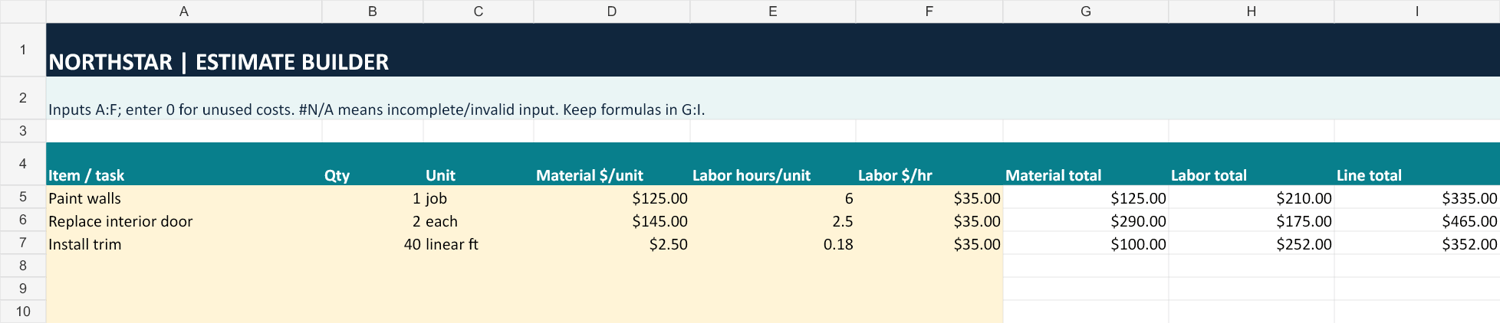
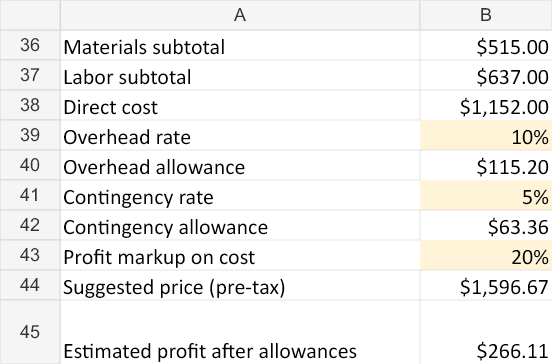
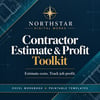
• Estimate Builder: 30 task lines for quantities, material costs, labor hours and hourly rates. Adjust overhead, contingency and markup to calculate a suggested pre-tax price.
• Job Profit Tracker: 100 job rows for collected revenue, materials, labor, other direct costs and allocated overhead, with calculated profit and margin.
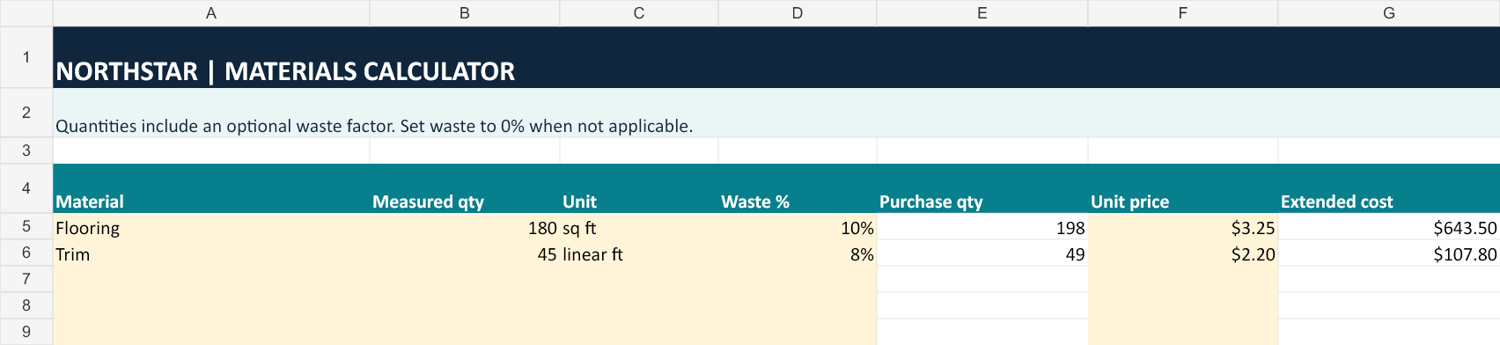
• Materials Calculator: 60 material rows with optional waste allowance, whole-unit purchase quantities and extended costs.
• Invoice worksheet: 20 item lines, a manually entered tax rate, payments received and calculated balance due.
• Start Here worksheet: input guidance and setup steps.
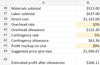
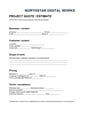
• Three printable PDFs: project quote, customer invoice and work order.
• Quick-start PDF and detailed usage notes: exact input ranges, examples, calculation definitions and troubleshooting.
Editable cells are highlighted in pale yellow. Incomplete required numeric inputs are flagged so you can resolve them before using the totals. Illustrative example values are included; replace them with your own information. Preview images show illustrative examples, not customer results.
How to use it
• Download and extract the ZIP, then keep an untouched master copy.
• Open a working copy of the workbook and read Start Here.
• Replace example input values. Keep the formula cells and rows intact.
• Enter your costs and review the allowance and markup rates.
• Check the results and manually transfer the appropriate amounts to the printable forms.
Before you buy
This is an .xlsx spreadsheet and PDF template bundle, not a hosted app. Spreadsheet software is not included. The intended target is desktop Excel; native Excel and Google Sheets compatibility verification is still pending. The workbook uses standard formulas and contains no macros.
The worksheets and PDFs are independent: they do not automatically sync. The PDFs are static print-and-write forms, not interactive fillable forms. Formula cells are editable, so keep a master copy. Additional rows beyond the listed capacities do not automatically calculate.
The estimate uses markup on cost, not a target selling-price margin, and excludes sales tax. The invoice applies one entered tax rate to the entire subtotal. The profit tracker uses collections less entered costs, including allocated overhead; it is not a full accounting system. Material quantities round up to whole units, without supplier pack-size optimization.
General-purpose planning and recordkeeping templates. Results depend on the information you enter. No profit or earnings guarantees, and no accounting, tax, legal, licensing or building-code advice.
FAQ
Is this a physical product?
No. You receive a ZIP containing one workbook, four PDFs and one text guide.
Do I need Excel?
You need software that can open and calculate .xlsx files. Desktop Excel is the intended target and is not included. Native app testing remains pending; do not assume compatibility with Google Sheets, Numbers or mobile apps.
Does it calculate my selling price?
The Estimate Builder calculates a suggested pre-tax price from entered material and labor costs, overhead, contingency and markup. You choose and verify those assumptions.
Is markup the same as margin?
No. A 20% markup on $1,000 of cost produces a $1,200 price and $200 profit: a 16.7% margin on that price. This example illustrates the calculation, not expected earnings.
Why do I see #N/A?
A used row is missing a required numeric input, or an input is invalid. Complete the pale yellow inputs, using 0 for unused costs. To remove an unused entry, clear its input values without deleting the row or formulas.
Will the invoice or PDFs send themselves to customers?
No. Review and transfer the numbers manually. The toolkit does not send invoices, accept payments or connect to your bank.
Can I calculate sales tax?
The invoice worksheet can apply one rate you enter to the entire subtotal. It does not determine taxability or support mixed tax treatments. The estimate is pre-tax.
Can I use it for multiple projects?
Save separate working copies for your projects. Keep a clean master and stay within the prepared row ranges.
Does it guarantee a profitable job?
No. It helps organize inputs and calculate results. Pricing decisions, cost completeness and business outcomes remain dependent on your circumstances.
Are the printable forms fillable on screen?
They have no interactive fields. Print and complete by hand, or annotate them with a PDF application you already have.
Refund Policy
Because this toolkit is delivered as a digital download, purchases are generally nonrefundable after delivery.
If files are missing, corrupted, or materially different from the product description, please contact our customer support email listed on your purchase receipt. We will work to resolve the problem, provide replacement files, or issue a refund when appropriate. This policy does not limit your rights under applicable consumer protection laws.
License & Usage Terms
Your purchase includes a license to use and customize the toolkit for your own personal or business operations.
You may create estimates, invoices, and other completed documents for your customers.
You may not resell, redistribute, share, or upload the original toolkit files or substantially similar editable copies for others to download.
All estimates and calculations should be reviewed for accuracy before use. This toolkit does not provide legal, accounting, or tax advice.