




Novel Writing Software with Story Consistency & Plot Hole Checker — World-building App for Fiction Writers | YouWrite AI
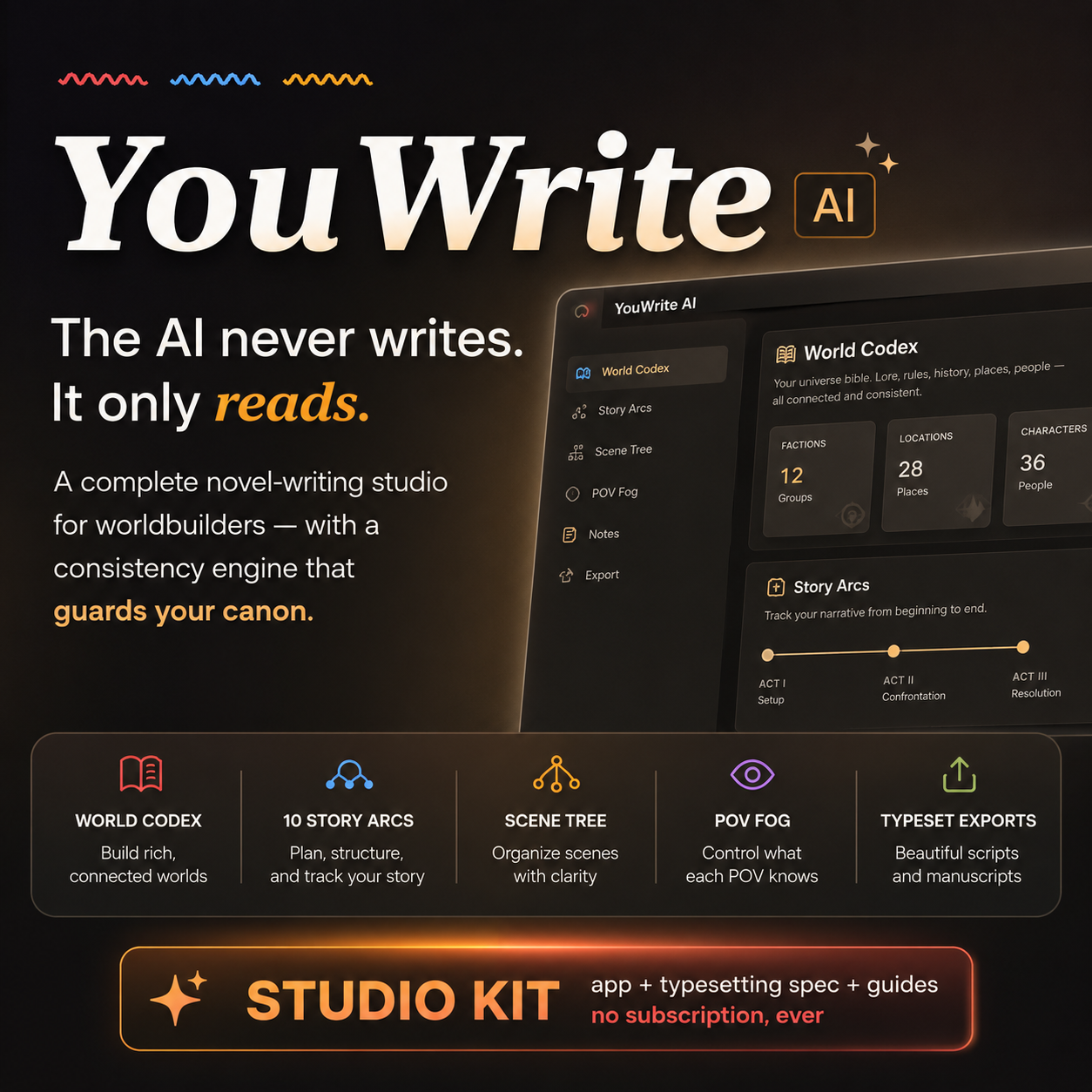
YouWrite AI is novel writing software with a built-in story consistency checker — a worldbuilding app for fiction writers that catches plot holes, continuity errors, and POV slips with an orange underline, without the AI ever writing a single word of your book. One-time purchase. No subscription. No monthly AI fees.
If you've outgrown drafting your novel in Google Docs, bounced off Scrivener's learning curve, or don't want another $20/month writing app subscription — and you absolutely do not want AI writing your prose — this was built for you.
The Story Consistency Checker That Guards Your Canon
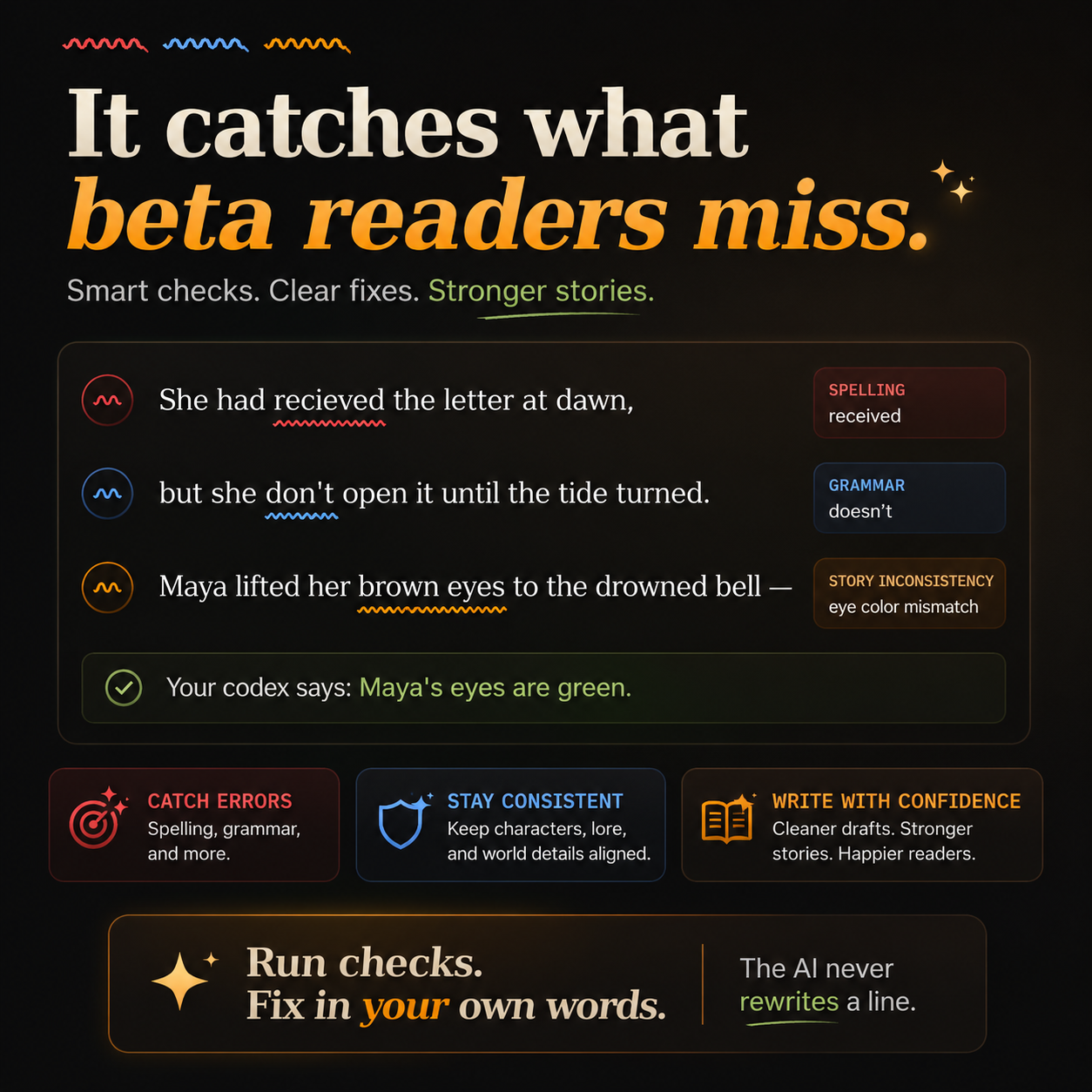
Every novelist knows the fear: Chapter 3 says her eyes are green, Chapter 12 says brown, and no beta reader catches it until a one-star review does. YouWrite reads your manuscript against your own story bible and underlines problems the way a spell checker does:
- Red squiggle — spelling errors
- Blue squiggle — grammar mistakes
- Orange squiggle — story inconsistencies: continuity errors, plot holes, timeline slips, a character appearing in a scene they shouldn't be in, or a point-of-view character reacting to a secret they haven't learned yet
The AI flags and explains. You fix it in your own words. It never rewrites, never suggests prose, never touches your voice. (Pasting is even disabled in the manuscript editor — every word of your novel is typed by you.)
Worldbuilding Software That Reads Plain English
No forms. No database fields. Type your worldbuilding notes the way you'd explain them to a friend — "Maya is a 17-year-old pearl diver with a scar over her left eye; iron is forbidden in the floating city" — and YouWrite organizes them into a story bible: characters, locations, magic systems, factions, items, and history. Mark who knows each secret, and the POV fog-of-war hides it from the wrong characters — and warns you when your draft leaks it.
10 Story Structure Templates, Beat by Beat
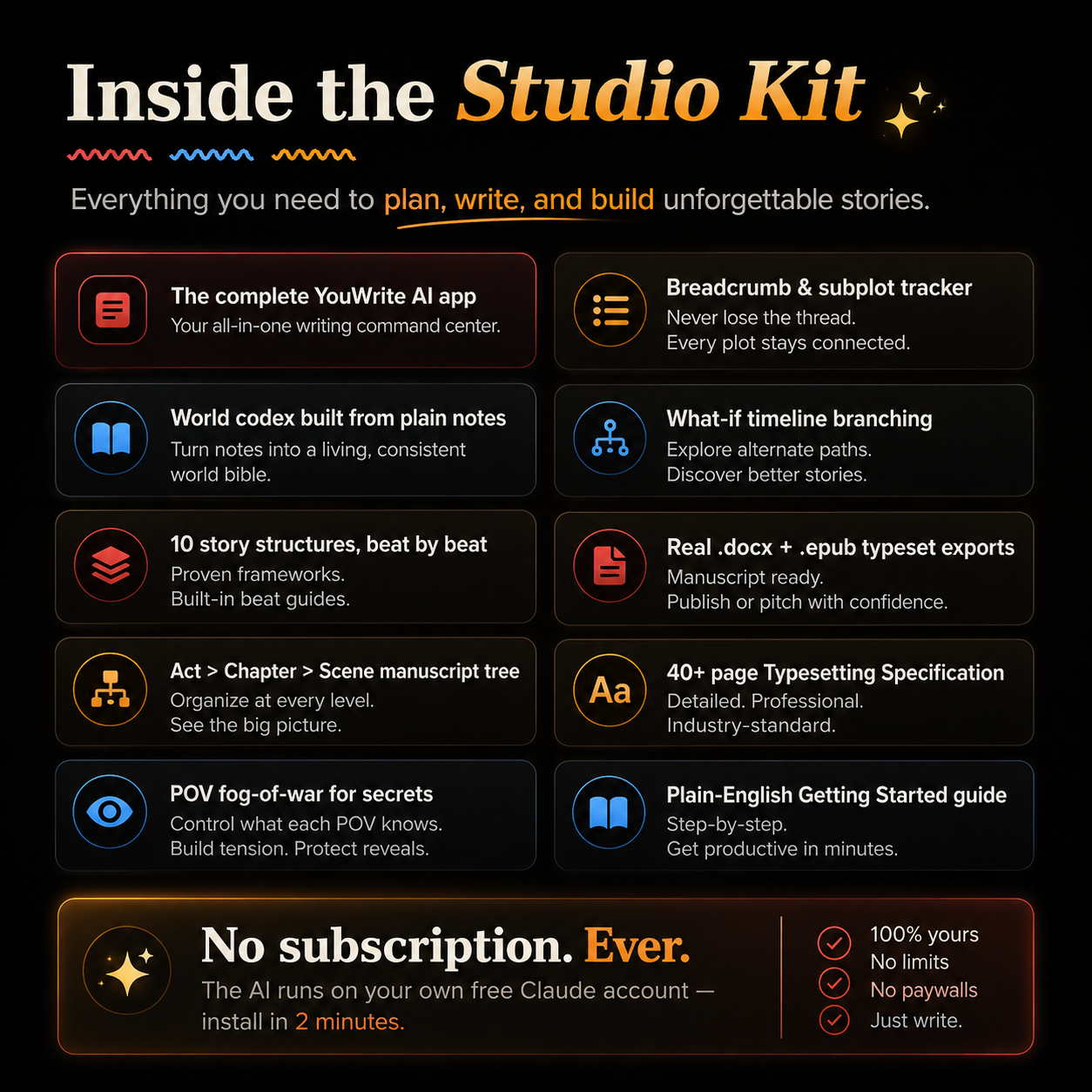
Plot your novel with guided prompts for the Three-Act Structure, the Hero's Journey, Save the Cat, Kishōtenketsu, The Virgin's Promise, Freytag's Pyramid, the Snowflake Method, the Fichtean Curve, Seven-Point Structure, and Larry Brooks' 4-Part Structure. Pin every chapter to the beat it serves, so every scene knows its job.
A Real Manuscript Organizer: Acts, Chapters, Scenes
Drag-and-drop chapters and scenes to restructure your book in seconds. Snapshot any scene and restore earlier versions (your time machine). Send cut scenes to the Graveyard instead of deleting 3,000 words forever. Track subplots with the breadcrumb tracker — if "the silver key" disappears for ten chapters, you'll know. Branch what-if timelines ("what if she dies in Chapter 12?") without duplicating files. Watch pacing on a color-coded heatmap, hit daily word-count goals, and write in a distraction-free focus mode when you just need a blank page and a cursor.
Book Formatting Built In: Export to DOCX and EPUB
When the draft is done, export an agent-ready Word manuscript (.docx) — mirrored margins, running headers, justified text, proper trim sizes — or a valid EPUB ready for Kindle Direct Publishing, Apple Books, and Kobo. Choose from five typographer-calibrated font sets, from Heritage Literary to Editorial Avant-Garde. The included 13-page Book Formatting & Typesetting Specification is the exact professional standard the exports follow — and a self-publishing education on its own.
No Subscription. One-Time Purchase. Your Own Free Claude Account.
YouWrite runs inside Claude (claude.ai): the AI features use your own free Claude account, so there is no monthly fee, no API bill, and your manuscript stays private in your account — the seller never sees a word. Setup takes about two minutes: sign in, attach one file, type one sentence. The plain-English Getting Started guide walks you through everything.
What's Inside the Studio Kit
✓ The complete YouWrite AI writing app
✓ Getting Started guide (PDF — written for writers, not techies)
✓ Book Formatting & Typesetting Specification (PDF)
✓ Editable text versions of both guides
✓ Free updates — re-download anytime from your receipt
Requirements: a computer with Chrome, Edge, Safari, or Firefox, and a free claude.ai account. Best on desktop.
Frequently Asked Questions
- Does the AI write my novel for me? Never. YouWrite is AI-assisted writing software where the AI only reads and flags — it cannot generate, rewrite, or "improve" your prose. Your book stays 100% human-written, which matters if you plan to certify that to publishers or readers.
- How does the plot hole checker work? You build a story bible from your notes; when you run checks, the app compares your scene against that canon, your chapter's setting and cast, and the scene's own internal logic — then underlines contradictions in orange with a plain explanation.
- Is this a Scrivener alternative? For drafting, outlining, and organizing — yes, with a far gentler learning curve. What Scrivener doesn't have is the consistency engine: no other novel writing software underlines your plot holes.
- Can I export my book to Word and EPUB? Yes — a professionally typeset .docx for querying agents and a valid .epub for self-publishing, both included.
- Is my writing private? Yes. Your manuscript lives in your own Claude account, protected by your own login.
- Do I pay anything for the AI? No. The free Claude plan powers the checks. Very heavy daily use can hit the free tier's limit until it resets a few hours later; everything except the AI buttons keeps working meanwhile.