


Drafting Command Center Pro
Drafting Command Center Pro — AutoLISP + DCL
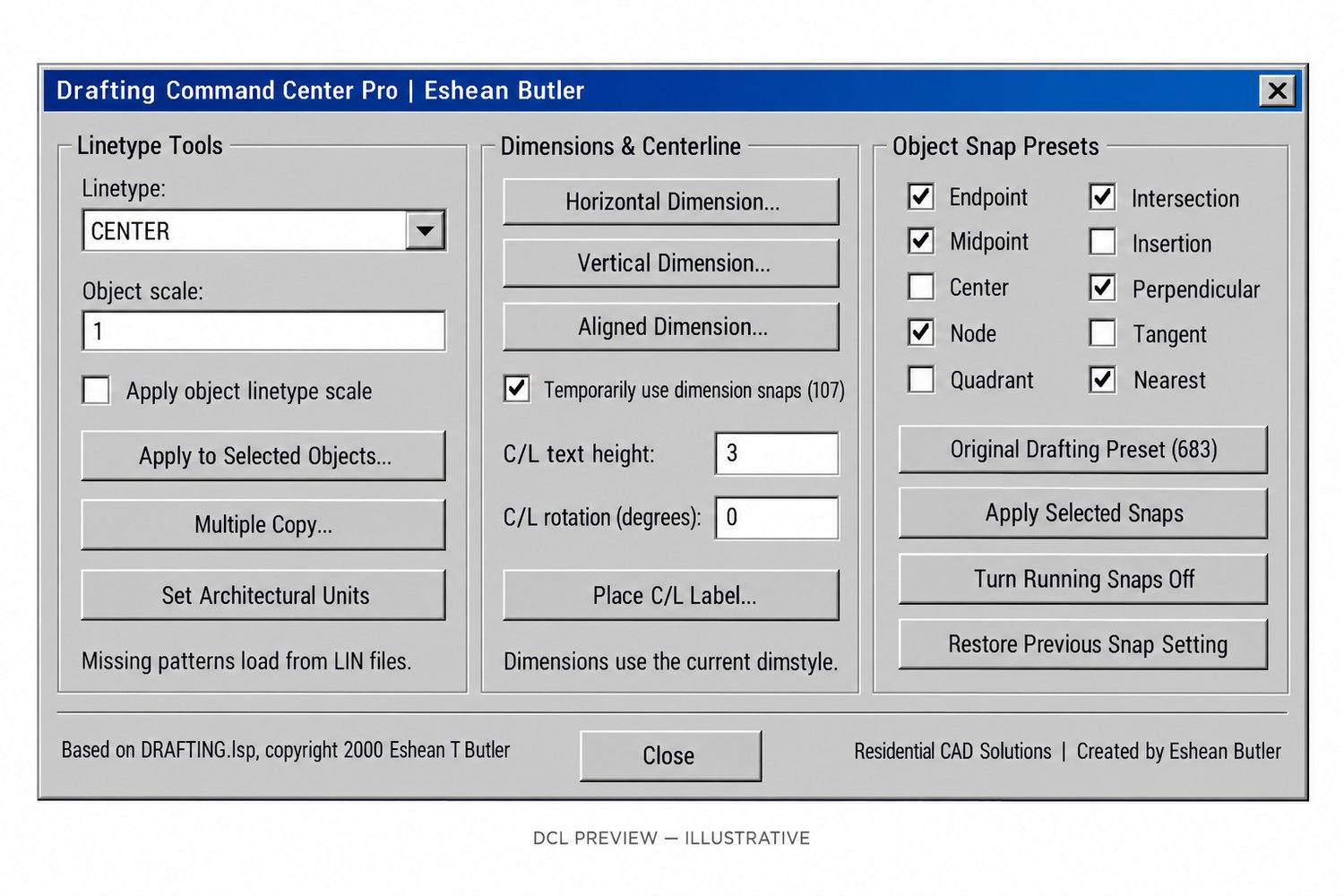
Bring everyday AutoCAD drafting tools together in one convenient dialog. Based on Eshean Butler’s original DRAFTING.lsp, this updated program combines linetype controls, multiple copy, dimensions, centerline labels, and object-snap presets.
Features
- Linetype Controls: Apply CENTER, CONTINUOUS, HIDDEN, DASHED, PHANTOM, HIDDEN2, BYLAYER, or BYBLOCK to selected objects.
- Object Linetype Scale: Optionally assign a positive scale to selected objects.
- Multiple Copy: Select objects once, choose a base point, and place copies at multiple destinations.
- Dimension Tools: Create horizontal, vertical, and aligned dimensions using your current dimension style.
- C/L Labels: Place a middle-centered C/L text label with adjustable height and rotation.
- Custom Snap Presets: Choose from ten running object snaps or use the original drafting preset.
- Snap On/Off & Restore: Apply selected snaps, turn them off, or restore the setting saved before the latest snap change.
- Architectural Unit Display: Set architectural length display without rescaling drawing geometry.
- Optional Original Shortcuts: Includes a separate alias file for CTR, CO, H, DA, CM, PH, H2, OS, OSS, DV, and CLL.
Your Download Includes
- Main AutoLISP program (.LSP)
- Matching DCL interface (.DCL)
- Optional legacy command aliases
- Installation instructions and operating guide
- ZIP download package
Getting Started
Load the main LISP using APPLOAD, then type DRAFTINGPRO to open the dialog.
Requirements & Important Details
Requires full desktop Windows AutoCAD with AutoLISP, DCL, and ActiveX support. Text heights use drawing units, and dimensions use the current dimension style. Missing linetypes require suitable LIN support files.
Source structure and dialog checks have passed. AutoCAD runtime testing, including AutoCAD 2002 compatibility, is still pending.
Created by Eshean Butler
Residential CAD Solutions