

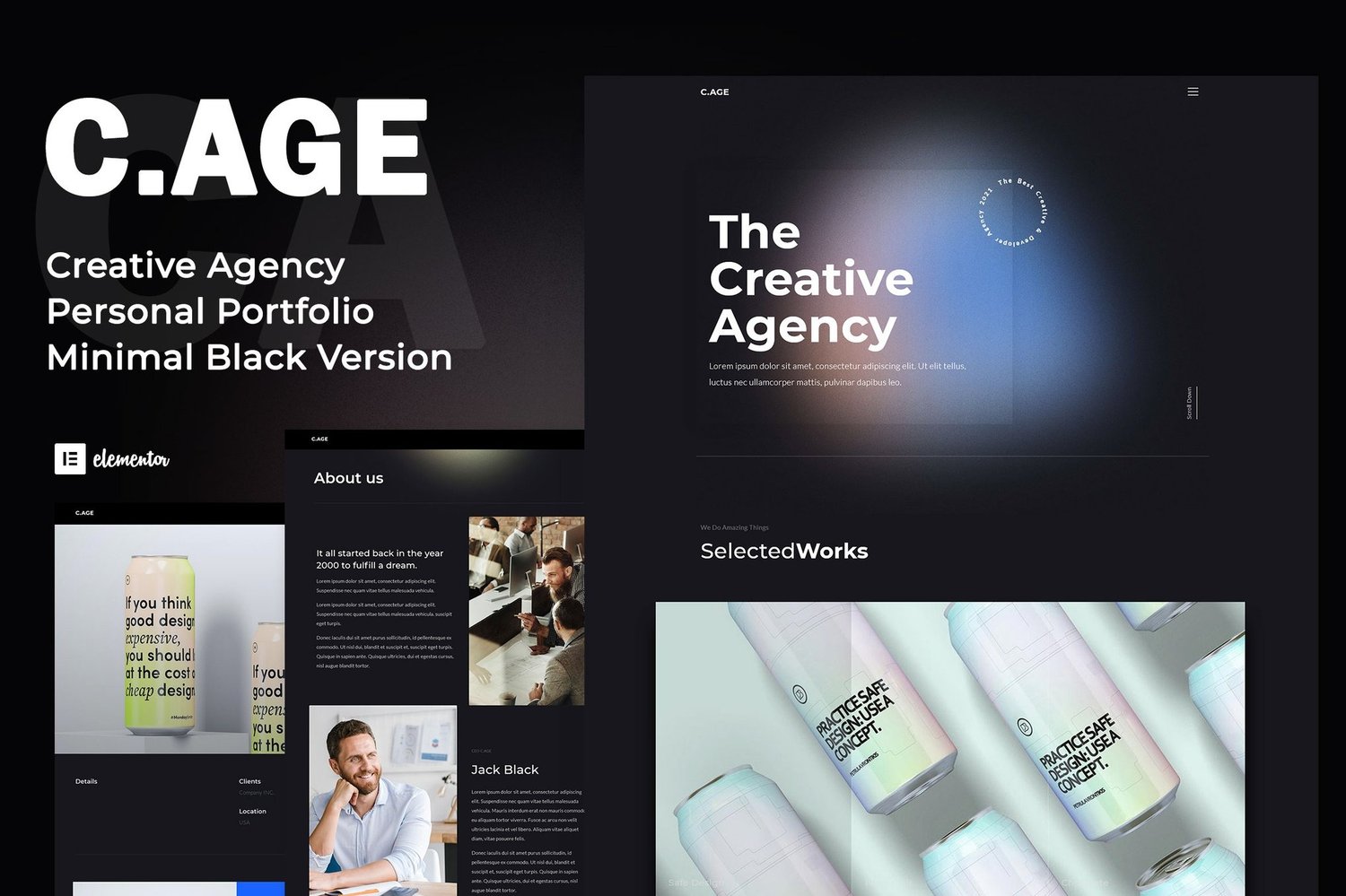
C.AGE Creative Agency Personal Portfolio Elementor Template Kit Download
On Sale
$5.00
$5.00
Elevate Your Online Presence with Style
Introducing C.AGE, a minimalist and stylish Elementor Template Kit crafted specifically for creative agencies and personal portfolios. Designed with simplicity and elegance in mind, this template kit is perfect for designers and agencies that value clean aesthetics. Optimized for the free version of Elementor and compatible with a range of free plugins available in the WordPress library, C.AGE is tested and works best with the Hello Elementor theme.
Key Features:
- Beautifully Designed Templates: Enjoy elegant and minimalist layouts that will captivate your visitors and elevate your brand.
- Fully and Easily Customizable: Effortlessly adjust fonts, colors, and layouts to align with your brand identity.
- Fast Loading and Optimized for Search Engines: Achieve quick loading times along with improved visibility in search engine results.
- Cross-Browser Compatible: Access your site seamlessly across all major browsers.
- Quick and Easy Templates Import: Import your desired templates effortlessly with just a few clicks.
Free Plugins Used:
- Elementor Free
- Jeg Elementor Kit
- Dynamic Animations for Elementor
- Make Column Clickable Elementor
- Elementor – Header, Footer & Blocks
- Black Widgets
- MetForm
How to Install:
- Install and Activate the Envato Elements Plugin:
- Navigate to Plugins > Add New in your WordPress dashboard.
- Search for and activate the Envato Elements plugin.
- Download Your Kit File:
- Do NOT unzip it.
- Upload Template Kit:
- Go to Elements > Installed Kits and click on the Upload Template Kit button.
- Install Required Plugins:
- Before importing a template, ensure you click the Install Requirements button to activate required plugins.
- Template Import:
- For best practices, import one template at a time.
How to Import Metforms:
- Import the Metform Block Templates:
- Import the page template where the form appears and enable the Navigator by right-clicking.
- Locate and select the Metform widget and click Edit Form. Choose New, then Edit Form to access the builder.
- Click ‘Add Template’ (gray folder icon), navigate to the My Templates tab, select your imported Metform template, and click ‘Insert’ (click No for page settings).
- Customize your form as desired, then click ‘Update & Close’. Your form will appear in the template; ensure you click Update.
- Setup Global Header and Footer with the Header Footer & Blocks Plugin:
- Import the Header and Footer Template under Appearance > Header Footer.
- Add New, title it, select Header, set to Display on Entire Site, and click Publish.
- Edit with Elementor to import the header template and repeat for the footer.
Images:
This Template Kit utilizes demo images from Envato Elements. You will need to license these images or replace them with your own.
Attributes:
- Support and Updates: Updates included; personalized support not provided.
- File Types: HTML, CSS, JS.
- Additions: Retina ready and responsive for all devices.
- Compatible With: Elementor.
- Compatible Versions: Elementor 3.10.x, 3.8.x, 3.6.x, 3.5.x, 3.4.x.
- Commercial License: Ideal for both personal and business use.