

[M4L Device] Device Counter
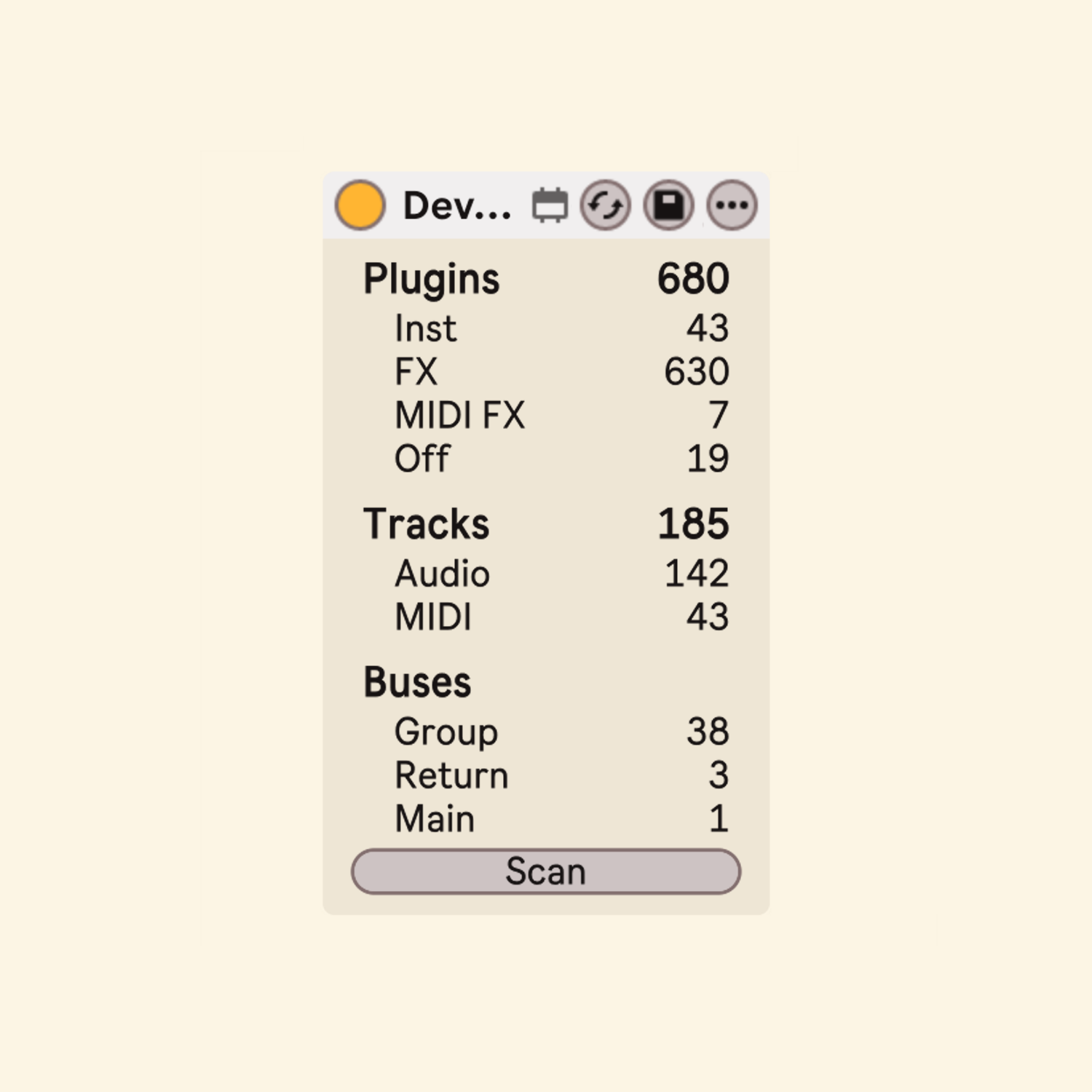
This is a straightforward Max for Live device designed to take stock of your Live Set. With a single click, it counts the devices and tracks in your project: how many instruments, audio effects and MIDI effects are loaded, how many of them are switched off, and how your tracks are organized.
Features
Plugins
- Displays the total number of devices in the Live Set, broken down into Inst (instruments), FX (audio effects) and MIDI FX (MIDI effects). Live's built-in devices, Max for Live devices and VST/AU plug-ins are all counted, sorted by what each device does rather than by its format.
- Off shows how many of these devices are currently switched off, which makes it easy to spot deactivated plug-ins that are still sitting in a project.
Racks
- Devices inside Instrument, Audio Effect and MIDI Effect Racks are counted individually, however deeply the racks are nested. The racks themselves are not counted.
- A Drum Rack is counted as a single instrument. The instruments on its pads are not counted separately, while any effects inside it are counted as FX.
Tracks
- Shows the number of audio and MIDI tracks, with the total of both at the top. Group tracks, return tracks and the Main track are listed separately under Buses.
Scan Button
- The device counts only when you press Scan. Nothing runs in the background, so it adds virtually no load while idle.
- It only reads the Live Set. It never changes anything in your project and does not add steps to the undo history.
Usage
This device will function on any track; however, placing it on the Main (Master) track is recommended. Integrating it into your default project template keeps it ready in every project. Press Scan whenever you want an up-to-date count.
Important Notes
The values do not update automatically. They show the state of the Live Set at the moment you pressed Scan, so press it again after adding or removing devices or tracks. When a project is opened, the display shows "-" until the first scan.
In very large projects, a scan may take a moment (about 0.2 seconds for a set with around 130 tracks and 500 devices), during which Live's interface may briefly pause.
The device does not count itself. Developed and tested with Ableton Live 12.4.6.
Miscellaneous
This device is available for free; however, you have the option to provide a voluntary contribution. Please be advised that, due to the nature of digital downloads, refunds cannot be issued. We appreciate your understanding.
Any funds received will be utilized to support the future development of Max for Live devices and related projects.