
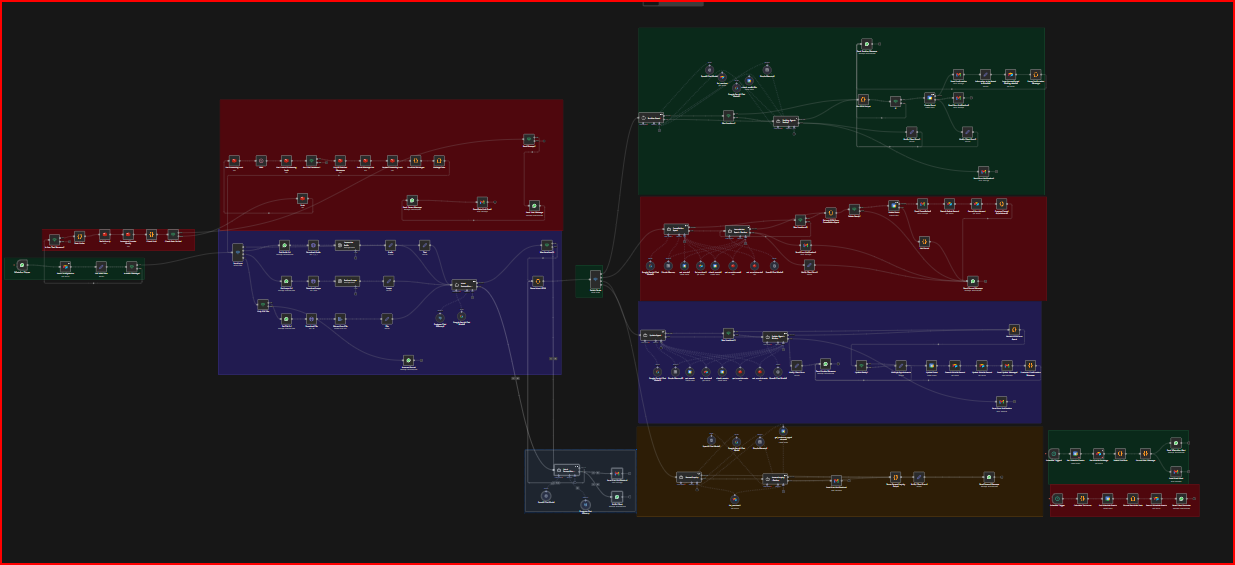

Automate Salon Appointment Management with WhatsApp, GPT & Google Calendar
On Sale
$20.00
$20.00
📚 WhatsApp Booking & Customer Engagement
▪️ What This System Does.
→ Appointment Management - Book, update, and cancel appointments directly through WhatsApp.
→ AI-Powered Intelligence - 5 specialized agents automatically understand customer intent and respond accurately.
→ Real-Time Calendar Sync - Integrated with Google Calendar to prevent double bookings.
→ Automatic Reminders - Sends daily appointment reminders at (Any Time) to your clients.
→ Multi-Format Support - Handles text, voice messages, images, and PDF files seamlessly.
→ Intent Recognition - Understands booking, cancellation, updates, and general inquiries.
→ Complete Data Management - Automatic logging and storage in Airtable.
** Perfect For:
▪️ Any Appointment-Based Business.
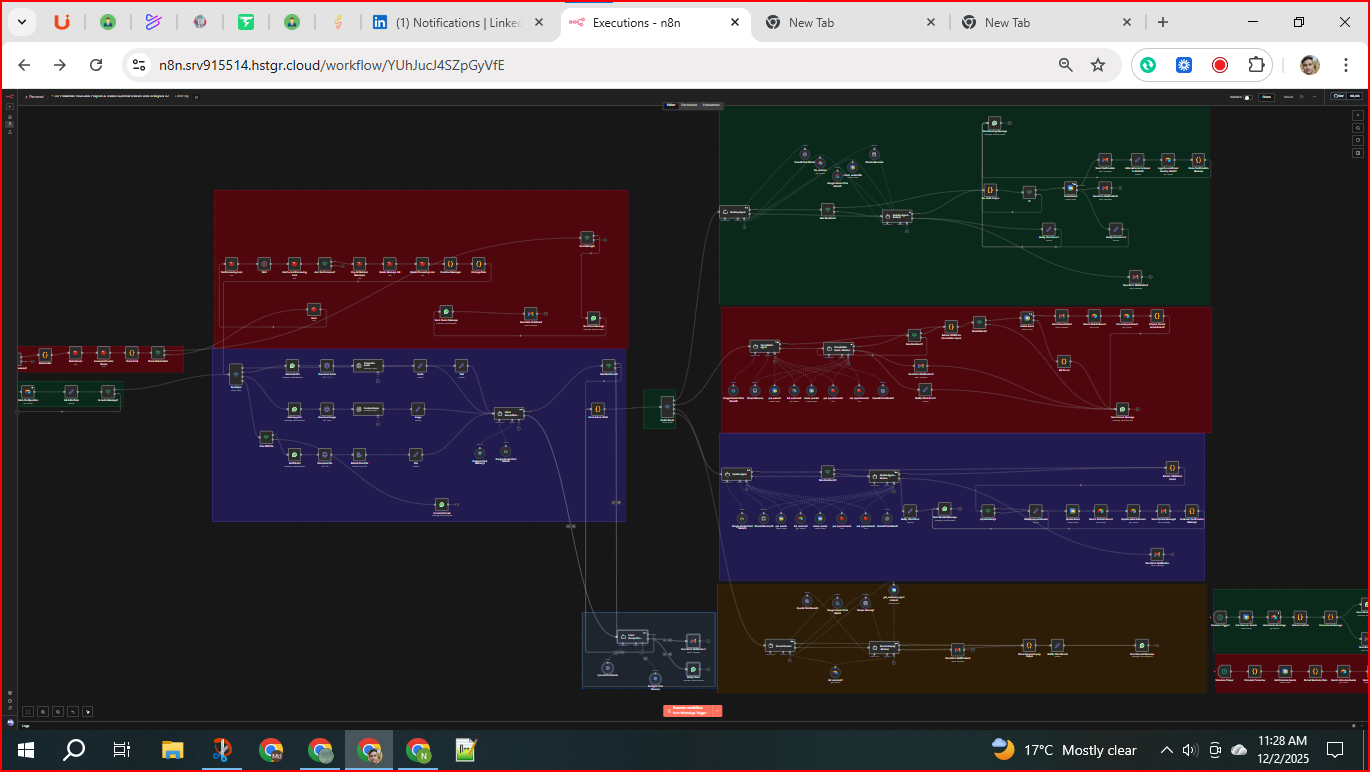
Reproducing the Workflow from Scratch
- Create WhatsApp Trigger Node
- Type: WhatsApp Trigger
- Set webhook ID and connect WhatsApp account credentials.
- This is the entry point for all inbound WhatsApp messages.
- Add Airtable Node to Fetch Configuration
- Type: Airtable (read)
- Connect to Airtable credentials and base for configuration data.
- Connect output of WhatsApp Trigger to this node.
- Add Set Node "Set Initial Data"
- Initialize flags or variables to track message types.
- Connect output of Fetch Configuration to this node.
- Add If Node "Is Audio Message?"
- Condition: Check if message type is audio.
- Connect output of Set Initial Data to this node.
- Add If Node "Is User Text Message?"
- Condition: Check if message is plain text.
- Connect False output of "Is Audio Message?" to this node.
- Add Switch Node "Input type
- Configure cases for 'image', 'file', and default unsupported media.
- Connect False output of "Is User Text Message?" to this node.
- Add WhatsApp nodes to Get URLs
- Get Audio Url, Get Image Url, Get File Url nodes.
- Connect corresponding Switch outputs to these nodes.
- Add HTTP Request nodes to Download media
- Download Audio, Download Image, Download File nodes.
- Connect from respective Get URL nodes.
- Add AI nodes for media processing
- Transcribe Audio (OpenAI) connected after Download Audio.
- Analyze Image (OpenAI) after Download Image.
- Extract from File after Download File.
- Add Set nodes for normalized data
- Text, Audio, Image, File nodes to standardize output.
- Connect respective AI or extraction nodes.
- Add If Node "Only PDF File" to filter files.
- Connect from Switch Input type → File branch.
- Route non-PDFs to "Incorrect format" WhatsApp node.
- Add WhatsApp nodes for error notifications
- Incorrect format, Not supported, Send Media/File Warning Owner, Send User Notification.
- Connect from appropriate branches in "Input type".
- Add Code Node "Fix mimeType for Audio"
- Adjust audio MIME types for WhatsApp compatibility.
- Connect from Generate Audio Response node (see below).
- Add WhatsApp Send nodes for audio and text responses
- Send audio and Send message nodes.
- Connect outputs from processing nodes.
- Add Intent Recognition Agent (LangChain Agent)
- Configure AI model credentials (OpenAI or Google Gemini).
- Connect outputs of all Set nodes (Text, Audio, Image, File) to this node.
- Add Code Node "Parse Intent JSON"
- Parse AI response JSON output.
- Connect output of Intent Recognition Agent to this node.
- Add Switch Node "Switch Route"
- Create cases for Booking, Cancellation, Update, General Inquiry intents.
- Connect output of Parse Intent JSON to Switch Route.
- Create Booking Agent, Cancellation Agent, Update Agent, General Inquiry Agent nodes
- AI agent nodes configured with respective prompts and AI credentials.
- Backup agents configured as fallback with retry logic.
- Add Max Iterations? If nodes for retry limits on agents.
- Connect agents through these nodes to prevent infinite retries.
- Build Booking Flow:
- list_services (Airtable Tool) → check_availability (Google Calendar Tool) → Create Event (Google Calendar) → Send Confirmation (Gmail) → Information to be Saved in Airtable1 (Set) → Logs the confirmed booking details1 (Airtable) → Parse Confirmation Message (Code) → Send Booking Message (WhatsApp)
- Include error handling nodes (Send Error Notification2, Notify Client Error2).
- Build Update Flow:
- Extract JSON from Agent (Code) → Update Ready? (If) → Update Event (Google Calendar) → Search Airtable Record → Update Airtable Record → Send Update Message1 (Gmail) → Customer Confirmation Message (Code) → Send Update Message (WhatsApp)
- Include error handling nodes.
- Build Cancellation Flow:
- Extract JSON from Cancellation Agent (Code) → Delete Ready? (If) → Delete Event (Google Calendar) → Send Cancellation1 (Gmail) → Search Delete Record (Airtable) → Cancel Appointment (Airtable) → Prepare Cancel Appointment1 (Code) → Send Cancel Message (WhatsApp)
- Include error handling nodes.
- Build General Inquiry Flow:
- Parse General Inquiry Output (Code) → Send General Message (WhatsApp)
- Use General Inquiry and backup agents.
- Add Scheduled Trigger nodes for reminders:
- Schedule Trigger → Calculate Tomorrow (Code) → Get Schedule Events (Google Calendar) → Format Reminder Data (Code) → Search Schedule Events (Airtable) → Send Client Reminder (WhatsApp).
- Implement Rate Limiting and Batching:
- Rate Limiter (Code) → Redis Hourly → Increment Counter Hourly → Check Limit (Code) → Check Rate Limited (If) → Send Mesage? (If) → Send User Message (WhatsApp) → Send Owner Message (WhatsApp) → Send Rate Limit Email (Gmail).
- Add Error Handling Nodes:
- Multiple Send Error Notification (Gmail) nodes linked to corresponding error paths.
- Notify Client Error (Set) nodes prepare client error messages.
- WhatsApp nodes send error or status messages to clients.
- Set up Redis nodes for Locks and Message Queue:
- Set Processing Lock → Wait → Get Current Processing Lock → Am I the Processor? → Pop All Batched Messages → Delete Message List → Delete Processing Lock → Combine Messages → Package Data → Input type.
- Configure all credentials:
- WhatsApp API credentials for triggers and messages.
- OpenAI and Google Gemini API keys for AI nodes.
- Google Calendar OAuth2 credentials.
- Airtable API credentials.
- Gmail OAuth2 credentials for sending emails.
- Redis connection for caching and rate limiting.
- Test each branch independently and monitor logs for errors.