


Paycheck-to-Paycheck Debt Payoff Planner | Budget by Paycheck, Bill Calendar + Snowball vs Avalanche (Google Sheets)
Budget by paycheck, not by month.
Most budget templates assume you get paid once a month and already have savings. If you live paycheck to paycheck, that's not how money works. Rent is due on the 1st, your car payment on the 25th, and the question is always the same: which paycheck pays which bill, and how much can I actually spend until the next one?
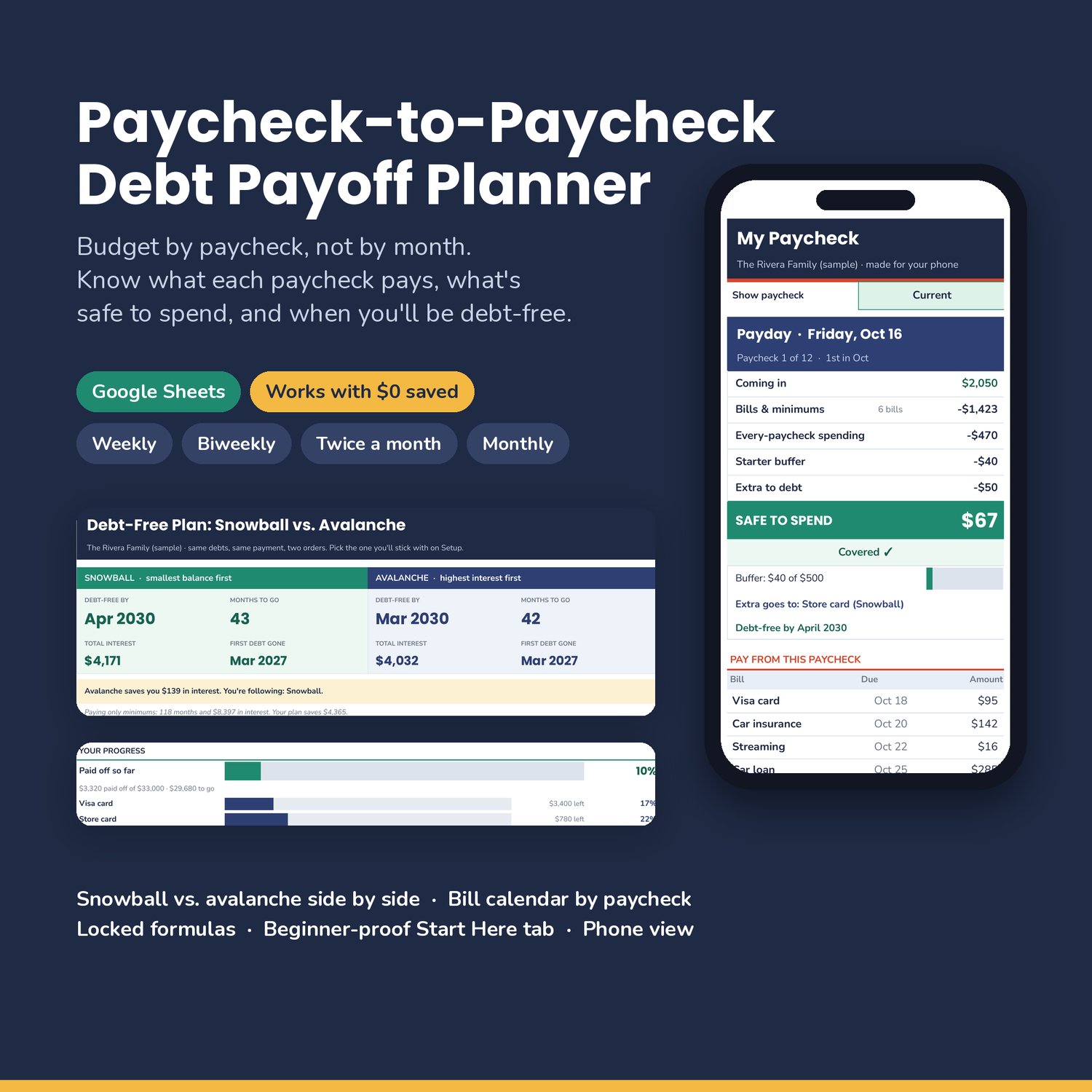
The Paycheck-to-Paycheck Debt Payoff Planner answers that for every paycheck, then shows you the fastest way out of debt.
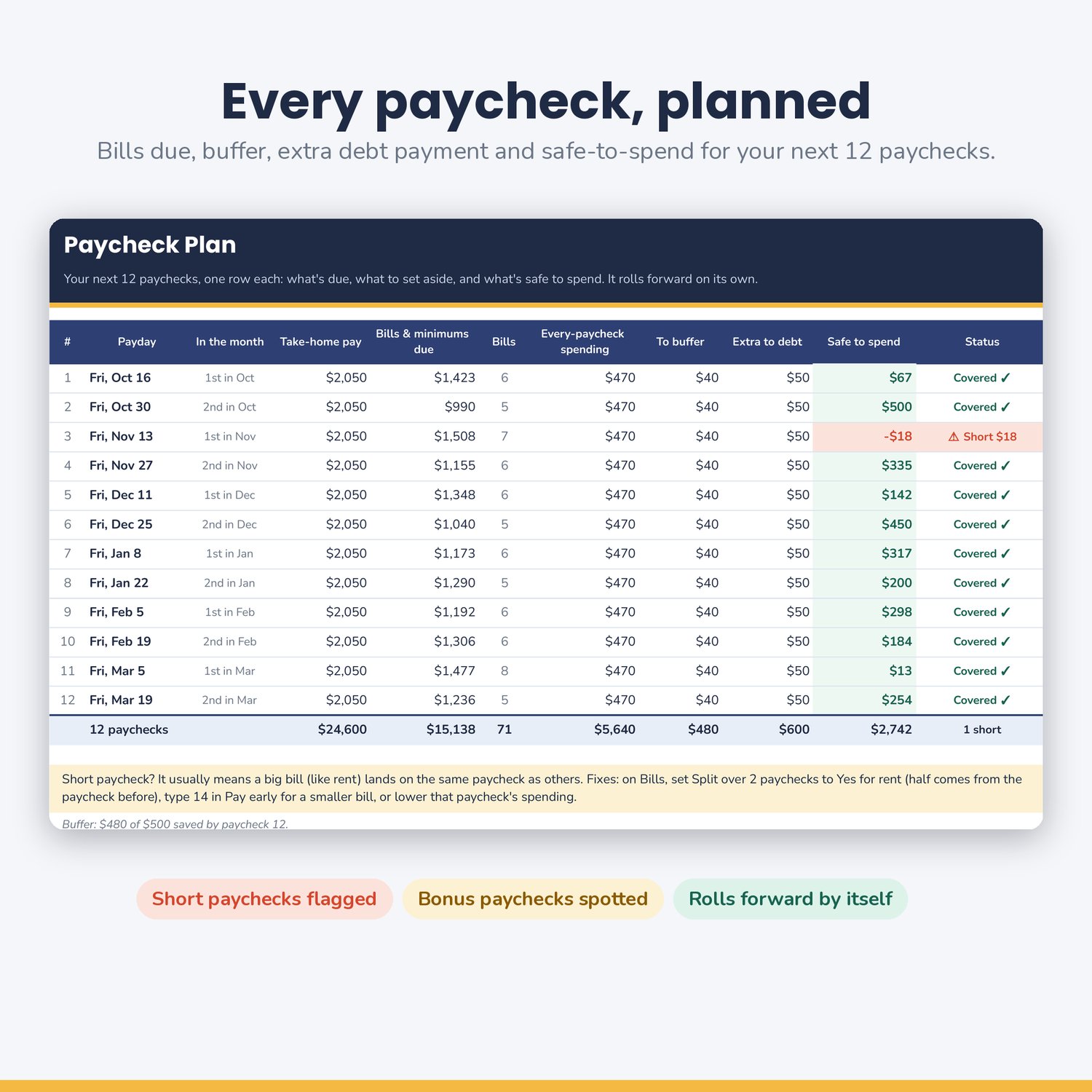
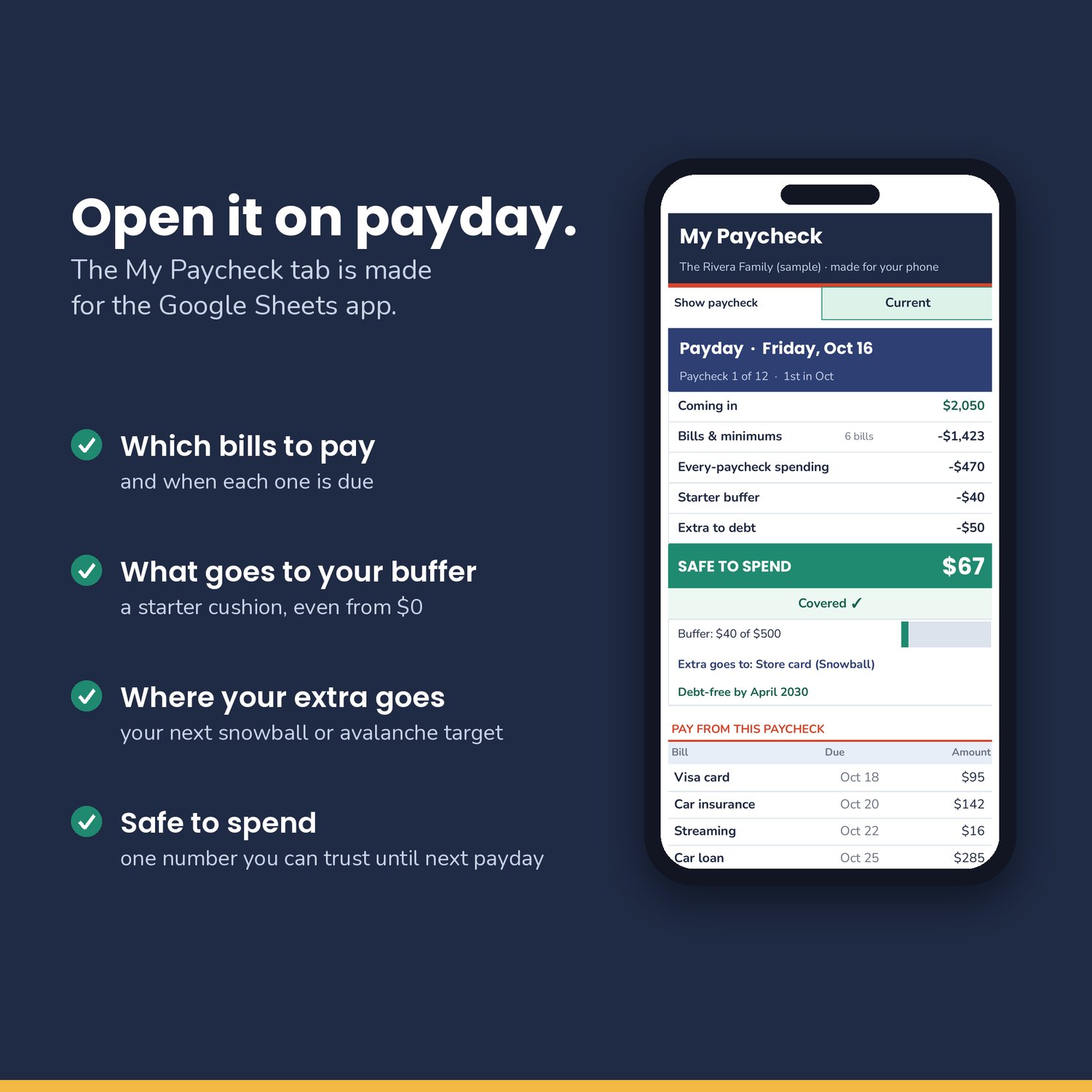
Every paycheck, planned. Pick weekly, every 2 weeks, twice a month or monthly. Type one payday. The planner lays out your next 12 paychecks: the bills each one pays, your every-paycheck spending (groceries, gas), your starter buffer, your extra debt payment, and one number: safe to spend. It rolls forward by itself, so there's never a new month to set up.
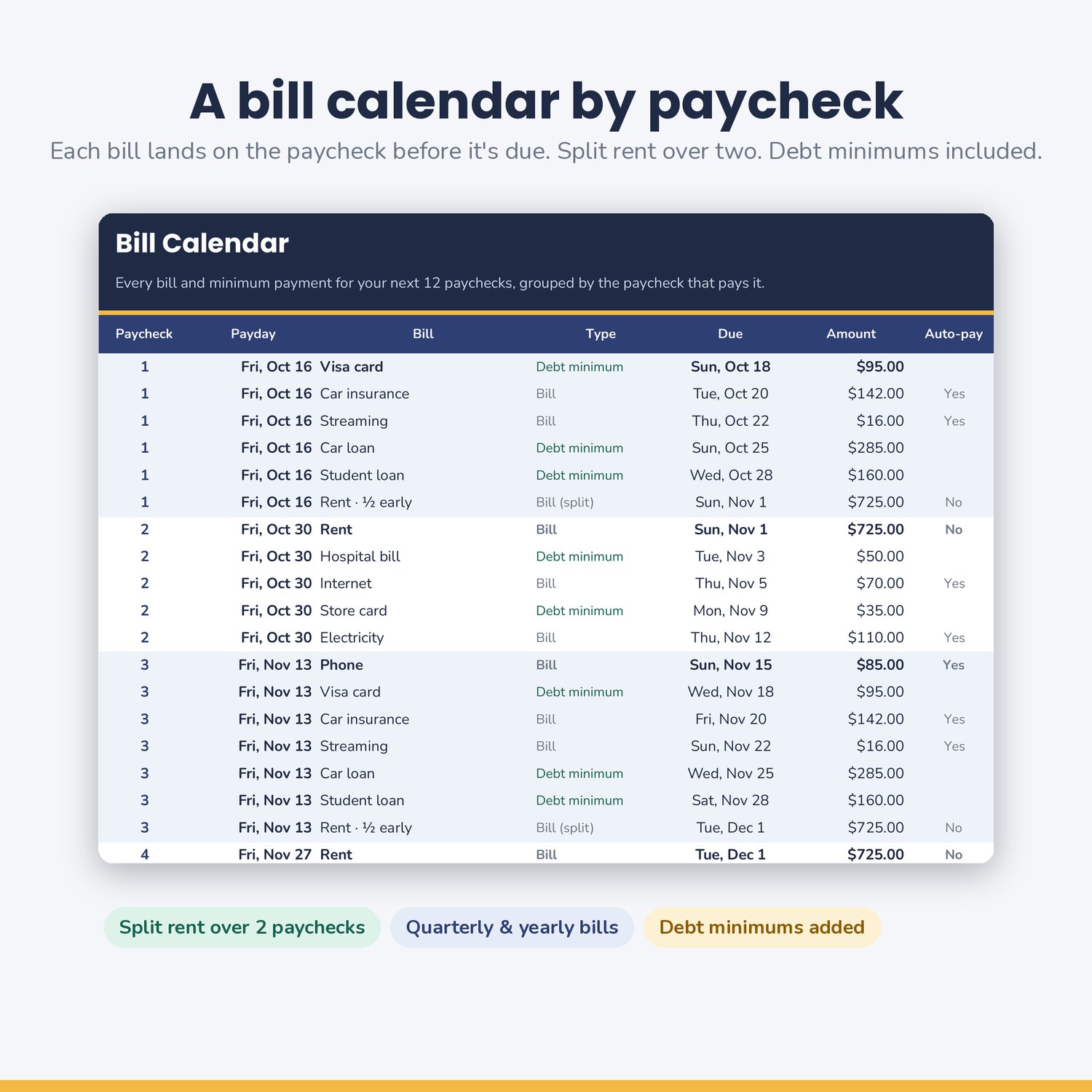
A bill calendar by paycheck. List each bill once with its due day. Each bill is put on the paycheck before it's due, and your debt minimums are added for you. Rent too big for one paycheck? Split it over two. Quarterly and yearly bills show up in the right month. If a paycheck can't cover everything, it's flagged red so you can fix it before payday, not after.
Works when you have $0 saved. Start your buffer at zero. Set aside a little each paycheck until you hit a small goal, like $500. When it's full, that money can roll onto your debt automatically.
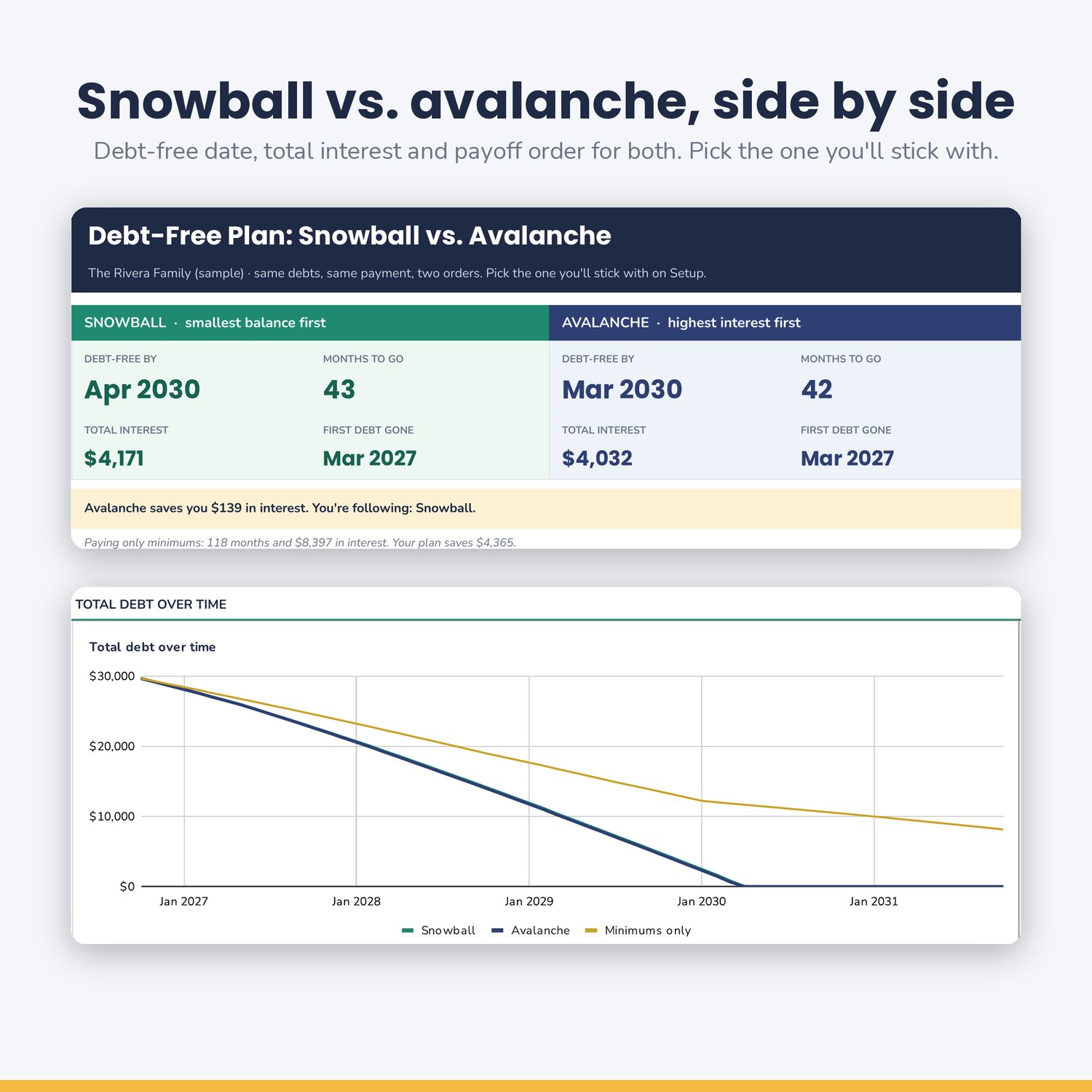
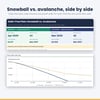
Snowball vs. avalanche, side by side. See both plans for your own debts: debt-free date, months to go, total interest, when your first debt is gone, and the payoff order. Compare them with paying only minimums. Then pick the one you'll stick with.
Watch it shrink. Progress bars for your total debt and every single debt, plus a chart of your balance over time.
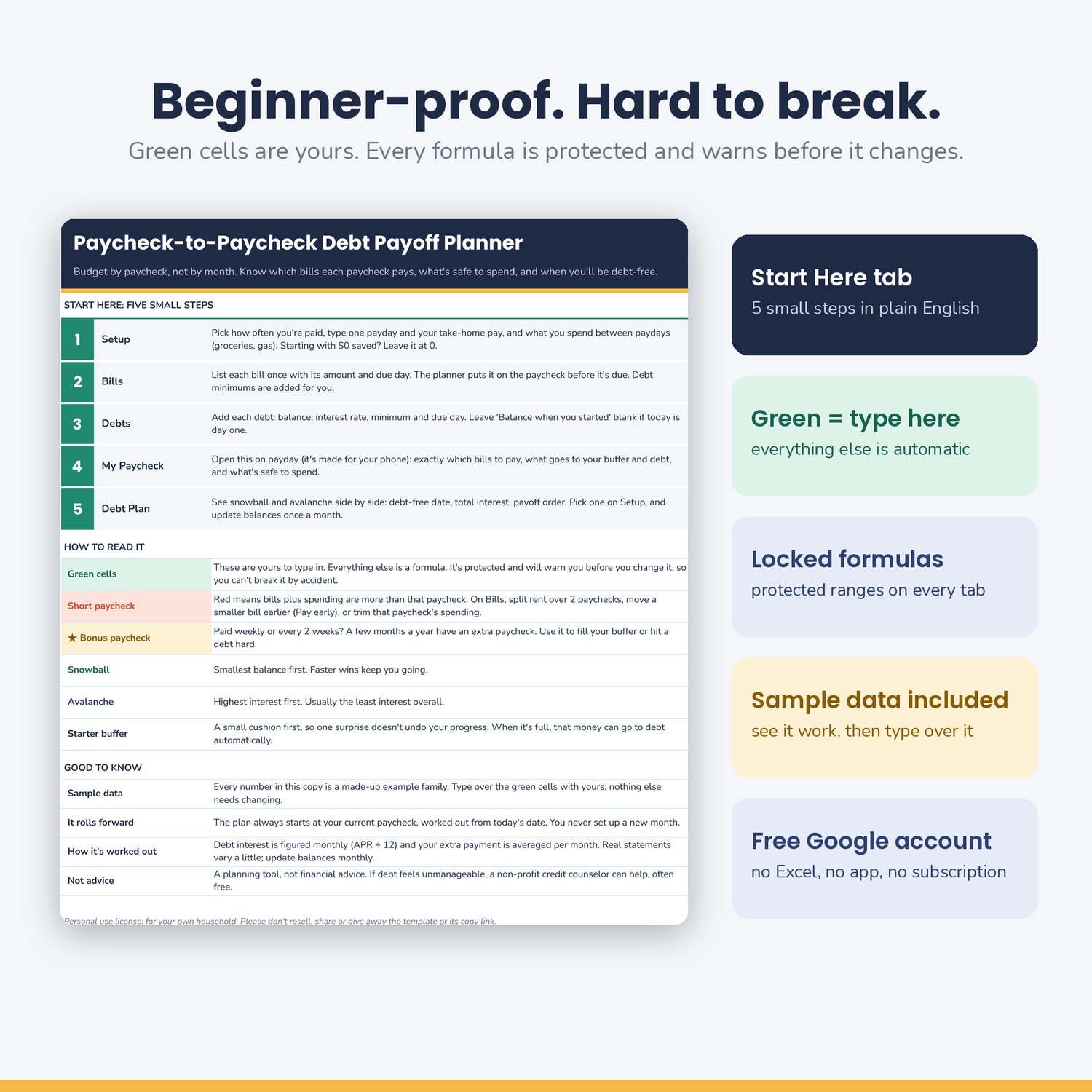
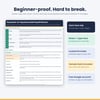
Beginner-proof, and hard to break. A Start Here tab walks you through 5 small steps in plain English. Green cells are yours to type in. Every formula is protected, and Google Sheets warns you before anything changes. No Excel skills needed.
Made for your phone. The My Paycheck tab is a one-column view for the Google Sheets app. Open it on payday and you'll see exactly what to pay and what's left.
WHO IT'S FOR
- Anyone living paycheck to paycheck who wants a plan they can follow
- People paid weekly, biweekly (every 2 weeks), semi-monthly (twice a month) or monthly
- Families paying off credit cards, store cards, car loans, medical bills or student loans
- Beginners who "suck at Excel" and keep breaking spreadsheets
WHAT'S INCLUDED
Google Sheets template (one-click "Make a copy" link), 8 tabs:
- Start Here: 5 small steps, how to read the colors, snowball vs. avalanche in plain English
- Setup: pay frequency, one payday, take-home pay, every-paycheck spending, starter buffer, extra debt payment, your chosen method
- My Paycheck: phone-friendly view of any paycheck: bills to pay, buffer, extra to debt, safe to spend, your next debt target
- Paycheck Plan: your next 12 paychecks, with short-paycheck warnings and bonus (3rd) paychecks flagged
- Bills: up to 25 bills, monthly, quarterly or yearly, with "pay early", "split over 2 paychecks" and auto-pay columns
- Bill Calendar: every bill and minimum for 12 paychecks, grouped by the paycheck that pays it
- Debts: up to 10 debts, with the snowball and avalanche order and paid-off date for each
- Debt Plan: side-by-side snowball and avalanche dashboard, minimum-only comparison, progress bars, payoff order and a balance-over-time chart
Plus clearly marked sample data for a made-up family, and a PDF quick-start guide with your copy link.
HOW TO USE IT
1. After checkout, open the PDF and click Make your copy. You need to be signed in to a Google account.
2. Setup: choose how often you're paid, type one real payday and your take-home pay.
3. Bills and Debts: type over the sample rows with your own.
4. Every payday: open My Paycheck. Once a month, update your debt balances on Debts.
SPECS
- Google Sheets (any free Google account). Works on computer, tablet and the Google Sheets phone app. Setup is easiest on a computer.
- Pay frequencies: weekly, every 2 weeks, twice a month (1st & 15th, or 15th & last day), monthly
- Up to 25 bills, 10 debts, 12 upcoming paychecks, 30-year payoff horizon
- USD or CAD (both use the $ sign)
- Not an Excel file; it's built for Google Sheets.
FAQ
Do I need Excel or any formula skills? No. You only type in the green cells.
I'm paid every 2 weeks. Does it handle months with 3 paychecks? Yes. They're marked as bonus paychecks.
What if one paycheck can't cover everything? It's flagged red with the amount you're short; split rent, move a smaller bill earlier, or trim spending, then watch it turn green.
I have no savings. Will this still work? Yes, that's what it's built for. Your buffer starts at $0.
Snowball or avalanche: which is better? Avalanche usually costs less in interest. Snowball gives quicker wins. The planner shows both for your own debts.
My pay changes from check to check. Use your smallest normal paycheck; anything extra is a bonus.
Can I break it? It's hard to. Formulas are protected and Sheets warns you first. Undo (Ctrl+Z / Cmd+Z) fixes slips.
Is this financial advice? No. It's a planning tool. Interest is estimated monthly (APR ÷ 12), so real statements will differ a little. A non-profit credit counselor can help if debt feels unmanageable.
LICENSE
Personal use for you and your own household. Please don't resell, share or redistribute the template or its copy link, in original or edited form.