
2019 Microsoft PowerPoint Bundle
You don't have to convince your administration to buy another expensive program. You don't have to write any new assignments or figure out how to grade it. Whether you just want to teach basics or you are preparing students for the MOS certification, these lessons will get your students there--whether they are in your classroom or at home, provided they have access to Office or 365. Lessons are all inclusive, self-directed and include step by step videos--perfect for teaching live, blended, or strictly online. For a fraction of the price. (see the preview video on Youtube here)
Welcome to the full bundle of my new PowerPoint 2019 Video Tutorial Lessons! This bundle contains 5 lessons and includes all files needed to complete the unit.
In this unit, students begin with the Pre-Assessment or Practice lesson. This lesson is simple and basic and goes over the most basic features of PowerPoint. Teachers may decide that students may skip all or part of this lesson if they already know how to do those features. Then there are lessons 1-3, which go into greater detail on PowerPoint features, getting progressively more difficult and intense (and more fun!) Finally, lesson 4 is an Application lesson, and a great reward for fast students who have finished everything. This lesson can take only a few days or much longer depending on how much time the student wants to spend. All lessons cover features that may appear on the MOS Certification exam.
These lessons are designed to be used in a blended learning format, where students learn at the own pace. The teacher acts as more of a guide to help students who get stuck or need additional one-on-one help, but students are responsible for their own learning and pacing.
These lessons are a great way to teach Microsoft in a home format as well, provided students have access to PowerPoint 2019 or Office 365 (paid version). I used this model during the second half of the 2019-2020 school year and still had a high passing rate on the MOS test.
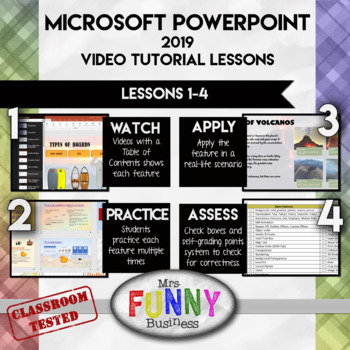
Step 1: WATCH - Students begin by opening the lesson video, which has a table of contents and allows them to learn about each feature and skip to where they need to be. Some students may be able to skip entire sections if they already know that features, while others can watch sections multiple times if they are having difficulty or need to go back. The video does not show them their assignment step by step, but shows them how to do each feature. They must then use that knowledge to figure out how to use it themselves in their own assignment.
Step 2: PRACTICE - Students then open the Lesson Excel sheet and go to the practice section, usually comprising 4-5 different mini-lessons labeled by letter. Following the step by step directions, students practice the feature several times until they are confident using it. Students may print the final results or turn them in digitally. A key is provided for a quick perusal by teacher to grade--I never spend more than a few seconds grading each one.
Step 3: APPLY - After practicing, students can apply their knowledge in a real-world application where they use the skills they have just learned to create something in Word.
Step 4: ASSESS - At the end of each lesson, students go to the practice page and check the boxes of each feature if they can remember how to use it and feel confident with it.
I have tried to write these lessons like an accordion--with room to expand and contract as the student needs require. Gifted students can go as quickly as they like and will have advanced lessons to keep them challenge. Slower students can go at their own pace as well, with a teacher more free to spend time with them as needed. The solution videos included are another way of making the lessons simpler for slower students who need more scaffolding.
Practice - Teaches the most common and basic features in PowerPoint like animations, transitions, placeholders, and layouts. Students can use this as a refresher and practice only the parts they do not already know how to do.
Lesson 1 - Goes a bit deeper into the basic features in PowerPoint. Students learn Slide Master, Custom bullets, Object manipulation, Charts, Tables, 3-D models, image features, reuse slides and action buttons
Lesson 2 - The most heavy of the the assignments, and also a lot of fun! Students go even deeper, learning about triggers, custom layouts in master slides, morph transitions, notes, hyperlinks, summary zoom and animation timing
Lesson 3 - In this assignment, students learn how to create automatic slideshows that run with music in the background. Students will use screen recording, edit video and audio with trim and fade, rehearse timings and alternative text. This lesson also requires students to choose a topic and create something original to them.
Lesson 4 - This assignment is designed as a "bonus" assignment for fast finishers. It teaches a few new features--action mouseovers and remove mouse click among them--but also allows students to go deep into animations with triggers, delay, repeat, and all 4 forms of animations. Students will create their own original three level maze or video game, and it is FUN!
Exams - Finally, I have included a final exam if you wish to test your students via multiple choice rather than the MOS test. There are 34 questions with an A and B version. Some questions vary from test to test, as well as being in a different order.
This download also includes the non-internet based mp4 files as well, just in case you do not have internet access of the site is temporarily unavailable.