

CopyTrail — Clipboard History & Work Session Memory for Windows
CopyTrail is a private clipboard and work-session memory app for Windows.
It helps you save copied text, links, notes, code snippets, research, job posts, trailer URLs, and other useful material — then organize it into work sessions, projects, folders, and subfolders.
Most clipboard tools only answer:
“What did I copy?”
CopyTrail goes further and helps you answer:
“What was I working on?”
“Where did this copied item belong?”
“How do I organize this so I can find it later?”
CopyTrail is built around one simple idea:
Recover what you copied. Remember what you were doing — and organize it your way.
What CopyTrail does
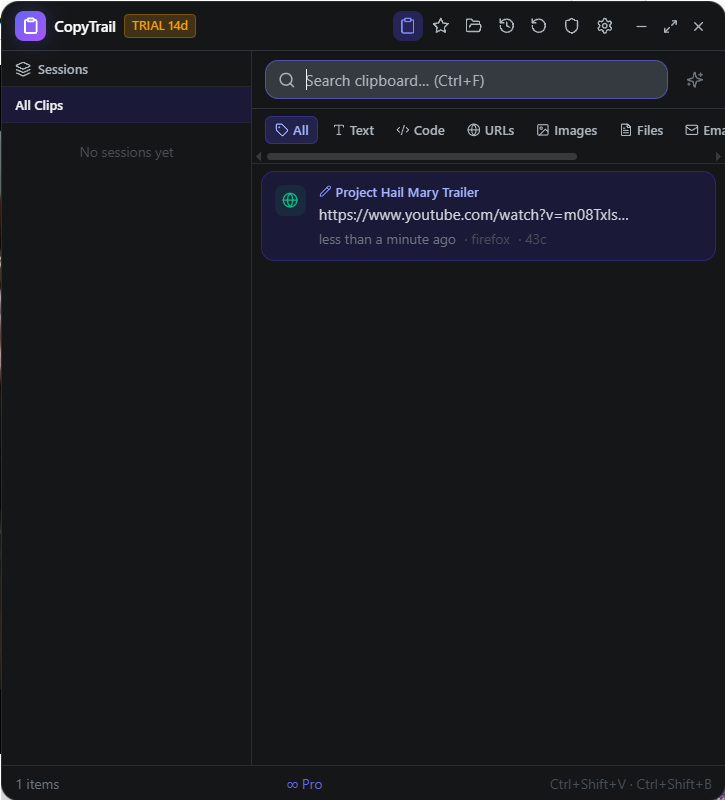
CopyTrail automatically saves copied text and links so you can search and reuse them later.
It also organizes your work into Work Sessions, so copied items from the same task stay together.
With Continuity Mode, CopyTrail helps you recover your train of thought by showing your most recent work session and a simple summary of what you were doing.
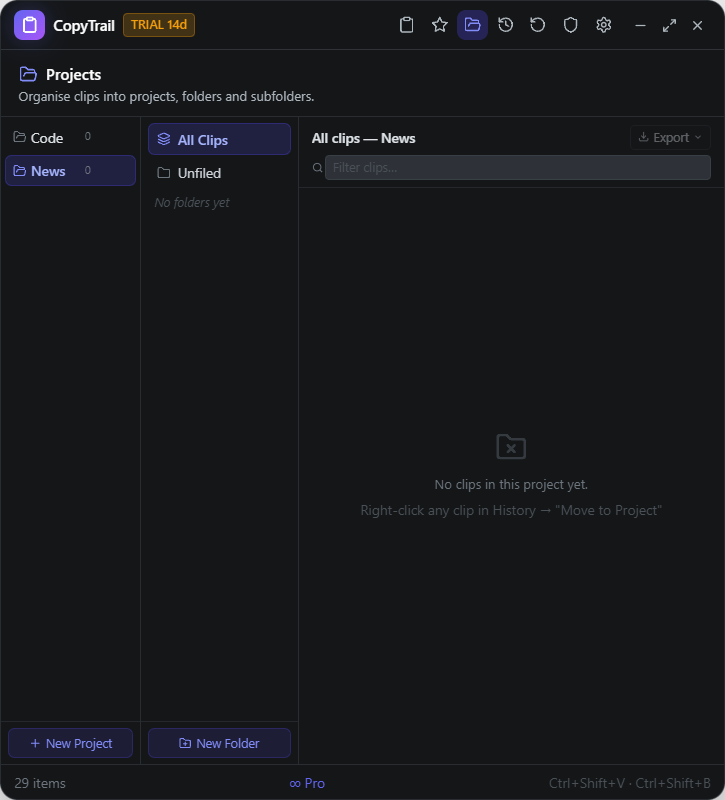
With Projects, folders, and subfolders, you can organize clips manually under names that make sense to you.
Example:
Project: Movie Reviews
Folder: Superman 2025 Review
Subfolder: Trailer Sources
Clip: Superman 2025 — Official Trailer
Core features
- Searchable clipboard history
- Smart Work Sessions
- Continuity Mode: “What was I doing?”
- Rename clips
- Add notes to clips
- Create Projects
- Create folders and subfolders
- Move clips into projects/folders/subfolders
- Project and folder badges
- Project-local search
- Tag filtering inside Projects
- Export project/folder clips as TXT, Markdown, or JSON
- Timeline view
- System tray access
- Keyboard shortcuts:
- Ctrl+Shift+V — Quick paste
- Ctrl+Shift+B — Full view
Privacy features
CopyTrail is designed as a safer, narrower alternative to broad screen-memory tools.
- No screen recording
- No keystroke logging
- Clipboard history is stored locally on your PC
- CopyTrail does not upload your copied content
- No accounts required
- No telemetry
- Pause capture anytime
- Exclude sensitive apps or window titles
- Delete all history
- Delete the last 15 minutes
- Sensitive Data Protection redacts likely secrets before saving
CopyTrail remembers your work trail — not your whole screen.
Pro license included
Your purchase includes a CopyTrail Pro license key.
Pro unlocks:
- Unlimited clipboard history
- AI-generated Work Session titles
- Semantic search
- Unlimited AI text transforms
- Session export
- Timeline view
- Projects, folders, subfolders, notes, and organization features
Your license key arrives in your Payhip confirmation email.
What is included in the download
The ZIP file includes:
- CopyTrail_1.0.6_x64-setup.exe — recommended installer
- CopyTrail_1.0.6_x64_en-US.msi — Windows Installer
- ACTIVATION_GUIDE.txt
- PRIVACY_NOTES.txt
- EULA.txt
- RELEASE_NOTES_1.0.6.txt
System requirements
- Windows 10 or Windows 11
- 64-bit PC
- About 250 MB free space for the download/install package
- No account required
- Internet may be needed for license activation, but your clipboard content stays local