
Quantity Takeoff vs Measured Check - Construction Excel Template
On Sale
$7.00
$7.00
Who it is for
- Site engineers, quantity surveyors, estimators and project managers who want to compare takeoff (design/estimated) quantities with measured or as-built quantities before a payment application or progress review
- Anyone who wants to pick out only the lines that fall outside a set tolerance (for example ±3%) and check them again
- People who prefer a plain spreadsheet over dedicated software
What it does
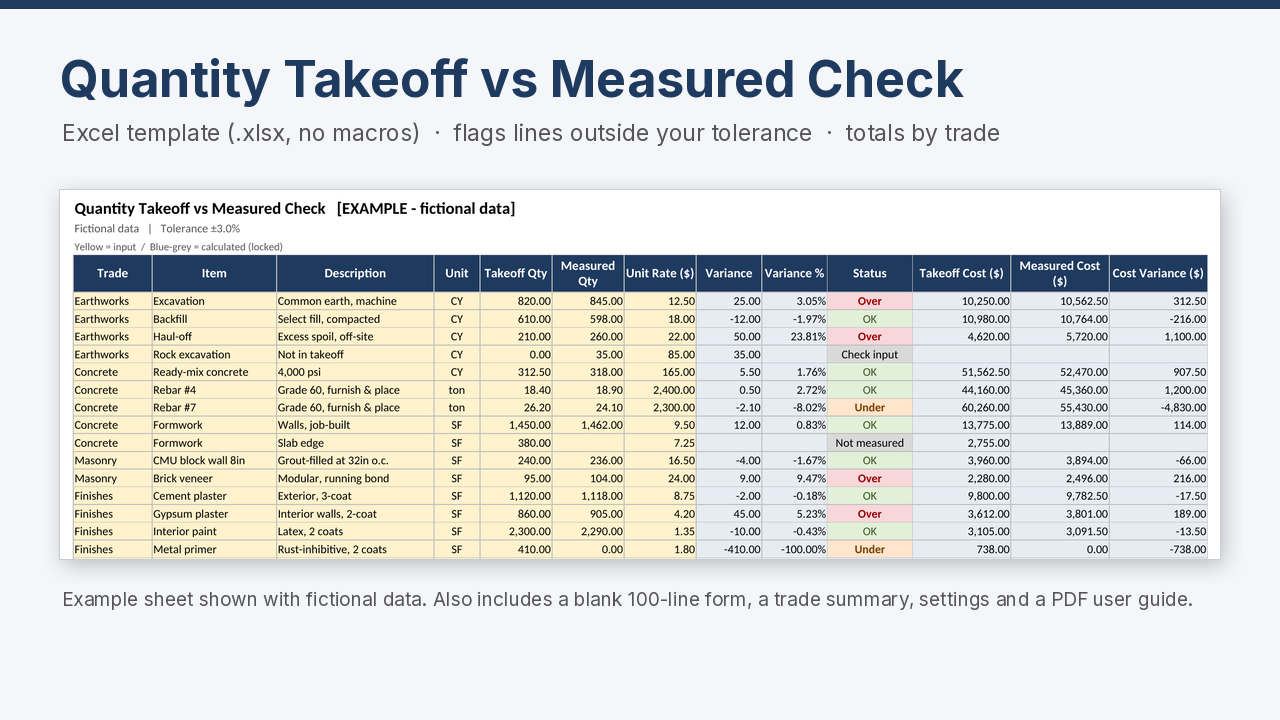
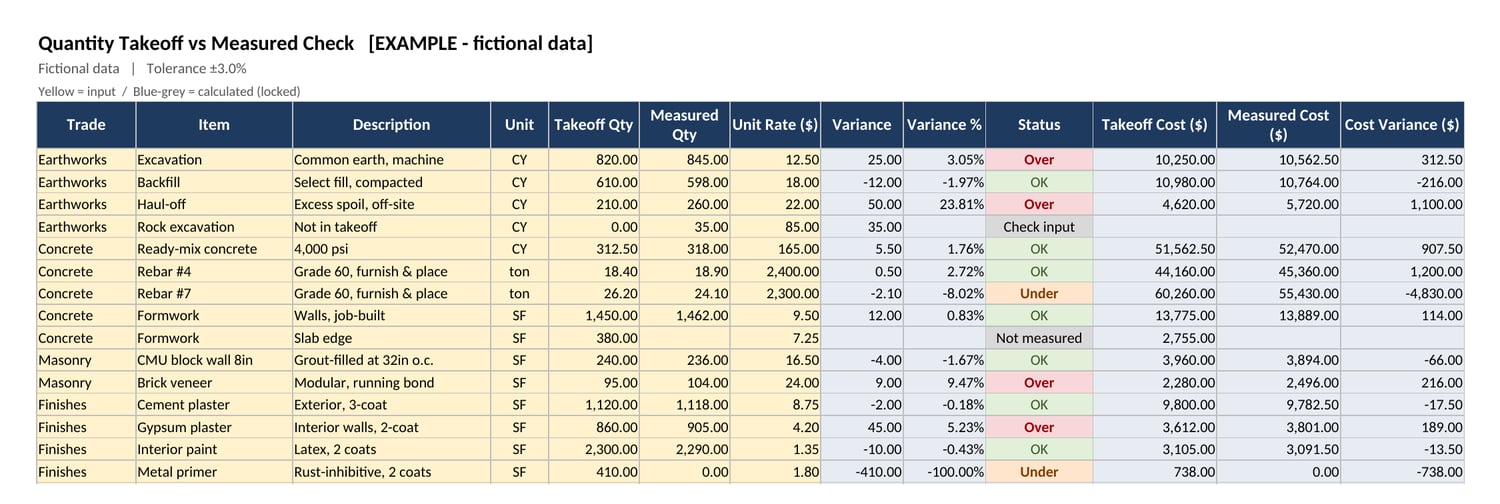
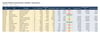
- Fill in the yellow cells (Trade, Item, Description, Unit, Takeoff Qty, Measured Qty, Unit Rate); variance, variance %, status, takeoff cost, measured cost and cost variance are calculated automatically
- Five statuses: OK / Over (red) / Under (orange) / Not measured / Check input (takeoff quantity of 0, or text in a number cell)
- Tolerance is set once on the Settings sheet (0% to 50%, default ±3%)
- Currency symbol of your choice in the cost headings (default $); amounts formatted #,##0.00
- Unit drop-down with metric and imperial units (m³, m², m, t, kg, CY, SY, SF, LF, ton, lb, EA, LS, hr) plus 6 empty slots for your own
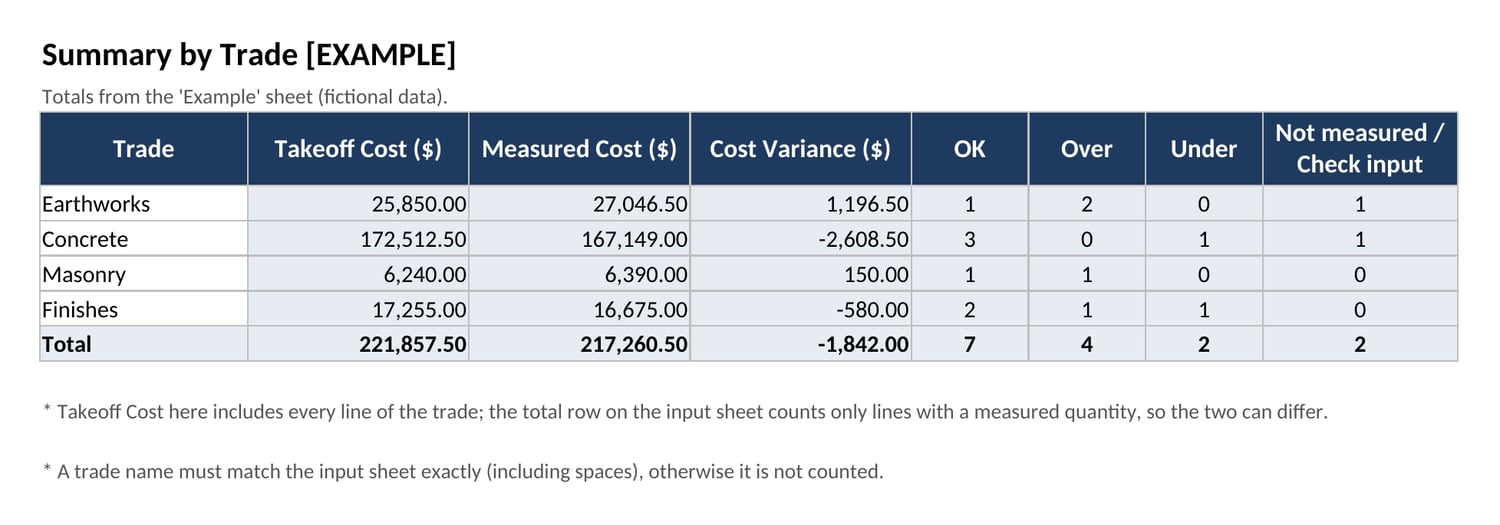
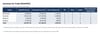
- Summary sheet totals cost and status counts for up to 15 trades
- Formula cells are locked with sheet protection (no password, so you can unprotect it if you need to)
- Blank measured quantity = "Not measured", so items not yet measured are not confused with a measured zero
- Print-ready: A4 landscape, header row repeated on every page (switch to Letter in Page Setup if needed)
What's included (1 zip file)
- Quantity_Takeoff_vs_Measured_Check_v1.0.xlsx (no macros) - 7 sheets: How to Use, Settings, Example, Example Summary, Takeoff Check (100 lines), Summary, Notes & License
- User_Guide_v1.0.pdf (3 pages: sheet by sheet instructions, status rules, FAQ, limitations)
- LICENSE.txt
Compatibility
- Tested in LibreOffice Calc (open, recalculate, print layout).
- Uses only standard functions available in Excel 2010 and later (IF, IFERROR, SUMIFS, COUNTIFS, etc.). Not yet tested in Microsoft Excel or Google Sheets.
What it does not do
- It does not read drawings or models and does not produce the takeoff for you.
- It contains no unit rates or cost data and does not judge whether rates are reasonable, contract terms or payment entitlement.
- It is not a substitute for review by a qualified estimator, quantity surveyor or engineer.
- Example data in the file and the preview images is fictional.
License
Personal and commercial use by the buyer. Reselling, redistributing or sharing the template file is not allowed.
Questions
This is a ready-made template with no custom work or included support. If something is unclear, please send a message through this platform.