

Elektron Syntakt Overbridge Ableton Template
On Sale
£6.99
£6.99
Turn your Elektron Syntakt songs or patterns into a fully Ableton Live arrangement in seconds.
This Ableton Live 12 template takes care of the repetitive Overbridge routing so you can connect your Syntakt and start recording.
Before opening the template
Make sure you have Ableton Live 12 and Elektron Overbridge installed, including the Syntakt plugin.
- Download and install the latest version of Elektron Overbridge from Elektron website. https://www.elektron.se/support-downloads/overbridge
- Connect your Syntakt to your computer via USB.
- Make sure the Syntakt is set to Overbridge USB mode.
- Open Ableton Live and allow it to scan the installed plugins.
- Once Ableton recognises the Elektron Syntakt Overbridge plugin, open the template.
Details
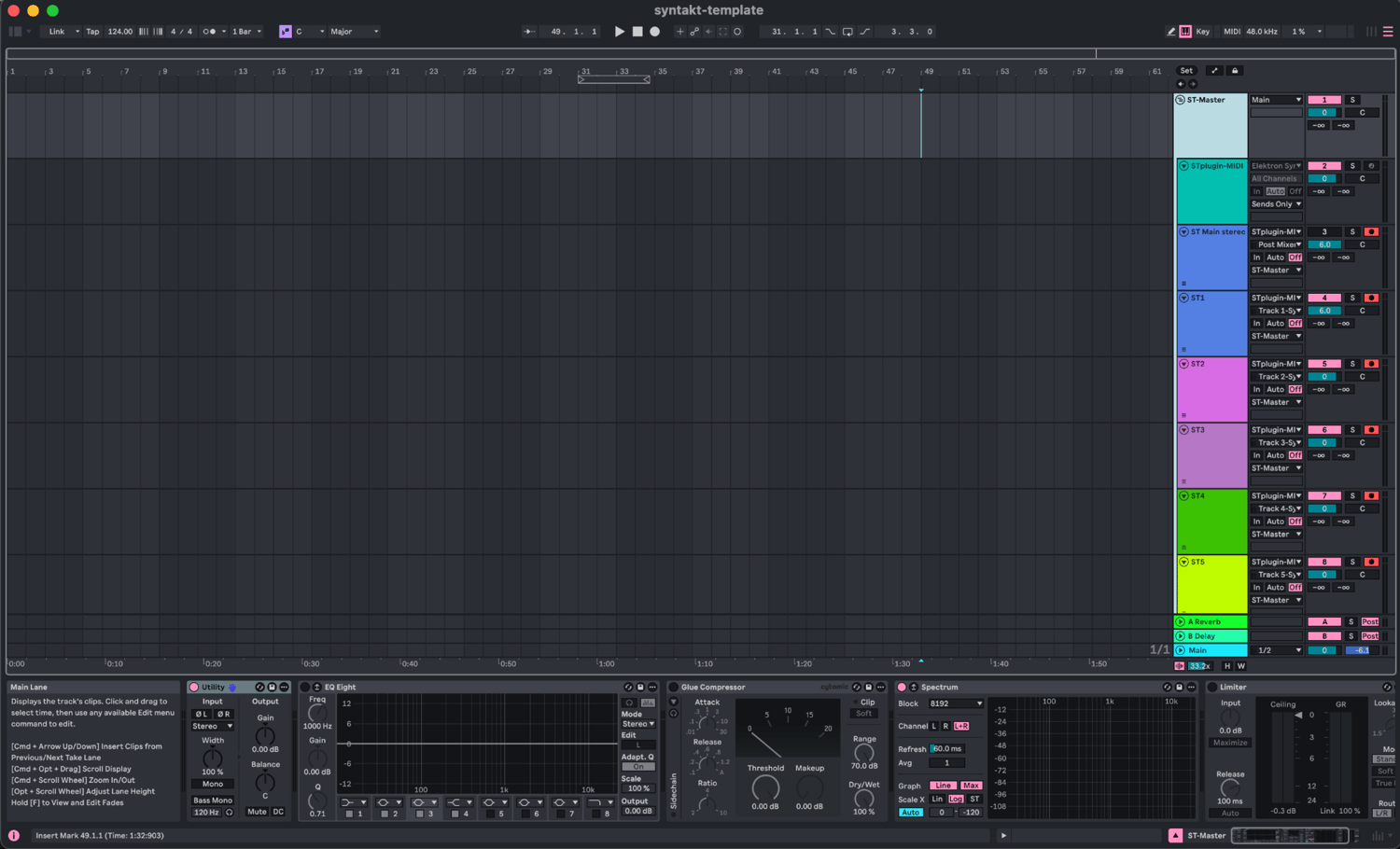
Everything is already organised for you:
- Main Syntakt stereo output
- All 12 individual Syntakt tracks
- Syntakt FX channel
- External stereo input
- Dedicated Overbridge / MIDI track
- Utility + EQ Eight on every audio channel
- Colour-coded and organised routing
- Syntakt master bus with Glue Compressor
- Spectrum monitoring
Perfect for:
- Recording Hardware jams
- Multitrack recording
- Recording Syntakt patterns into arrangement view
- Processing individual Syntakt voices with Ableton effects
- Hybrid hardware/software production
- Quickly starting new Syntakt projects without rebuilding your routing
No third-party plugins are required (besides Overbridge)
Requirements
- Ableton Live 12
- Elektron Syntakt
- Elektron Overbridge