


XLINE Construction Guide
On Sale
$5.00
$5.00
XLINE Construction Guide
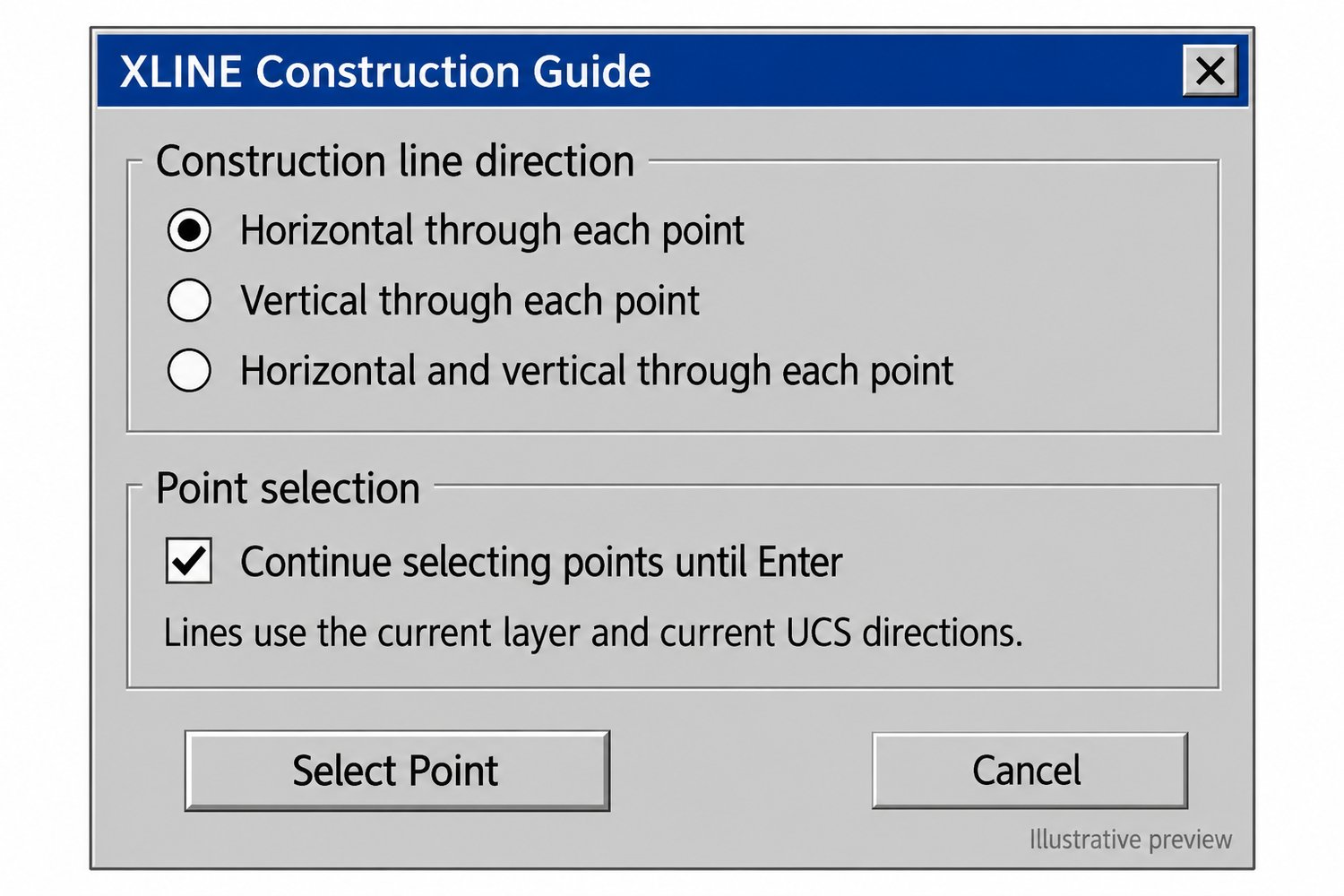
Create horizontal and vertical construction lines from one convenient AutoCAD dialog.
XLINE Construction Guide combines two familiar drafting routines into one tool. Choose a direction, select a point, and place the construction lines you need to help align and lay out your drawing.
Features
- Create a horizontal XLINE through a selected point.
- Create a vertical XLINE through a selected point.
- Create both horizontal and vertical XLINEs through the same point.
- Select one point or continue placing lines until you press Enter.
- Draw using the current layer and current UCS directions.
- Keep your existing XLH and XLV commands—the new tool does not overwrite them.
How to use
- Load the LISP file with APPLOAD.
- Type XLINEGUIDE.
- Choose horizontal, vertical, or both.
- Select your point or points in the drawing.
What’s included
- XLINE Construction Guide LISP file
- DCL dialog file
- Original XLH and XLV routines
- Installation and usage instructions
- Payhip cover image
Price: $9.00
Live AutoCAD testing, including rotated UCS and version compatibility, is still needed.