



Heat Pump Savings Calculator Starter Kit
Launch an embeddable heat pump savings calculator without starting from a blank page.
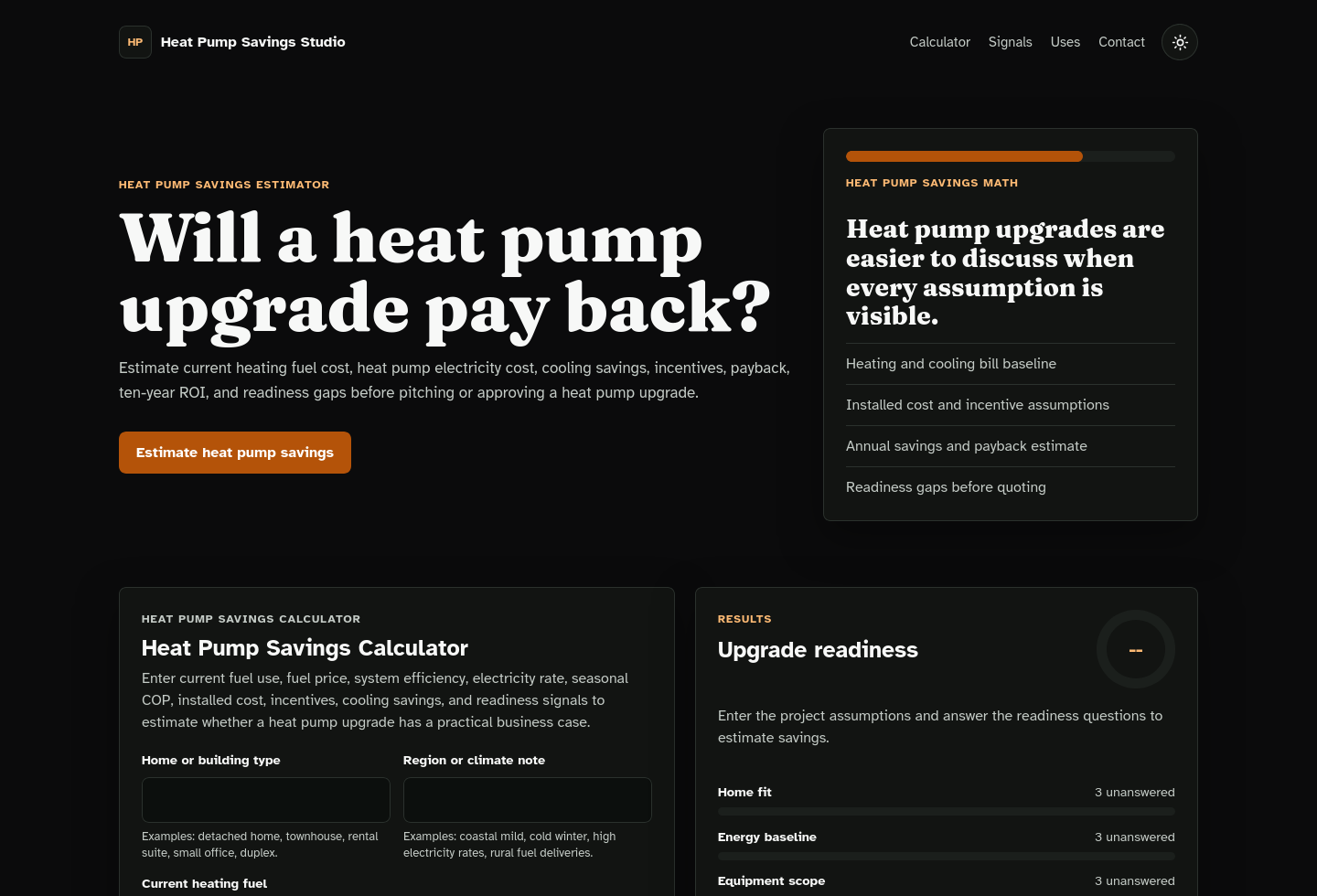
Heat Pump Savings Calculator Starter Kit is a complete static website package for HVAC contractors, energy advisors, home-electrification consultants, agencies, and developers who want a useful lead magnet for heat pump upgrade conversations.
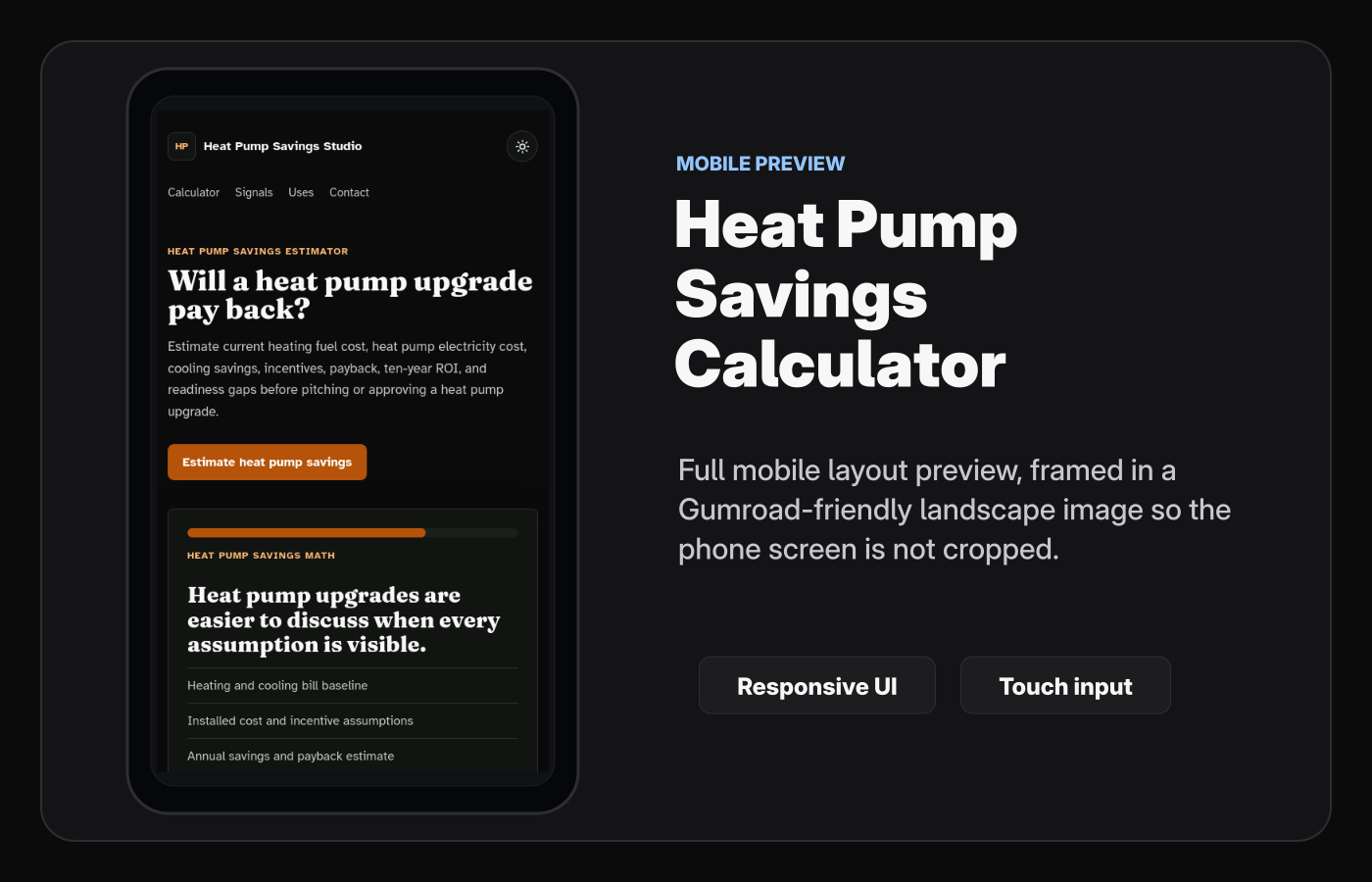
It includes a real browser-based calculator, readiness checklist, full-page and tool-only embed outputs, responsive design, a selectable default dark or light theme, optional lead capture, installable app files, trust pages, versioned setup docs, and customization metadata for the included starter-kit files.
What You Get
- Full HTML, CSS, and JavaScript source
- Working heat pump savings calculator with deterministic local estimates
- Full-page homepage for publishing a standalone lead magnet
- Optional embed.html output for iframe embeds or focused tool sections
- Optional branded link from embed.html back to the full site
- Optional homepage panel with embed.html link, iframe code, and copy buttons
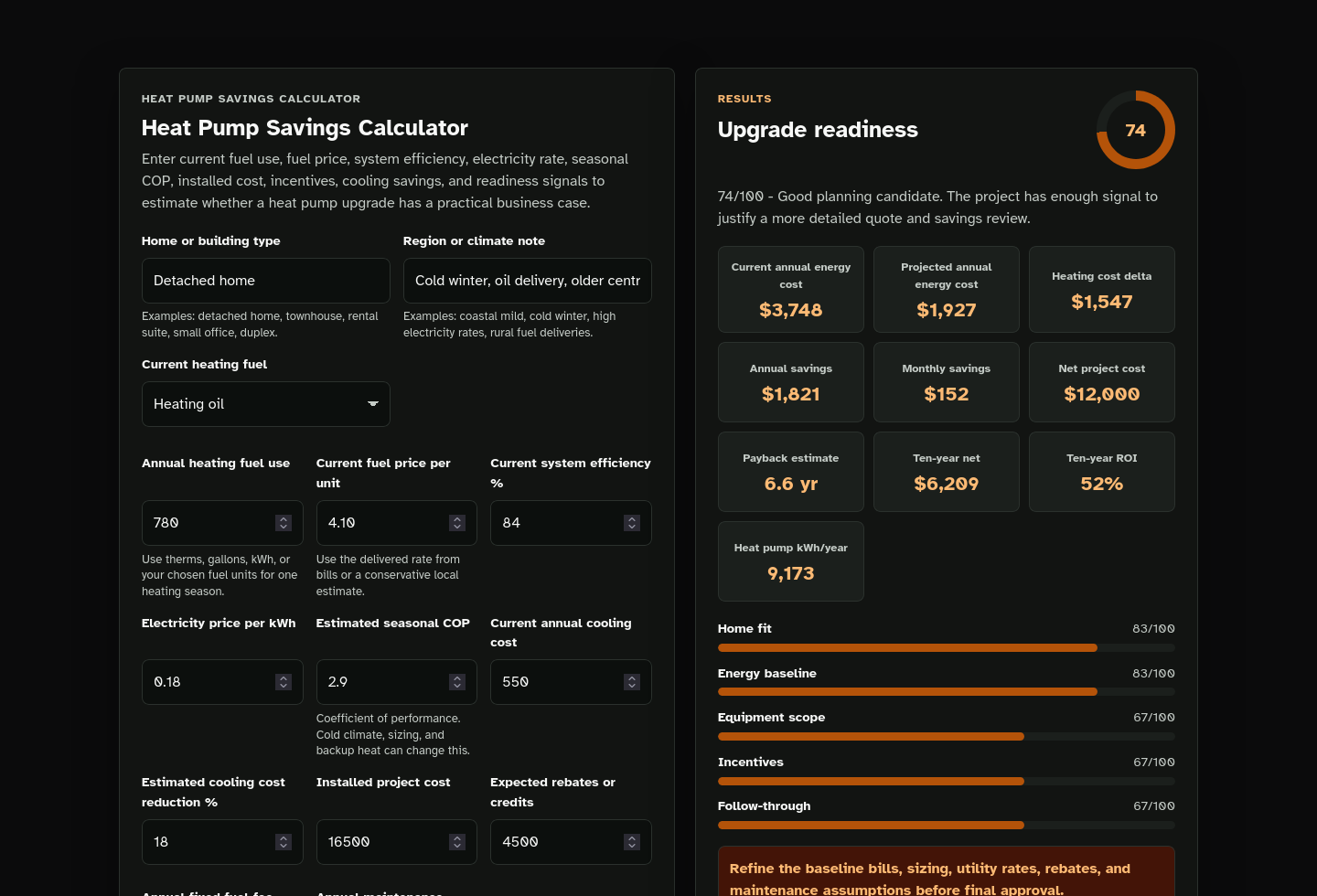
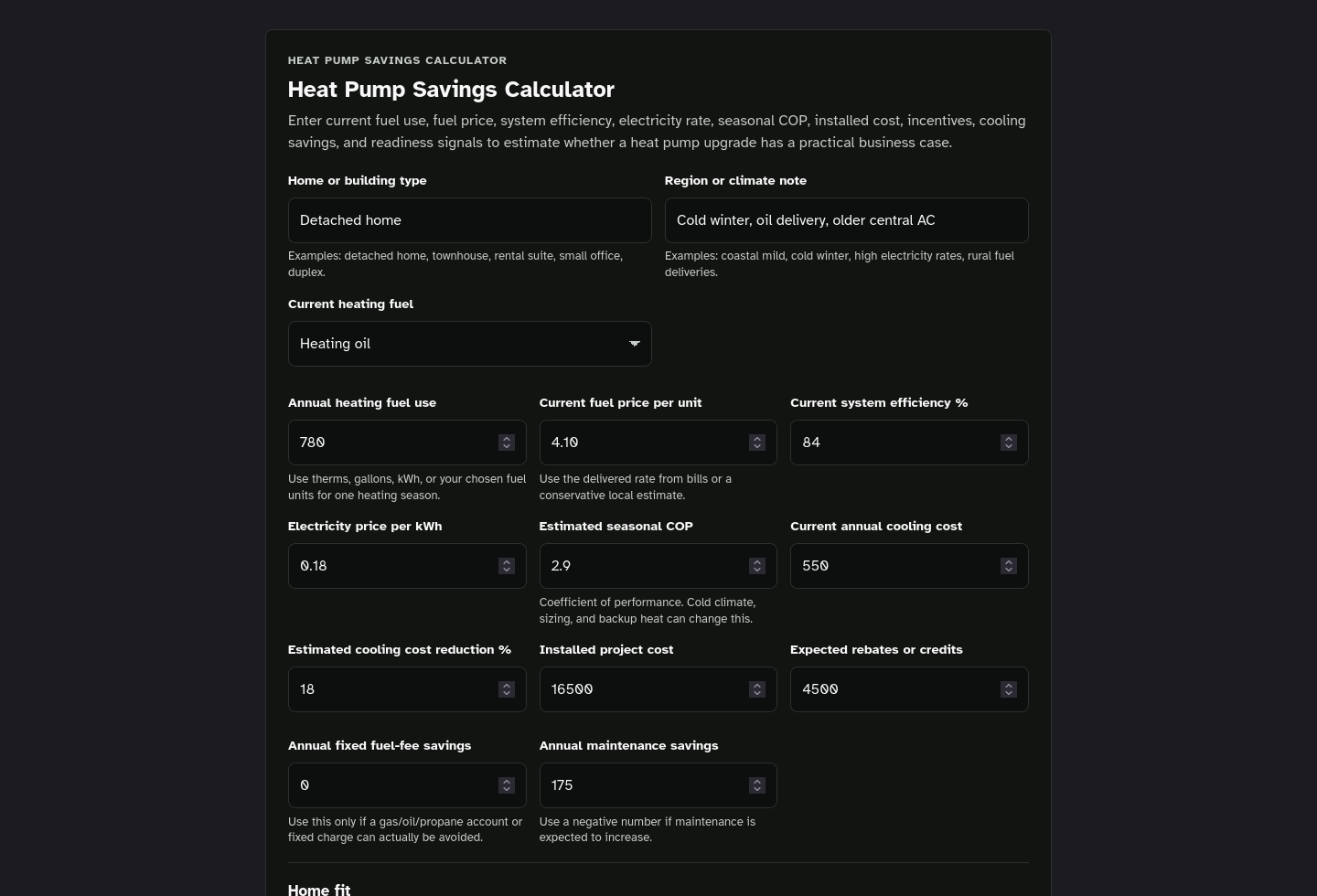
- Inputs for home or building type, climate note, current fuel, annual fuel use, fuel price, current system efficiency, electricity rate, seasonal COP, cooling cost, installed cost, incentives, fixed fuel-fee savings, and maintenance savings
- Estimates for current heating cost, heat pump electricity use, heat pump heating cost, current annual energy cost, projected annual energy cost, annual savings, monthly savings, net project cost, ten-year net, ten-year ROI, and payback period
- Readiness scoring across home fit, energy baseline, equipment scope, incentives, and follow-through
- Result bands, metric cards, category bars, top gap recommendations, copy action, and local text-report download
- Optional result form that can post estimate details to your configured HTTPS form provider
- Local browser processing with no required backend or AI API
- Installable app files: PWA manifest, service worker, and icons
- Privacy policy, terms, contact page, robots file, and sitemap
- Local fonts and visual assets
- Third-party notices for bundled fonts and included assets
- Template placeholders for brand, domain, contact method, SEO text, calculator copy, lead form settings, default theme, colors, and app metadata
- Optional custom code fields for head, body-start, and body-end snippets
- Optional homepage ad placement fields controlled by toggles
- template.meta.json field metadata for customization helpers
- README.html with a versioned setup guide link
- Online setup docs for the matching package version
- MIT license for original code, with third-party notices for bundled fonts and assets
Why This Exists
Heat pump projects are easy to oversimplify. A homeowner may hear that heat pumps are efficient, but the real question is usually more practical:
- What does the current fuel actually cost?
- How much electricity could the heat pump use?
- What seasonal performance assumption is being used?
- How do rebates or tax credits change the net project cost?
- What happens if cooling savings are modest or maintenance increases?
- Is the home ready for a real quote, sizing review, and follow-up plan?
This kit turns those assumptions into a useful calculator that can start better conversations before a sales call, estimate request, workshop, or quote review.
You can use it as:
- a heat pump installer lead magnet
- an HVAC replacement savings calculator
- an electrification consultant discovery tool
- a home-energy advisor worksheet
- a local SEO or agency client asset
- a rebate-navigation page add-on
- a proposal or workshop companion
- a base for future HVAC, energy, or home-upgrade calculators
Calculator Experience
The included calculator asks visitors for visible heat-pump assumptions, then scores readiness across five areas:
- Home fit
- Energy baseline
- Equipment scope
- Incentives
- Follow-through
Visitors get current heating cost, estimated heat pump electricity use, heat pump heating cost, current annual energy cost, projected annual energy cost, annual savings, monthly savings, net project cost, ten-year net, ten-year ROI, estimated payback, a readiness score, category-level bars, top gaps, a copyable brief, and a downloadable text report. If lead capture is connected, the form can send the completed estimate summary to your configured endpoint.
Embeddable Output
The package includes a customizer option to generate a stripped tool-only page.
The full homepage includes the hero, supporting content, FAQ, legal links, and footer. The embed output removes that surrounding content and leaves the calculator experience in embed.html.
Use embed.html when you want to place the calculator inside an HVAC service page, heat pump installation page, energy-advisor article, rebate guide, electrification landing page, or contractor proposal. The customizer can also add a small branded link from embed.html back to the full site, so embedded placements still have an attribution path.
If you want visitors, partners, or teammates to copy embed details from the generated homepage, enable the public embed-code panel. It shows an embed.html link, iframe code, and copy buttons. Keep that panel off when the embed is only for your own site.
The selected default theme and accent colors apply to both the full site and embed.html, so the embedded tool keeps the same visual identity as the main page.
Iframe embeds depend on host settings. Some site builders, CDNs, and servers block framing with X-Frame-Options or Content-Security-Policy frame-ancestors headers. Test the hosted iframe where it will actually be used.
How Customization Works
Use the separate Website Template Customizer on my site to upload the starter kit ZIP, fill in a form, and download a customized website ZIP.
The metadata file defines the editable fields, so you are not hunting through every HTML page manually.
The Payhip download is the Heat Pump Savings Calculator Starter Kit. The browser customizer is a separate companion site, not source code included in this package.
You can update:
- brand name and short mark
- domain and canonical URL
- public contact method
- SEO title and description
- Open Graph sharing text
- headline and calculator copy
- currency symbol
- default theme plus dark and light theme highlight colors
- optional embed page output
- optional embed page backlink
- optional homepage embed-code panel
- optional lead form endpoint, method, consent text, and status message
- optional analytics, verification, custom CSS, script, or ad snippets
- PWA name, icon title, and cache prefix
Ads, Analytics, Lead Forms, and Custom Code
Optional code, ad, and lead fields are off unless you enable them in the customizer.
If you enable lead capture, use a real HTTPS form endpoint from your form provider, CRM, or static-form service. Review privacy and consent wording before publishing.
If you enable ad or analytics snippets, paste complete provider tags and update your privacy policy to match what you actually use. Disabled fields generate nothing, so the finished site does not include empty ad containers or unused script placeholders.
Requirements
Basic customization requires:
- a modern browser
- the ZIP file from this purchase
- a static web host when you are ready to publish
- a form provider only if you want submitted lead details
You do not need WordPress, a database, an AI API, or a server application for the generated site.
What This Is Not
This is not a promise of heat pump savings, rebate eligibility, future utility rates, contractor pricing, comfort improvement, payback, leads, sales, platform approval, operational performance, or income.
The calculator does not size equipment, inspect a home, read utility bills automatically, verify rebates, replace Manual J calculations, or call an AI model. It is a practical self-assessment and lead magnet foundation.
You still need to choose your offer, review the generated copy, connect any form providers responsibly, follow ad and affiliate rules, validate estimates against local rates and real quotes, and improve the site over time.
License
The original starter-kit code is MIT licensed. You can modify it, use it commercially, use it for client work, and build on it.
Bundled third-party fonts and assets remain under the licenses listed in the included third-party notices.
You are responsible for your own publishing choices, marketplace rules, ad network rules, affiliate disclosures, privacy review, and legal review.
Recommended Hosting
For small static sites like this, I recommend Hostinger.
Disclosure: the Hostinger link is an affiliate link, which means I may earn a commission if you buy through it. You can use coupon code MILLIONDOLLARS where it is eligible through that link.
Need Help?
Custom setup, customization, deployment, or expansion work is available through my custom development page.
FAQ
Is this a finished website?
It is a starter kit with working source files and matching versioned docs. You customize it, review it, and publish your own version.
What does static website mean?
A static website is made from normal files like HTML, CSS, JavaScript, images, icons, robots.txt, and sitemap.xml. You do not need WordPress, a database, or a custom server app for the generated site.
What makes it embeddable?
The generated ZIP can include embed.html, a stripped page that contains the calculator and required assets. It removes the homepage hero, support copy, FAQ, and footer, uses the selected default theme and accent colors, and can optionally show a small branded link back to the full site. A separate customizer toggle can show a public embed-code panel on the full homepage.
Does it use an AI model?
No. The default calculator uses deterministic browser JavaScript. It does not call an AI API, inspect a home, read utility bills, or verify rebates automatically.
Can I connect it to my form provider?
Yes. Enable lead capture in the customizer and enter the HTTPS endpoint from your form provider, CRM, or static-form service. Test the live hosted form before sending visitors to it.
What is a PWA?
A PWA is a Progressive Web App. It is still a website, but supported browsers can offer app-like features such as an install shortcut and cached files after the site is hosted correctly.
Why does PWA install need hosting?
Browsers do not install PWAs from a downloaded file page. You can preview the generated files locally, but install prompts and service worker caching should be tested from a local static server or an HTTPS website.
What is the website customizer?
It is a browser page that reads the starter kit ZIP, builds a form from the included metadata, replaces placeholders, checks common mistakes, and downloads your customized website ZIP.
Can I add ads or analytics?
Yes. The customizer can expose optional ad/code fields for this kit, and disabled spots generate nothing. Add third-party code only after reviewing provider rules and updating your privacy policy if needed.
Can I use this commercially or for client work?
Yes. The original starter-kit code is MIT licensed, so commercial and client use are allowed. You are still responsible for marketplace rules, third-party obligations, and your own support promises.
Do you guarantee heat pump savings, rebates, payback, or results?
No. This is a technical and design starter kit, not a savings, rebate, quote, sizing, lead, accuracy, or operational-results guarantee.
License Note
The buyer ZIP includes original source code licensed under the included MIT license. You may modify the included code and use it commercially or for client projects. You may not misrepresent marketplace or platform rules, resell this marketplace listing, or ignore third-party license obligations included in the package.