
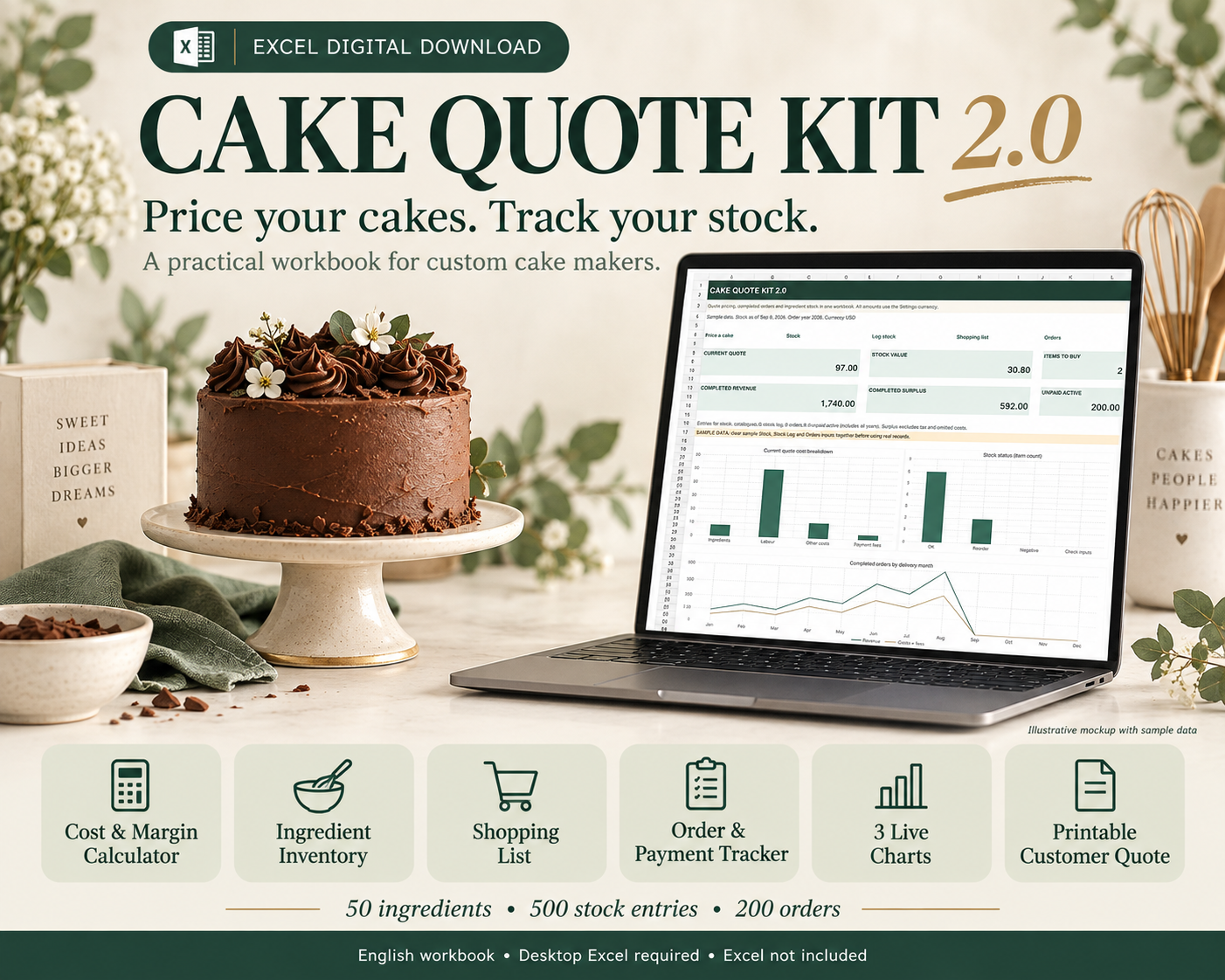
Cake Pricing Calculator for Excel with Inventory Tracker, Bakery Dashboard and Customer Quote
Cost a cake, check ingredient stock and prepare a customer quote in one English Excel workbook.
Cake Quote Kit 2.0 is a self-serve digital download for custom cake makers. It combines pricing, a manual ingredient stock log, a shopping list for the current quote and order history with three editable charts.
WHAT YOU RECEIVE
One ZIP containing:
- Cake-Quote-Kit.xlsx: 12 sheets, including Dashboard, Stock, Stock Log, Shopping List, Orders, Calculator, Customer Quote, Settings, Start Here and three independent worked examples.
- Quick-Start-Guide.pdf: six pages of illustrated instructions.
- README.txt: opening instructions and scope.
PRICE YOUR CAKE
Select Stock IDs and enter the quantities you need. Unit, pack size and current pack price pull from your catalogue. Include your time, packaging, decorations, delivery, overhead and payment fees. Set your target margin or try a manual price. Calculate a requested deposit and prepare a separate customer quote PDF without exposing internal costs.
TRACK INGREDIENT STOCK
Enter opening quantities, purchases, actual usage, waste and adjustments. View on-hand quantities through your chosen reporting date, low-stock alerts and packs to buy to reach your target stock level. Stock is valued using current catalogue pack prices, not FIFO or historical accounting cost.
CHECK WHAT TO BUY
Shopping List compares the current quote with stock on hand. It adds repeated ingredient IDs and calculates shortages and full packs to buy. A quote does not reserve or deduct stock. Record actual production usage manually in Stock Log.
REVIEW ORDERS AND CHARTS
Save each order by copying the capture row and pasting VALUES into history. Update status and actual payments received. The dashboard shows current quote costs, completed revenue and costs by delivery month, and stock status counts. Historical order values stay fixed when catalogue prices change.
CAPACITY
- 50 catalogue ingredients.
- 500 stock-log events.
- 200 historical orders.
- 12 ingredient rows in the current quote.
Use the prepared rows. Entries outside these ranges are not included in calculations.
BEFORE YOU BUY
- Digital download only. No physical product.
- Desktop Microsoft Excel is required and is not included.
- English-language .xlsx workbook. Google Sheets and mobile apps have not been verified.
- Includes clearly labelled fictional starter records to demonstrate the workflow and charts. Clear them before entering live data; the guide shows exactly which inputs to clear.
- Keep one live master for stock and orders. Archive quote copies separately.
- Enter data yourself. No macros, automatic stock posting, order imports, payment processing or accounting integration.
- Stock events use one consistent unit per item. No automatic unit or currency conversion, batch tracking or expiry alerts.
- Prices are before sales tax/VAT. No tax calculations or tax invoices.
- Formula cells are not password-protected. Edit blue input cells and keep backups.
- No personalisation, custom setup, installation service or consulting is included.
All screenshots are actual workbook output with fictional sample data. They are not recipes, recommended cake prices, real customer results or a promise of earnings. Results depend on the records and assumptions you enter.
Use the workbook for your own business and send exported quote PDFs to customers. Do not redistribute or resell the workbook or guide.
Created with the assistance of AI tools. Calculations and representative stock and order workflows have been checked.
13 TAGS
cake pricing
cake calculator
bakery inventory
cake quote template
bakery spreadsheet
cake costing
home bakery tool
excel calculator
ingredient tracker
bakery dashboard
cake business
bakery pricing
digital download
BUYER DOWNLOAD NOTE
Thank you for your purchase. Extract the ZIP and start with Quick-Start-Guide.pdf. Explore the sample data, then clear the sample stock, events and orders together before entering your own records. Keep one live master. Share only the customer quote PDF with customers.
FAQ
Q: Will a quote automatically deduct ingredients?
A: No. The shopping list previews the current quote. Record actual Use events manually in Stock Log after production.
Q: Can I use multiple workbook copies as one shared stock system?
A: No. Keep one live master for stock and orders. Archived quote copies do not synchronise.
Q: Why are old sample dates and amounts already entered?
A: They are fictional starter records for learning. The guide lists the input ranges to clear together before live use.
Q: How do I save an order without its costs changing later?
A: Copy Orders A6:I6 and use Paste Special > Values in the next free history row. Do not paste formulas. Update that same row when its status or payments change.
Q: How is stock valued?
A: Quantity on hand multiplied by the current catalogue pack price divided by pack quantity. This is not FIFO or historical accounting valuation.
Q: Does it work in Google Sheets?
A: This listing is for desktop Excel. Other spreadsheet apps have not been verified.
Q: Do you provide custom setup?
A: No. This is a self-serve download with an illustrated guide.