
Emboss, Magic Circle & Diamond Generator [Adobe Illustrator script]
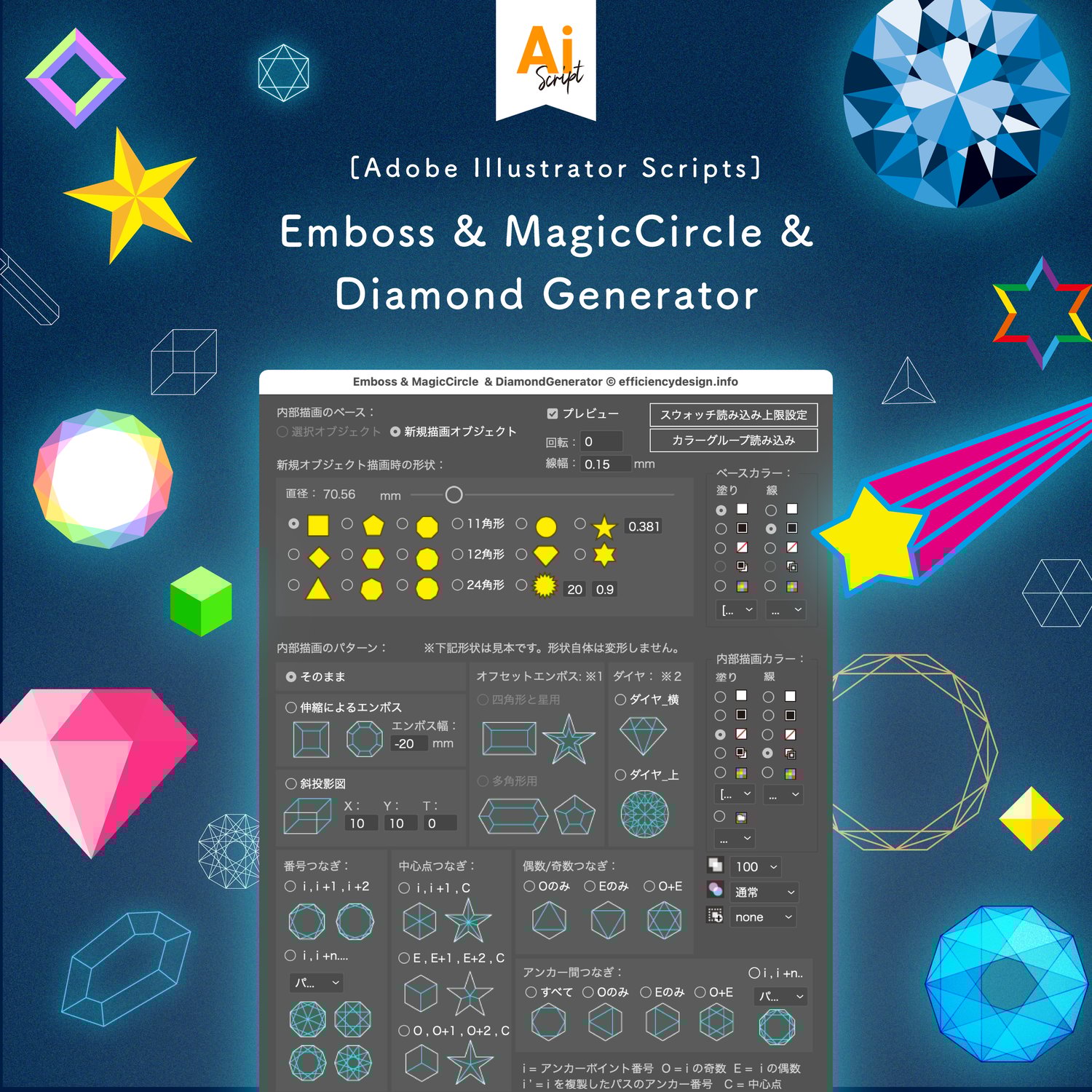
Generate complex geometric patterns and pseudo-3D effects instantly. This script for Adobe Illustrator automates the creation of "Magic Circles," geometric mandalas, diamonds, and pseudo-emboss effects. It turns simple shapes into intricate vector art in seconds—something that would take hours to calculate and draw manually.
💡 For detailed visuals and tutorials, visit the Official Blog Post.
https://en.efficiencydesign.info/illustrator/56/
⚠️ Technical Limitations (Please Read)
Regarding "Scale Emboss," "Oblique," and "Offset Emboss": These specific features generate pseudo-3D faces by duplicating and connecting anchor points. Therefore, they cannot be applied to Compound Paths or Outlined Text.
- Target Objects: Works correctly on simple, single closed paths (e.g., Circle, Square, Polygon).
- Reason: These functions rely on sequential anchor point indices. Compound paths (like text outlines) have irregular indices, which prevents the script from calculating the "faces" correctly.
🚀 Key Features
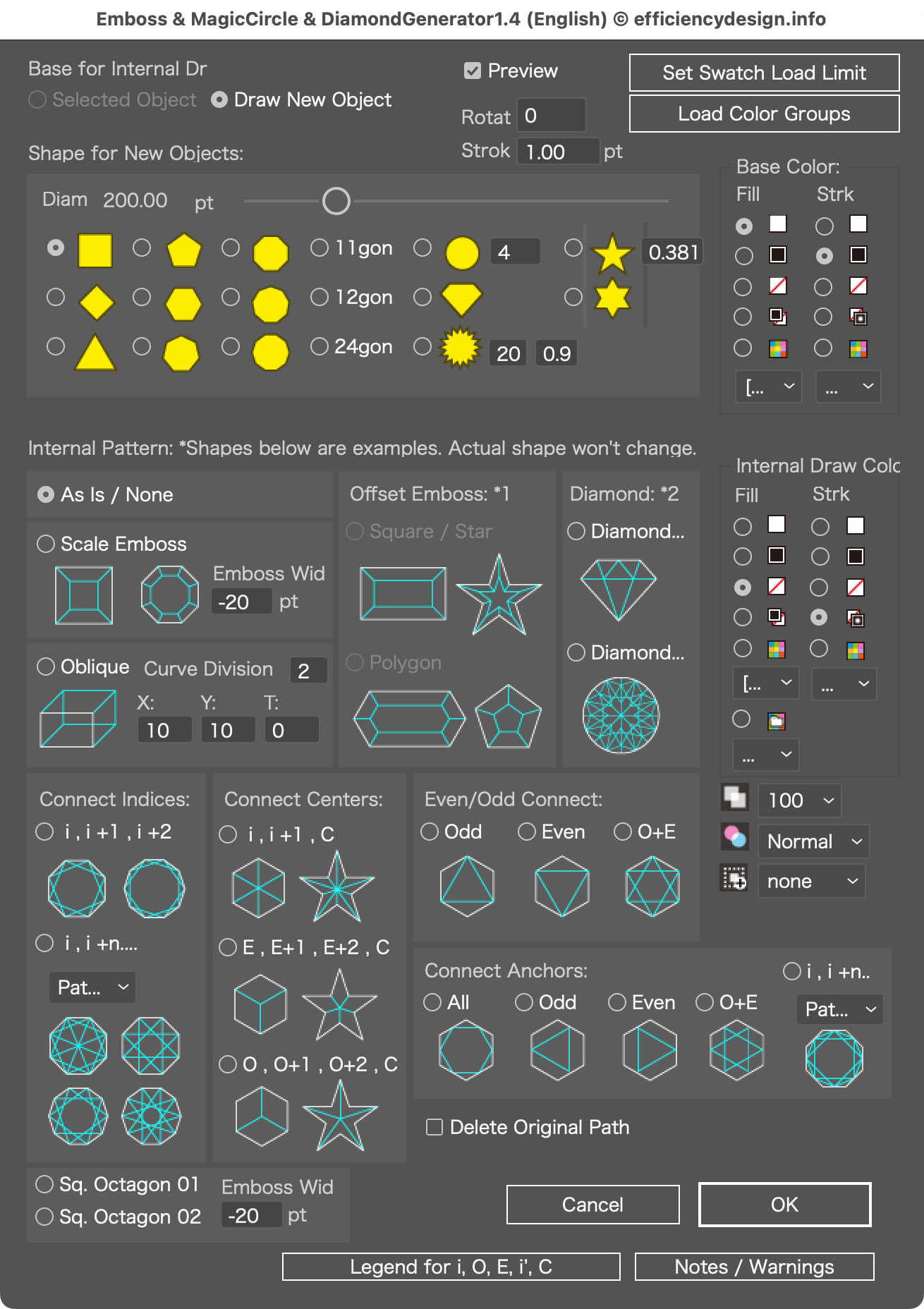
1. Pseudo-Emboss & Faux-3D Effects Create stylistic 2D simulations of 3D depth.
- Note: These create graphical "pseudo" effects for illustration purposes, not true 3D models.
- Scale Emboss: Creates a frame-like depth effect.
- Oblique Projection: Simulates cubic/block depth with adjustable angles (Pseudo-3D).
- Offset Emboss: Adds beveled edges to shapes.
2. Magic Circle & Geometric Patterns Perfect for HUD designs, magic effects, and sacred geometry.
- Auto-Connect: Automatically connects anchor points based on rules (Odd, Even, Step-by-Step).
- Internal Patterns: Generates stars and webs inside polygons effortlessly.
3. Diamond & Gemstone Generator Instantly generate vector line art of gemstones.
- Brilliant Cut (Top View): A mathematically accurate top-down diamond view.
- Side View & Polygon Cuts: Instantly turns shapes into faceted gems.
🖥 Compatibility & Verification
Verified on: macOS Sonoma 14.5 / Illustrator 2026 (30.0)
Requirements: This script is designed to work with Illustrator CC and later. While not tested in all environments, it should function correctly on standard setups. If you encounter any issues, please contact me.
🔐 Licensing (Important)
1 User (Adobe ID) = 1 License
This license is valid for one user per Adobe license.
For Teams/Companies: If multiple users will be using the script, please purchase the number of licenses equal to the number of users (Adobe accounts).
How to buy for multiple users: Please increase the "Quantity" in your cart to match the number of users before checking out.
⚠️ Terms of Use & Disclaimer
Source Code: The script is provided in binary format (encrypted); source code is not viewable or editable.
No Resale: Unauthorized transfer, resale, or distribution of this script is strictly prohibited.
Updates: Please note that future Illustrator updates may occasionally affect functionality.
Liability: The seller is not responsible for any malfunctions or damages caused by the use of this script. Please use it at your own risk.