

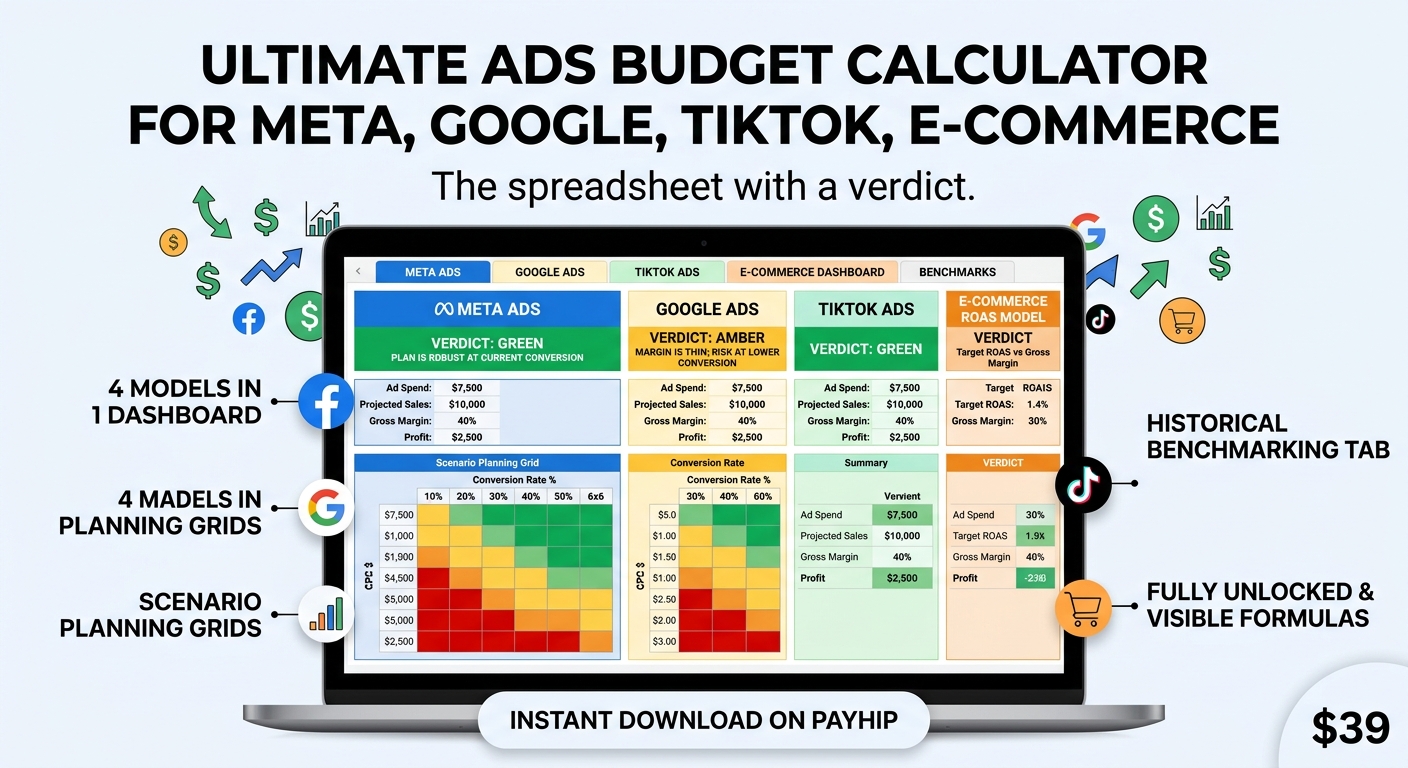
Ads Budget Calculator Pro — Meta, Google, TikTok & E-commerce
$7,500 in ad spend to make $10,000 in sales.
Most budget calculators hand you that number and stop. They don't mention it's a 1.3x return, or that at a 40% gross margin you needed 2.5x just to break even. The number looked like a plan. It was a loss with a decimal point.
This spreadsheet is built around the part every other calculator leaves out: a verdict.
Enter your numbers and it tells you, in plain English, whether the plan works — and when it doesn't, why. A red banner when the spend can't cover product cost. Amber when the margin is real but too thin to survive a bad week. Green when it clears. No jargon, no interpretation required.
Four models, not one
Meta Ads, Google Ads, TikTok Ads, and a ROAS-based model for e-commerce owners who think in return rather than clicks. Each tab has its own inputs, its own verdict, and its own assumptions about how that platform actually buys traffic. A dashboard puts all four side by side so you can see what the same revenue goal costs on each one.
The part that changes decisions
One number is a guess. A range is a plan.
Every model comes with a 6×6 scenario grid: cost per click across the rows, conversion rate across the columns, colour-coded from green to red. You see your budget at thirty-six different versions of reality, not one.
This is where most plans fall apart on paper instead of in your ad account. Your estimate says 2% conversion. The grid shows what happens at 1%. If the plan still works one column to the left, it's robust. If it collapses, you found out for $39 instead of finding out three weeks into a campaign.
The e-commerce grid does the same for profit: target ROAS against gross margin, with every losing combination in red.
Stop planning on market averages
The defaults in this file are rough industry averages, and industry averages are the worst data you can plan with.
So there's a benchmark tab. Log your spend, clicks, conversions and revenue each month, and it calculates your real blended CPC, conversion rate, CPA and ROAS — weighted properly across periods, not a naive average of monthly figures. Copy those numbers into the platform tabs and every forecast in the file becomes yours instead of generic.
Three months of logging and this stops being a calculator. It becomes a record of what your accounts actually do.
What you get
Eight tabs. Around 335 formulas, all visible and unlocked — nothing hardcoded, nothing hidden. Every calculation is guarded against empty cells, so deleting a number to type your own never fills the sheet with errors.
Excel .xlsx. Opens in Excel, Google Sheets, LibreOffice and Numbers. Each tab is set up to print or export to PDF on one page, so a plan drops straight into a client proposal. Add your own logo, save a copy per client, change any formula you disagree with.
Who this isn't for
If you run one campaign a year and just want a single number once, download the free Meta version instead. It's on adbudgettool.com and it costs nothing.
This file is for people who plan budgets repeatedly — freelancers, in-house marketers, small agencies, store owners — and who need to defend the number to a client or a boss.
Terms
One-time payment. No subscription, no account, no login. Instant download after checkout, yours permanently. Future updates to this file are free and re-downloadable from your Payhip receipt.
Every figure it produces is a planning estimate. Real performance depends on your creative, your offer and your market — no spreadsheet can promise otherwise, and this one doesn't.